Finance and documents

Sales documents come from the order itself and follow its edits and returns. VAT reports, money held by couriers, bank payments and supplier invoices sit in the same database, so nothing is entered twice.

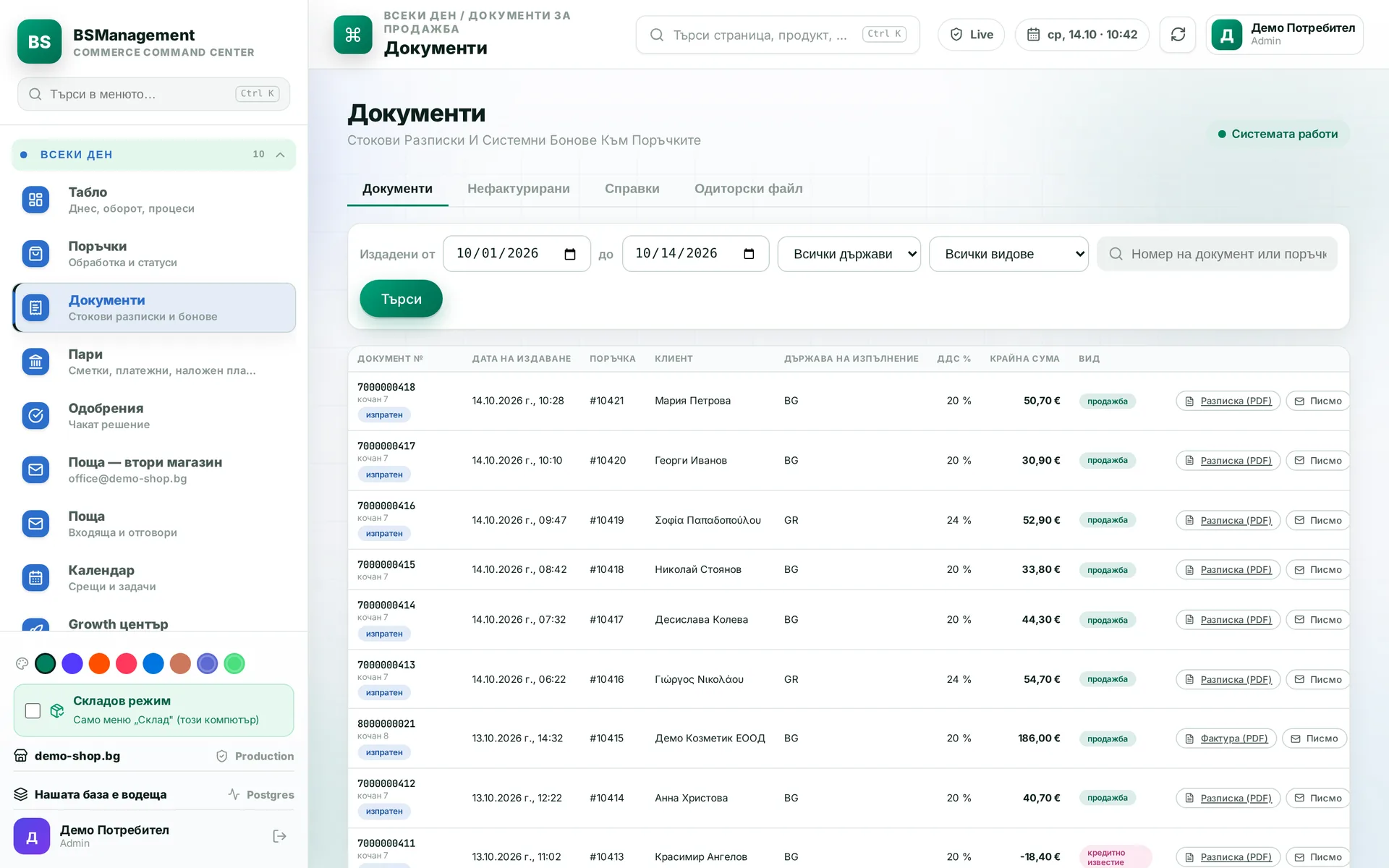
Sales documents: receipts, invoices and credit notes by series, with PDF and customer email
Sales documents

What problems it solves

In most companies the information about money sits in three places. Orders are in the store or the ERP, documents are in separate invoicing software, and the bank is in online banking. In between sits a person who retypes. Every retype can introduce a mistake, and it surfaces months later: at the accountant, during an audit, or when a customer asks why their invoice does not match their order.

Separate invoicing software usually takes the order data at one moment and never looks at it again. If the order is edited afterwards (an item removed, a price changed, shipping added), the document keeps the old numbers. Nobody notices, because the document looks fine on screen.

We keep documents and money in the same database as orders, stock and couriers. The document is issued from the current order, each payment is matched to its source, and reports are calculated from the same records everyone else sees.

How it works

Each step is one moment you can see on screen, and each one leaves a record.

  1. Sale. When an order is fulfilled, the sales document is issued from it at that moment, numbered from the right series, and emailed to the customer. A second click or a repeated event never creates a second document.
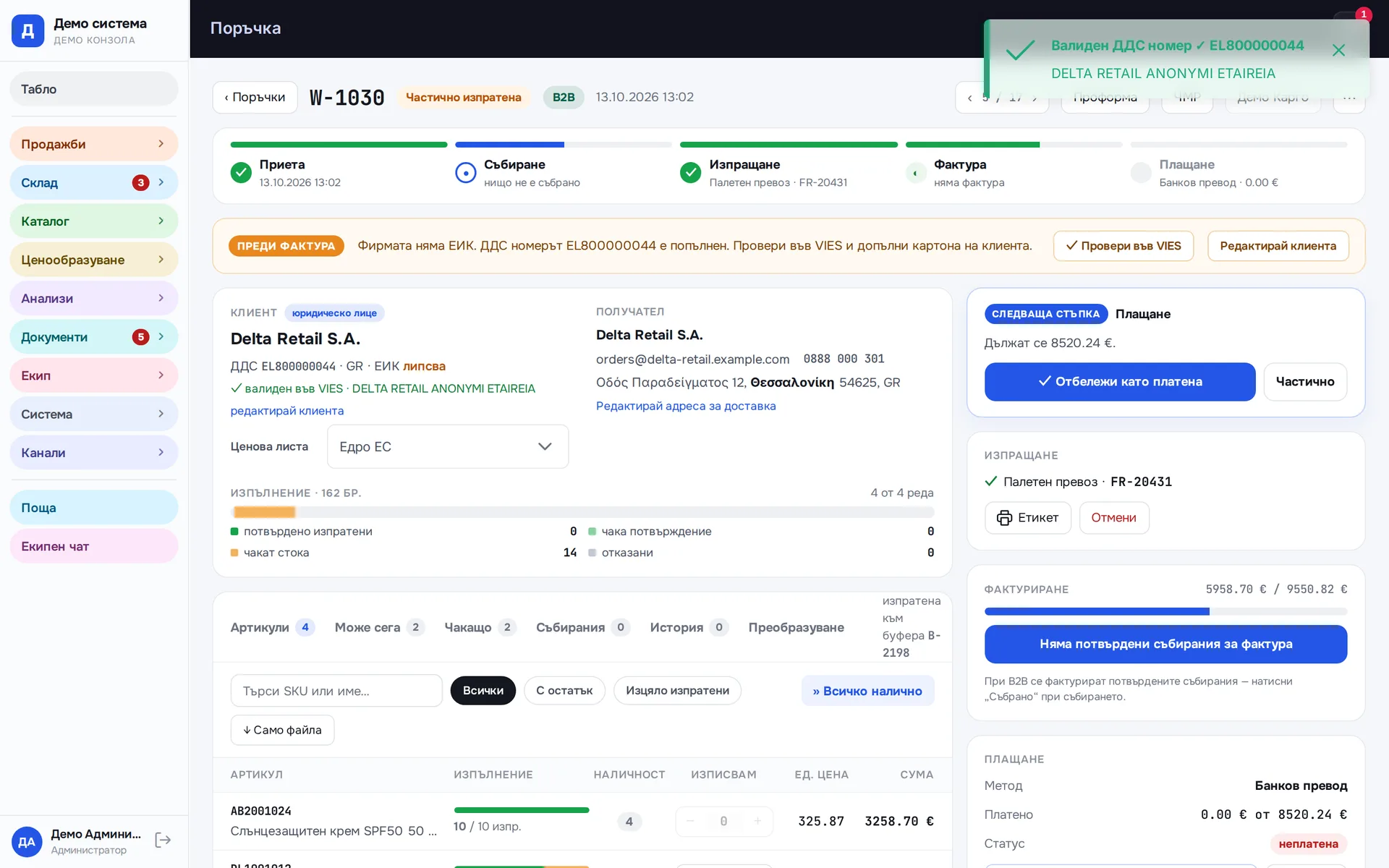
  2. Wholesale. For a business customer the system checks the VAT number in VIES. If it is valid and the goods go to another EU country, the invoice is issued at 0% with the intra-community supply basis. If the goods leave the EU, the invoice carries the export basis. When the register does not respond, the system says so and makes no assumptions.
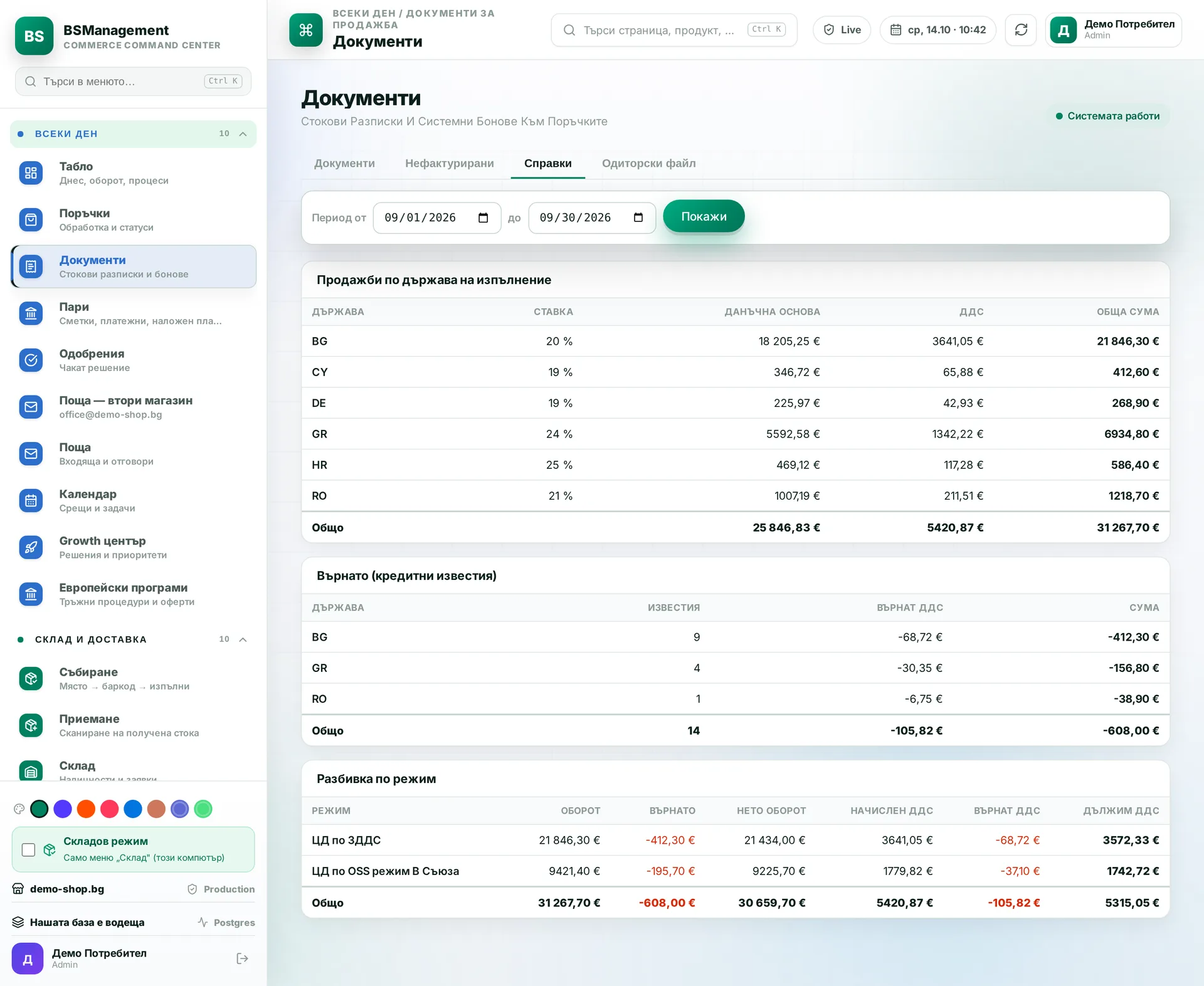
  3. Returns. When a parcel comes back unpaid, scanning it on receipt issues a credit note against the sales document. VAT reports are calculated after returns.
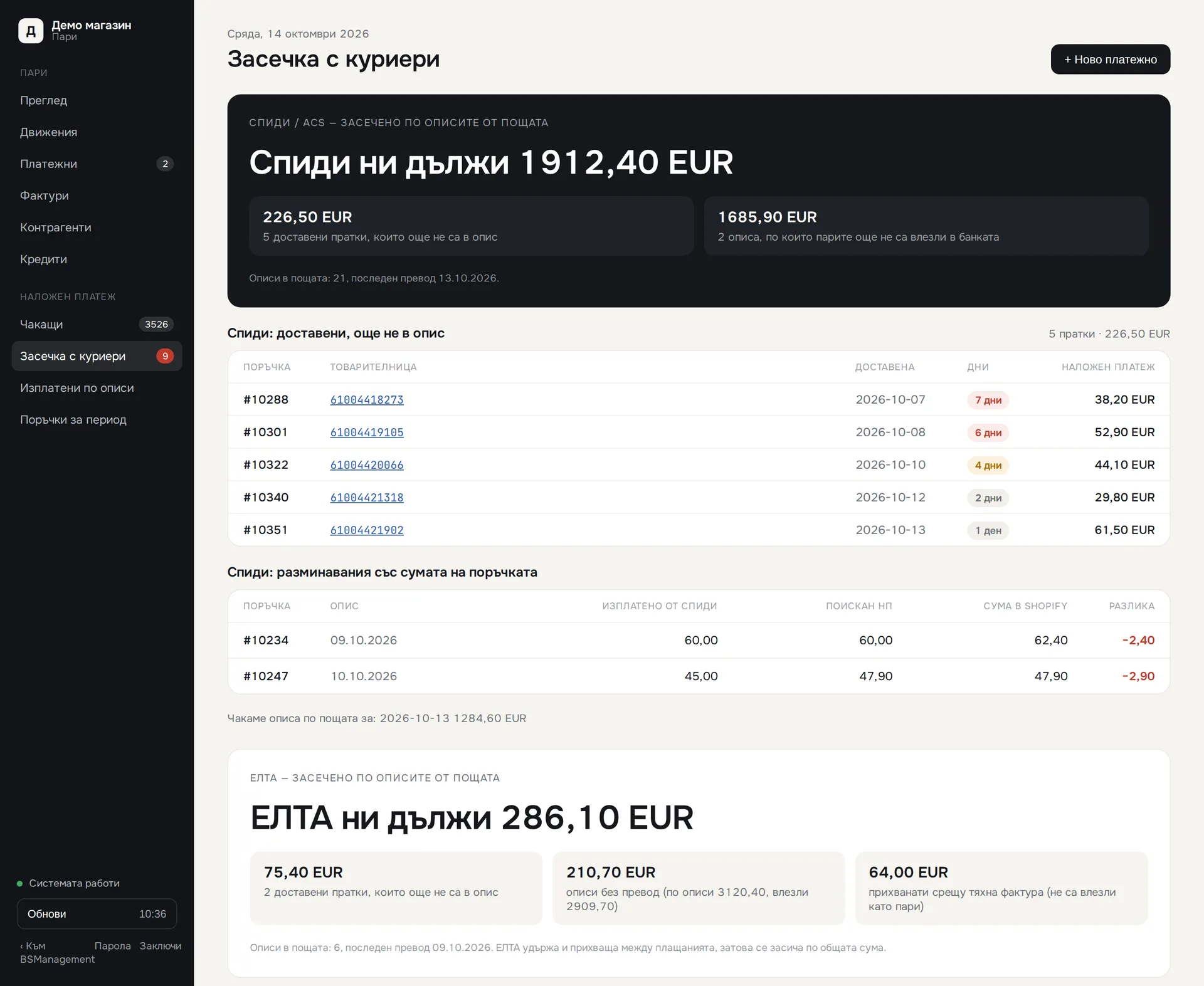
  4. Cash at couriers. The system reads courier payout statements from email, and transfers arrive from the bank through open banking. The two are linked by protocol number, and you can see what has been delivered but not yet paid out.
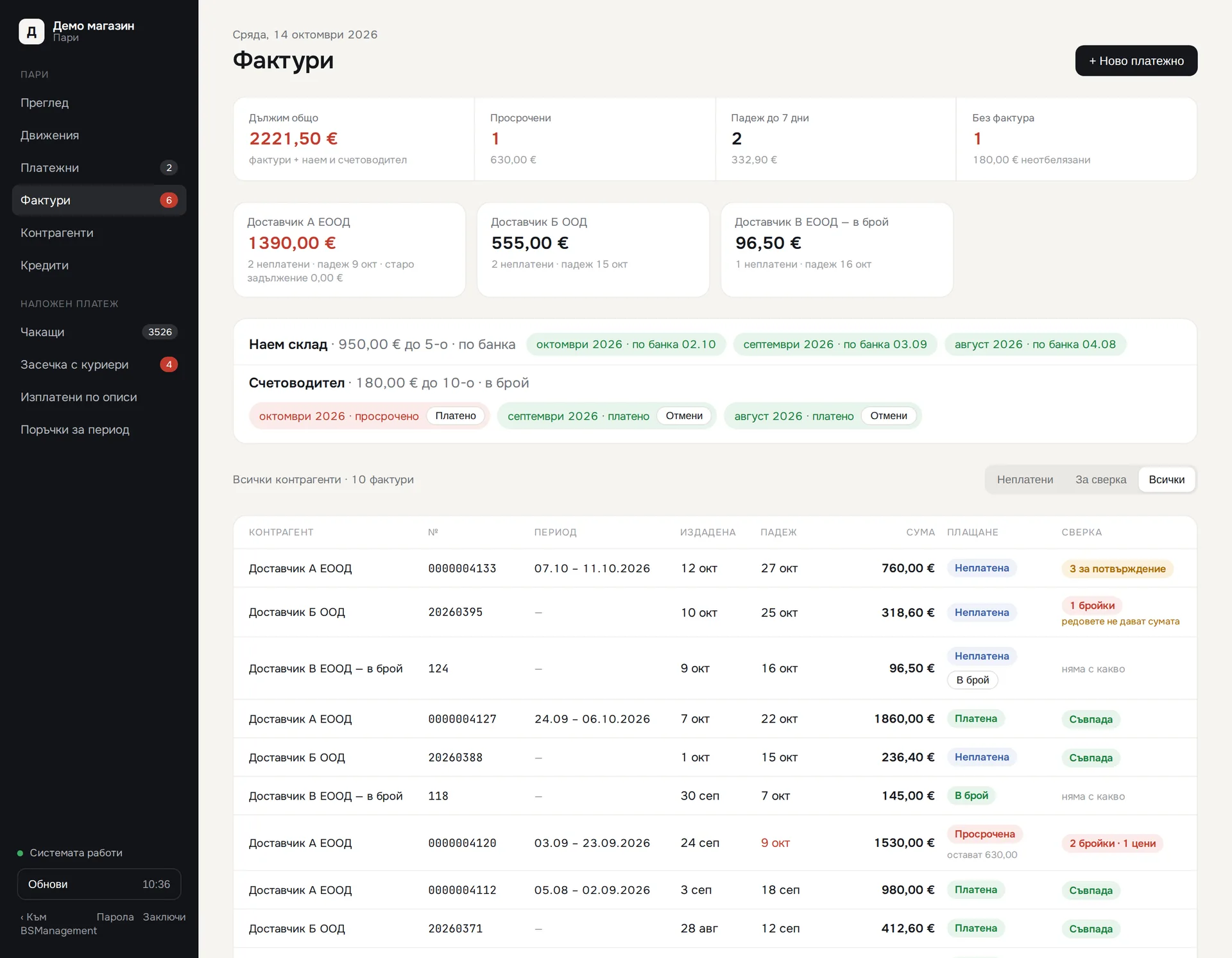
  5. Suppliers. Supplier invoices are read from email and kept as a balance per supplier. A payment order is prepared as a draft and goes out only after the responsible person approves it.
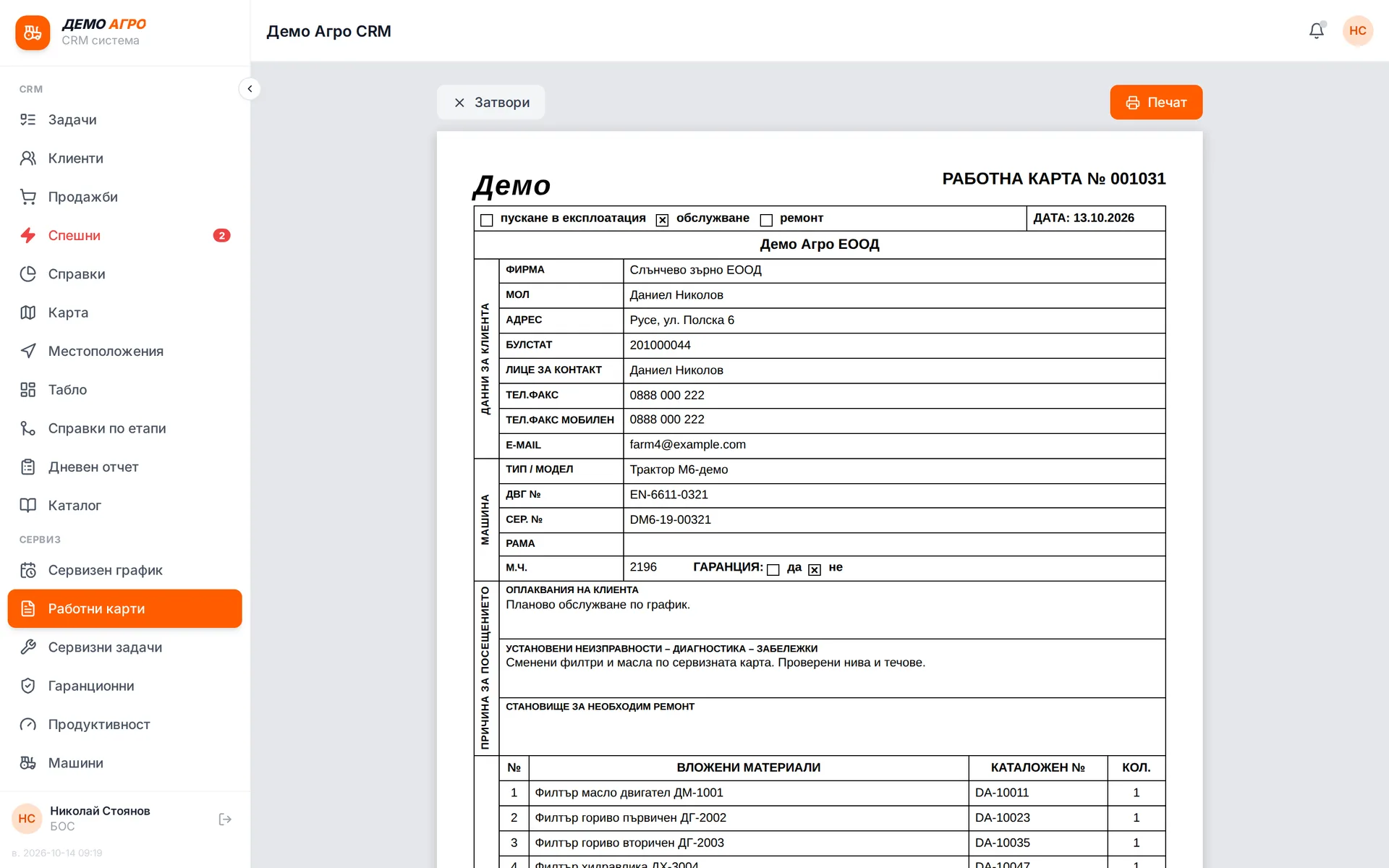
  6. Receivables and cash desk. In businesses with a service workshop and sales on deferred payment, work orders are invoiced without retyping, partial payments are recorded against the invoice, and a sale to a customer on credit hold waits for approval.
  7. Reports. At month end the tax audit file, the OSS report and the sales and money reports download with a button, because they are calculated from the same records.

What you get

  • A document that matches the order, because it is issued from the order at the moment of issue and nobody retypes it.
  • Your own numbering, continuing from the old software with no gap and no duplicate documents.
  • Wholesale invoices with the right rate and legal basis, determined by the customer's country and the VIES answer. The check is kept as evidence.
  • A clear answer to how much cash each courier is holding and which parcel has no statement.
  • Payment orders that do not go out without approval, and a stop on any new or changed supplier IBAN.
  • A balance per supplier and per customer, with advances and partial payments, instead of a pile of unsorted invoices.
  • Monthly files and reports for the tax authority, OSS and the accountant, without assembling them by hand in Excel.
  • Every refusal on screen states the reason and what to do next.

What it connects to

The finance module is part of the system and reads and writes the same database. It connects to outside systems only where data genuinely comes from outside.

  • Shopify, WooCommerce and other sales channels: the orders that documents are issued from.
  • Banks through open banking: account transactions and the status of payments sent.
  • Mailboxes: courier statements and supplier invoices, read automatically by the system.
  • VIES: VAT number checks for business customers and suppliers.
  • The Bulgarian tax authority (NAP): the monthly e-shop audit file in the required format.
  • Couriers: cash-on-delivery parcels and the returns that lead to credit notes.

What the system does not do

The system does not replace your accountant. It gives them ordered documents, matched payments and reports they can rely on, instead of a folder of printouts. Decisions on accounting policy stay with them and with you.

Modules in this solution

Sales documents

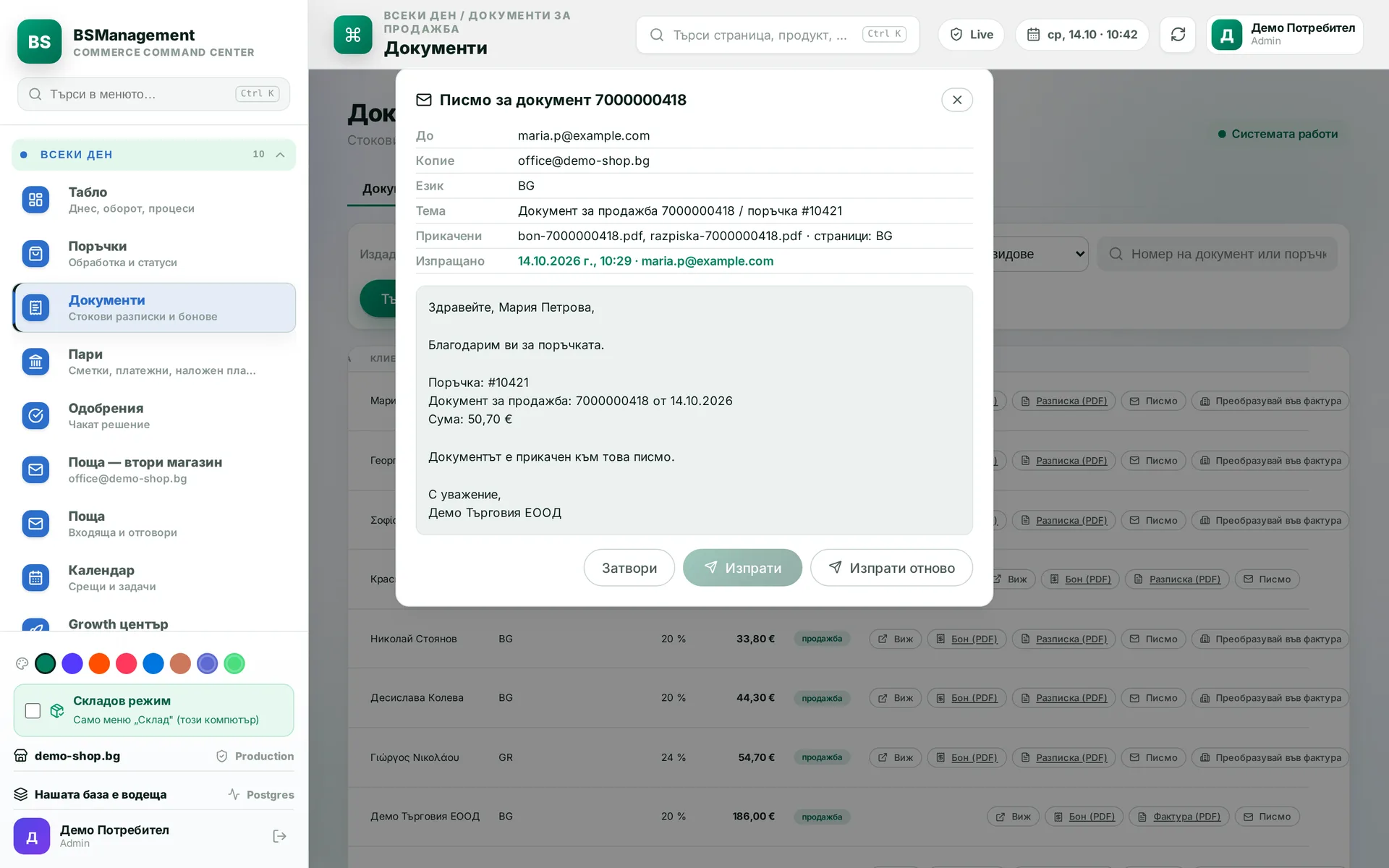
The system issues the sales receipt or invoice from the order as it stands at the moment of issue, with separate numbering for each document series. If the order was edited before shipping, the document reflects the edit. Issuing again for the same order never creates a second document.

Runs in: KoreanCare

Invoices, notes, proformas

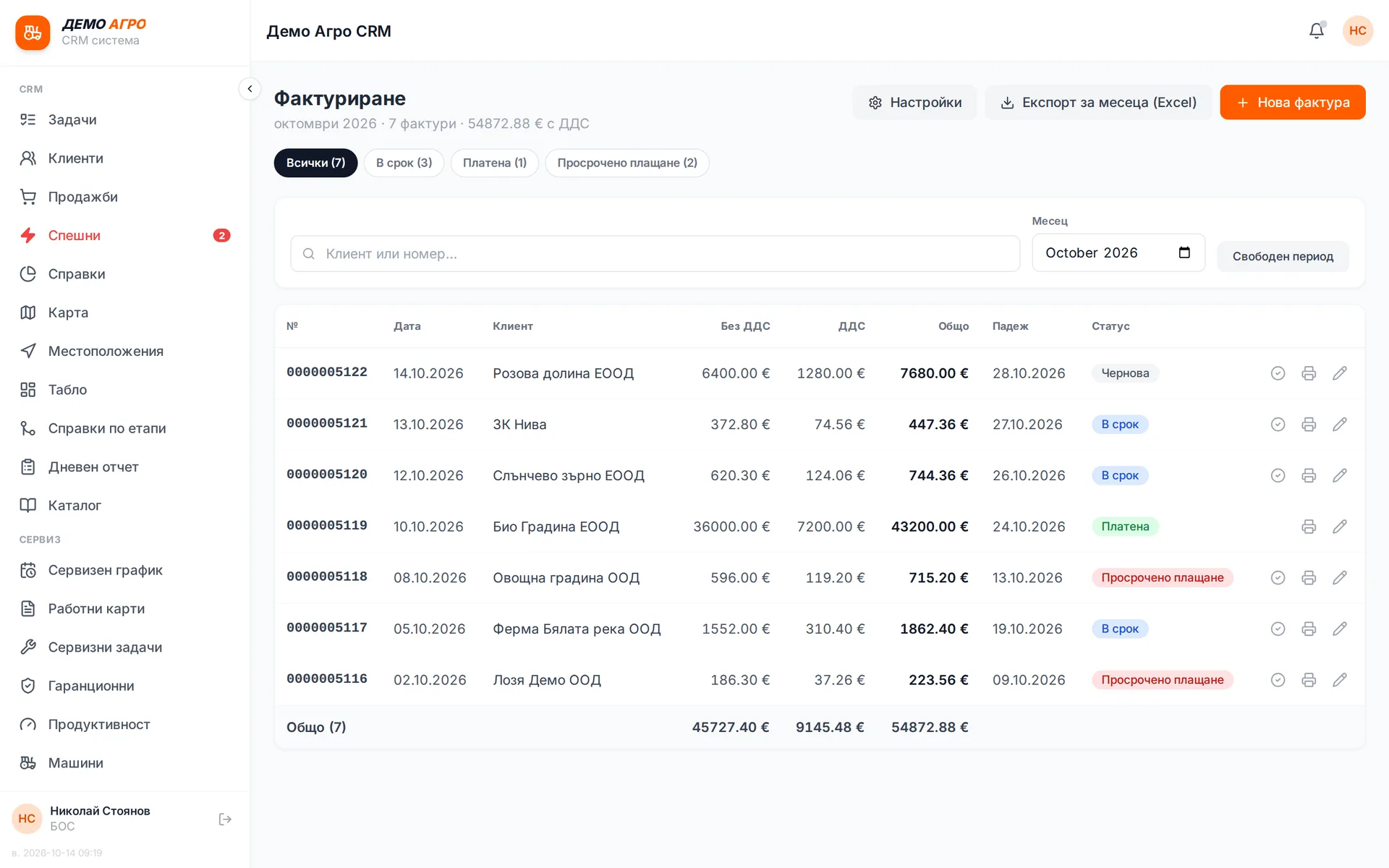
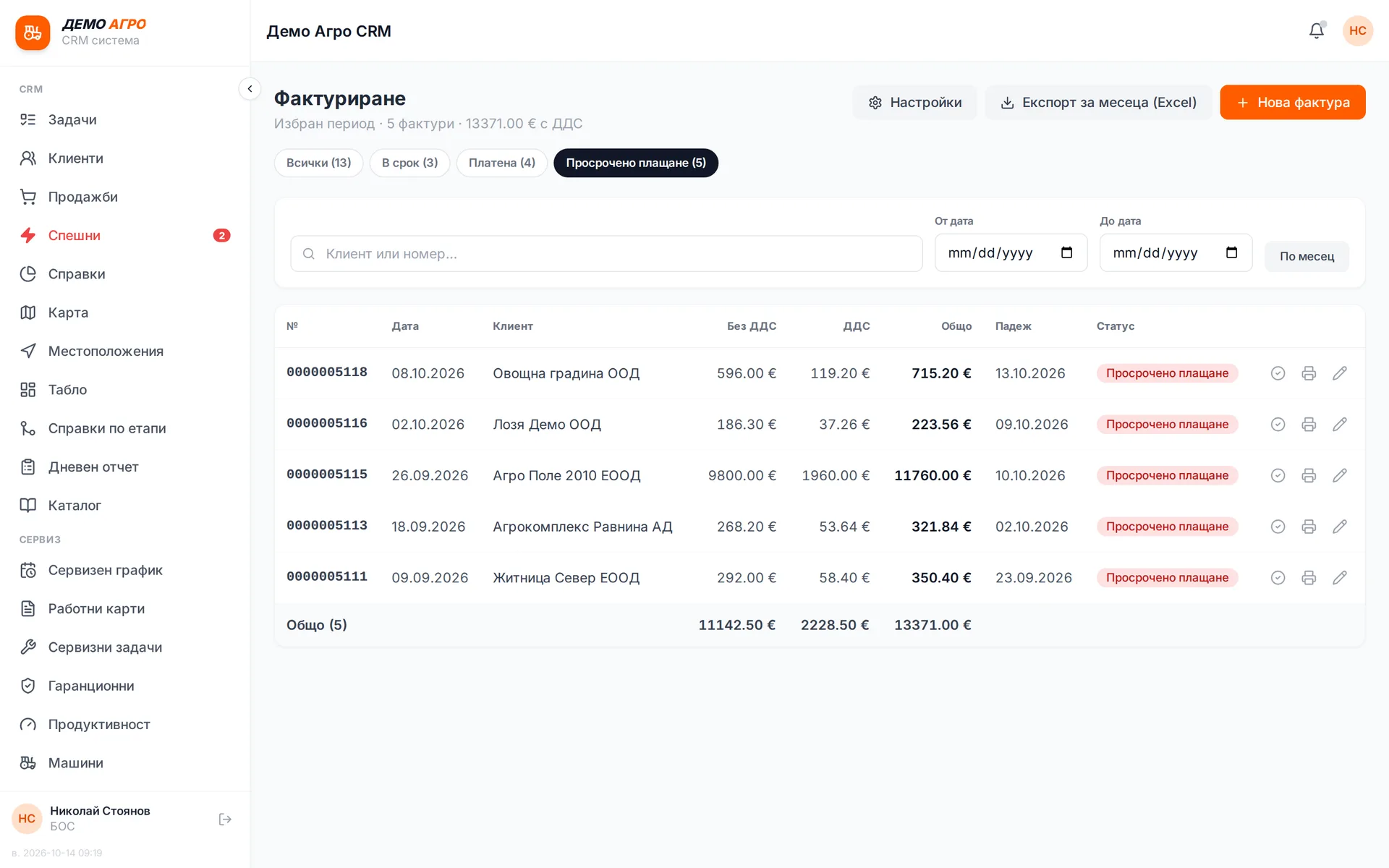
Invoices, credit and debit notes, proformas, CMR and transport orders are all issued from one screen. A badge in the menu shows how many orders are still waiting for an invoice. On wholesale sales the system applies 0% and the legal basis on its own: intra-community supply when the VIES number is valid, or export outside the EU. In a service business, closed work orders are invoiced from here without retyping.

Runs in: Easy App, BS Omni ERP, Ivana Agro, KB Agro

VIES VAT number check

The customer's or supplier's VAT number is checked in the VIES register and the answer is kept as evidence: whether it is valid, whose name it is under and when it was checked. Recent checks are remembered so the same number is not looked up twice. If the register does not answer, the system says so plainly and never assumes the number is valid.

Runs in: Easy App

Documents sent automatically

The document is emailed to the customer the moment it is issued, both for a sale and for a credit note. A repeated event never sends a second email. If sending fails, the reason is logged and a button for manual sending stays on the screen.

Runs in: KoreanCare

Credit note for a returned parcel

When a cash-on-delivery parcel comes back unpaid, scanning it on return issues a credit note against the sales document. The sale and its reversal sit side by side in the reports. Nobody issues the note by hand, so nobody can forget it.

Runs in: KoreanCare

Tax audit export

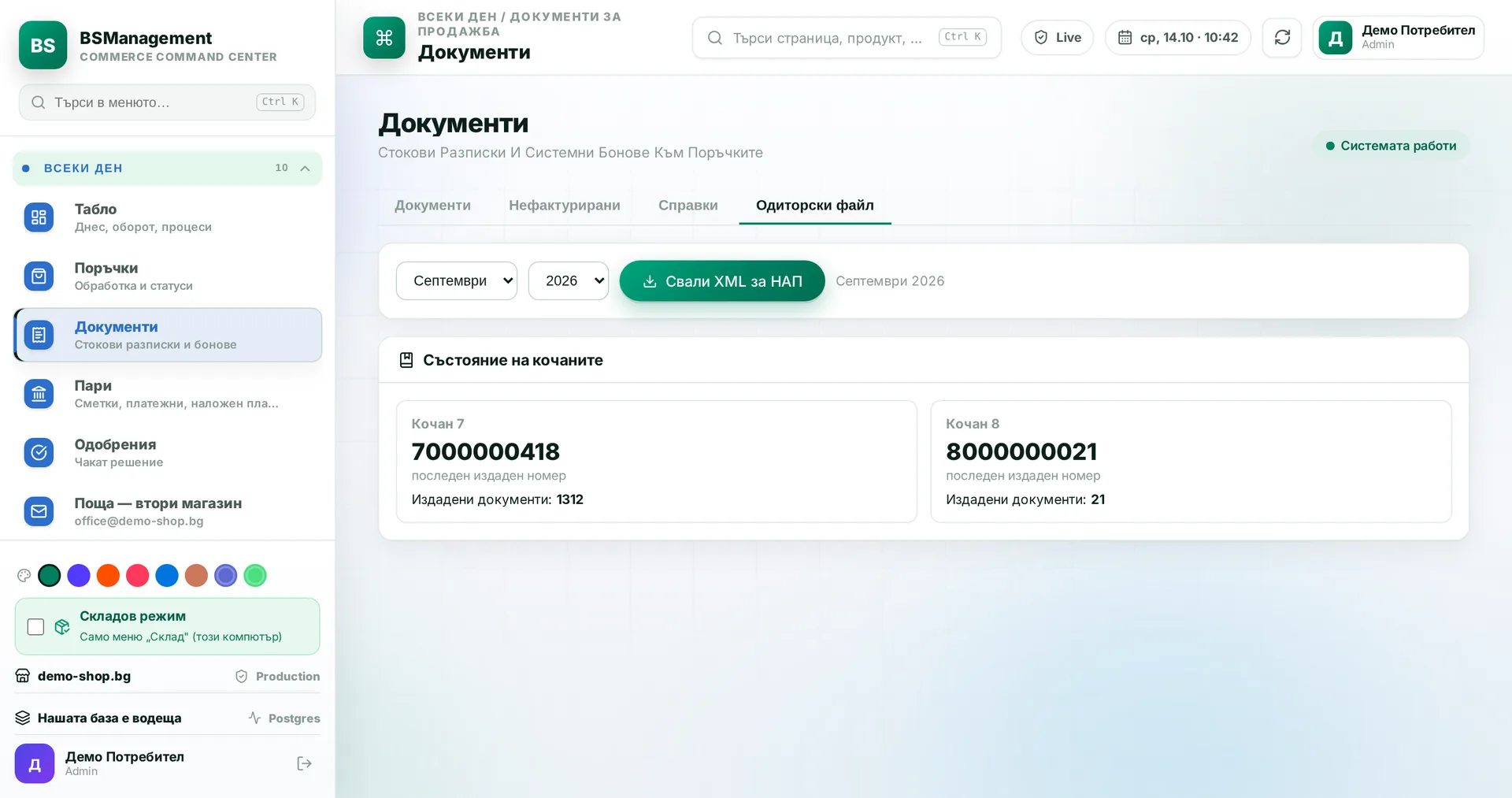
The system builds the monthly e-shop XML file for the Bulgarian tax authority from the documents issued in the chosen month. Dates are calculated in the company's time zone, so a document from the first day of the month never slips into the previous one. The file downloads with one button.

Runs in: KoreanCare

OSS VAT report

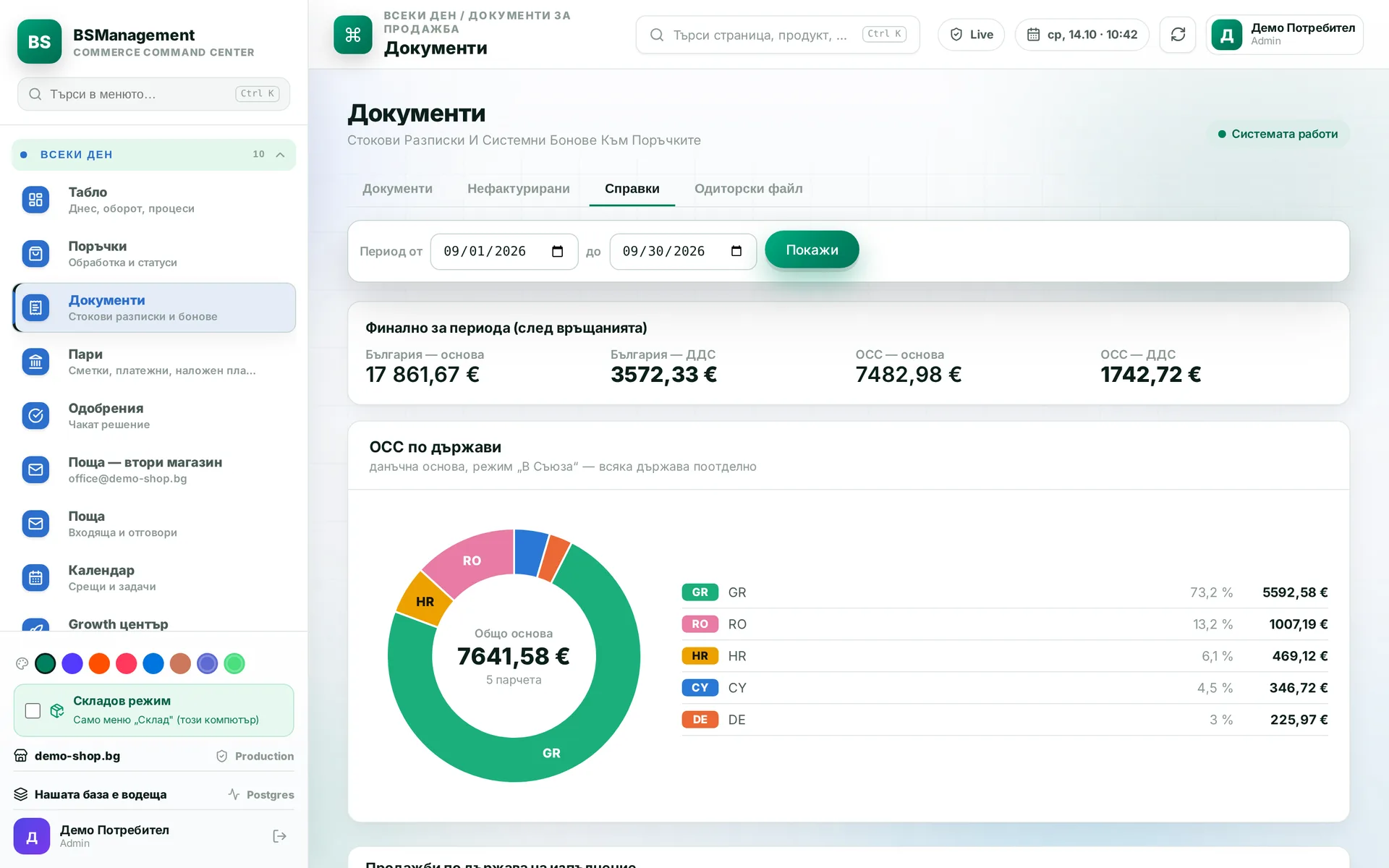
EU One-Stop-Shop VAT is calculated per buyer country, separately from domestic VAT. The base and tax are shown after returns, and a sale counts on its payment date. The final figure goes into the return without extra calculations.

Runs in: KoreanCare

Bank and payments

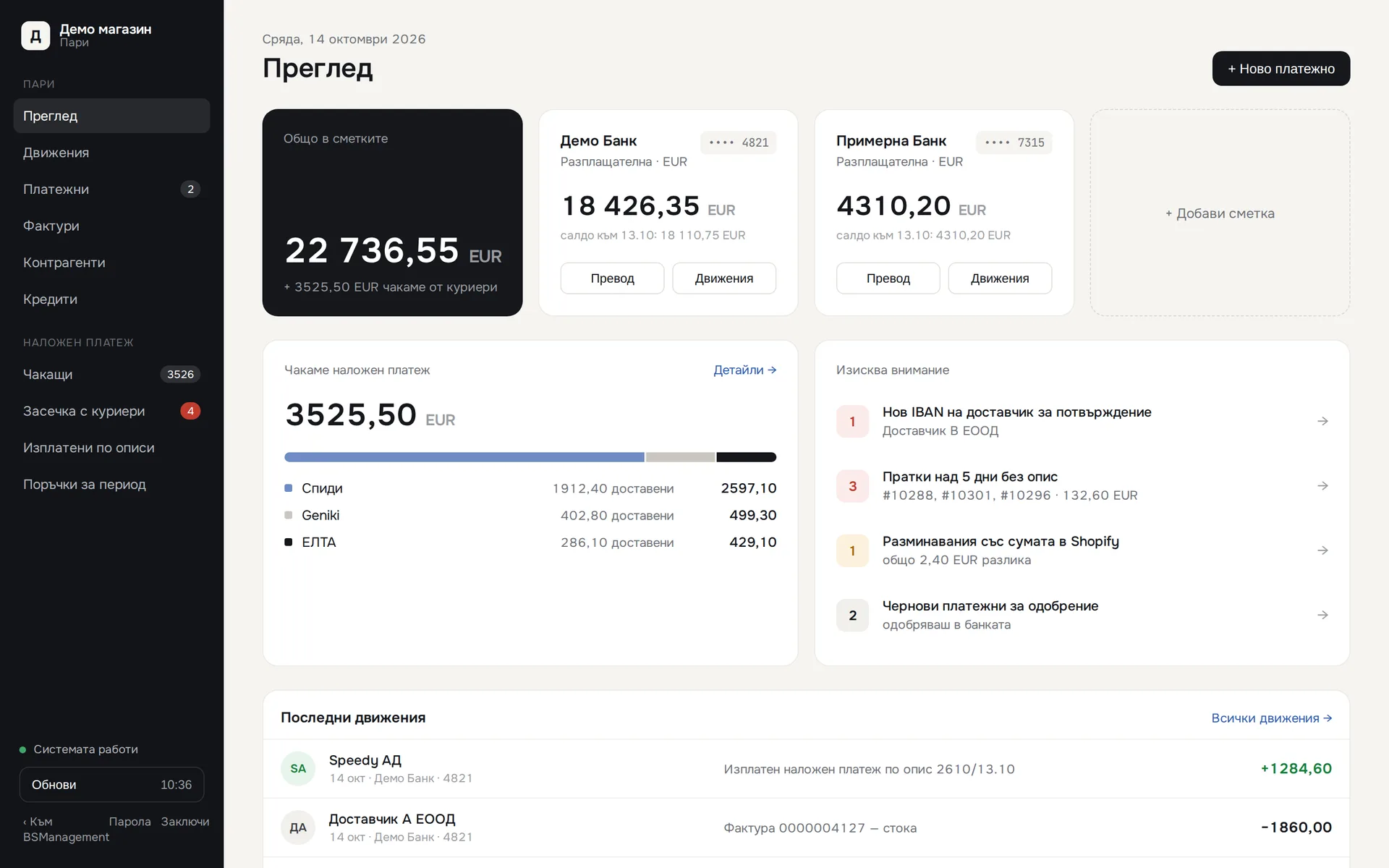
Bank accounts are connected through open banking and transactions arrive on their own, with history going back. Each counterparty sits on one line, however many ways the bank spells it. Transfers between your own accounts count as neither income nor expense. Courier payouts are matched to their statements by protocol number.

Runs in: KoreanCare

Payment orders with approval

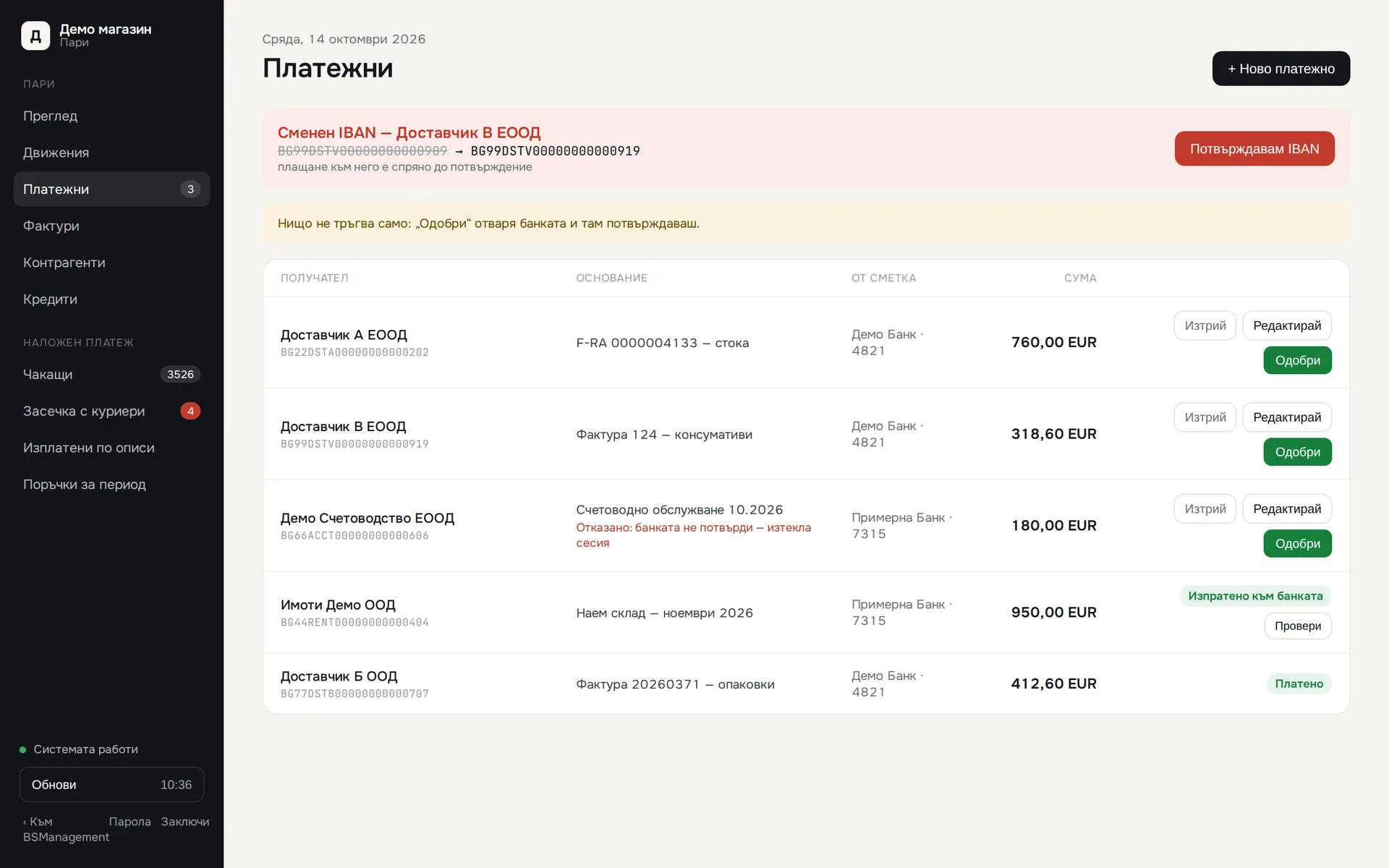
A payment order is written as a draft and does not go out until the person in charge presses "Approve" and confirms in the bank. If a supplier's IBAN is new or has changed, a red warning blocks approval until someone confirms the account. Access to the section requires a password and an approved device.

Runs in: KoreanCare

Cash held by couriers

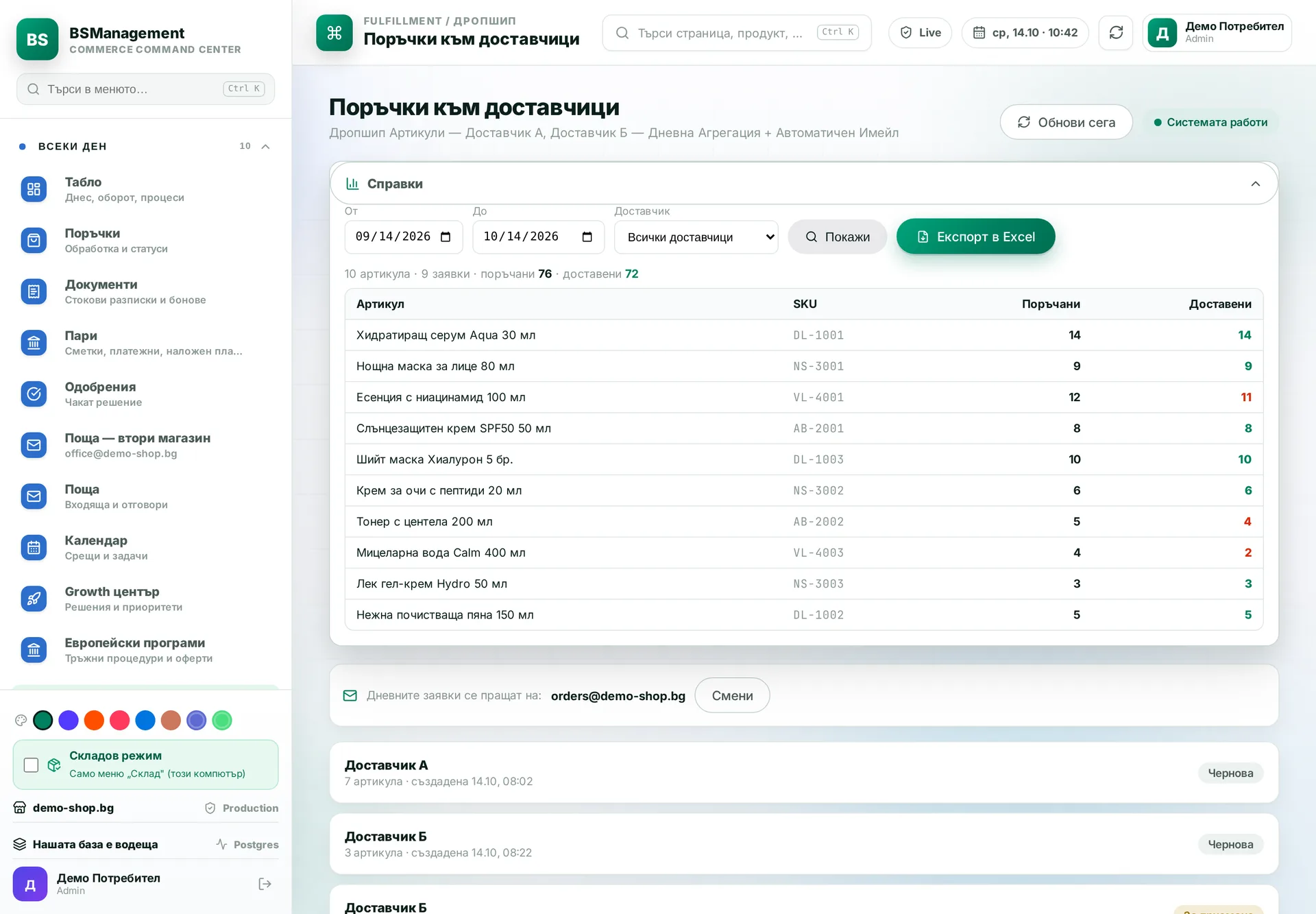
Shows, per courier, how much cash on delivery has been collected but not yet paid out. The system reads payout statements from email and matches them to the bank transfers. You see parcels without a statement, late payouts and differences in amounts. A delivered cash-on-delivery order is marked as paid.

Runs in: KoreanCare, BS Omni ERP

Supplier invoices

The system reads supplier invoices from email and links their lines to warehouse items. Debt is kept as a balance per supplier, with advances and partial payments, and each transfer goes first to the invoice whose number appears in the payment reference. Expenses without an invoice are marked paid with one button.

Runs in: KoreanCare

Receivables

You see unpaid invoices per customer, with due dates and days overdue. A partial payment is recorded against the invoice and the remainder shows at once. The person in charge knows whom to call today.

Runs in: Ivana Agro, KB Agro

Cash desk and expenses

Cash payments, expenses and the cash on hand are recorded as they happen. The day's balance is visible without a separate calculation, and each expense shows up the same day instead of at month end.

Runs in: Ivana Agro, KB Agro

Customers on credit hold

You can put a customer on credit hold. A new sale to them then waits until a manager approves it, and the salesperson sees why it was stopped. That way nobody sells on credit to a customer with unpaid bills.

Runs in: Ivana Agro, KB Agro

Margins

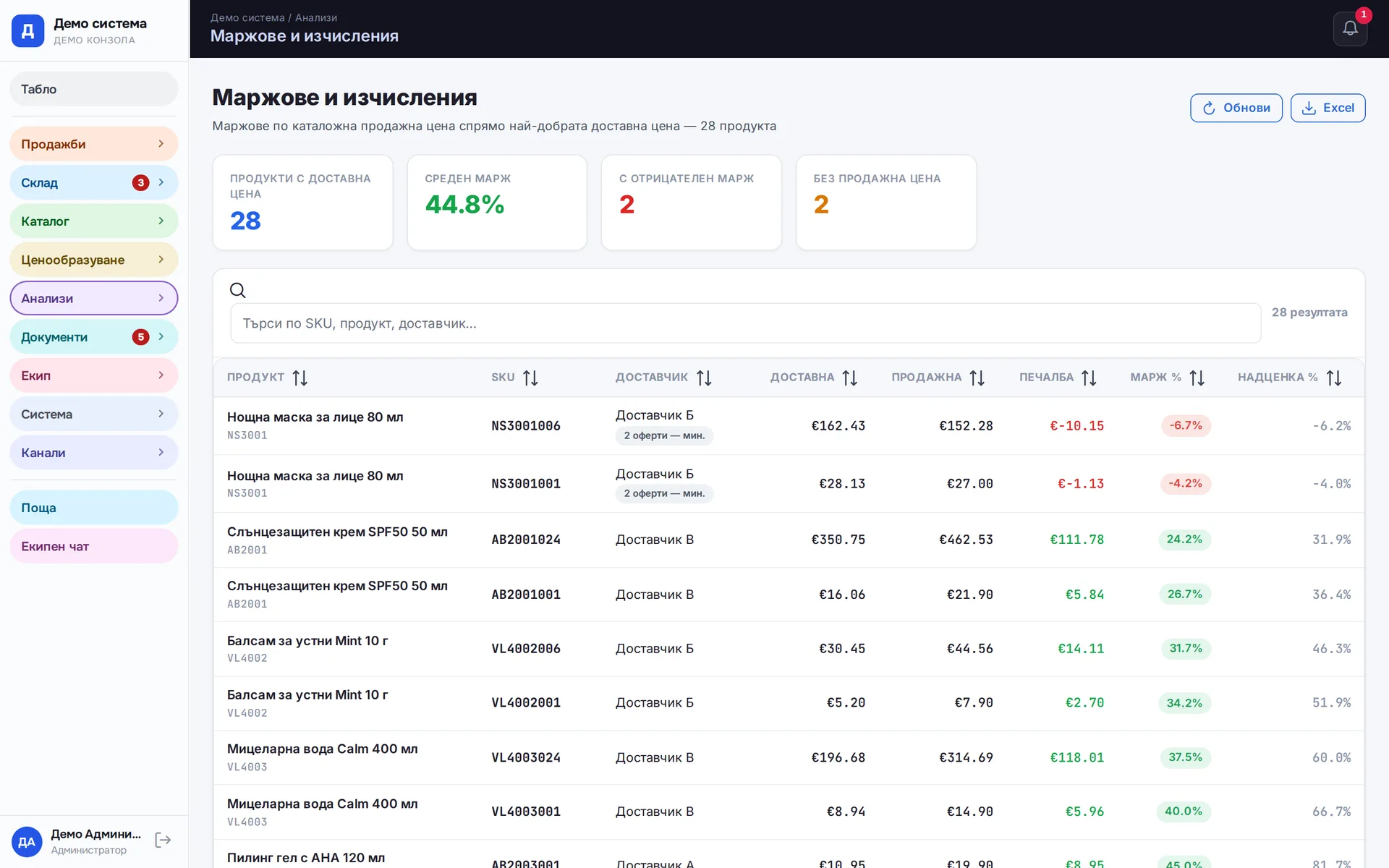
Margin is calculated from the cost price and the actual selling price per product, order and partner. You see what makes money and what only makes turnover.

Runs in: Easy App, BS Omni ERP, LedWhite

Loans and instalments

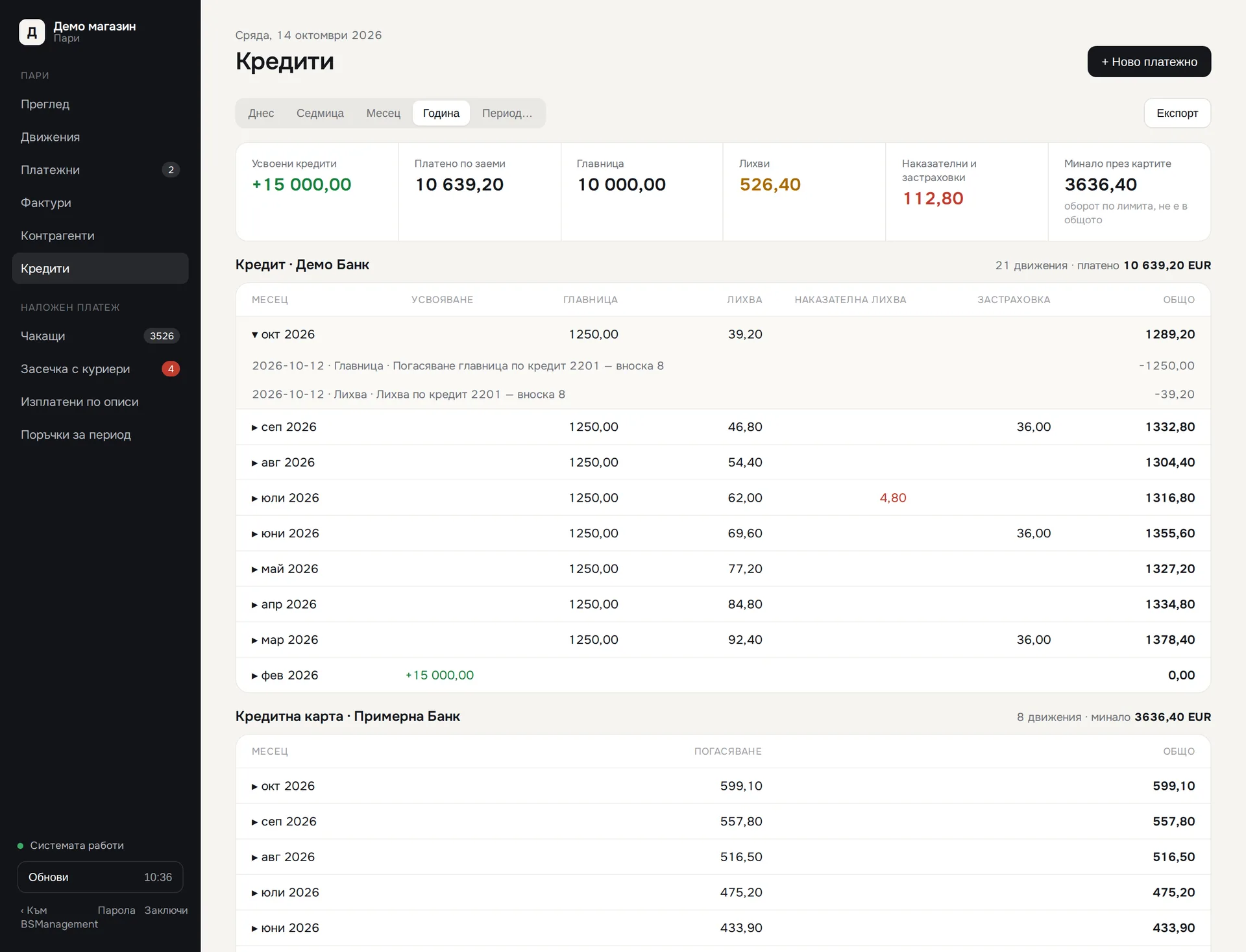
Loan instalments and credit card repayments are recognised from the bank transfer reference and split into principal, interest, fees and insurance. A drawn loan is not counted as income. A separate section shows how much has been paid on each loan.

Runs in: KoreanCare

Subscriptions and online payment

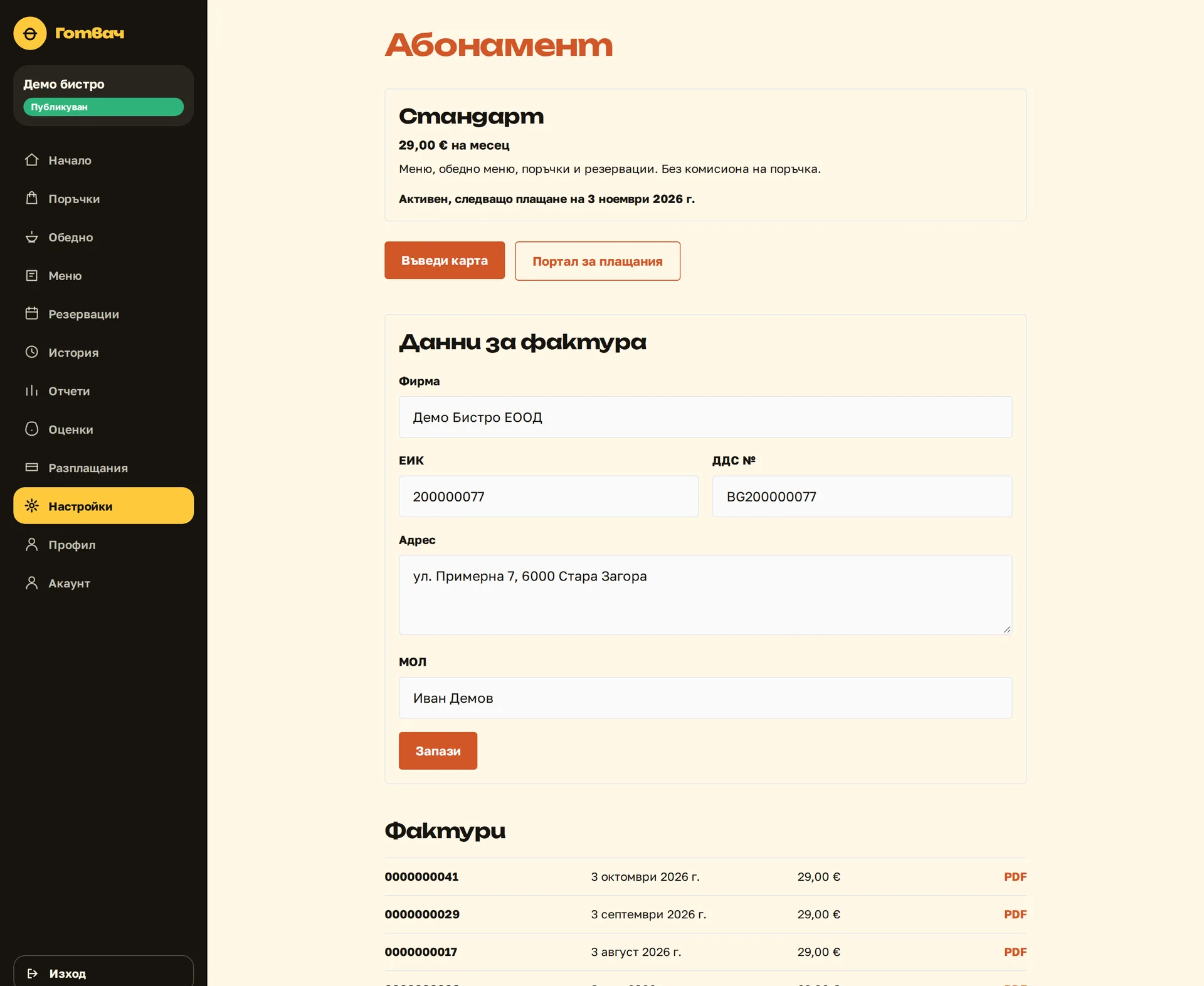
The customer picks a plan and pays by card, and the system issues the invoice. The subscription status changes on its own based on the payment provider's confirmation. Nobody tracks by hand who has paid and who has not.

Runs in: Shishko

Quotes and contracts as PDF

Quotes, contracts and protocols are built from a template that fills in the client's data from their record. The document comes out ready to print or send, with no copying between files. You change the template in one place and the change applies to every document after that.

Runs in: Digitalna Kantora, MyCRM, Ivana Agro, KB Agro

Sales history

Sales going back years sit in the system's own database, not only in the store platform. Imported old orders are counted by their real date, not the day they were imported. Analysis by period comes back in seconds.

Runs in: KoreanCare

Promotion revenue

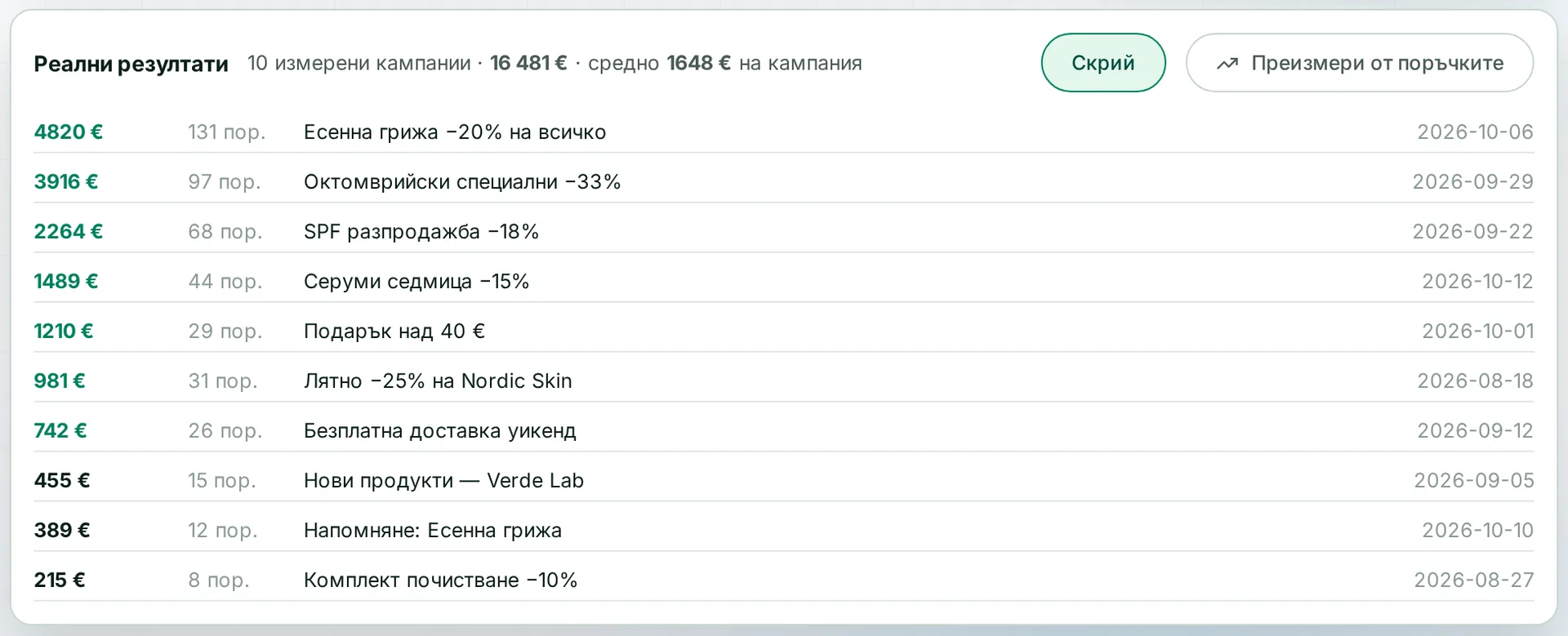
For each promotion you see the revenue and margin it brought in, per product. You decide whether to repeat it based on the numbers.

Runs in: KoreanCare

Sales and money reports

Reports on sales, money, stock movements and stock levels, with Excel export. The system compares what was ordered from a supplier with what arrived, line by line. Every report states what is included in the figure and what is not.

Runs in: KoreanCare, Easy App, BS Omni ERP

Restaurant payouts

For a chosen period the system works out per restaurant what was paid online and on receipt, the payment fee and what is owed. Payouts are recorded against the balance, and the report downloads as CSV. Each restaurant sees its own report in its panel.

Runs in: Shishko
Screens

Where it runs

KoreanCare

International online store for Korean cosmetics

An international Shopify store for many markets and languages, with the BS Management system around it: a warehouse with barcode and voice picking, waybills for several couriers, our own checkout shipping service, sales documents, feeds, advertising, SEO and translations into many languages.

See the project

Easy App

Own product

Own product — business app for wholesale and retail

A business app for a wholesale and retail merchant: orders from Shopify and WooCommerce, a physical shop, waiting customers and stock allocation, supplier requests, wholesale invoices with VIES checks and export, versioned price lists and a B2B site with packing lists.

See the project

Frequently asked questions

Do we have to switch off our current invoicing software on day one?

No. Usually both systems run side by side until the documents from the new one have been checked. Then we pick a date from which numbering continues with us, and import the old documents so the reports have no gap.

What happens if an order changes after the document is issued?

An issued document is never altered. If the change affects the amount, a note is issued against it, as the law requires. For an order that has not been fulfilled yet, the document is simply issued with its current data.

Can the system pay suppliers on its own?

Not without a person. The payment is prepared as a draft, the responsible person approves it, and the bank asks for its own confirmation. We do not offer automatically sent payments.

Does it work with our bank?

We connect through open banking, which most banks in Bulgaria support. Before launch we check your specific bank and accounts. If one is not supported, you will find out before we start.

Can we take only invoicing, without the bank and couriers?

Yes. Modules are switched on separately and in stages. We most often start with sales documents, because that is where mistakes cost the most. The bank and courier reconciliation come after that.

Who owns the data and the system?

You do. The system becomes the client's property, with no licence and no per-user fee. The database is yours and the documents stay accessible whether or not we keep working together.

Got a process that keeps getting stuck?

Describe it briefly. We will tell you how we would solve it.

Send an inquiry
Call us