Meta catalogues
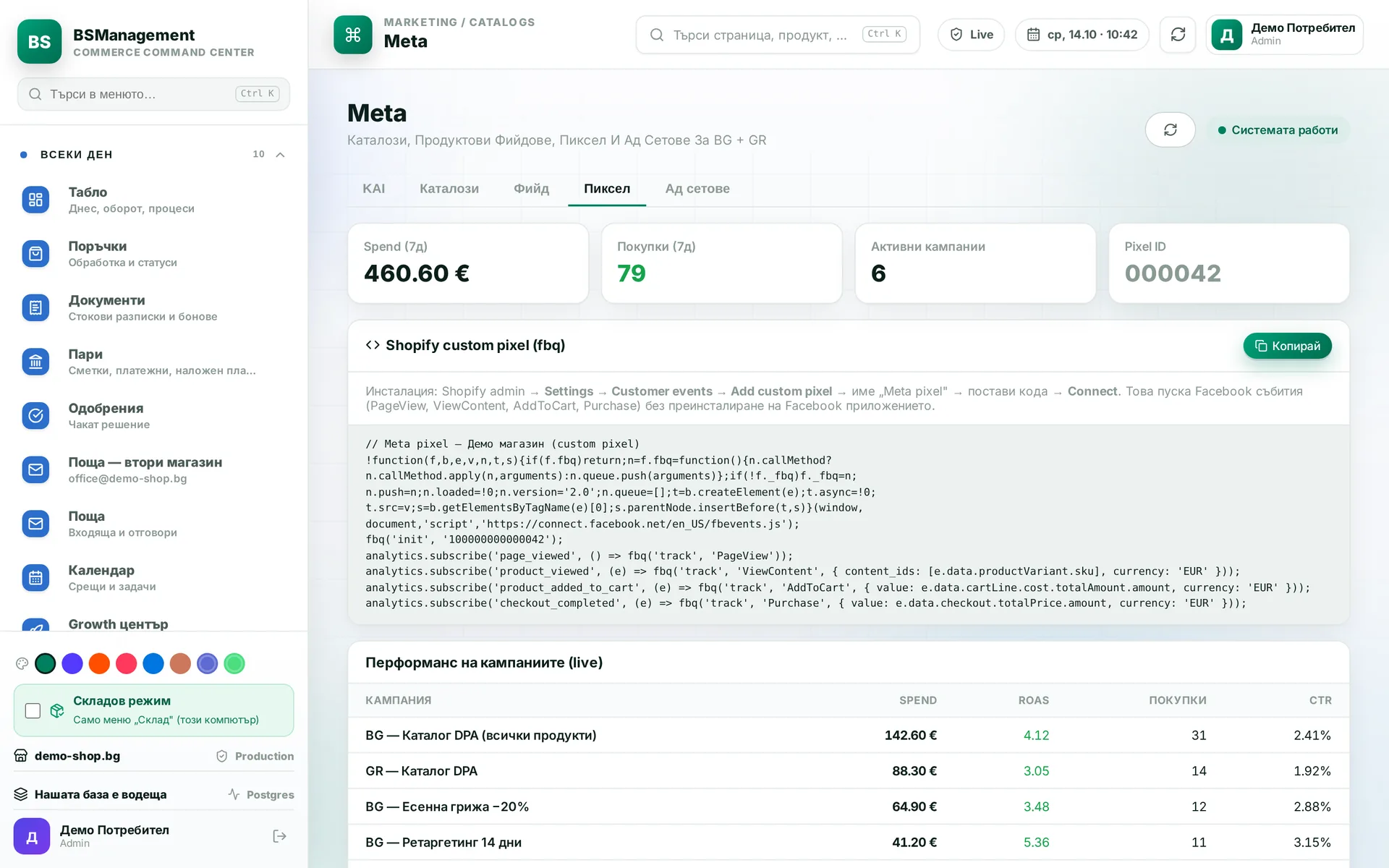
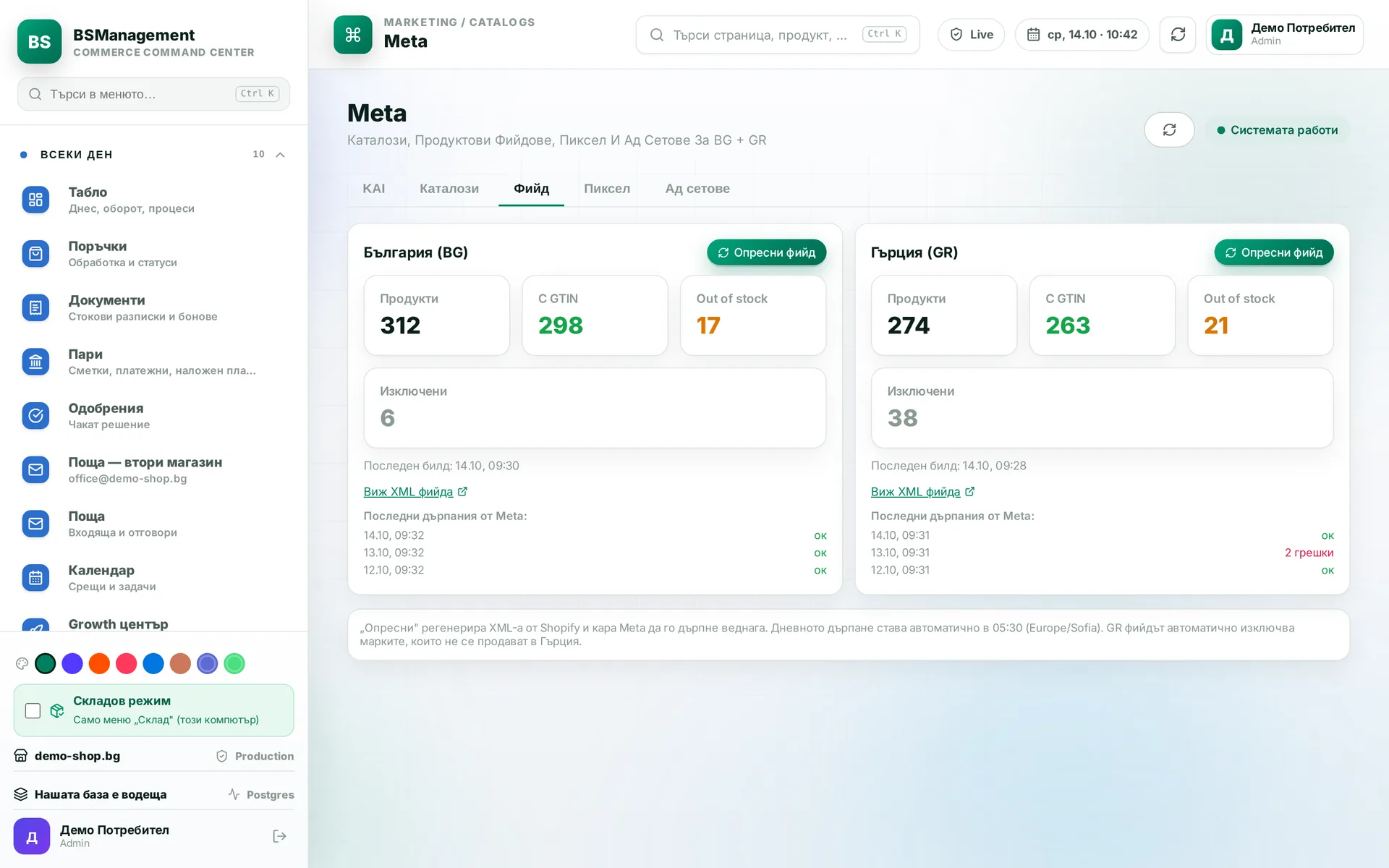
The Facebook and Instagram catalog is filled from the store, and product sets are managed from the system. Campaigns are tracked on the same screen, and a button saves the current results so you can compare them later. Price and stock in the catalog are the store's own.
Runs in: KoreanCare, LedWhite
Meta promo feeds
Each market has a separate feed containing only the products in the current promotion, for the ads that feature it. The system never publishes an empty feed, because an empty feed wipes the catalogue in Meta. After a restart Meta gets the last finished feed while the new one is being built.
Runs in: KoreanCare
Product cards in the feed
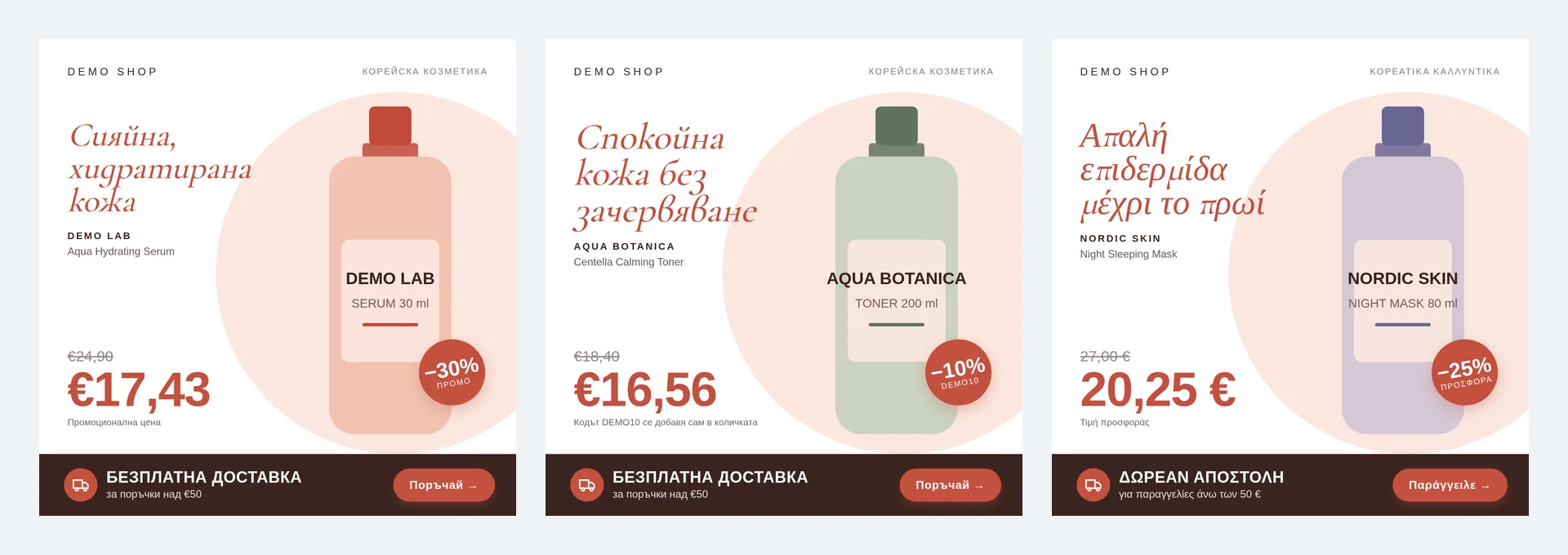
Instead of the product photo, the ad shows a card made by the system with the product's benefit and the price the customer actually pays after the promotion and discount. When the price changes, the card gets a new address so the old one does not linger in Meta's cache. Card texts are edited separately per market.
Runs in: KoreanCare
Pixel check
After a pixel change the system checks whether conversions actually start arriving in the ad account. The check runs on a schedule and raises one alert rather than repeating it on every run. If the pixel goes quiet, you know within hours, before a week of data is lost.
Runs in: KoreanCare
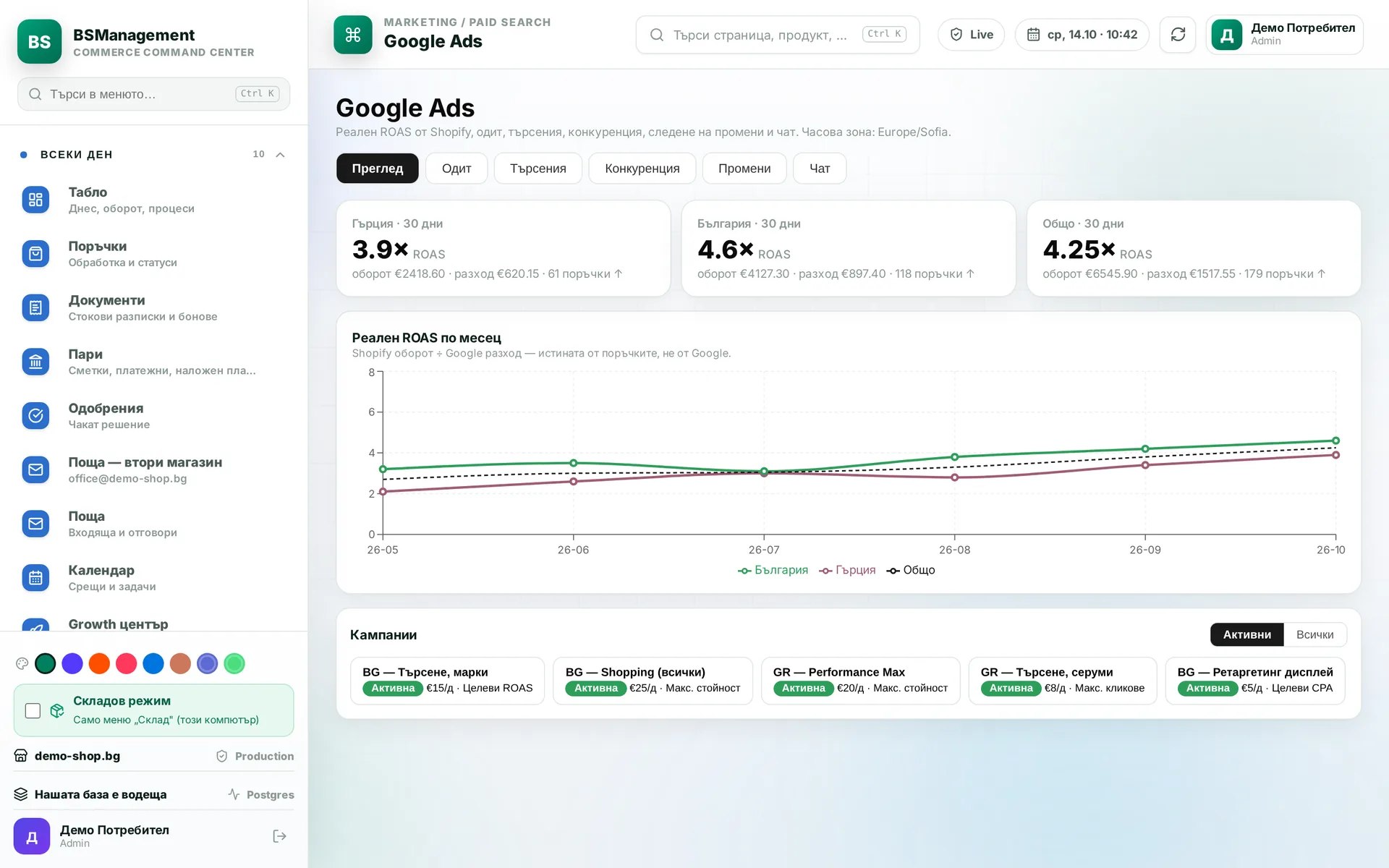
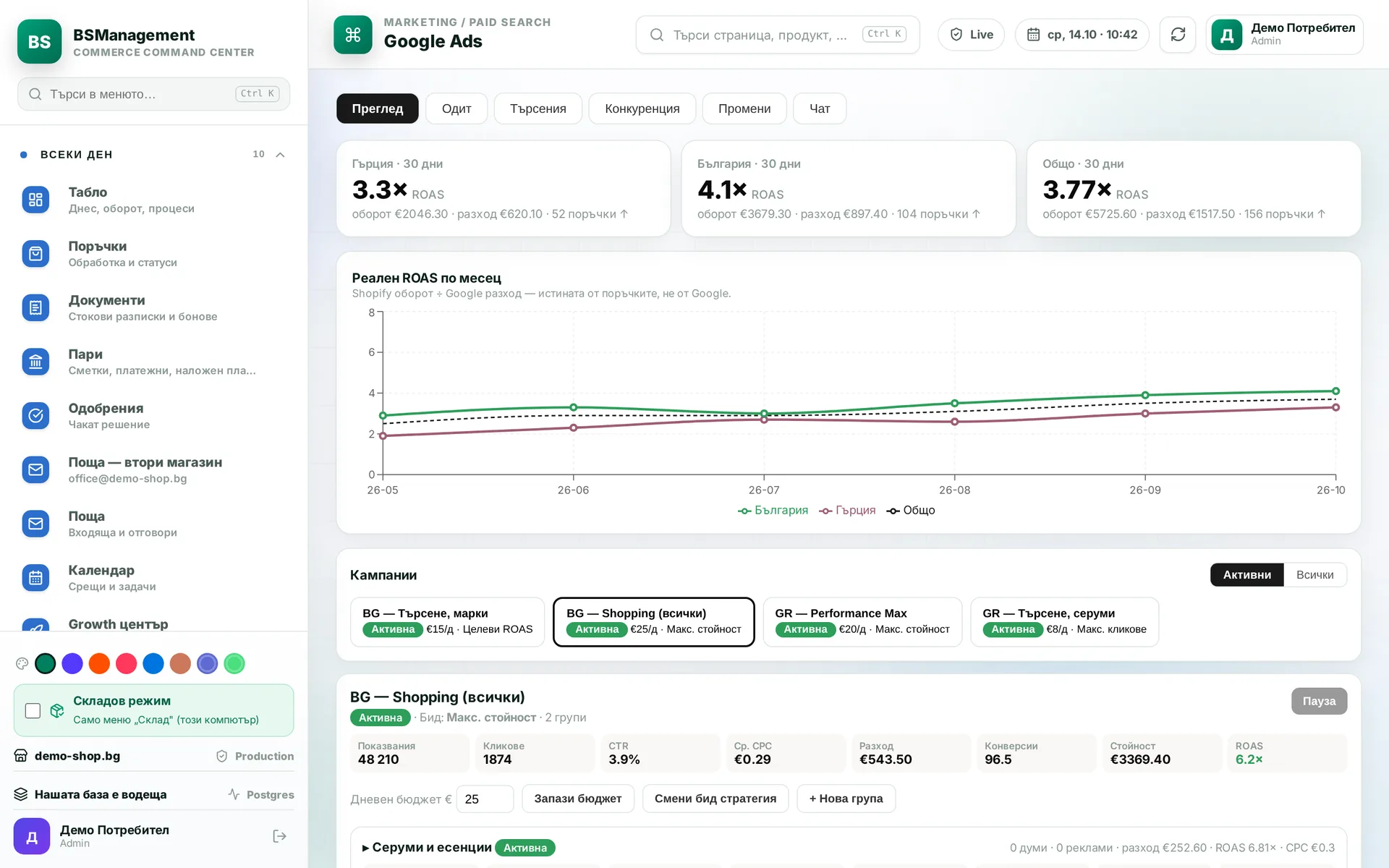
Google Ads dashboard
Every day the system pulls spend, conversions and return per campaign from Google Ads. The dashboard sits next to orders and stock, so you see advertising alongside what actually sells. There is no need to open the ad account for the daily review.
Runs in: KoreanCare
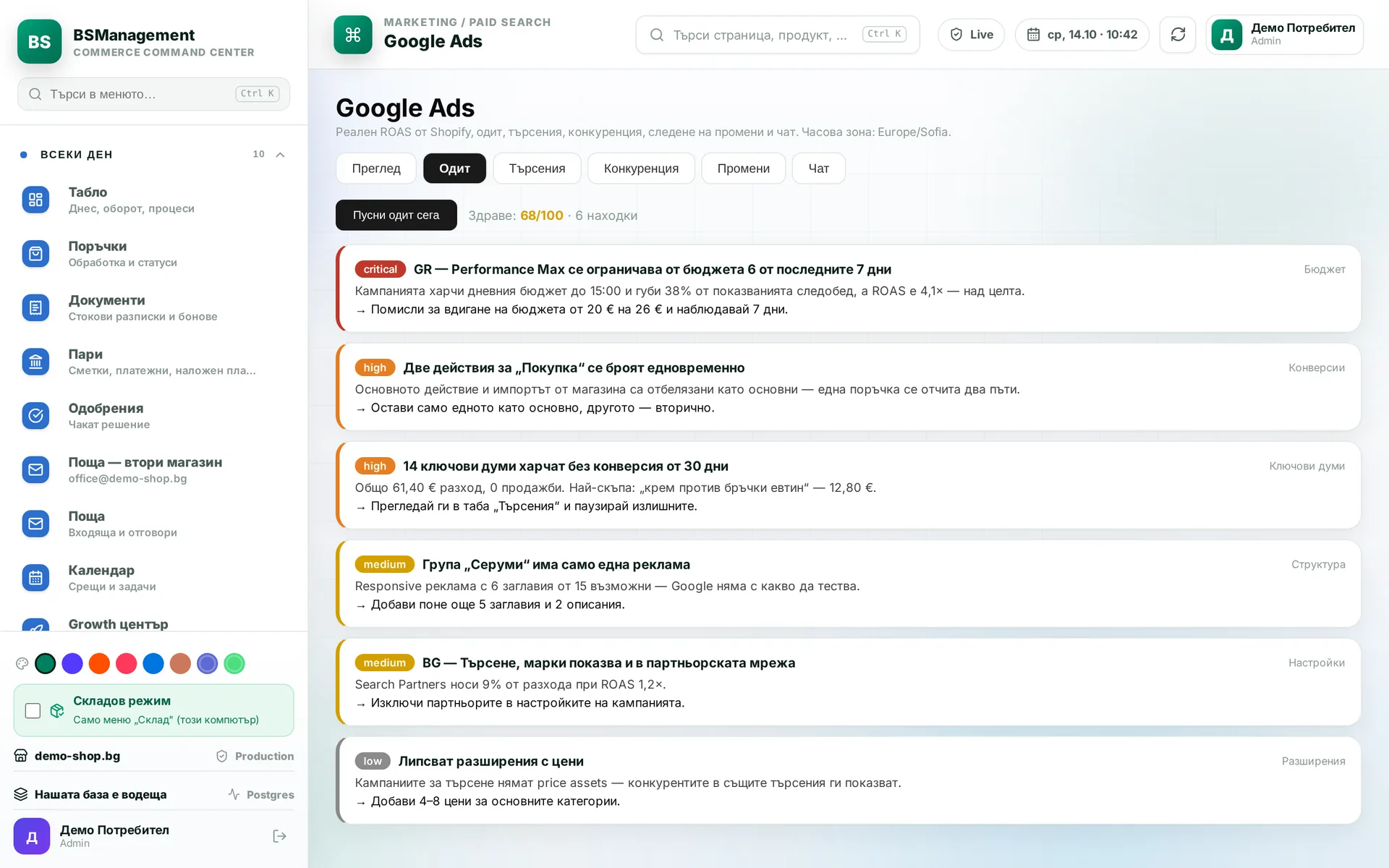
Google Ads audit
The audit checks account structure, budgets and settings, and includes calculators for budgets and ad maths. It only reads and changes nothing in the account. A person makes any changes after reading the audit.
Runs in: KoreanCare
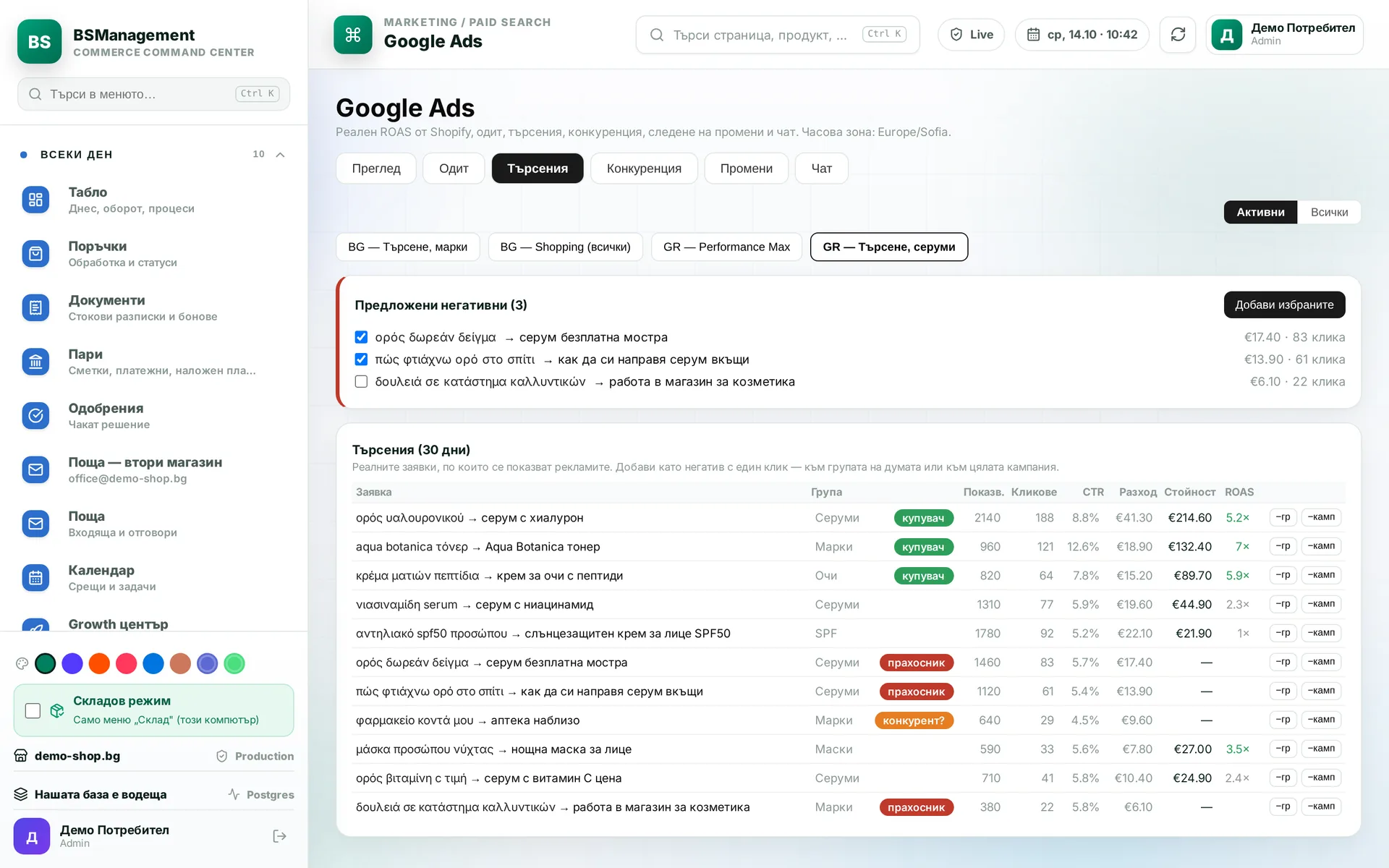
Google Ads search terms
The screen shows the actual searches the ads appeared for, with spend and conversions for each. The system suggests searches that spend without selling as negative keywords. A person decides which ones go in.
Runs in: KoreanCare
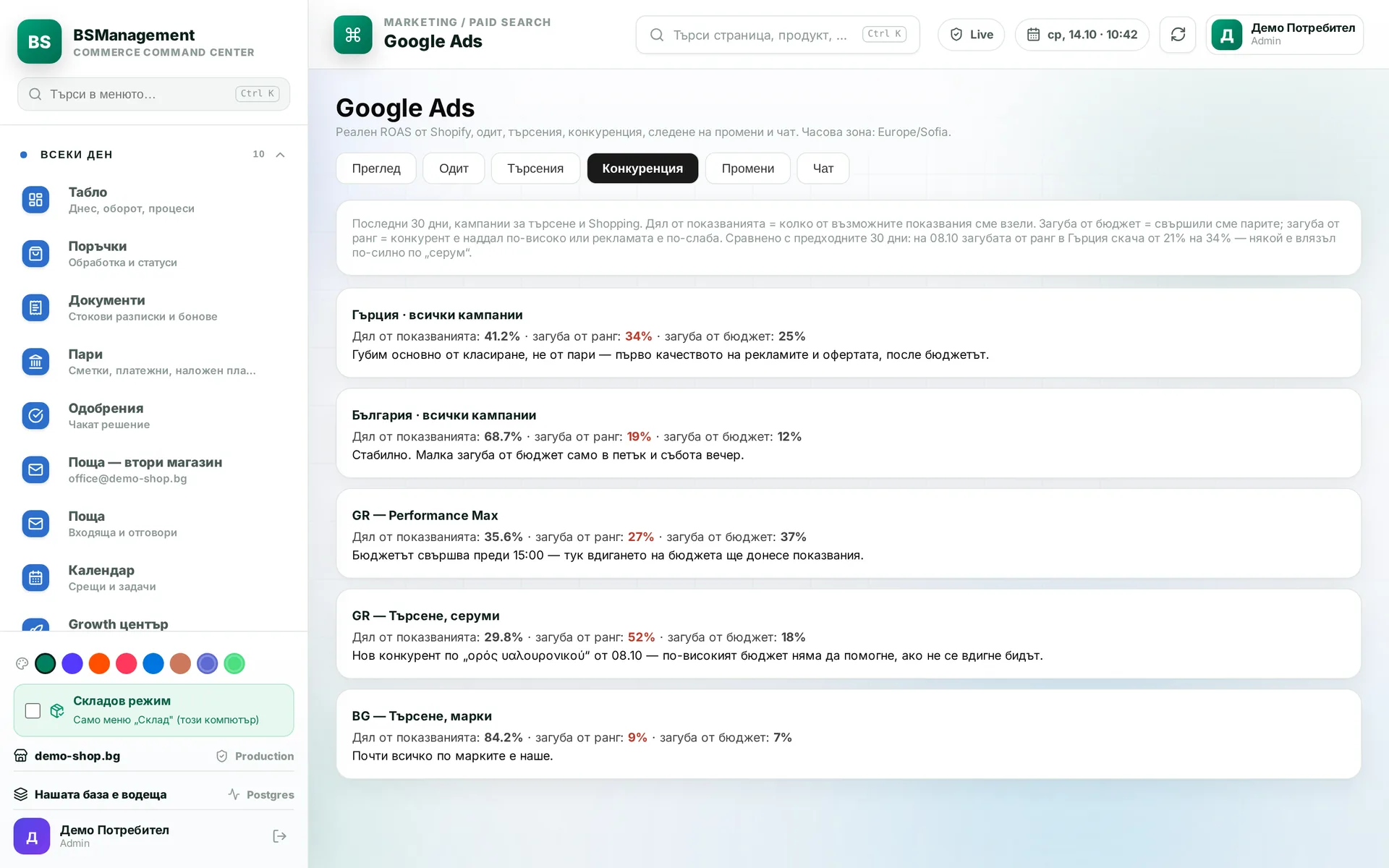
Impression share
You see impression share per campaign, how it moves day by day and why impressions were lost: budget or rank. You can tell when a competitor has started bidding harder. That is what you base budget decisions on.
Runs in: KoreanCare
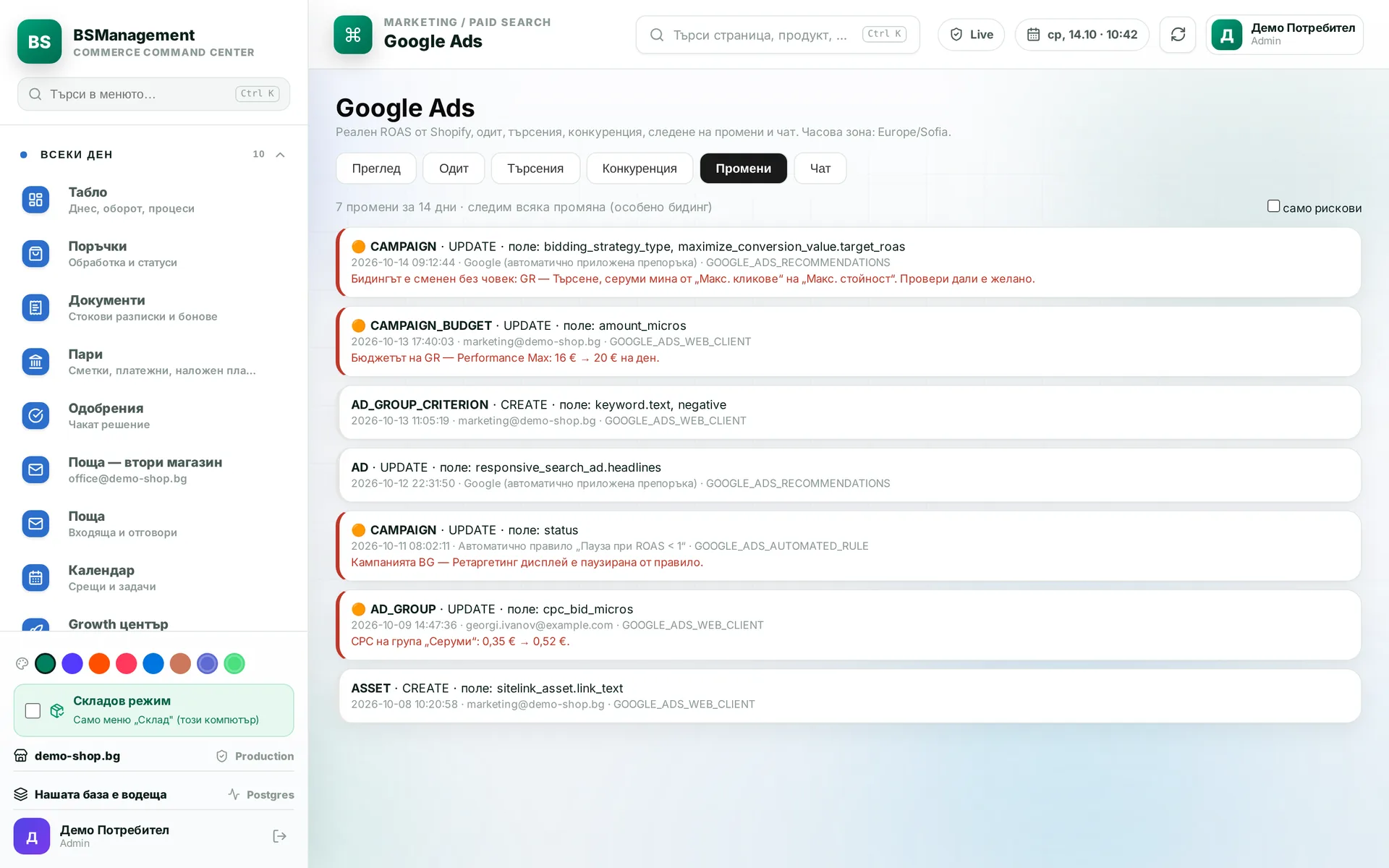
Change log
Every change to the ad account is shown with its date, time and author, including changes Google makes on its own. Changes to bidding, budget and status are flagged as risky, so no change goes unnoticed.
Runs in: KoreanCare
Real return on ad spend
The system compares the conversions the ad platform reports with the orders in the store. The gap shows how much of the reported figure is real revenue. You set the budget on real orders rather than on the number in the ad account.
Runs in: KoreanCare
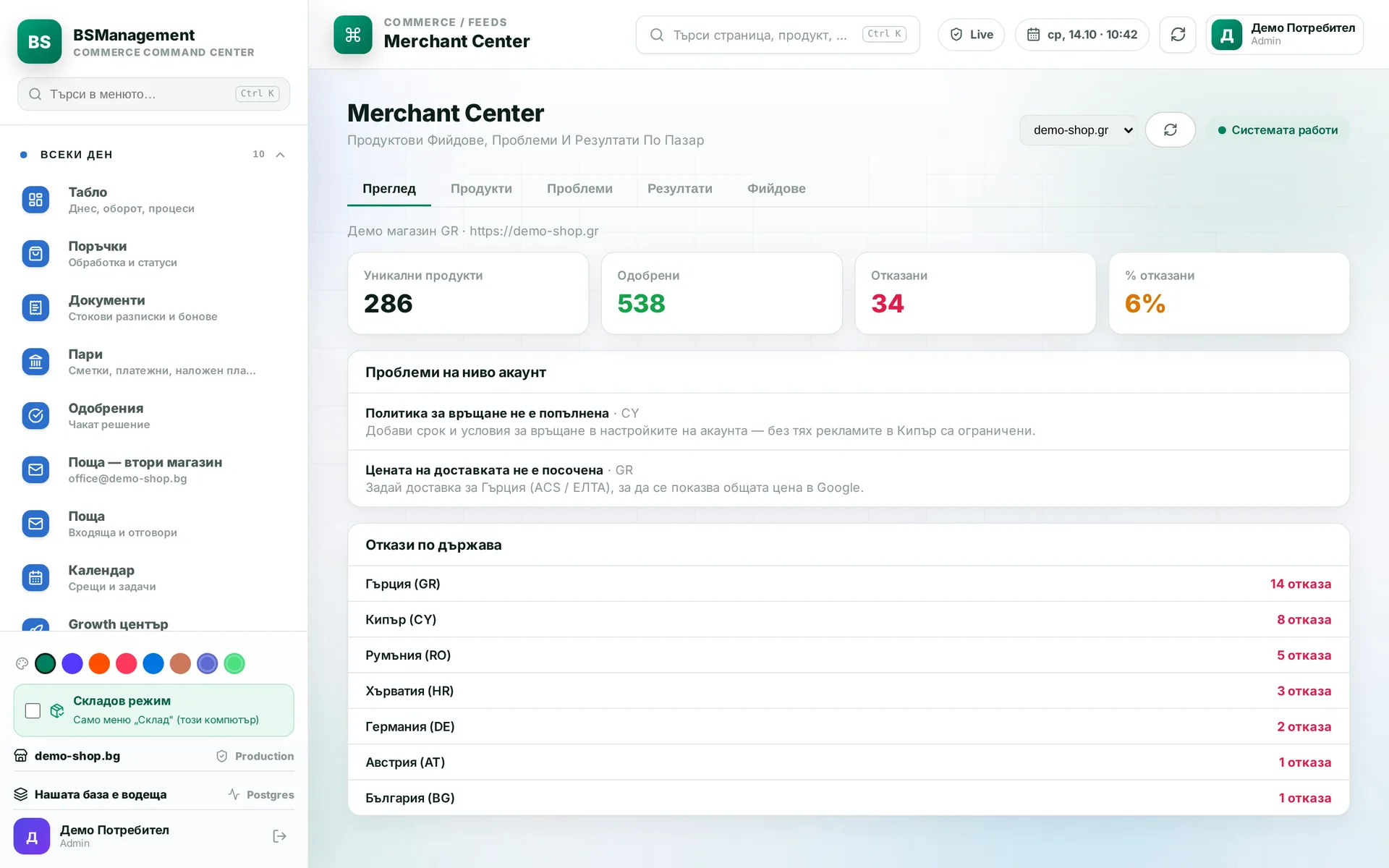
Merchant Center feed
Our own product feed for Google Merchant Center, built from the prices and stock in the system. The regular price and the sale price are sent separately, so Google shows the correct discount. Each product's performance in Google is shown next to it.
Runs in: KoreanCare
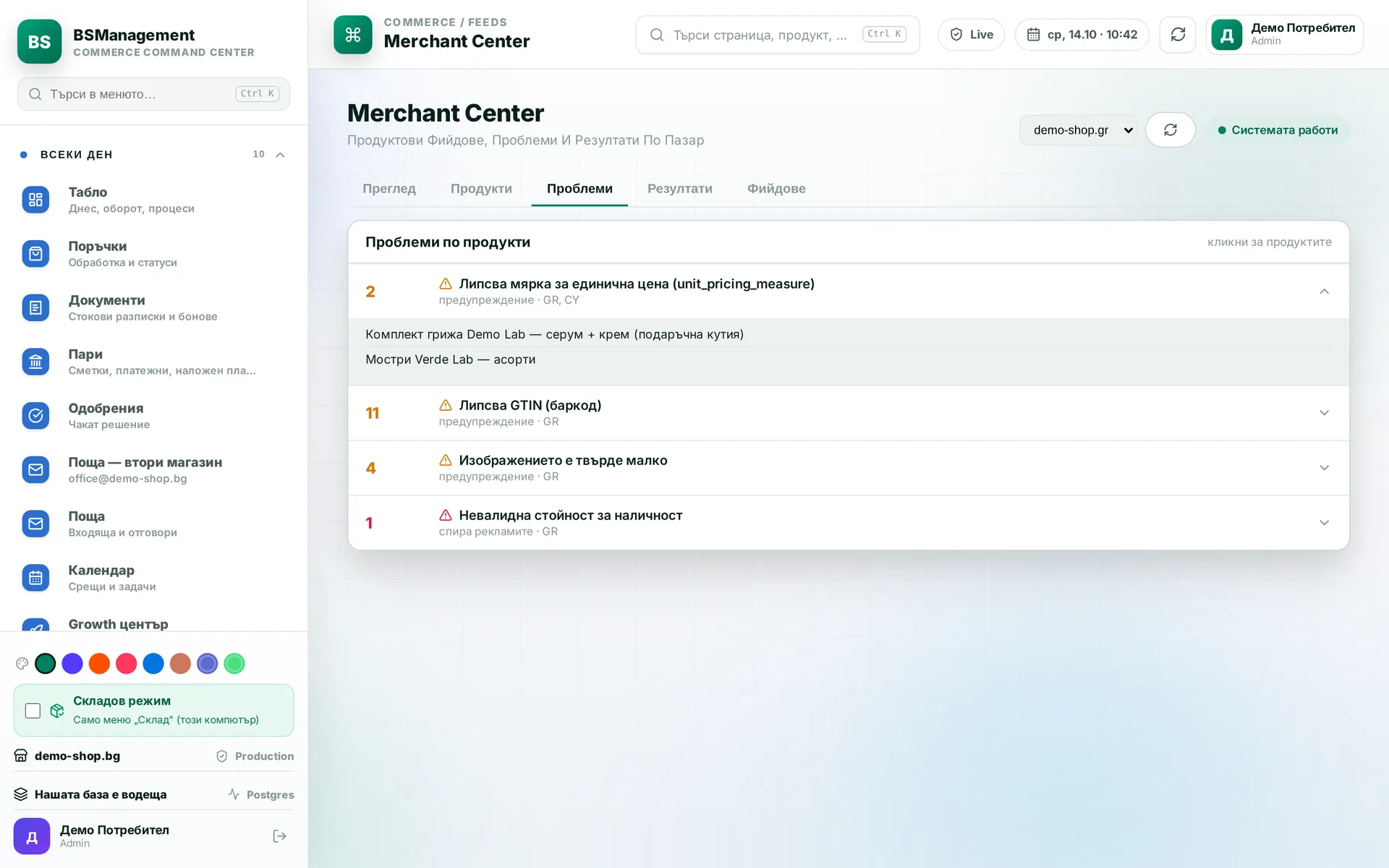
Unit price in the feed
The system reads the volume, weight or count from the product name and description and sends it in the feed. Google then shows a price per litre, kilogram or unit, as EU rules require. Nobody fills in measures by hand product by product.
Runs in: KoreanCare
Marketplace feeds
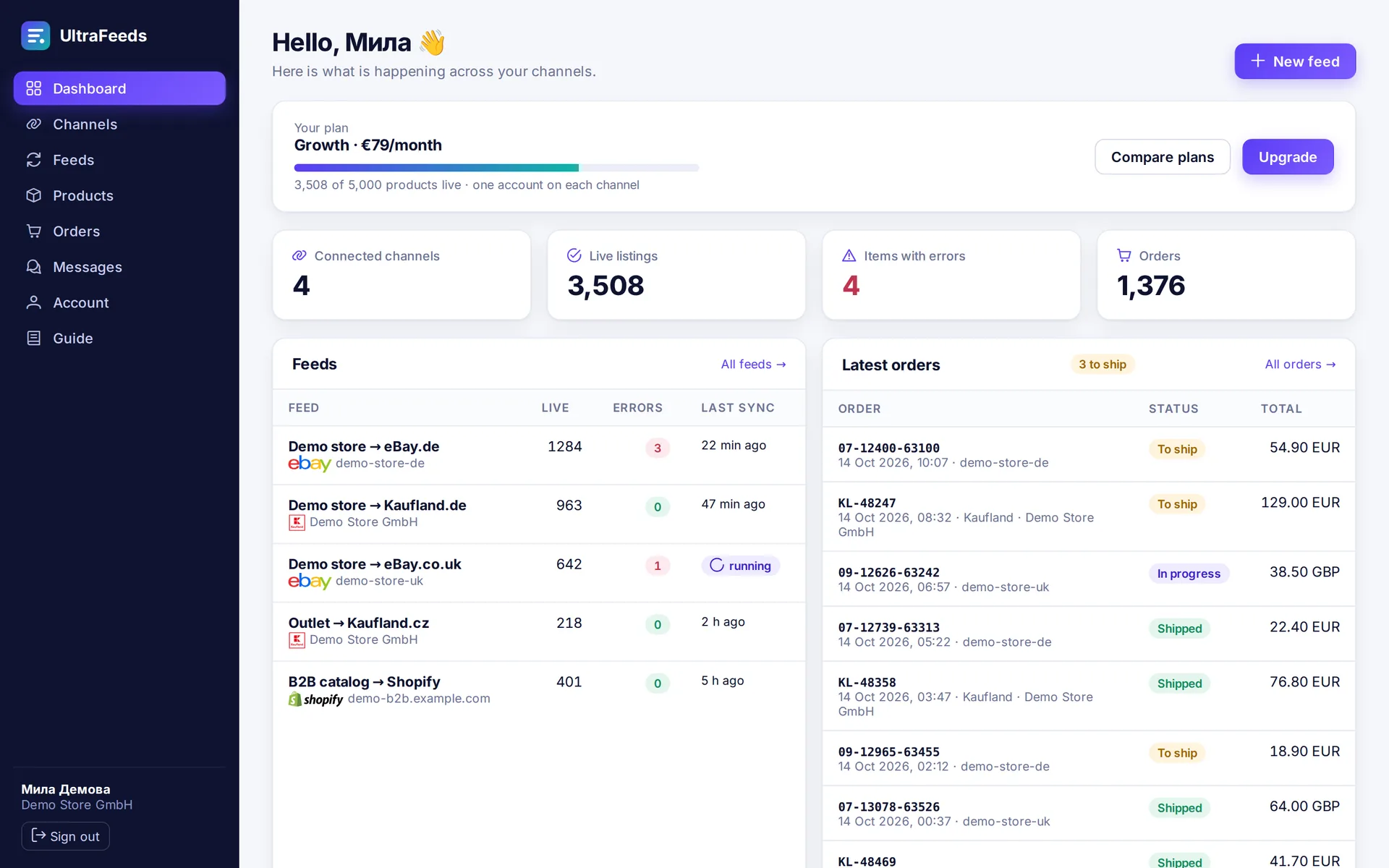
The Shopify catalog is published to eBay, Kaufland and other marketplaces, with titles and descriptions that can be suggested by AI. A manual edit to a listing overrides the feed and survives the next run. Marketplace orders go into the merchant's system, and the tracking number is sent back.
Runs in: UltraFeeds
XML feed per client
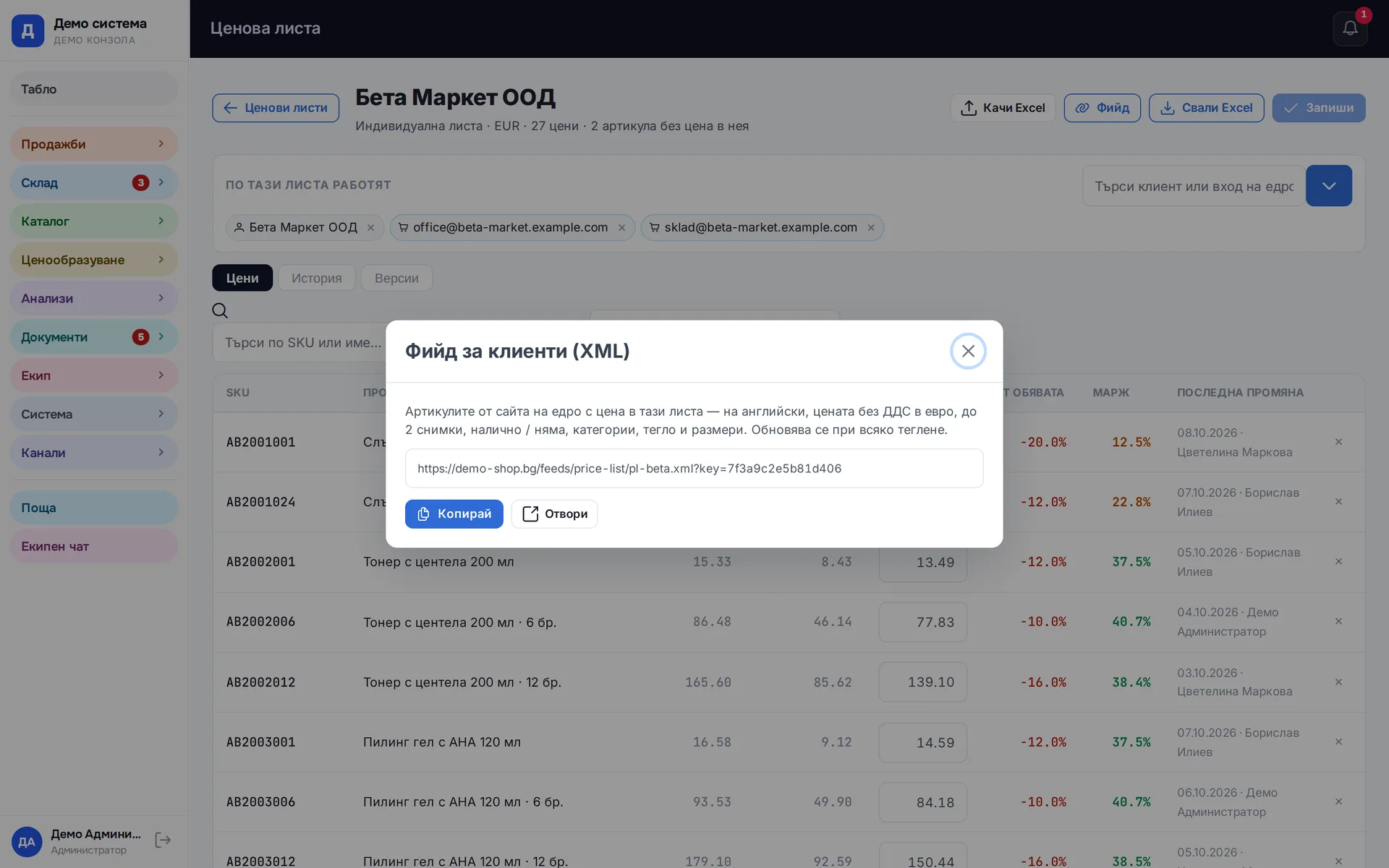
Any price list can be given to a business client as an XML address protected by a key. The client pulls it from their own system without logging in to ours. When a price changes in the list, the feed is already up to date.
Runs in: Easy App, BS Omni ERP
ChatGPT ads
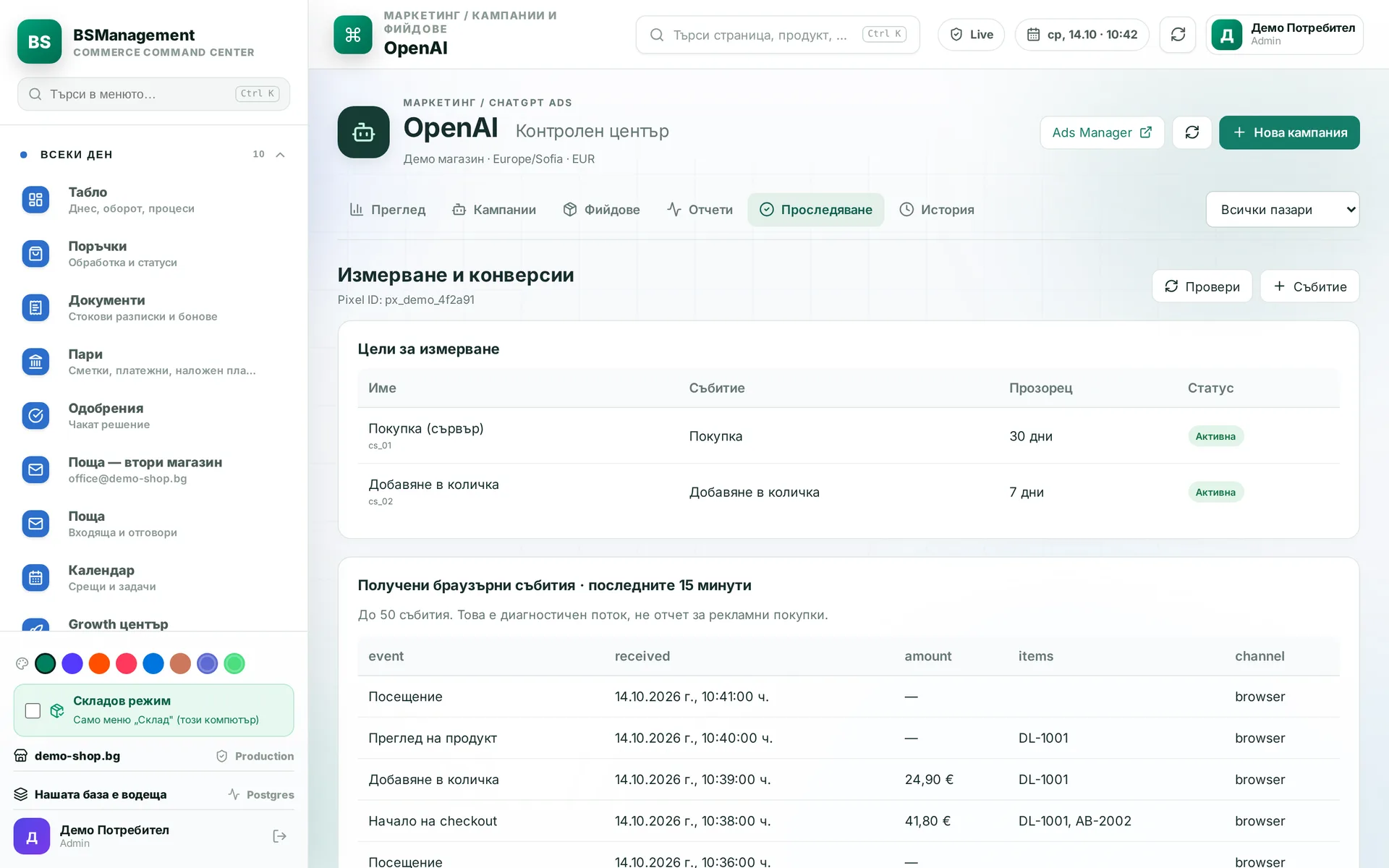
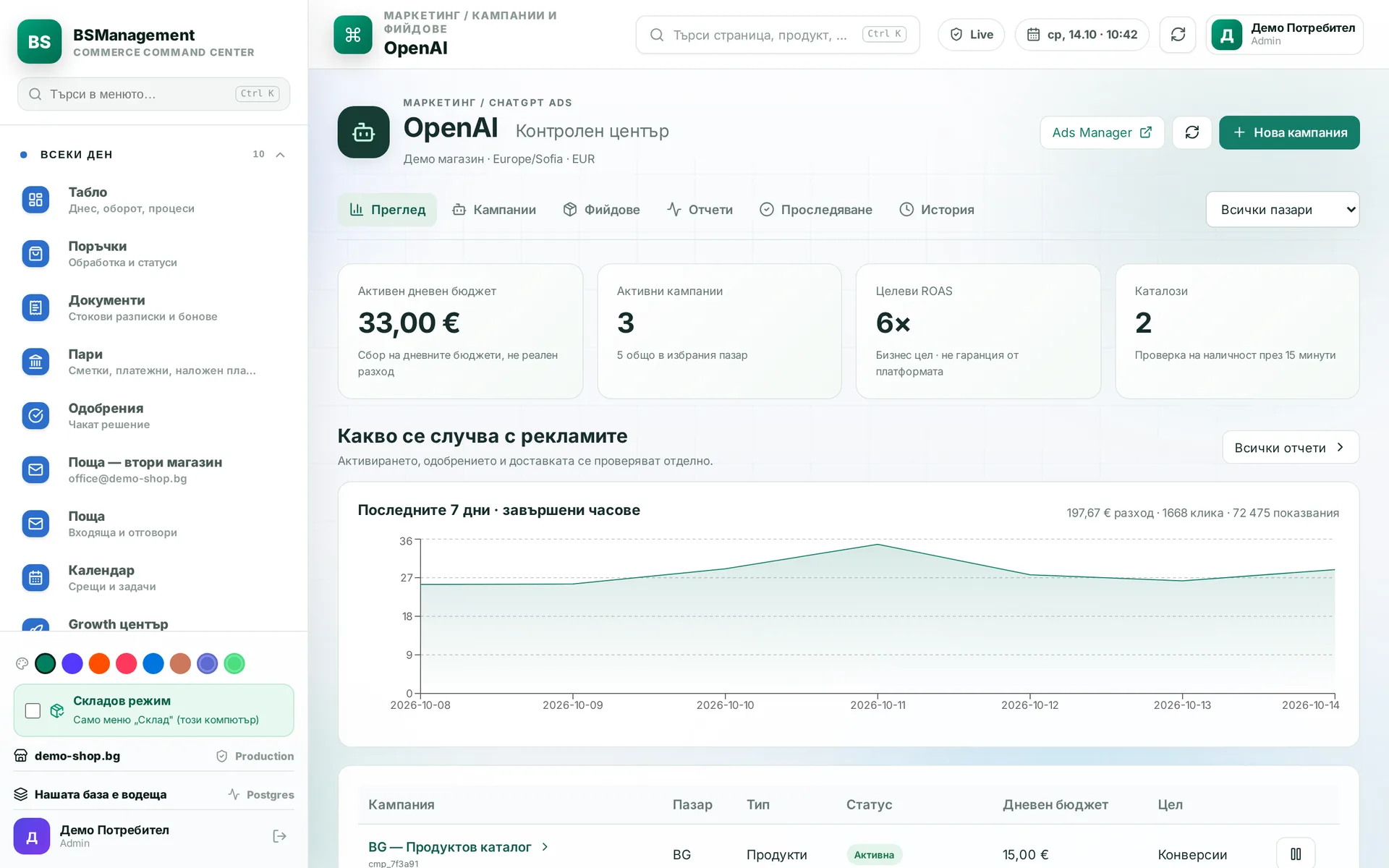
Campaigns, product feed and pixel for ads in ChatGPT. The server also reports each new order as a purchase, because the theme pixel does not reach the checkout. The system prepares the feed in the format the platform requires.
Runs in: KoreanCare
Email campaigns
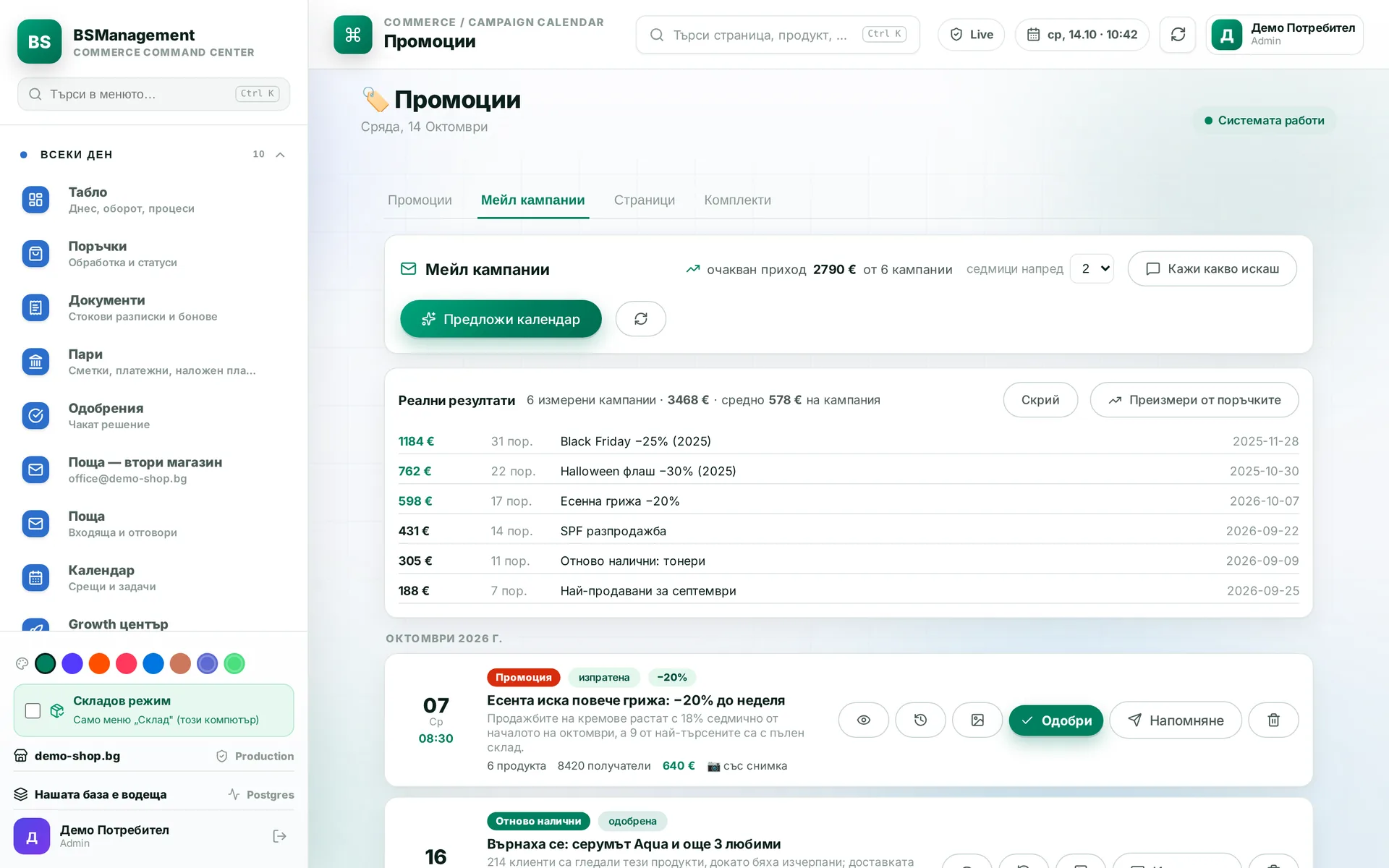
An agent proposes a campaign, picks the products and writes the email in two languages following the store's rules for links and images. A person reviews and sends it. After sending, the campaign's revenue is reported alongside it.
Runs in: KoreanCare, Cosmetics of Korea
Weekly email campaigns
The work runs in weekly cycles. Each week has a sale showcase and two emails: one at launch and one reminder. The system makes sure no product leads the emails too often and swaps part of the showcase every week. Subscribers get something new each time instead of the same list with a new date.
Runs in: KoreanCare, Cosmetics of Korea
Newsletter sending
Newsletters go out from your own domain in order and on a schedule, with retries and an unsubscribe link in every email. Before each batch the system checks the price and stock of the featured products again, so no outdated offer goes out. Sending can also target subscribers in a single city.
Runs in: KoreanCare, Shishko, Cosmetics of Korea
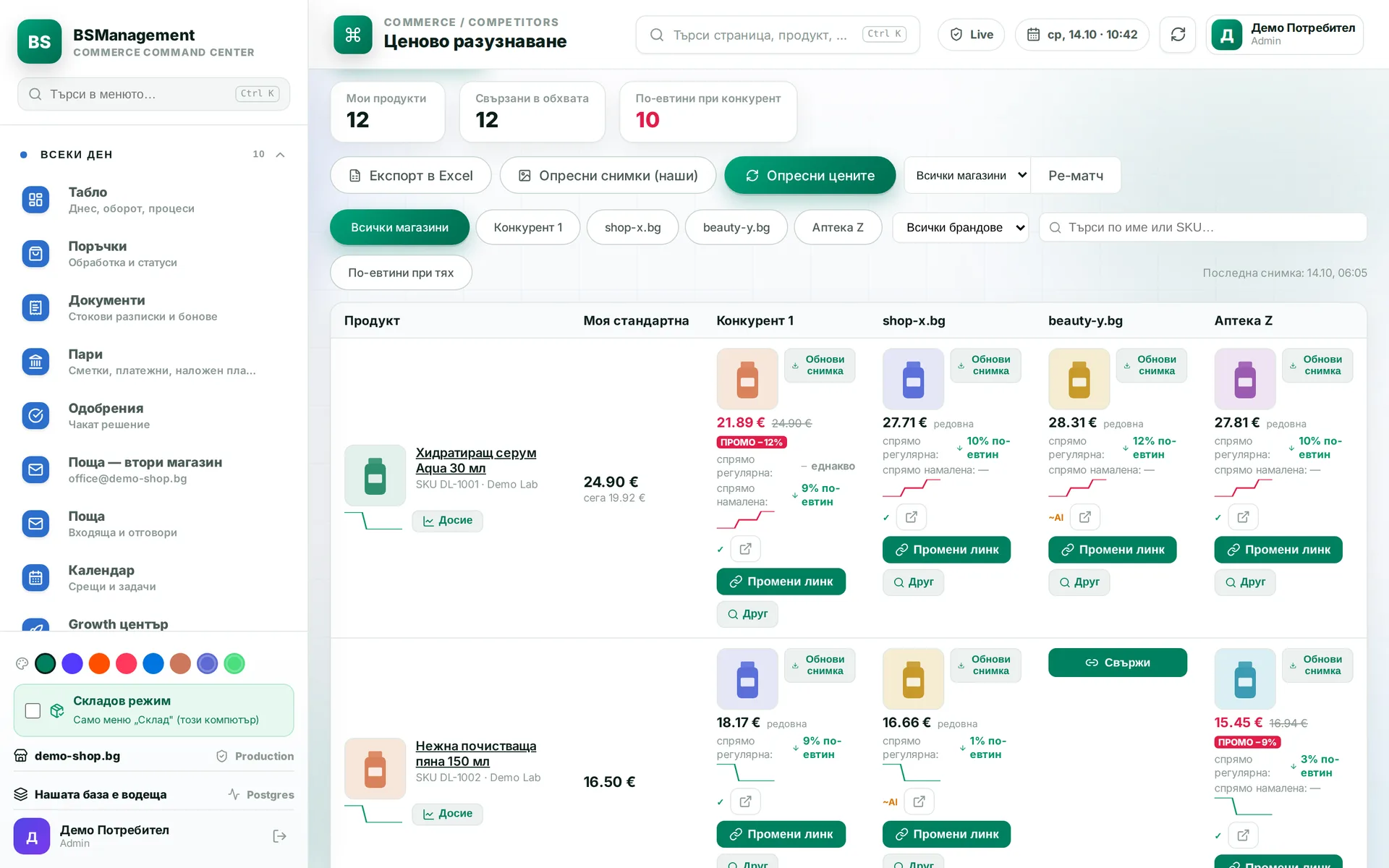
Competitor prices
The system checks competitors' prices for the same products on a schedule. When a price changes, it alerts you and shows the gap against your price. A person decides whether to respond.
Runs in: KoreanCare
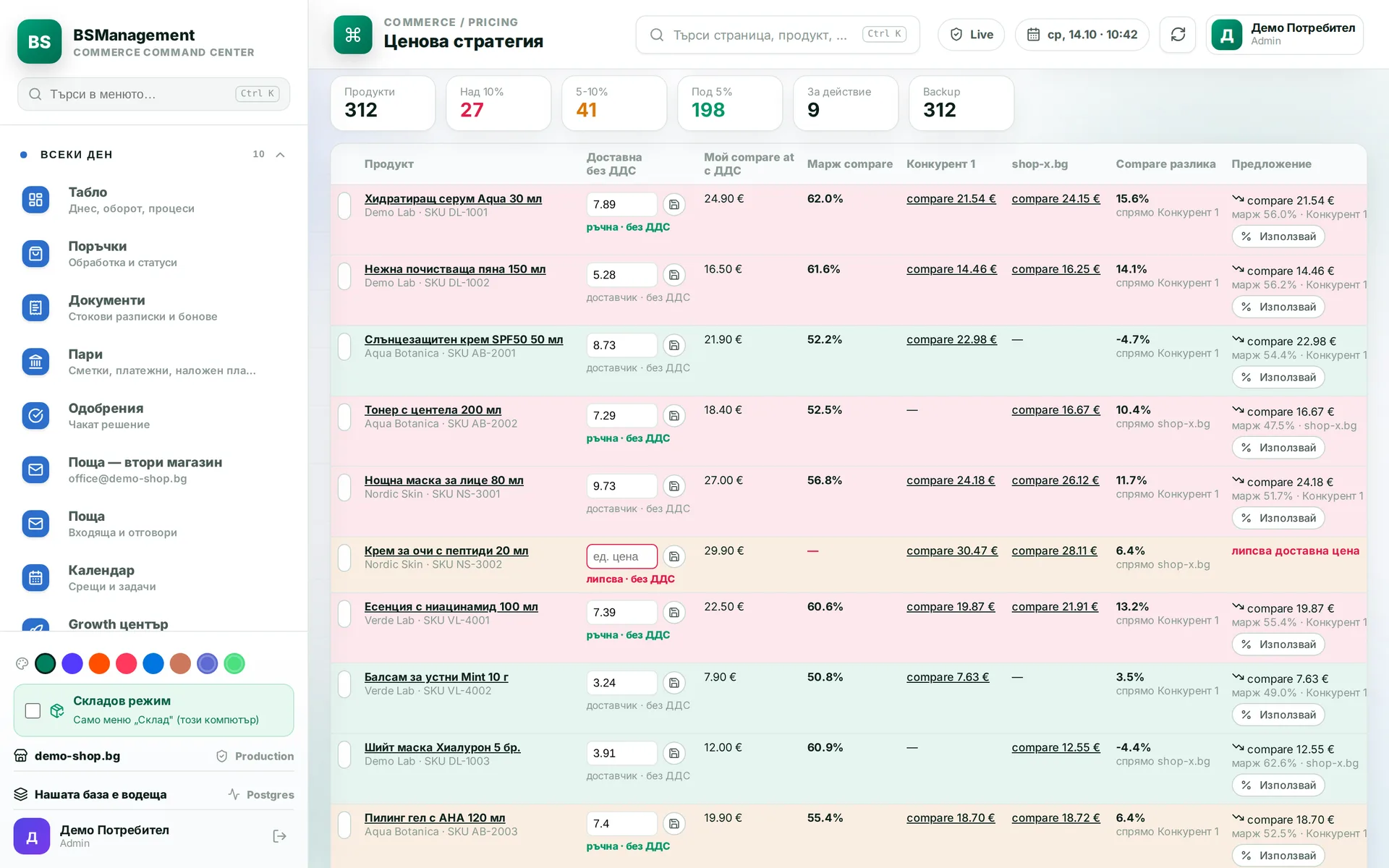
Pricing strategy
For each product you see the cost price, the margin and how they change at different discounts. Strategies differ by minimum margin and maximum discount, and a scenario is tried before it goes live. The suggested discount never pushes margin below the chosen floor.
Runs in: KoreanCare
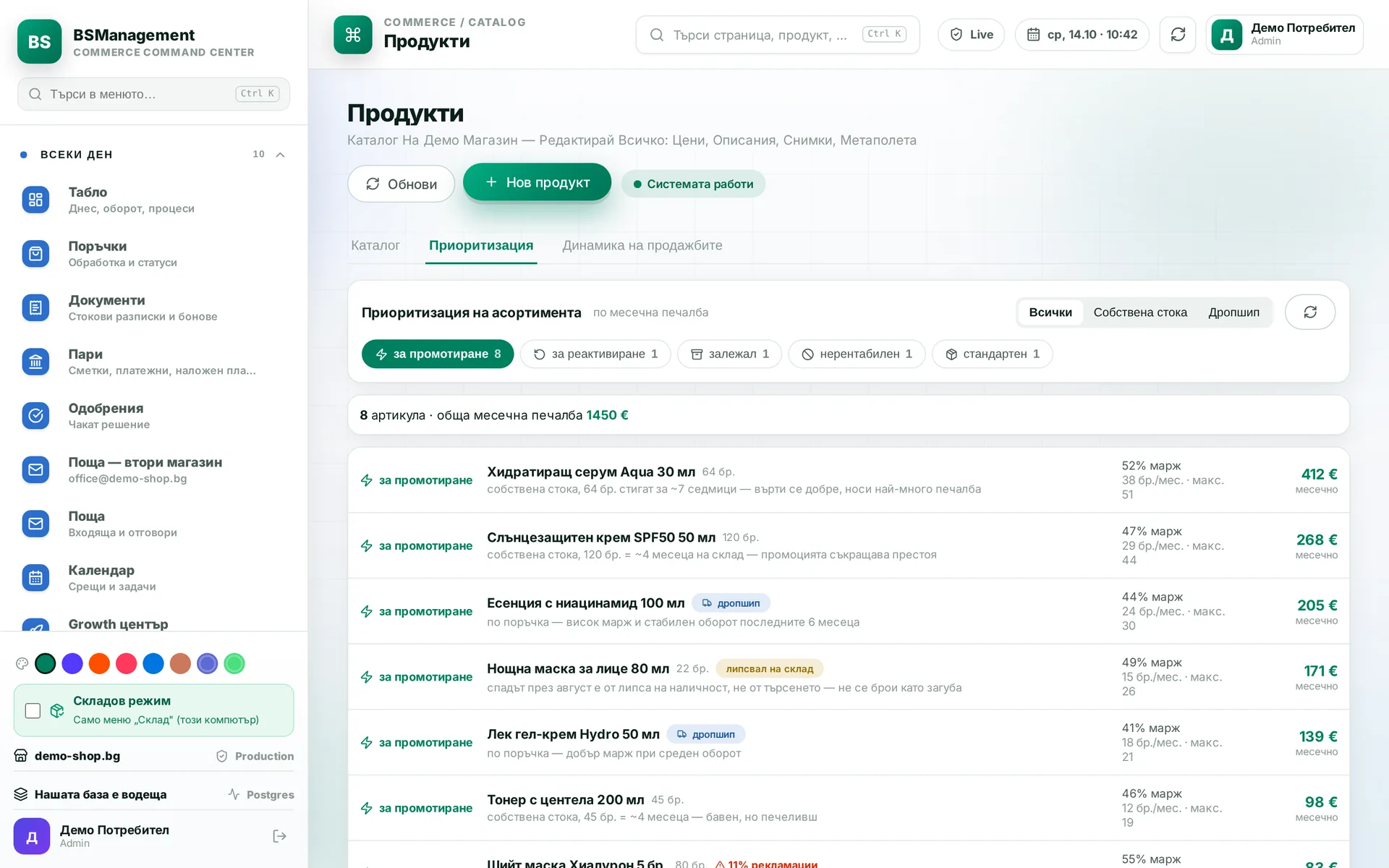
Sales priority
The system ranks the assortment by what should get space in promotions and emails. Own stock is weighed by how long it will sit in the warehouse, and made-to-order stock by margin and turnover. A drop after a stock-out is not counted as lost demand.
Runs in: KoreanCare
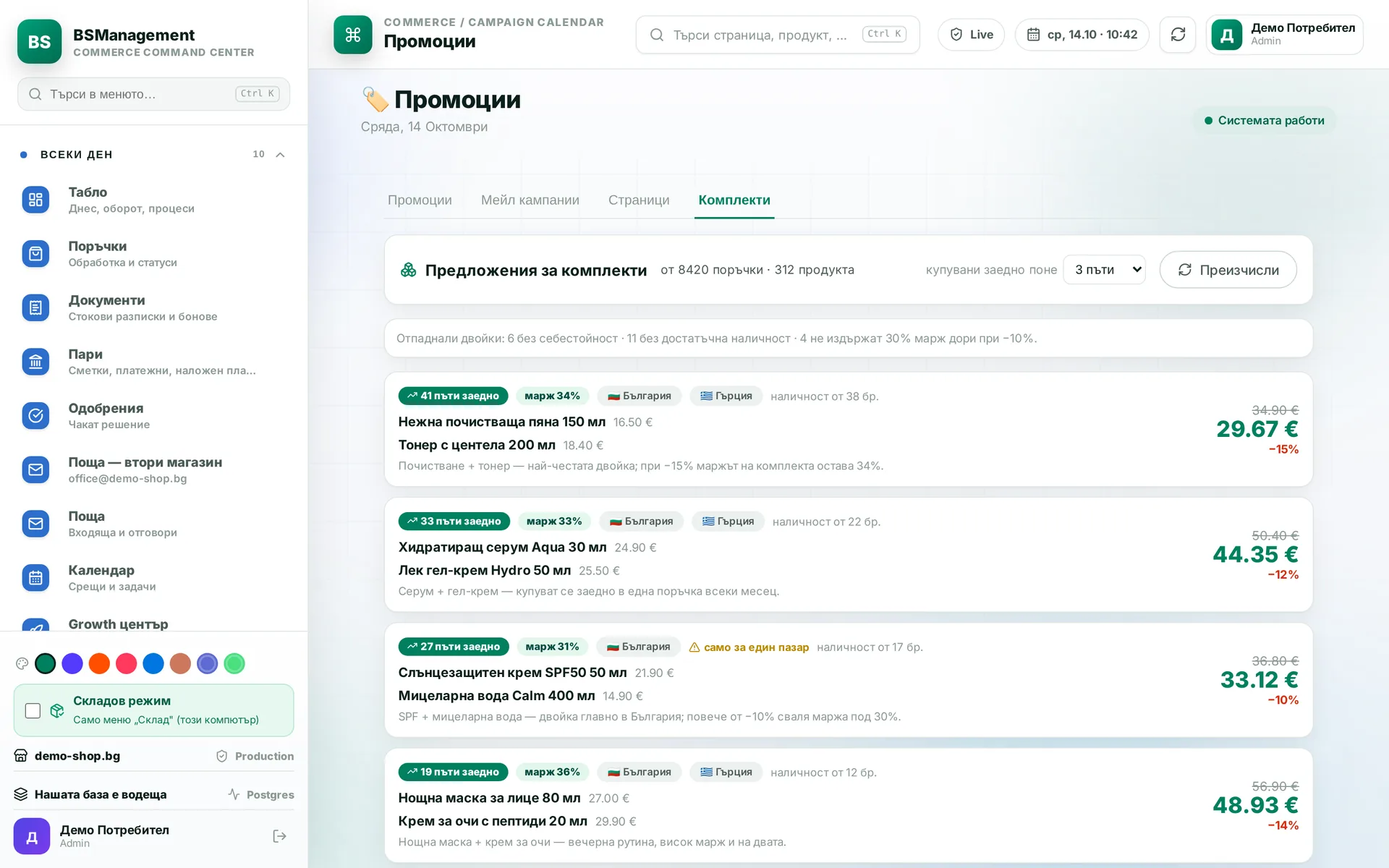
Bundle suggestions
The system suggests bundles from product pairs that customers already buy together. For each pair it works out how much discount is possible without the order margin falling below the threshold. Average order value goes up with products that real data shows are bought together.
Runs in: KoreanCare
Server-side Meta conversions
Some purchases and started checkouts bypass the standard checkout and go through the custom checkout page or the phone-only quick order. The server sends them to the pixel. Each event carries its own key, so a resend is not counted twice. That way the ads also learn from sales the browser pixel never sees.
Runs in: LedWhite
Consent and order attribution
Analytics and advertising tags load only after consent in the cookie banner, separately for each kind. Our own visit log records the source, device and campaign a visitor came from and attaches it to their order. The owner sees which channels bring orders without relying only on outside analytics.
Runs in: Cosmetics of Korea
Listing quality
The system scores each listing on what the marketplace uses for ranking and filters: the recommended attributes for its category, the title, photos, barcode and description. The weakest listings come first, with a note on exactly what is missing. Scoring sends nothing to the marketplace. It only shows where work is needed.
Runs in: UltraFeeds
Item check before publishing
Before every run to a marketplace, items pass the same check. The system fixes safe things such as price format or item condition by itself and lists what it changed. A duplicate SKU or a missing required field stops only that item, and the screen says why. That way no listing goes out only to be rejected later.
Runs in: UltraFeeds
Bulk price change for listings
Prices of all listings on one marketplace site are raised in one go within a set range, with a rule for what the price ends in. Before the change the system pulls the listings again from the marketplace, so nothing is calculated from an outdated copy. Next to the button the account's remaining monthly selling limit is shown.
Runs in: UltraFeeds
Buyer messages
You read and answer conversations with eBay buyers from the dashboard without logging in to eBay. Nothing is stored on our side. The thread loads from eBay when you open it and the reply goes straight there. If the account lacks the required permission, you get a reconnect button instead of an empty screen.
Runs in: UltraFeeds