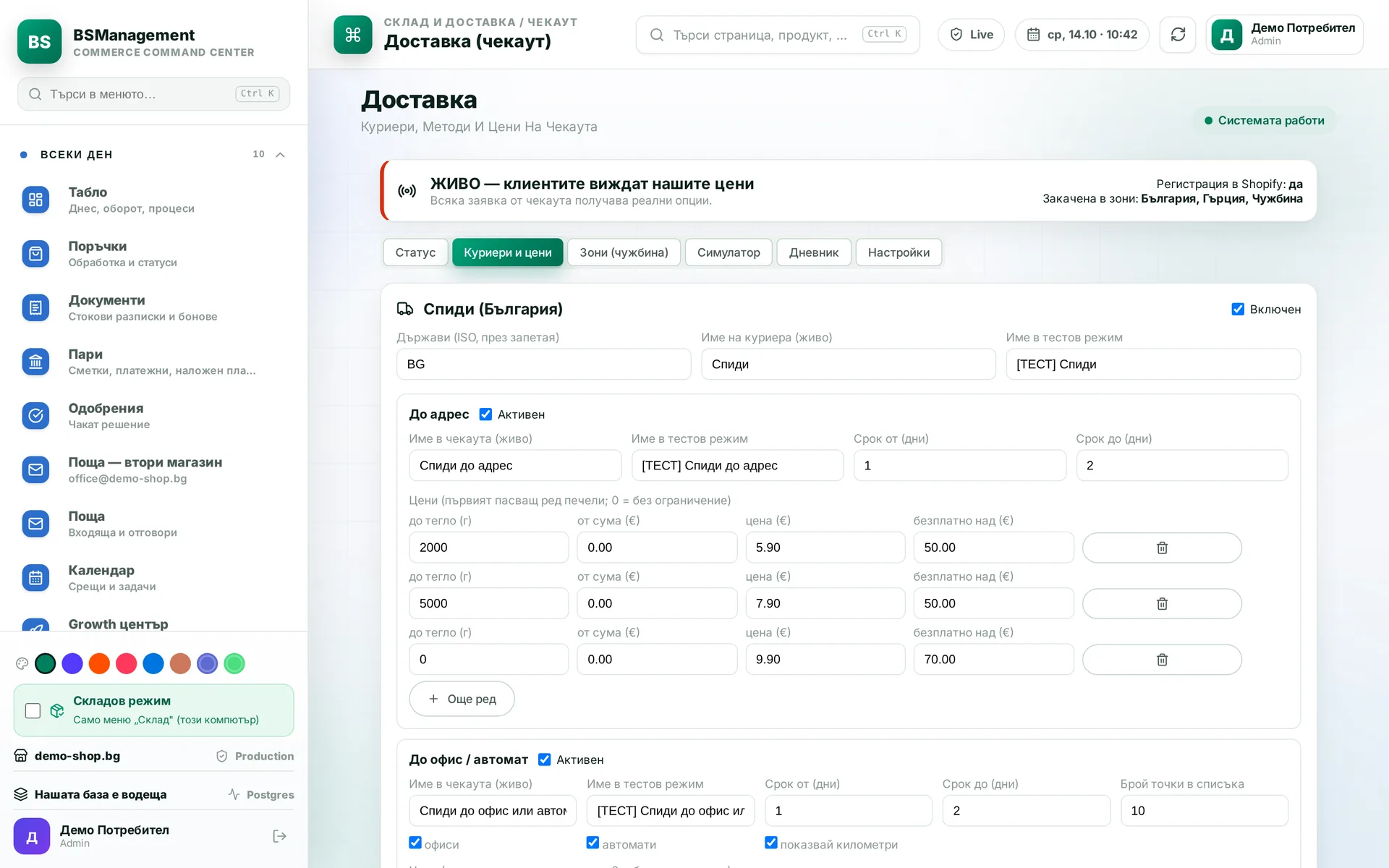
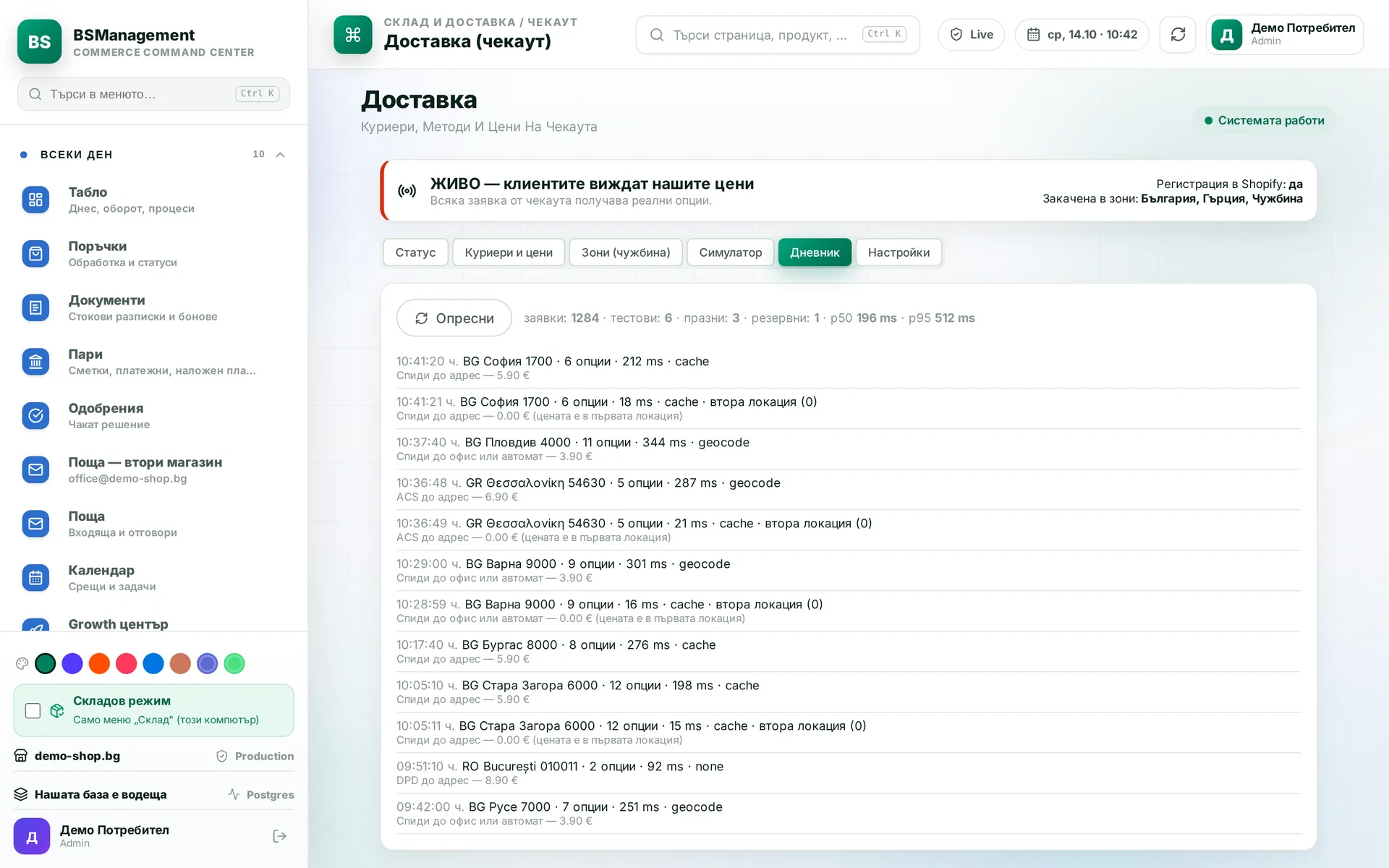
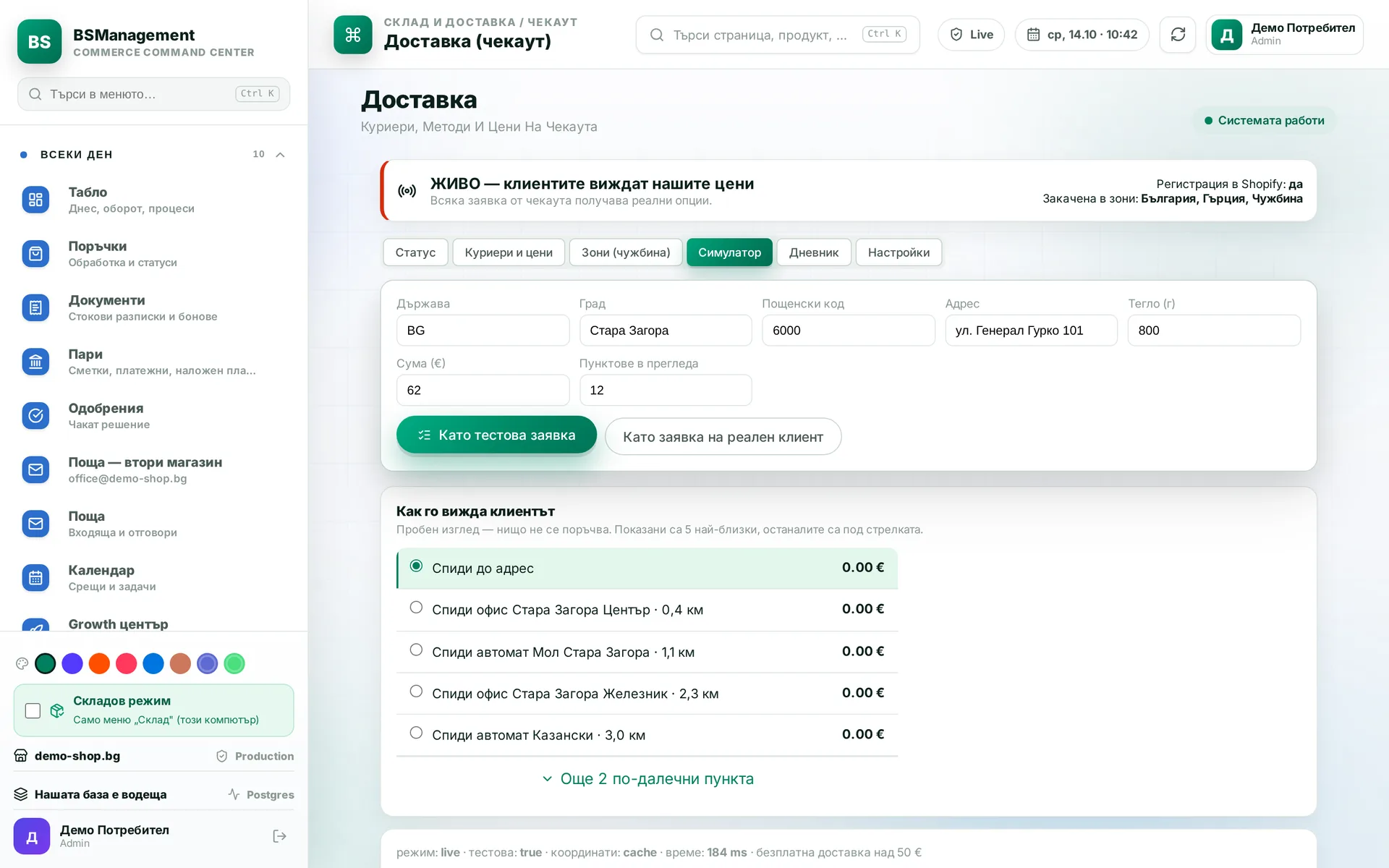
Own shipping service at checkout
On every checkout Shopify asks our server, and the customer sees the nearest courier offices and lockers as separate options, plus home delivery. Prices, the number of pickup points and the active couriers are set on one screen, and switching it on or off is one button. Paid shipping apps are no longer needed, and the chosen office reaches the waybill without anyone retyping it.
Runs in: KoreanCare, Cosmetics of Korea
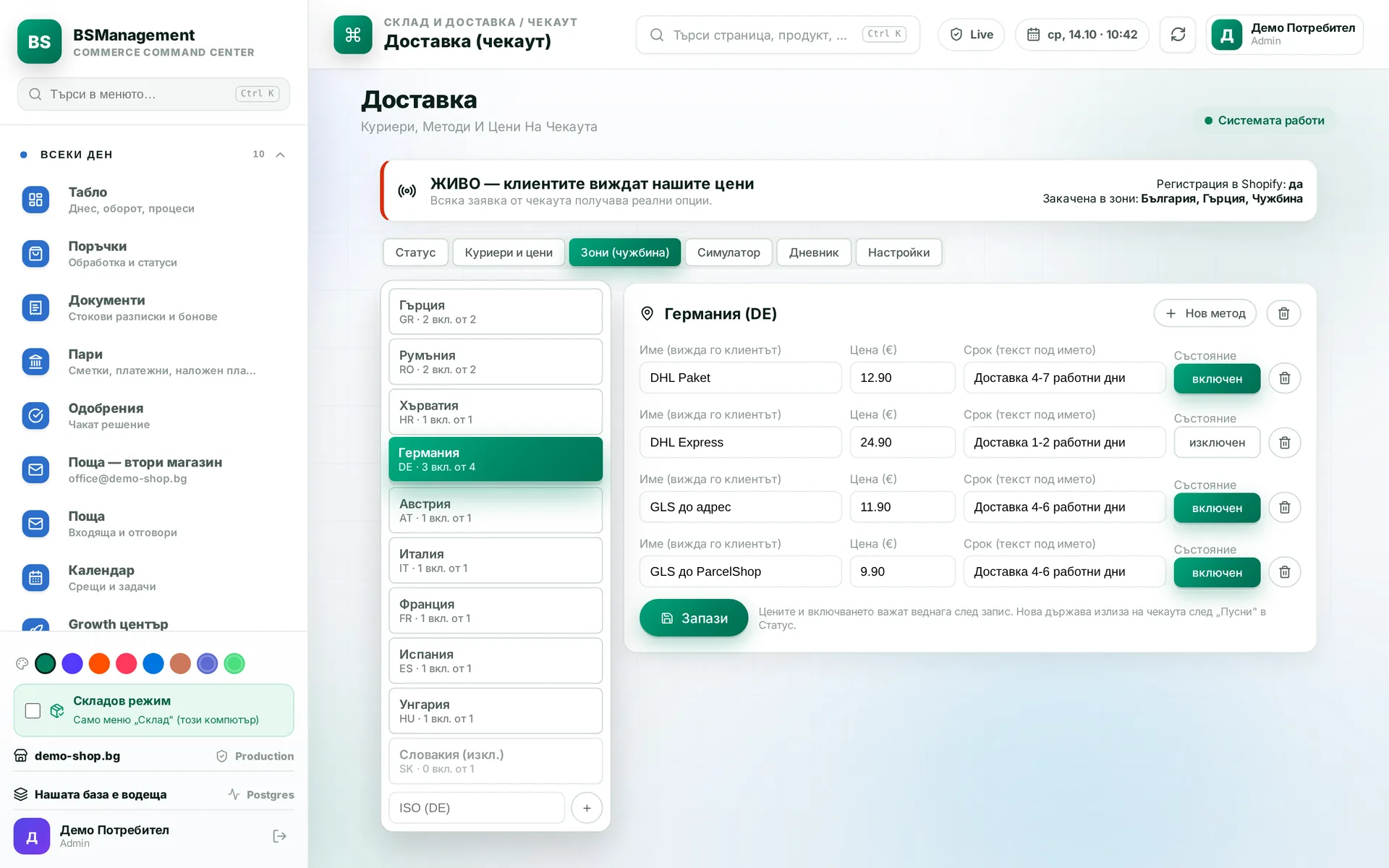
International shipping zones
Each country gets a row with a name, price and delivery time, which the same service shows at checkout instead of Shopify rates. A country is live as soon as it has at least one enabled method. Methods with the same name from different locations show up as a single option for the customer.
Runs in: KoreanCare
Single shipping charge across locations
Shopify asks for shipping separately for each location that holds items in the cart. The service charges only the first location in each round of requests and returns zero for the rest. It does not wait and keeps no memory between rounds. The customer sees one delivery at the advertised price, however many warehouses fulfil the order.
Runs in: KoreanCare
Free shipping
Each market has a permanent free-shipping threshold, and campaigns can add free shipping with a start and end date that switches on and off by itself. The discount also applies to courier-calculated rates at checkout. The cart bar that shows how much is left to the threshold always matches the discount.
Runs in: KoreanCare
Price promotions
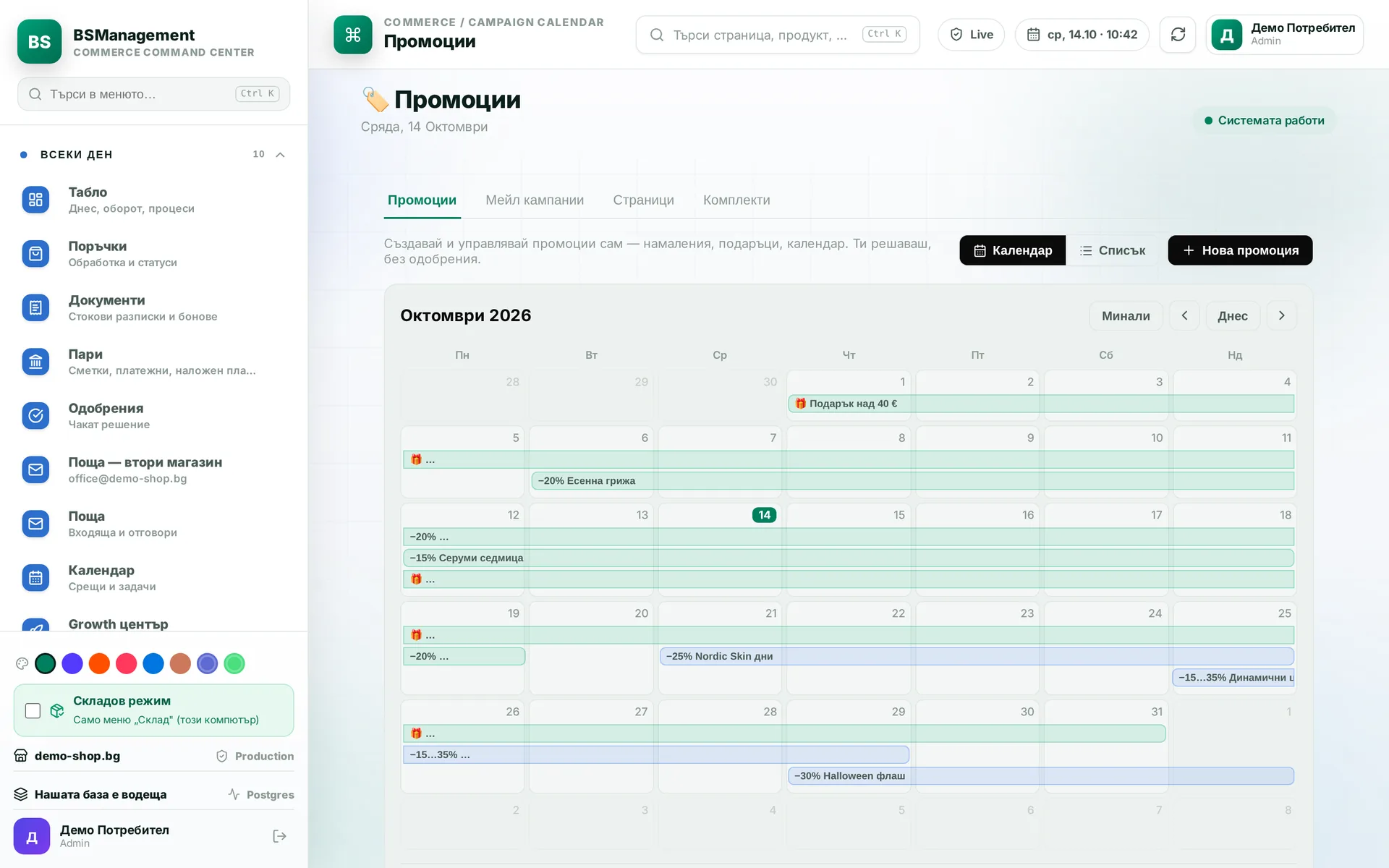
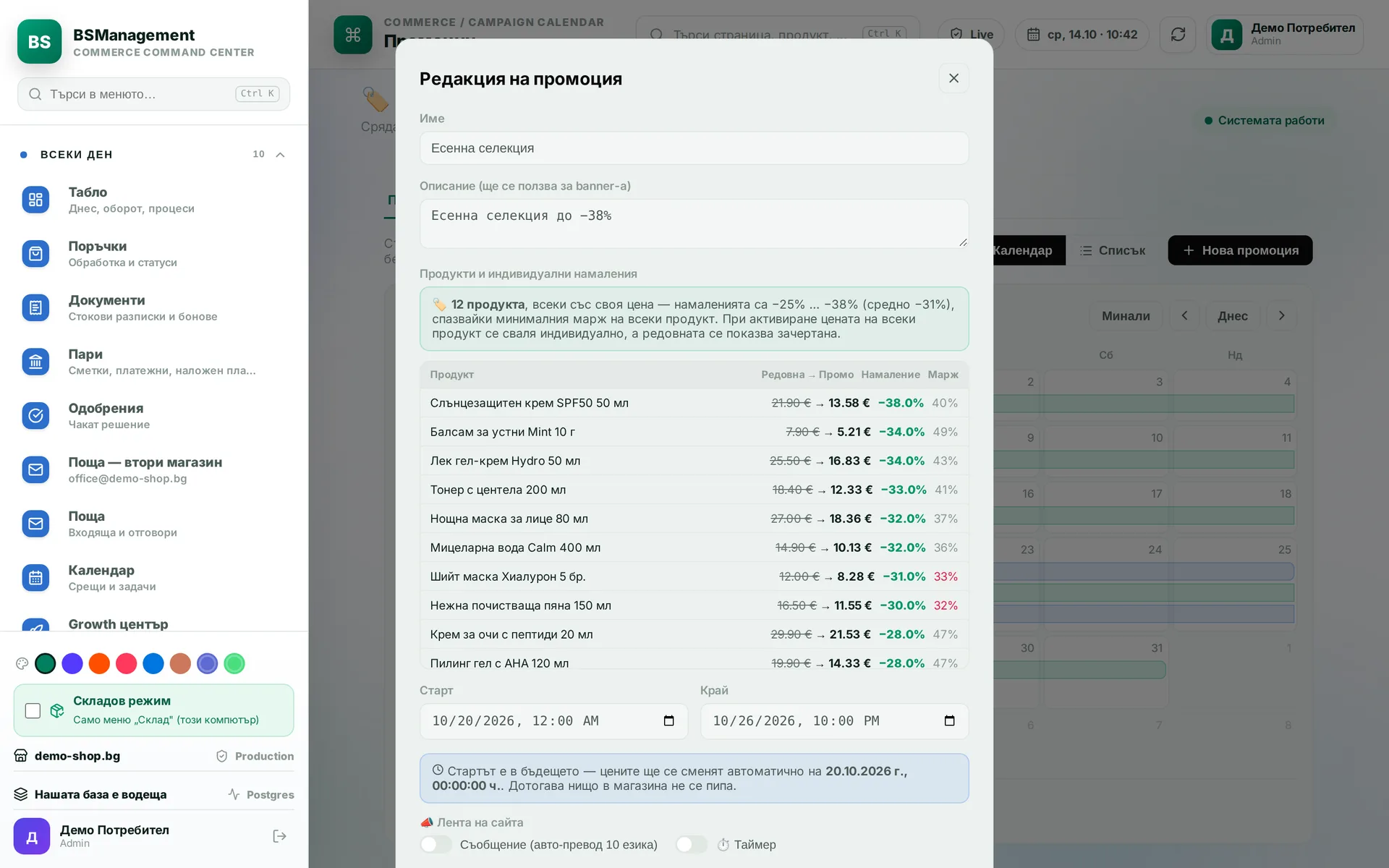
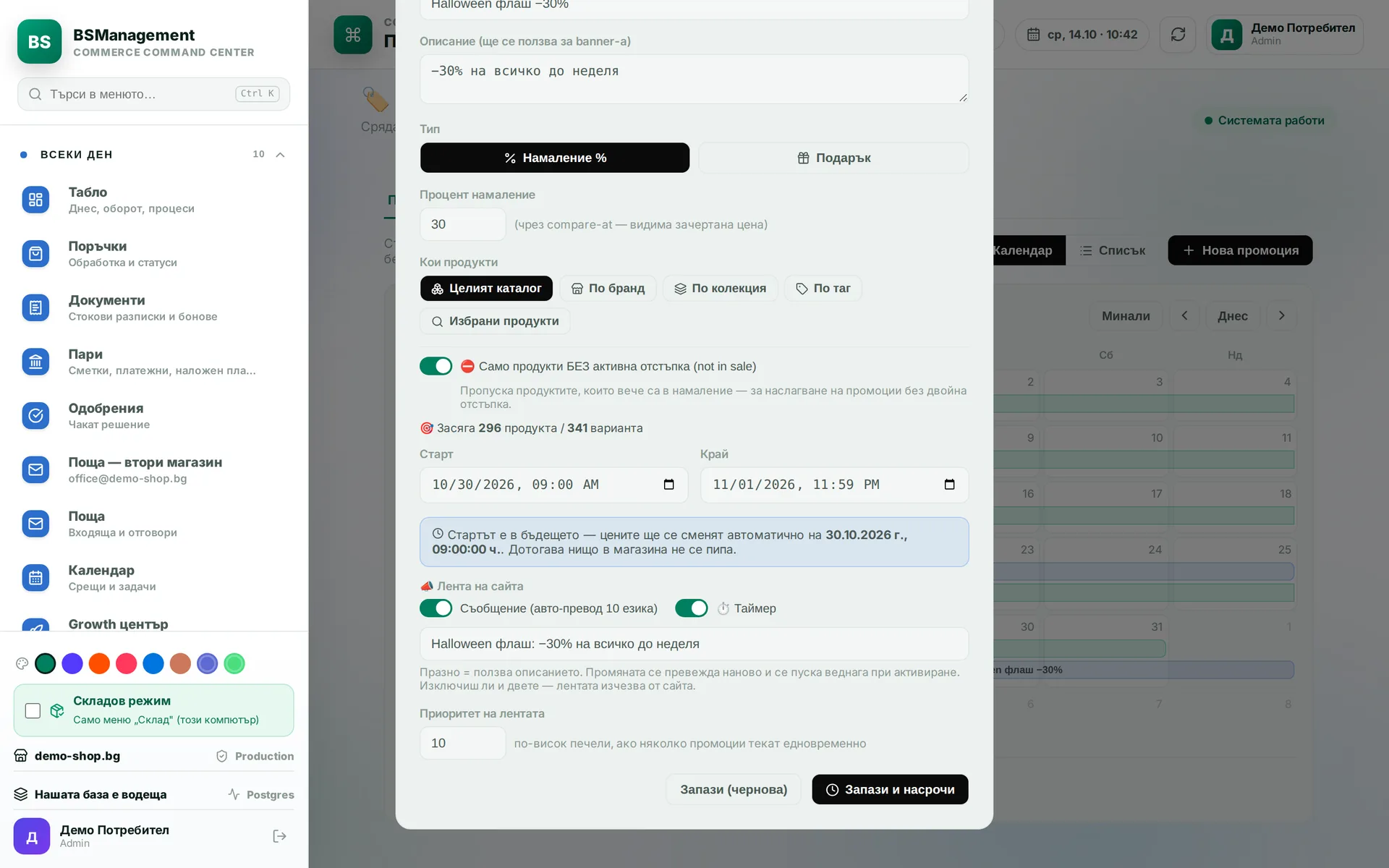
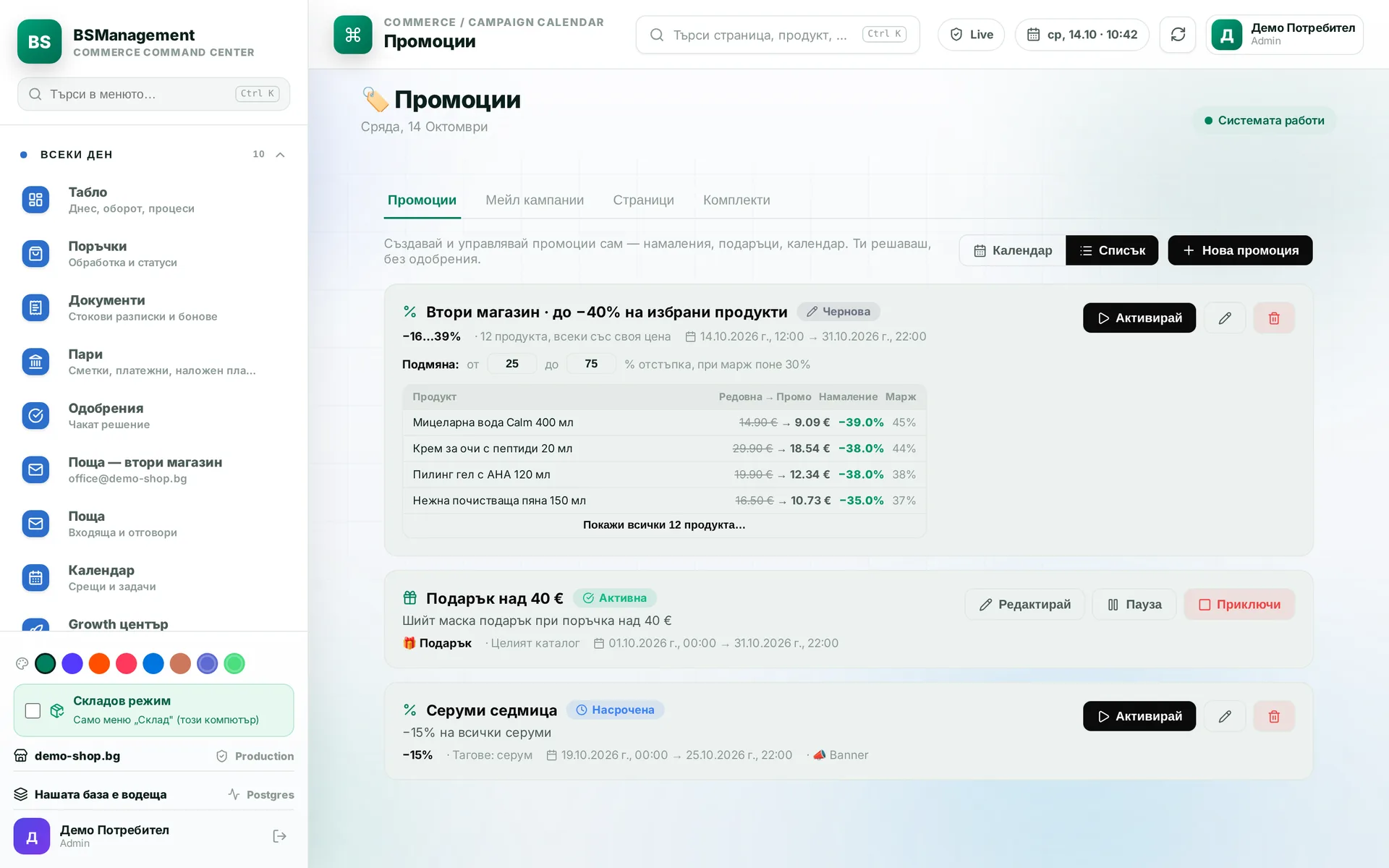
A promotion is prepared as a draft, with a flat percentage or a price per product, and goes live on schedule or with a button. Prices are written to Shopify in bulk, so even a large promotion is applied in seconds. The discount is always taken from the regular price, never from an already reduced one.
Runs in: KoreanCare
Choosing promo products by margin
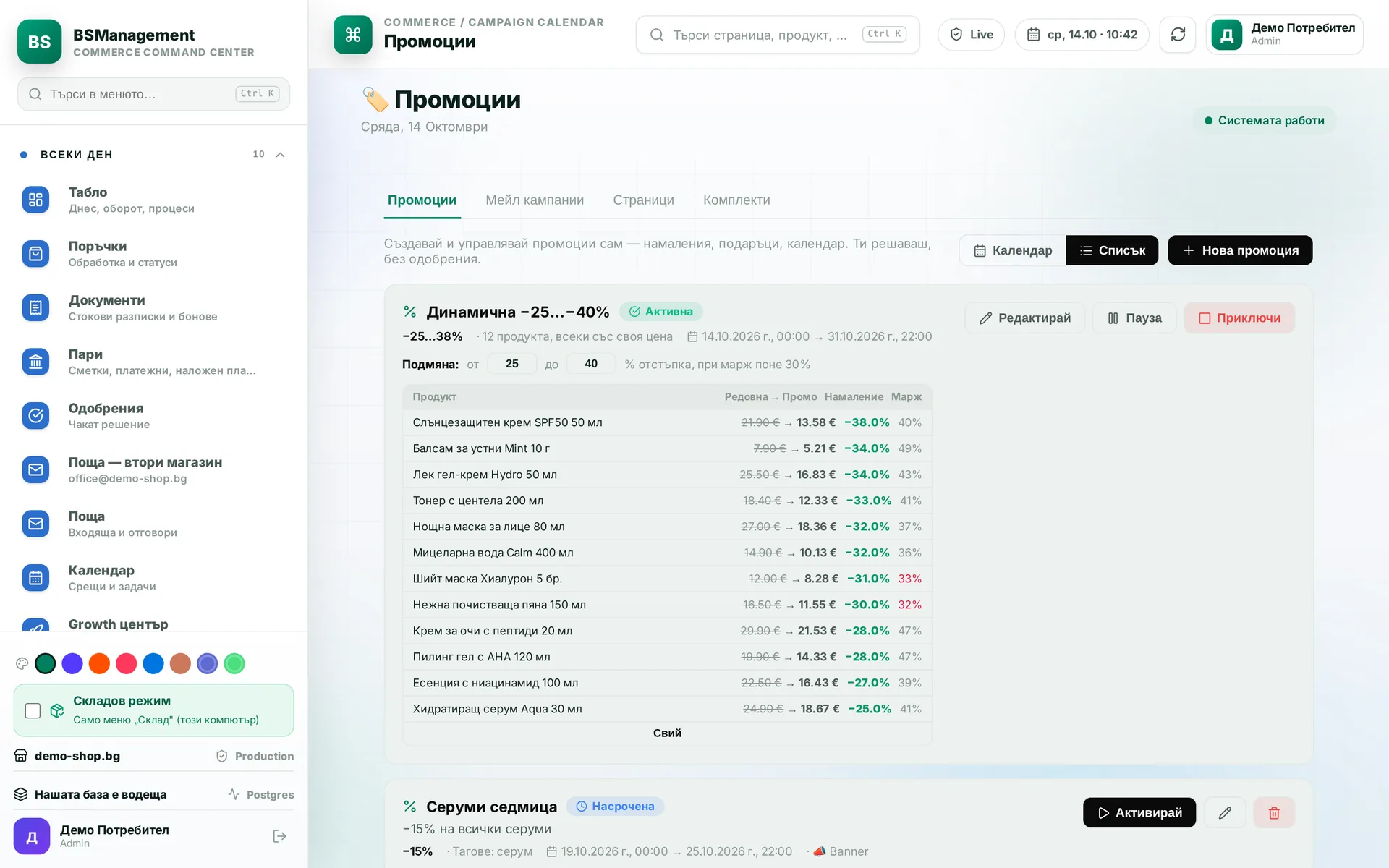
The system proposes which products go into a promotion and at what discount, taking for each the deepest one that keeps the margin above a set minimum. Only items in stock are included. The selection is shown as a list and confirmed by a person before it becomes a promotion.
Runs in: KoreanCare
Automatic discount
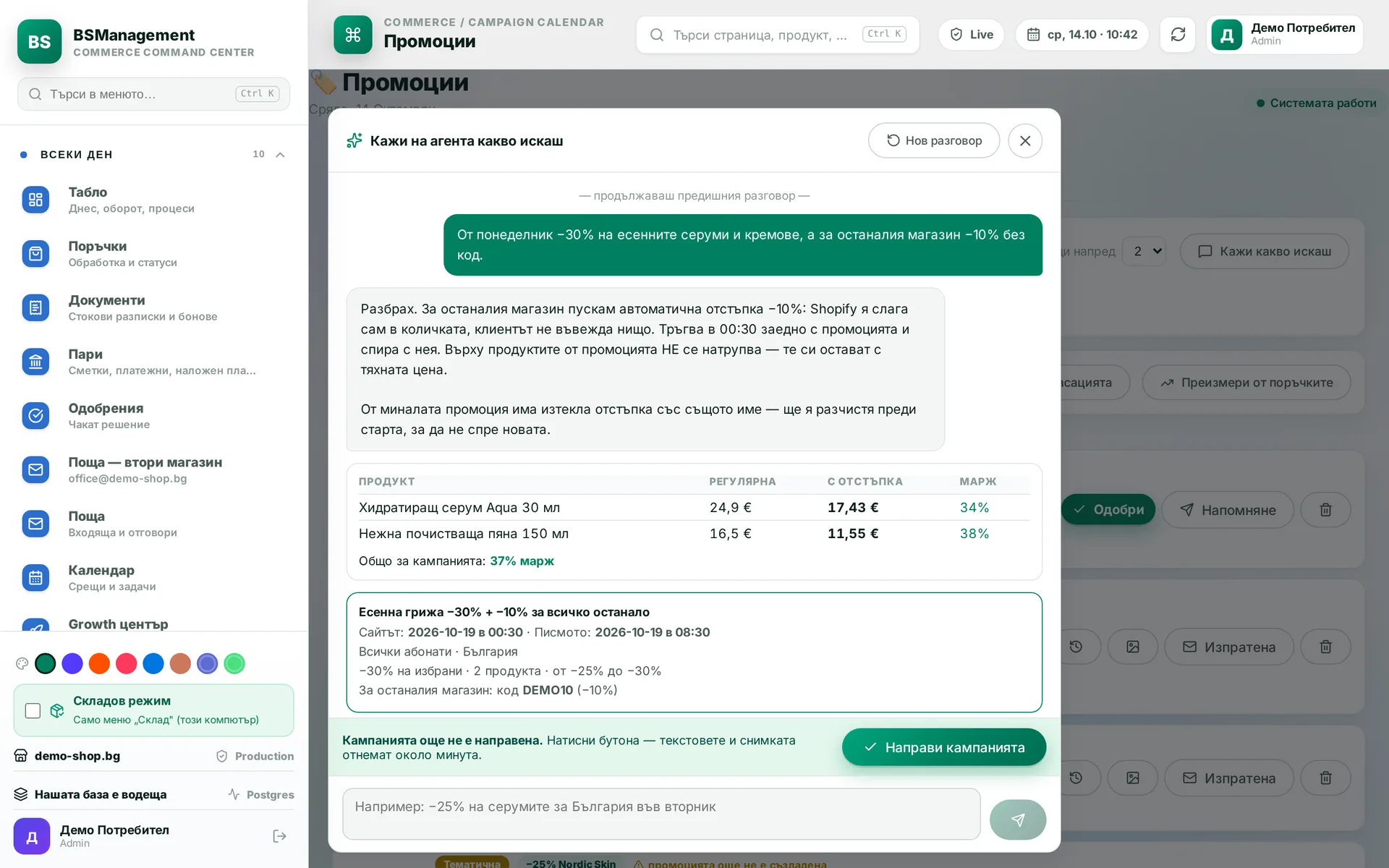
An extra discount for the rest of the store that Shopify applies in the cart by itself, with no code to type. It starts and stops with the promotion and does not stack on items that are already in it. An expired discount with the same name is cleared automatically so it does not block the new one.
Runs in: KoreanCare
Nightly swap of sold-out promo products
Every night the system removes products that are sold out everywhere from a live promotion and puts the same number of in-stock items in their place. Newcomers follow the same margin and discount rule, and the promotion status, dates and codes stay untouched. In the morning the promotion shows only stock that can actually be sold.
Runs in: KoreanCare
Check after a promotion goes live
Half an hour after each scheduled launch the system checks the status, prices, discount code and storefront by itself. It records line by line what went through and what did not, and the result stays in the system even if nobody reads the logs. A problem with a promotion shows up in the system in the morning, before a customer has to ask.
Runs in: KoreanCare
Copying a promotion to another store
The pricing rules of one store are carried over to another as a draft promotion with a price per product. The draft can be narrowed, for example to discounts above a given percentage, and goes live with a button. Two active promotions on the same variants are not allowed.
Runs in: KoreanCare
Discount codes
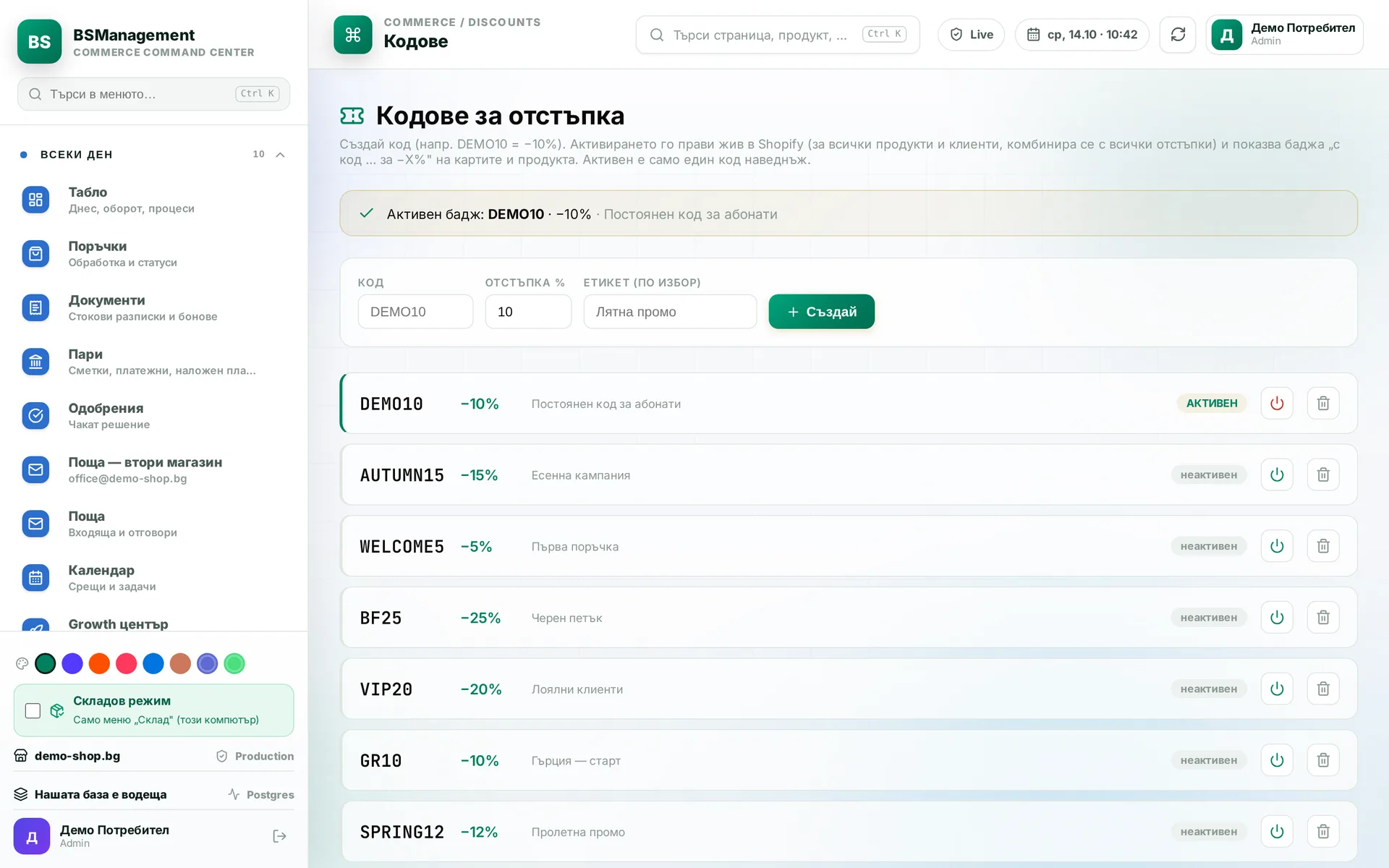
Discount codes are created, extended and stopped from the system, with start, end and market. The end date is moved in the way Shopify actually accepts for that discount type.
Runs in: KoreanCare
Product card
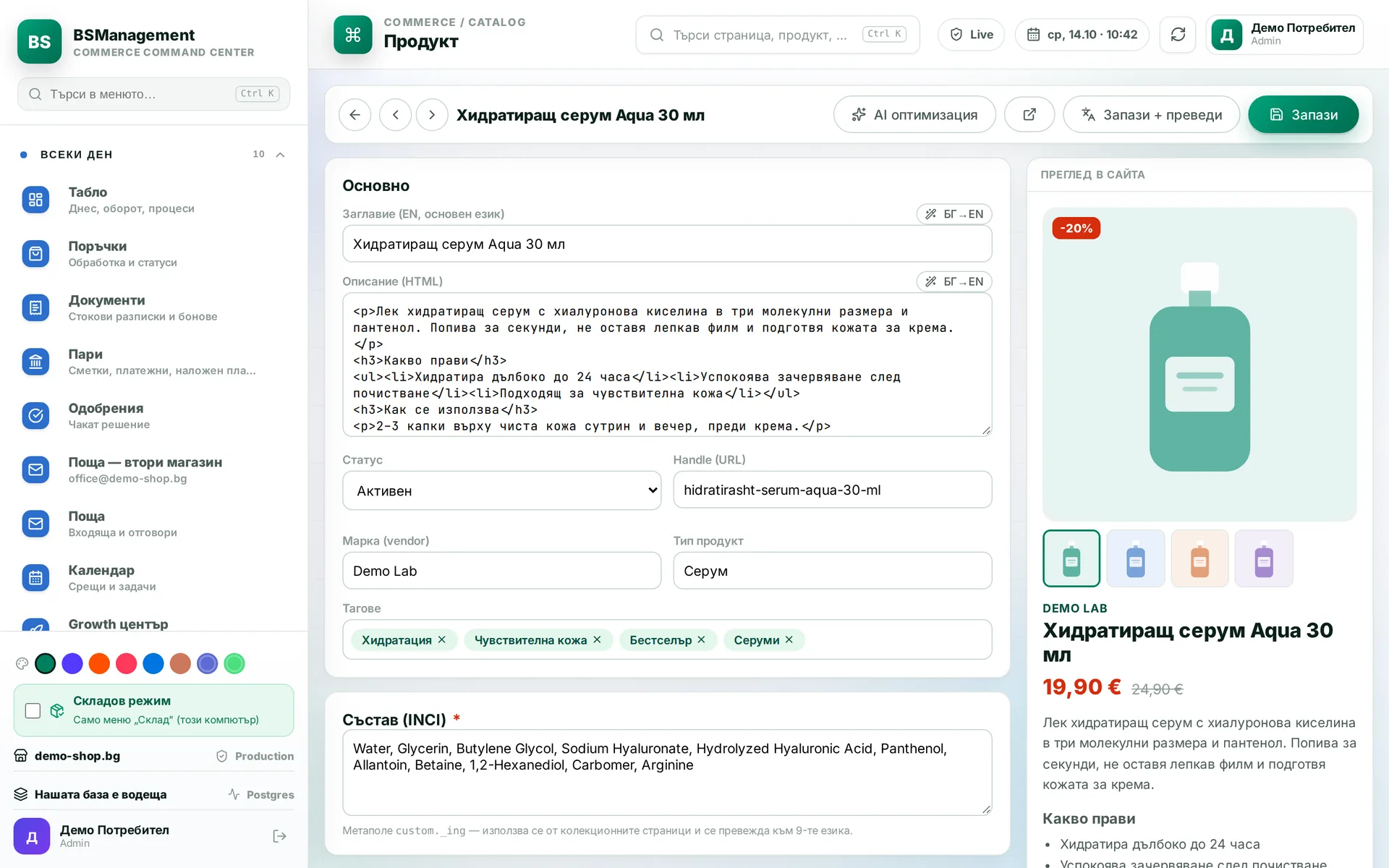
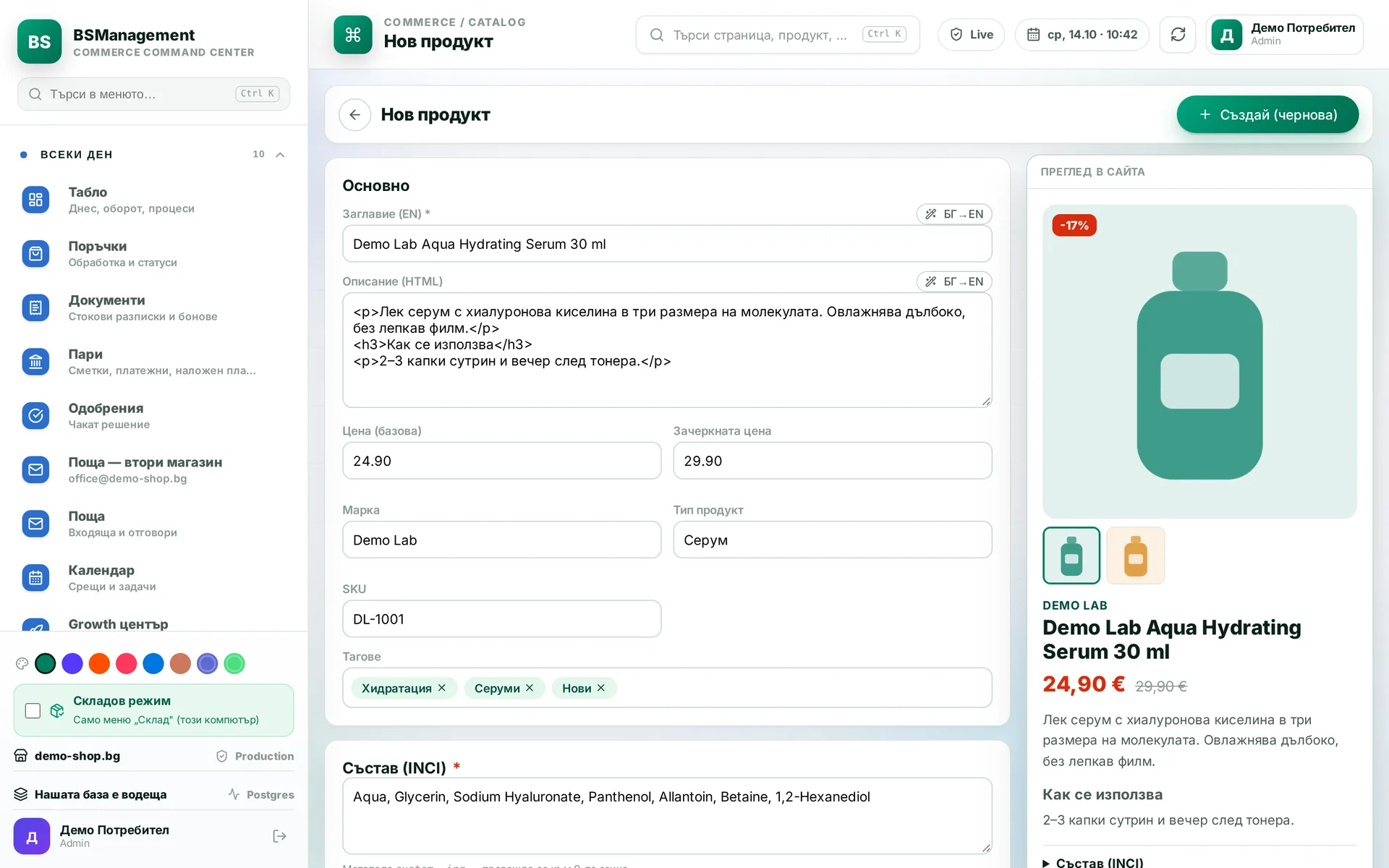
Every product has one card in our own database: names, per-store copy, prices, barcode, weights and dimensions, links to every channel. Search works in Cyrillic and by code. An edit is saved once and reaches every store without you opening each store's admin separately.
Runs in: KoreanCare, Easy App, BS Omni ERP, LedWhite
New product
A new product is created from one screen with names, description, barcode, weight and locations. The fields follow the store standard, so the product comes out ready for the storefront and the warehouse. The product is saved to our database and to the store in one action.
Runs in: KoreanCare, Easy App, LedWhite
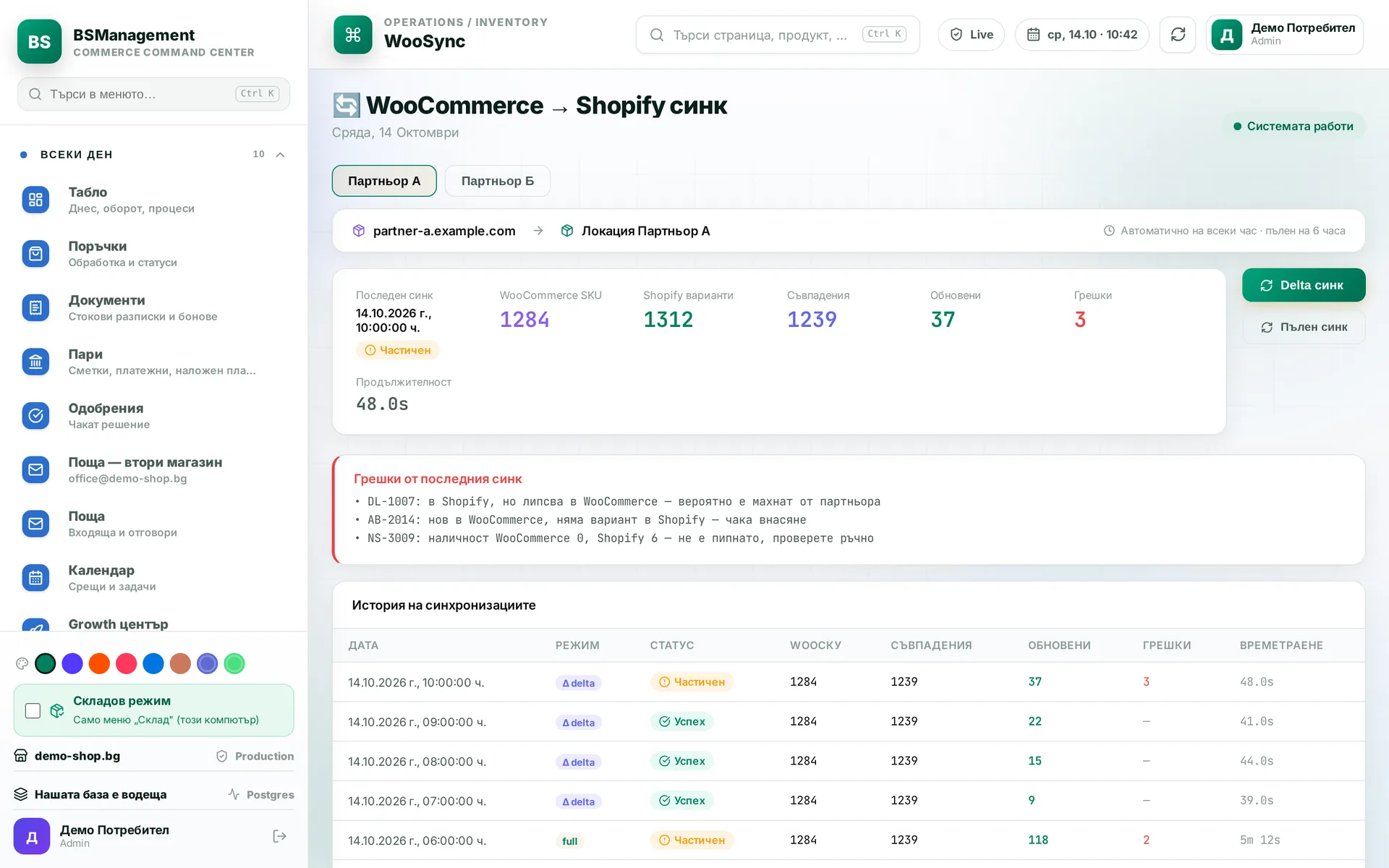
Stock sync between stores
Stock comes from the warehouse, and the system writes it to the Shopify and WooCommerce stores. It detects new, removed and mismatched items and shows them on screen instead of quietly fixing them. A sale in one store lowers the available stock in the others.
Runs in: KoreanCare, Easy App, BS Omni ERP
Sales channels
Each store and marketplace is a channel with its own connection, currency and rules for products, stock and orders. A channel is added from settings, without new code. Every order and every stock movement carries its channel, so reports never mix stores.
Runs in: KoreanCare, Easy App, BS Omni ERP
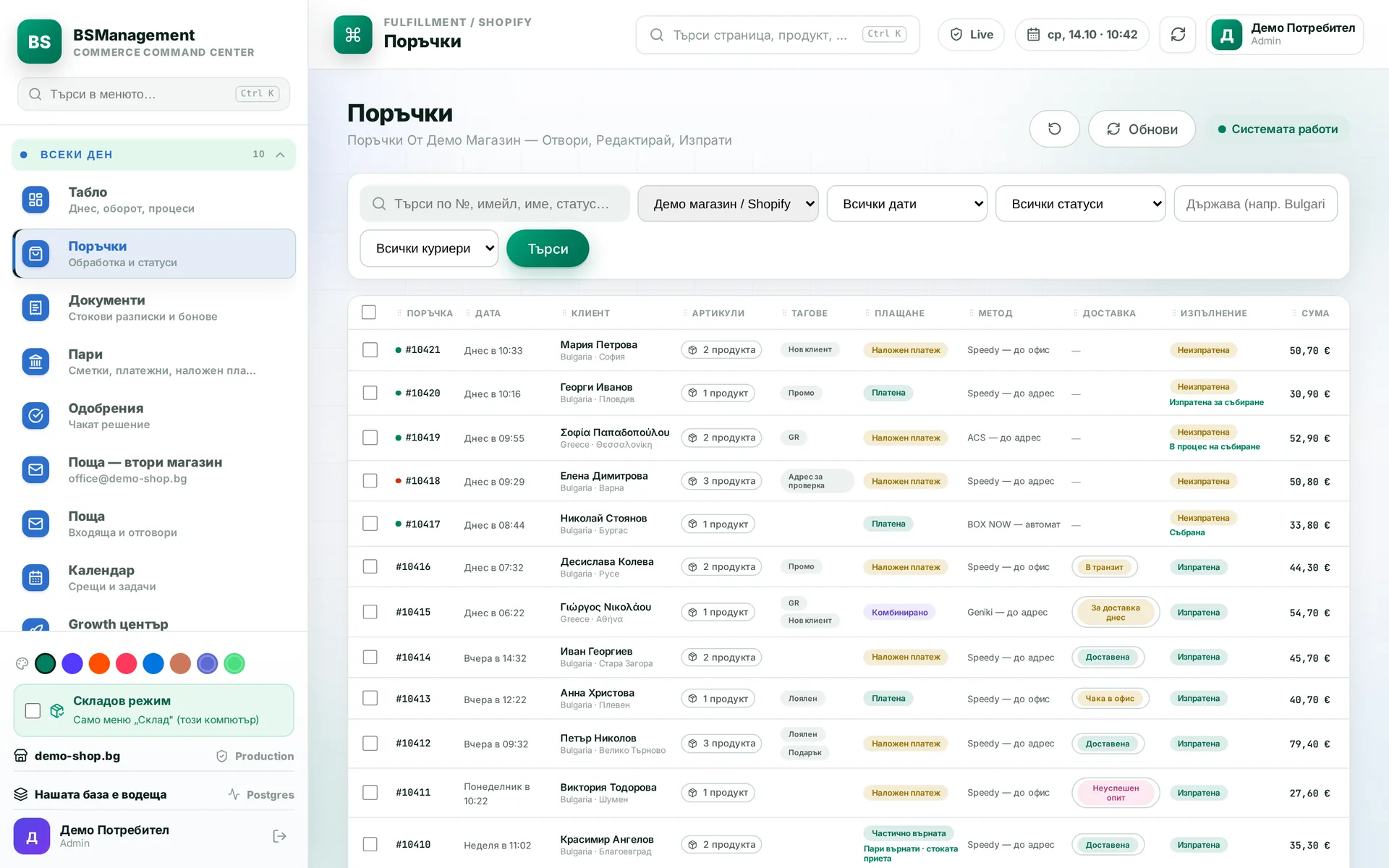
Orders
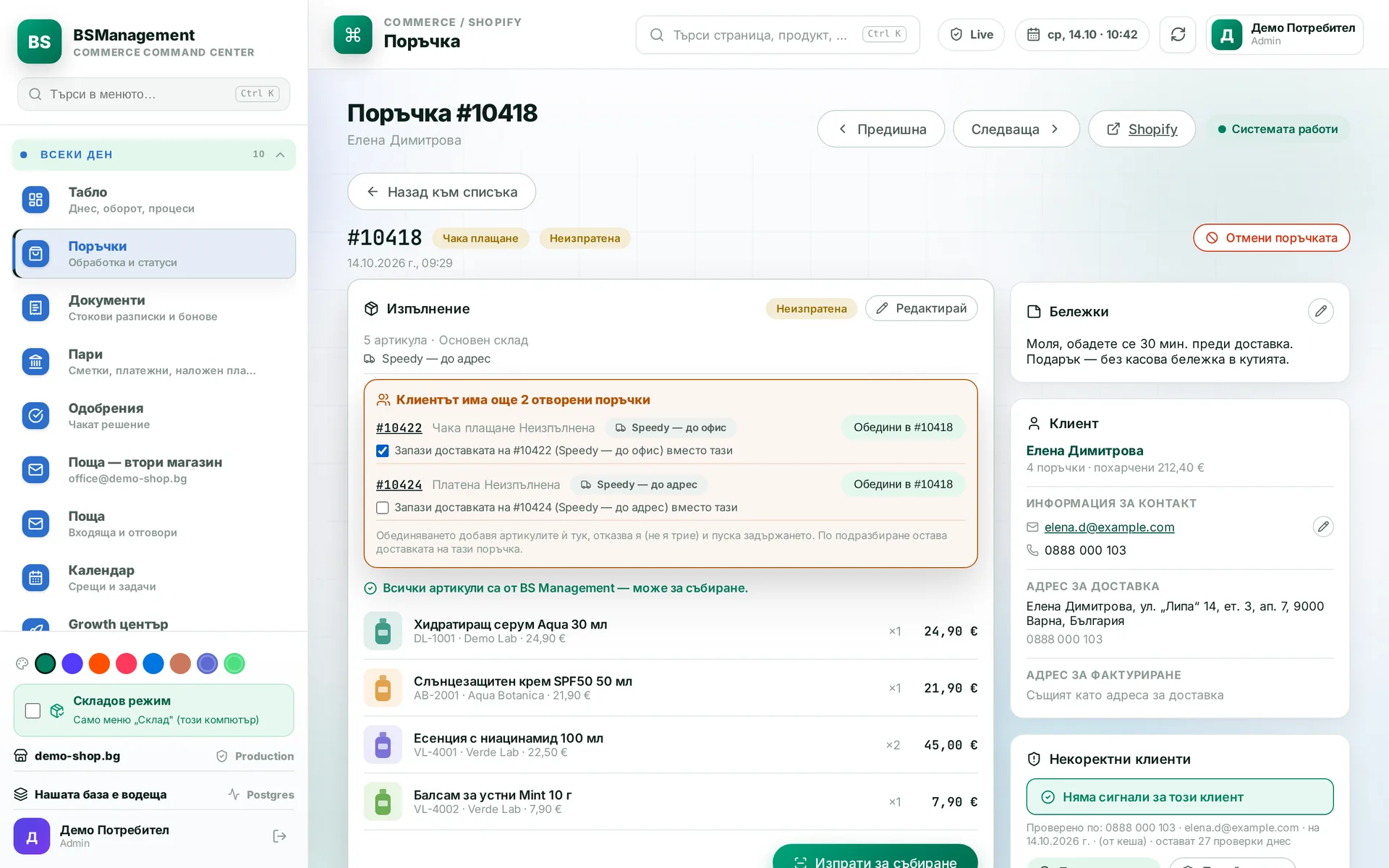
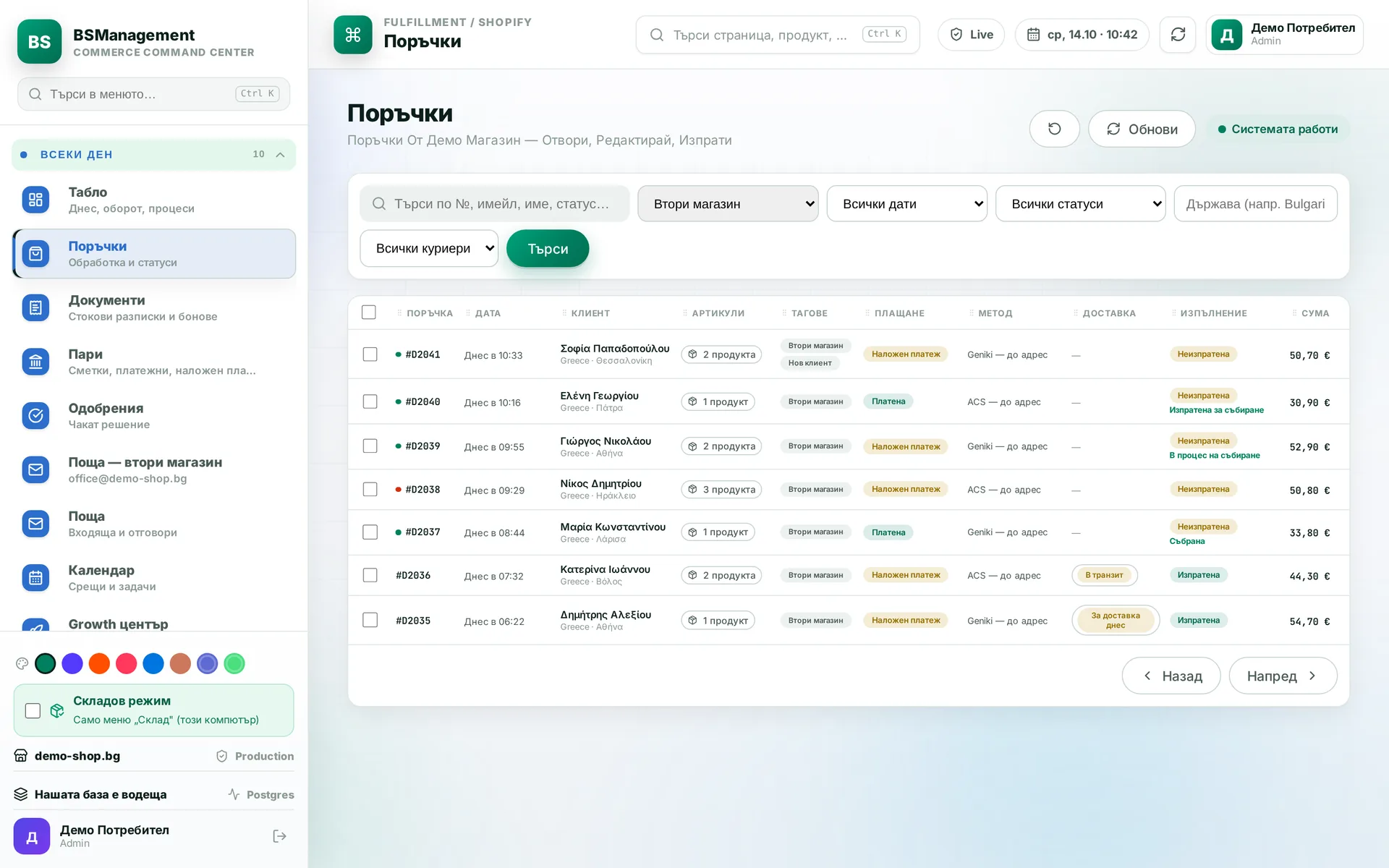
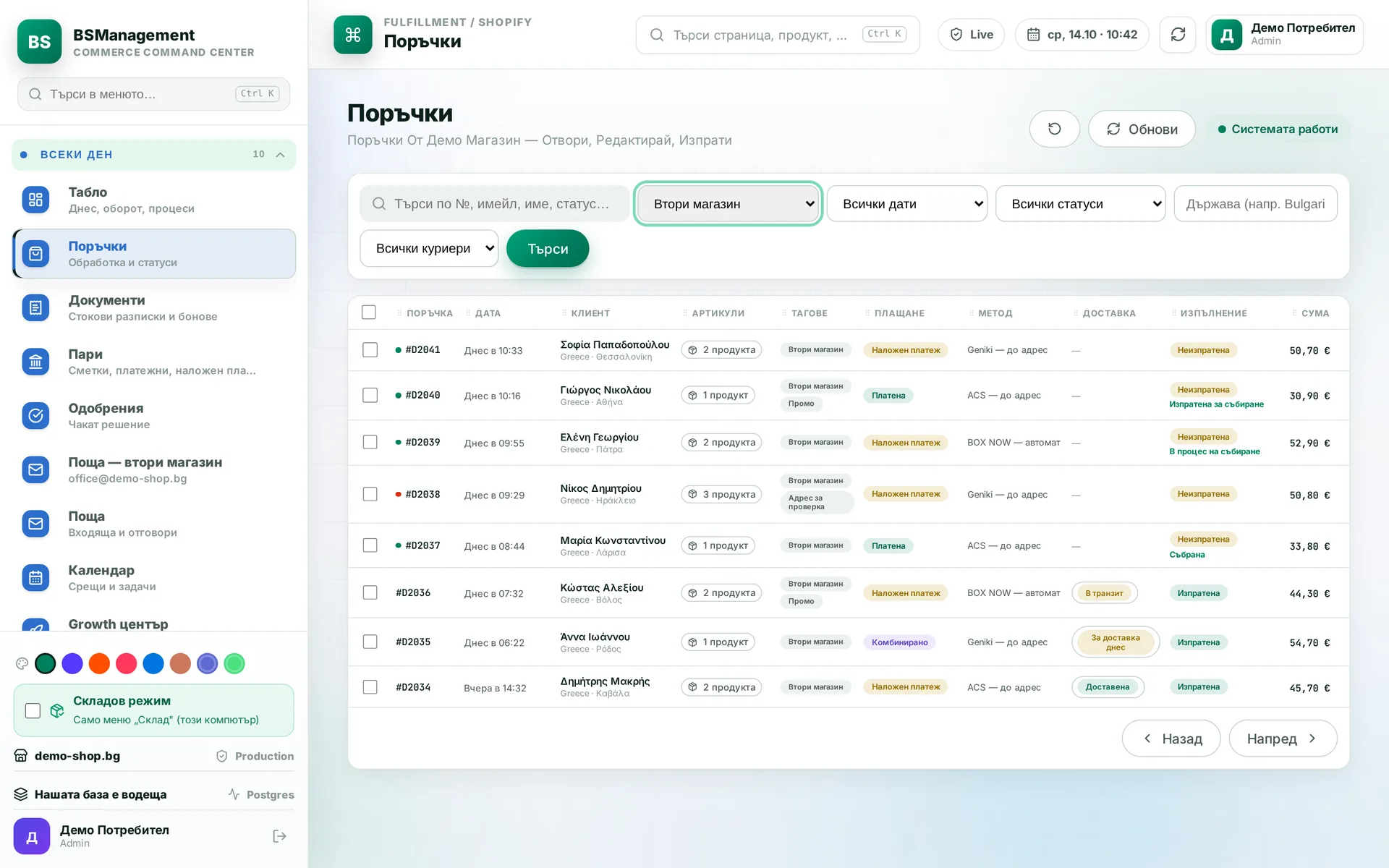
The order list filters by payment, delivery, courier, country and fulfilment, with counters showing how many sit under each filter. Filters are saved, so the team works from the same view. An order with a red address or a hold is visible straight from the list.
Runs in: KoreanCare, Cosmetics of Korea
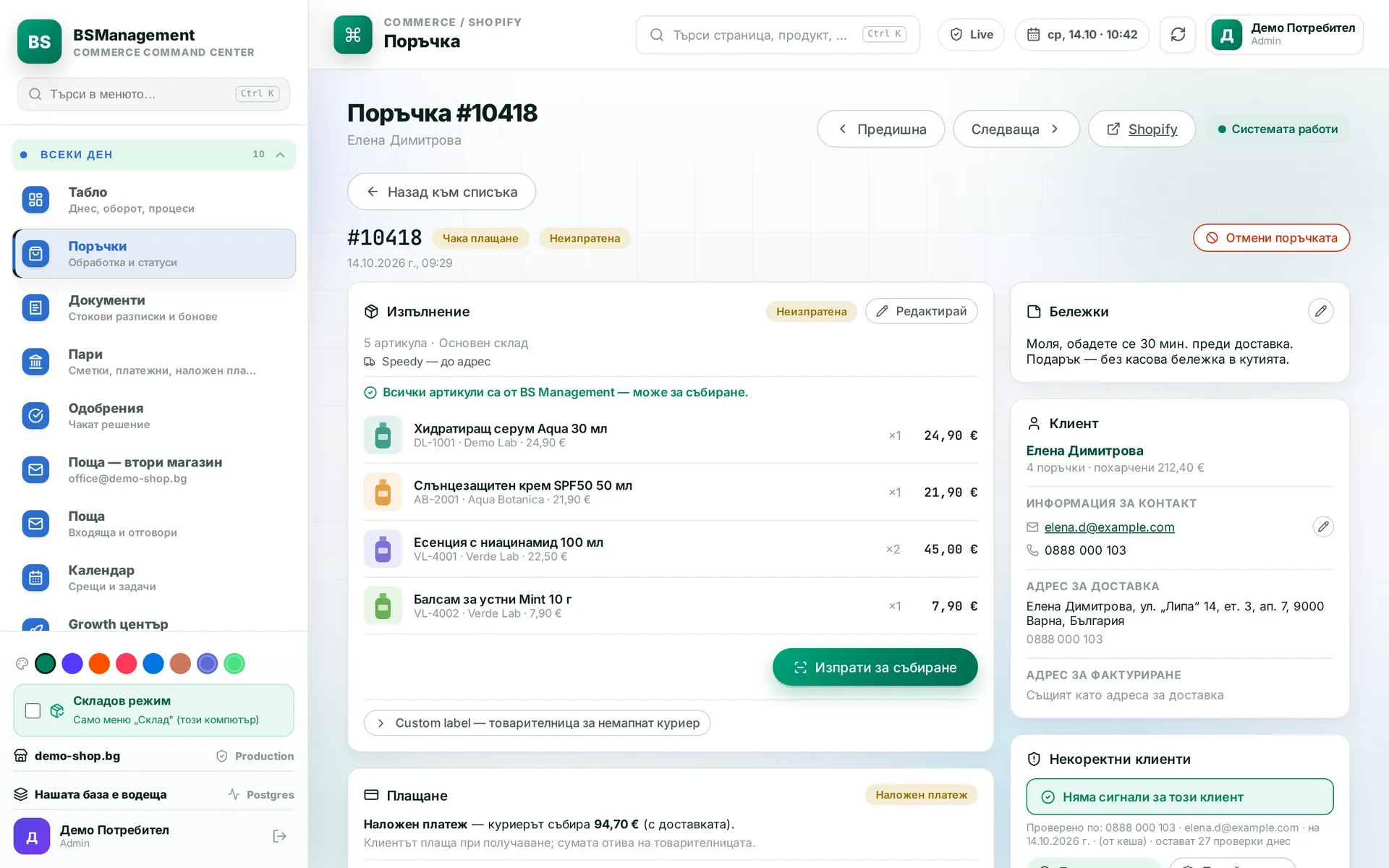
Order page
The order sits on one screen: items by location, payment, customer, address and history. From here you give a discount on a line or on the whole order, release a hold and send the order for picking. A red address blocks sending until someone confirms it.
Runs in: KoreanCare
Order merge
Two orders from the same customer are merged into one shipment with one button, choosing whose courier and address are kept. The merge can be undone. The system flags likely duplicates itself, and "not a duplicate" clears the flag.
Runs in: KoreanCare, Easy App
Order cancellation
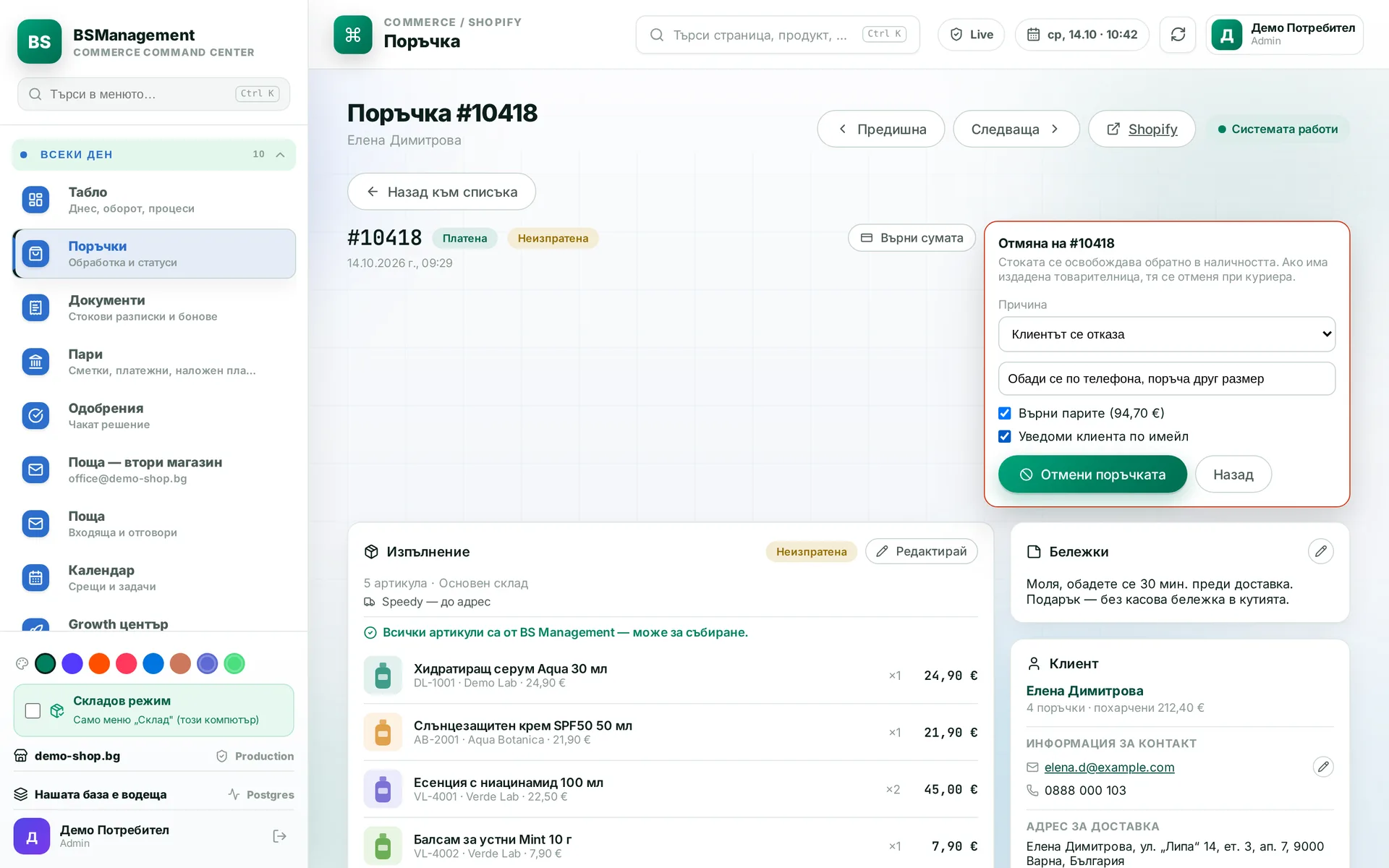
Cancellation goes through the system and cleans up everything linked to it: waybills, reserved stock and lines in supplier orders. An order cancelled directly in the store shows up in work sessions and is removed with one button. No stock stays locked because of a cancelled order.
Runs in: KoreanCare, Easy App, BS Omni ERP
Item removal requests
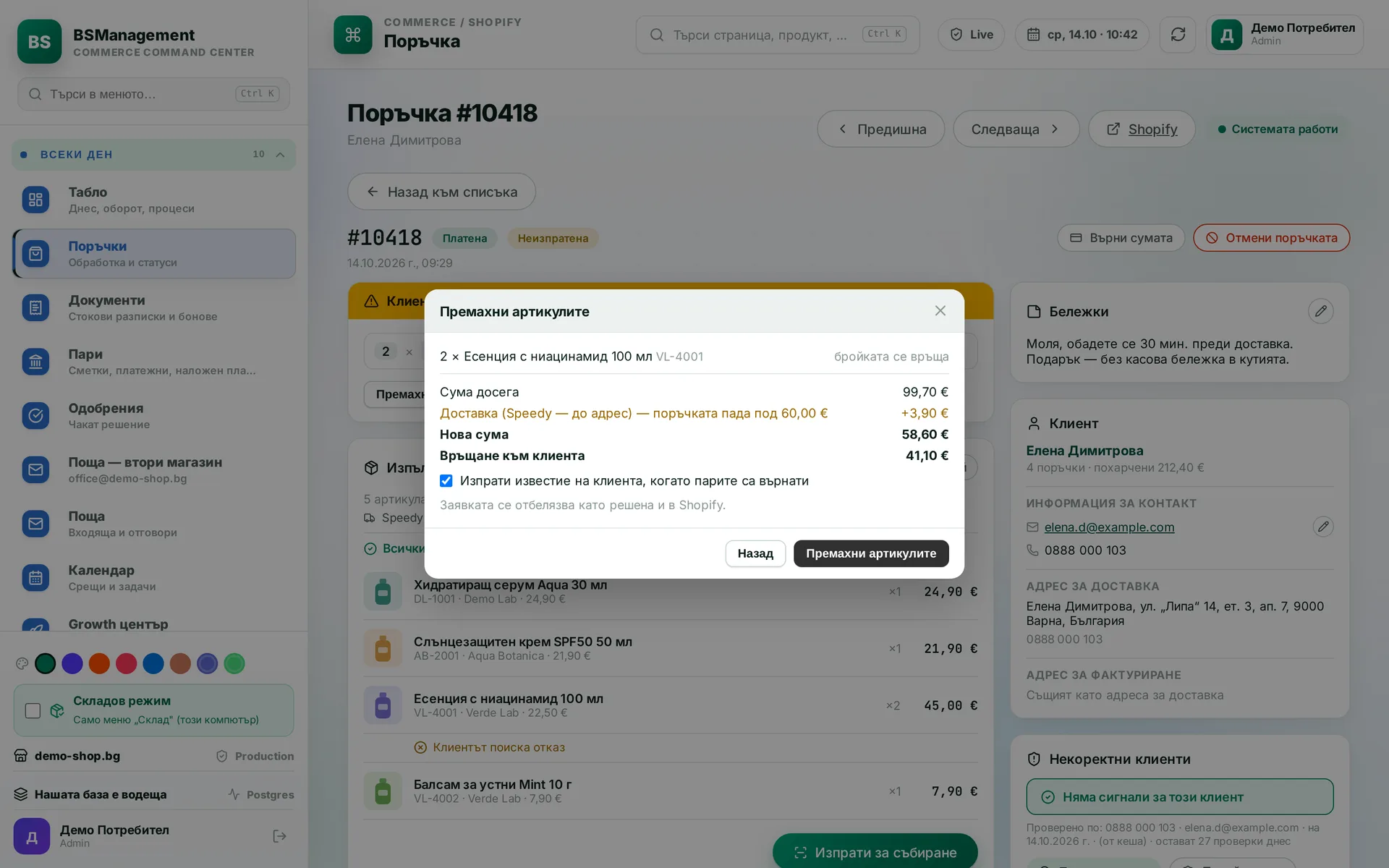
When a customer asks to remove an item, the request appears on the order with the totals before and after. One click edits the order. If the total drops below the threshold, shipping is charged again at the price from the order, and on a paid order the difference is refunded. If you decline, the customer gets a note in their market's language.
Runs in: KoreanCare
Bundles from real orders
The system finds in the order history which products customers buy together and proposes bundles from them. For each it calculates the combined price, the cost and how much can be discounted without the order margin falling below the threshold.
Runs in: KoreanCare
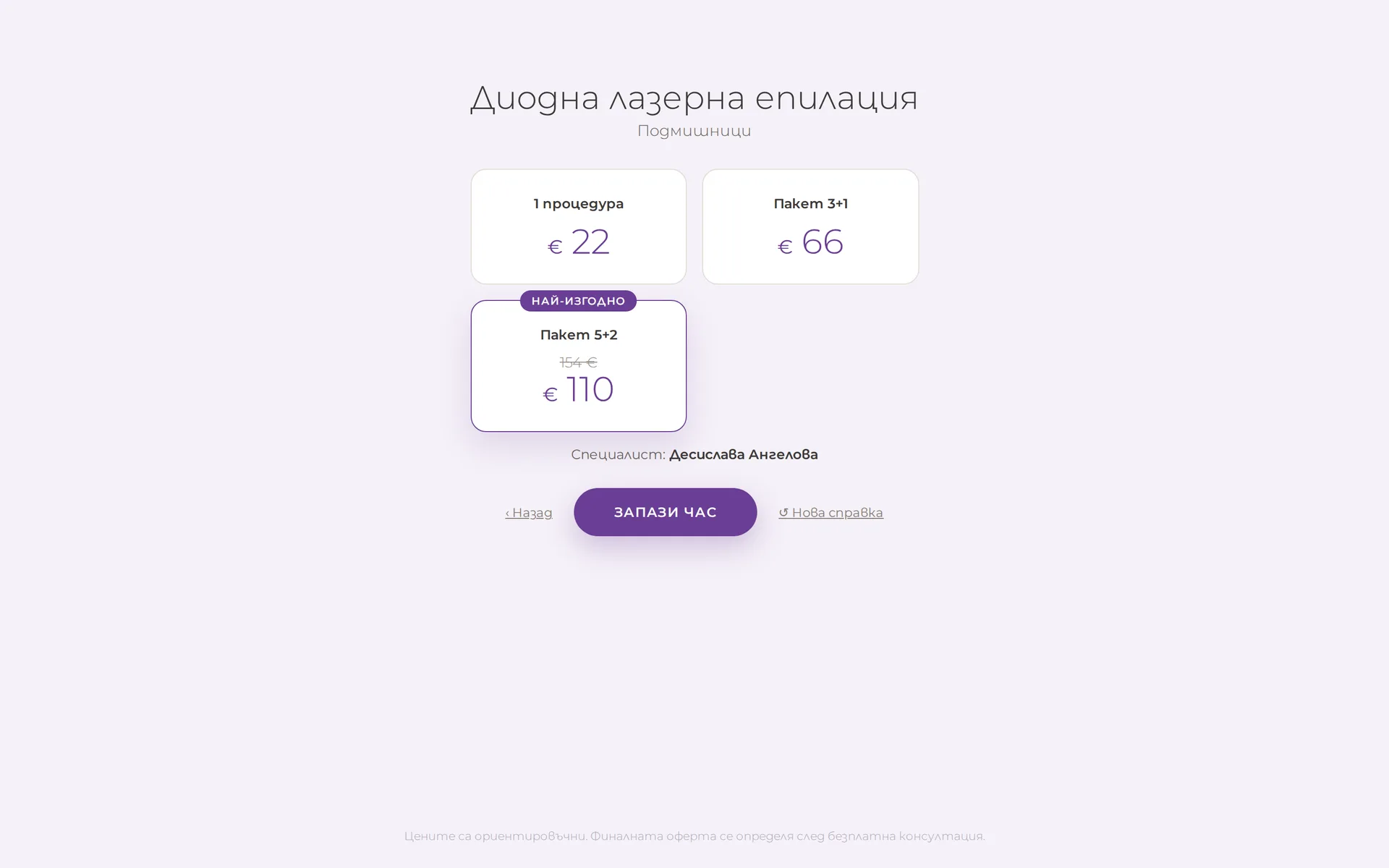
Services and booking
Procedures and services sit in the store as products, with description, price and a booking link. A quiz routes the visitor to the right service. The old site content is carried over without losing pages.
Runs in: Mell laser clinic
Theme design
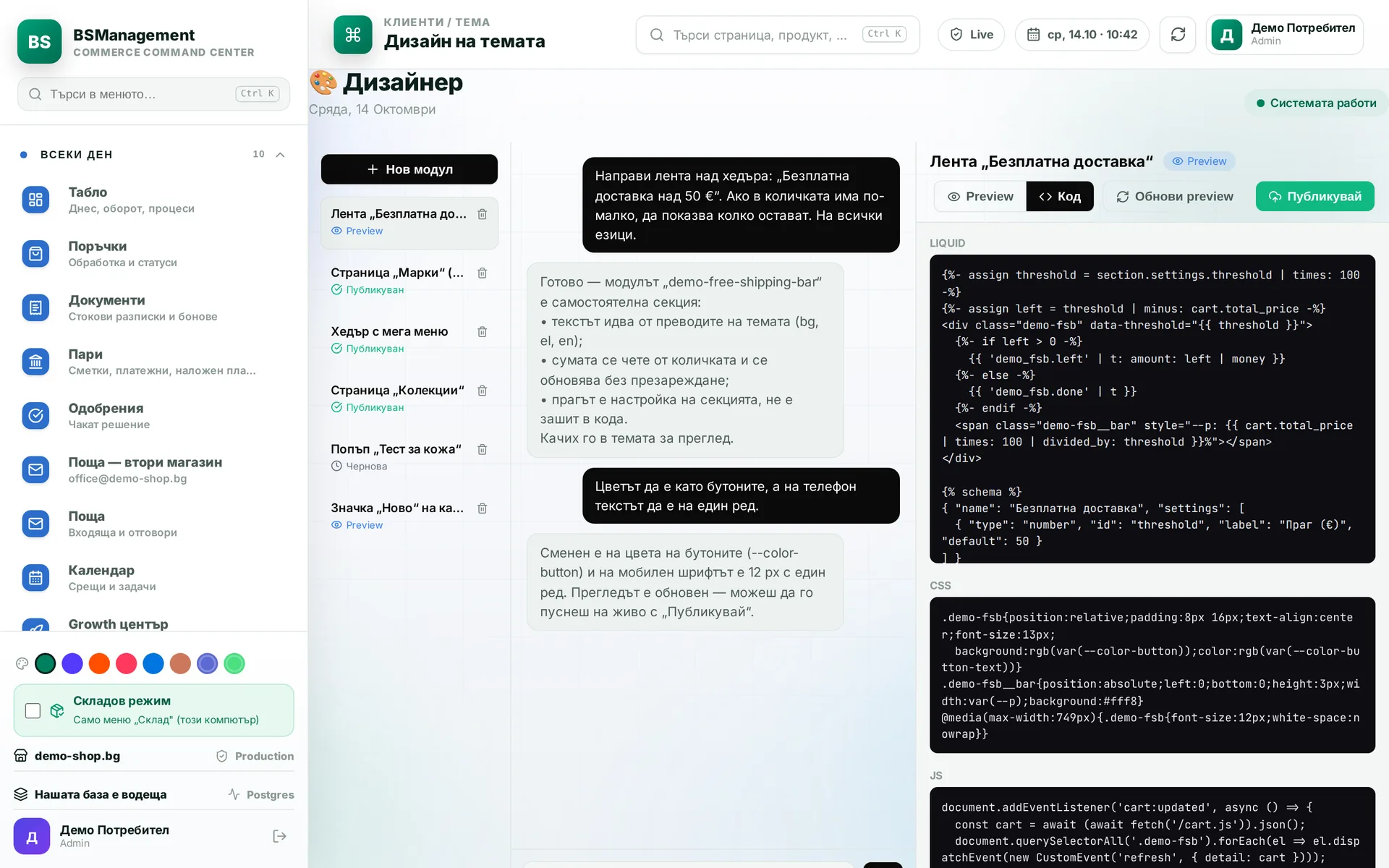
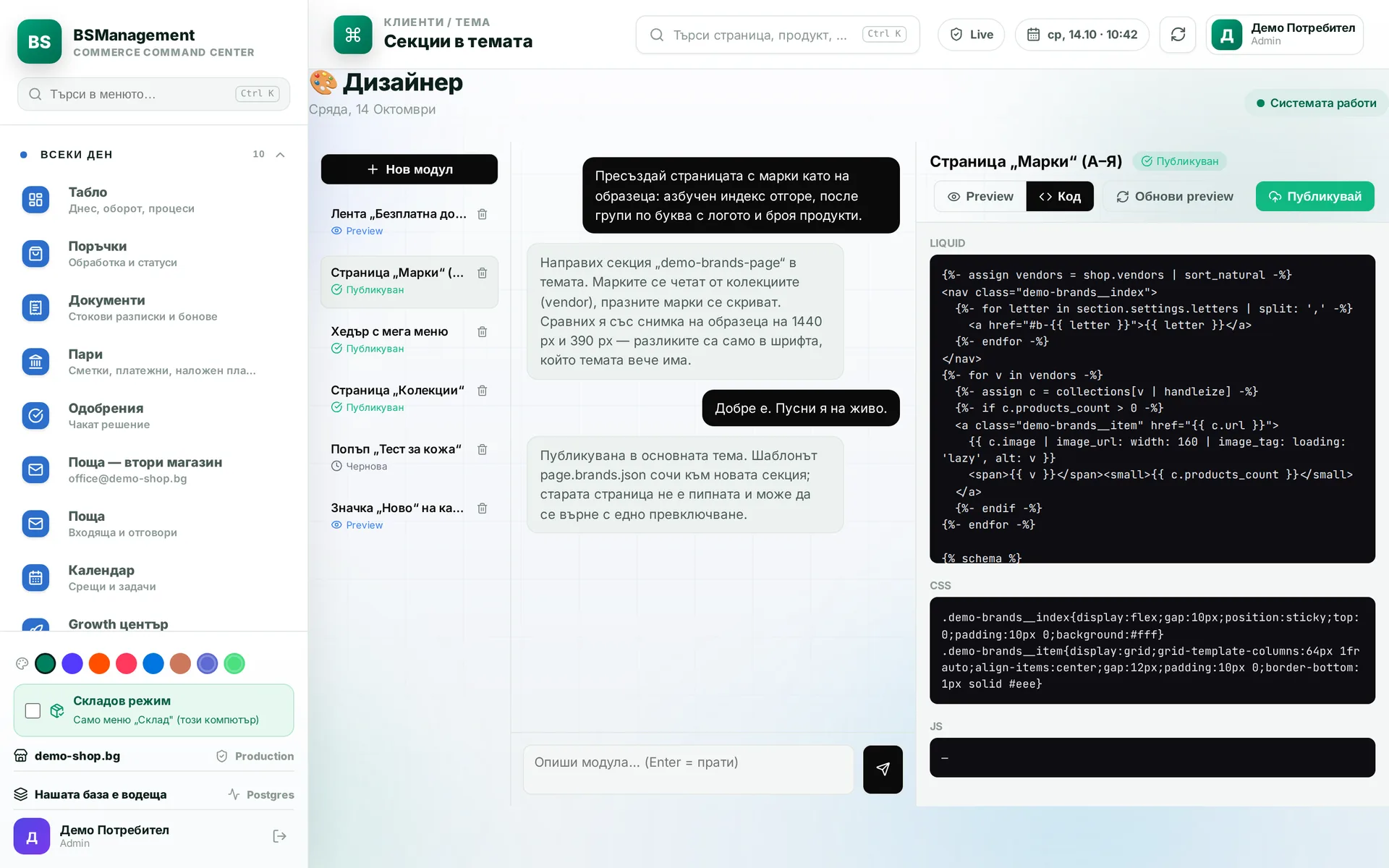
The owner describes a store block in plain words and the system builds it as a self-contained theme module. It first goes to a preview theme with a link to the real store and goes live with a button. The module can be refined with new instructions or removed.
Runs in: KoreanCare
Custom theme sections
The header, brand and collection pages and sections recreated from an existing site are written straight into the Shopify theme. Before publishing, each change is compared visually with the original. The theme stays in Shopify and the store keeps working with it as before.
Runs in: KoreanCare, LedWhite, GreekTruck, Mell laser clinic
Own storefront on top of Shopify
A separate store with its own design and domain that reads the Shopify catalog. It has its own checkout with cash on delivery and protection against a duplicate order on a repeated click. Orders land in the same system as all the others.
Runs in: Cosmetics of Korea
Store owner panel
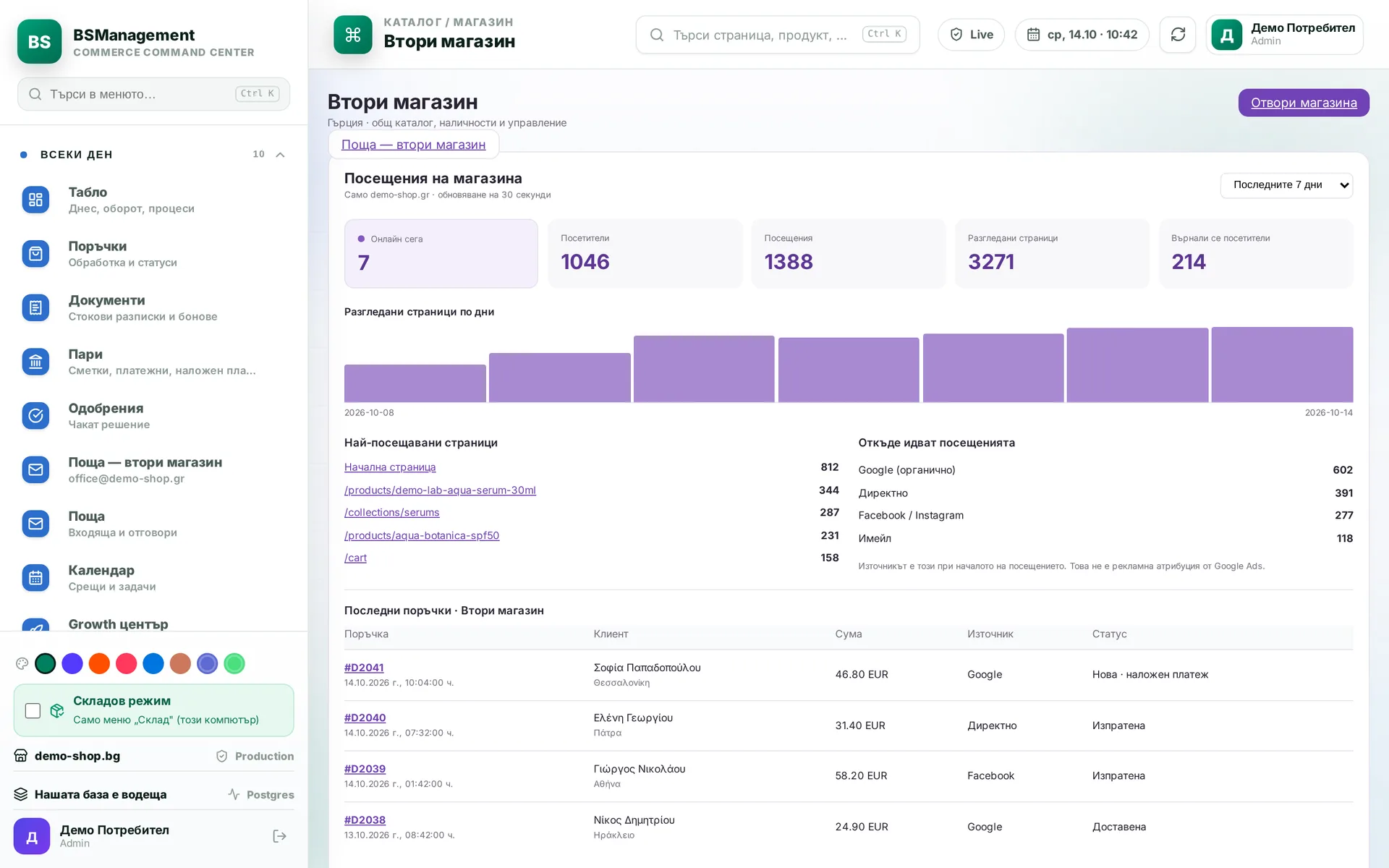
The store owner runs everything from one panel: whether checkout is on, tracking codes, policies, pricing rules and short product texts. They also see traffic by period and the latest completed orders. If they enter an invalid value, the panel rejects it and explains what to fix.
Runs in: Cosmetics of Korea
Several stores in one system
Several stores and markets run from one system on the same logic, with the store as a setting. Every order, shipment, stock movement and stock level carries its store, and every report is filtered by it. Currency, VAT and courier are set in the store settings, with no code changes.
Runs in: KoreanCare, Easy App, BS Omni ERP
Own checkout page
The customer completes the order on a page inside the store: they pick a courier office on a map or type an address using the courier's own place list, and shipping is priced by the courier's calculator for exactly this order. With cash on delivery the order goes into Shopify straight away; with a card, a draft is created with the address filled in and a payment link. If the system does not respond, the customer falls back to the standard checkout and the order is not lost.
Runs in: LedWhite
Shop by vehicle
Three drop-downs (make, model and year) lead to the collection filtered by compatibility. The list of makes and models is read from a file or a store setting, with no code change. The buyer sees only the parts that fit their car.
Runs in: LedWhite
Clean filter values
Values in the supplier's text, such as colour, voltage, bulb base and car make, arrive spelled in many ways for the same thing. Before they reach the store, each one passes through a dictionary and gets a single spelling to the store's standard. A buyer who ticks one filter sees every matching product.
Runs in: LedWhite
Categories and menu from one tree
Categories from the supplier feed are matched by name to the site's category tree. Those with no match go to their parent category, so no new structure is invented. The store's main menu is written from the same tree, and only collections that hold stock are published. Each step first shows what it will change and writes only after confirmation.
Runs in: LedWhite
Extra products in the cart
The side cart and the cart page offer products from a chosen collection, a list or the store's recommendations, with an add button. Products already in the cart are not offered. Next to them a bar shows how much is left to free shipping, calculated from a single threshold.
Runs in: LedWhite, GreekTruck
Search as you type
Results appear while the customer is still typing in the search box: products with price and stock, collections, articles and suggested searches. The result count comes from the same query as the "all results" page, so the number matches what opens. What each result shows is chosen in the header settings.
Runs in: GreekTruck, LedWhite
Product specifications
The product page shows a table of specifications, compatibility and box contents, filled from the product's data. The section appears only when there is at least one row, so there are no empty tables. A sticky add-to-cart bar stays visible as the visitor scrolls down the page.
Runs in: GreekTruck
Fast catalogue with attribute filters
The first page of a collection shows instantly, while the full catalogue loads in the background and is kept for the session. Filters on product attributes (skin type, concern, routine step, texture, vegan, pregnancy-safe) cover every product, not just the first ones on the page. Links follow the visitor's language and market.
Runs in: KoreanCare
Prices in euro and lev
On the Bulgarian domain every euro price is also shown in lev at the fixed rate: in the catalogue, on the product page and in recommendations. The conversion happens in one place in the theme, so the same figure appears everywhere. On other markets the second price is not shown.
Runs in: KoreanCare
Ingredients encyclopedia
A page listing cosmetic ingredients, searchable by name, with a link from each ingredient to the products that contain it. A separate page presents active ingredients as collections. Buyers reach products through what they look for in the formula.
Runs in: KoreanCare
Shop by routine and concern
Home page sections lead to collections by routine step (cleanser, toner, essence, serum, moisturiser, sun care) and by concern, skin type, category or ingredient. Headings translate automatically to the visitor's language. Each tile is a store collection, so a new step is added without code.
Runs in: KoreanCare
Customer account with an email code
The customer signs in with a one-time code sent to their email, with no password. In the account they see their orders with the courier status and tracking number, and the saved address fills in by itself on the next order. The code is short-lived and stops working after a few wrong attempts.
Runs in: Cosmetics of Korea
Order emails
The customer receives a confirmation with the items and the savings, and on dispatch an email with the tracking number. The system remembers which emails it has sent, so a rerun does not send a second one. If an order's state is unclear, the system checks it first and only then writes to the customer.
Runs in: Cosmetics of Korea
Machines by series on the website
The machines page is organised in three levels: series, model and content (description, technical data, photos and video, downloadable brochures). Visitors switch between models in a series without hopping between pages. A new series or model is added as a block in the theme editor, with no code.
Runs in: KB Agro
Used machines
Each used machine is a card with a photo, year, engine hours, condition and an optional price. The "Register interest" button leads to an inquiry about that exact machine. Machines are added and removed from the theme editor.
Runs in: KB Agro
Current offers page
Current campaigns appear as cards with a photo, badge, date and up to three highlights: discount, financing, warranty. Each offer links to its own page or to an inquiry. A new offer goes live from the theme editor, with no code.
Runs in: KB Agro