Mobile and offline apps

We build Android and iOS apps for customers, field staff and the warehouse. Where the connection is unreliable, the app works offline and syncs once it is back online.

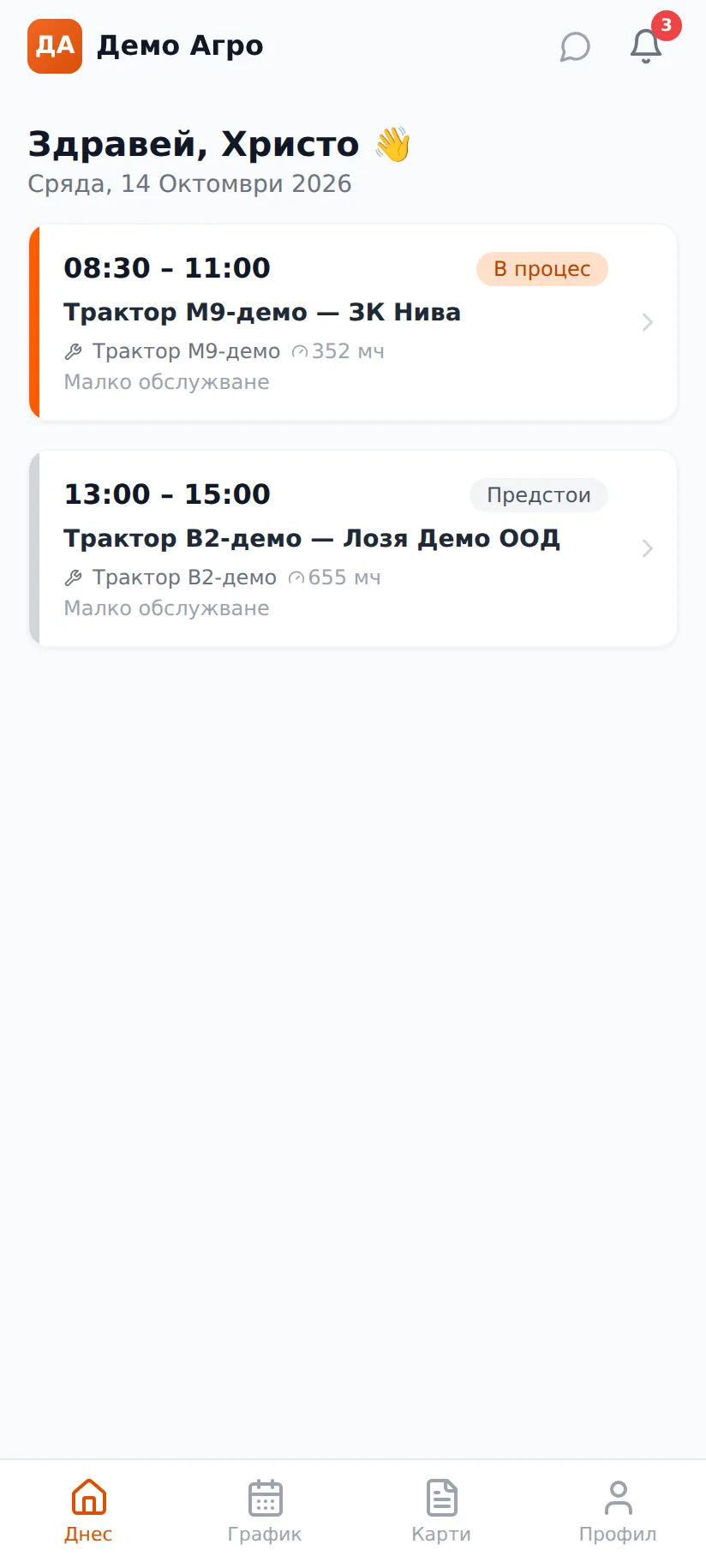
Technician day schedule in the app
Field service app

What problems it solves

Field staff work where the signal is weak or missing: out in the fields, in a barn, in a basement, on the road between two villages. If the app stops working without a connection, the technician goes back to paper and the office retypes it later. Retyping is exactly where parts, hours and signatures get lost.

The second problem is closing the job. The work is done, but until the sheet reaches the office nobody invoices it and the parts are not written off from stock. Days pass, and sometimes the sheet never arrives.

The third problem is maintenance. Separate Android and iOS apps mean every fix has to be made in two places, and every new version waits for app store review. People in the field are left with the old version and a bug the office fixed long ago.

How it works

Here is an example from a service company that repairs machines at the customer's site. The same pattern fits deliveries, installations and inspections.

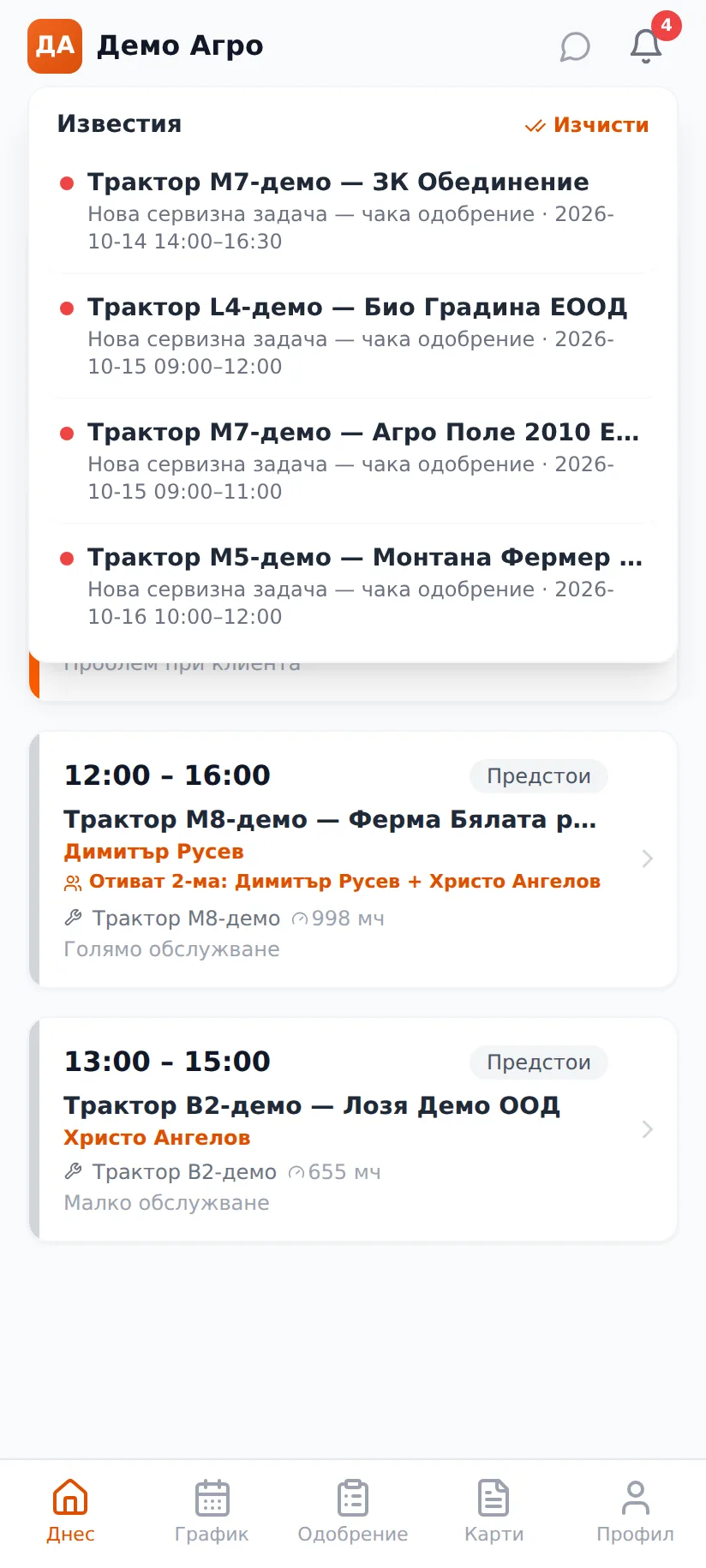
  1. The manager assigns jobs by technician and by day. The technician gets a notification on the phone and sees their schedule.
  2. At the customer, the technician taps "Arrived" and the arrival time is recorded.
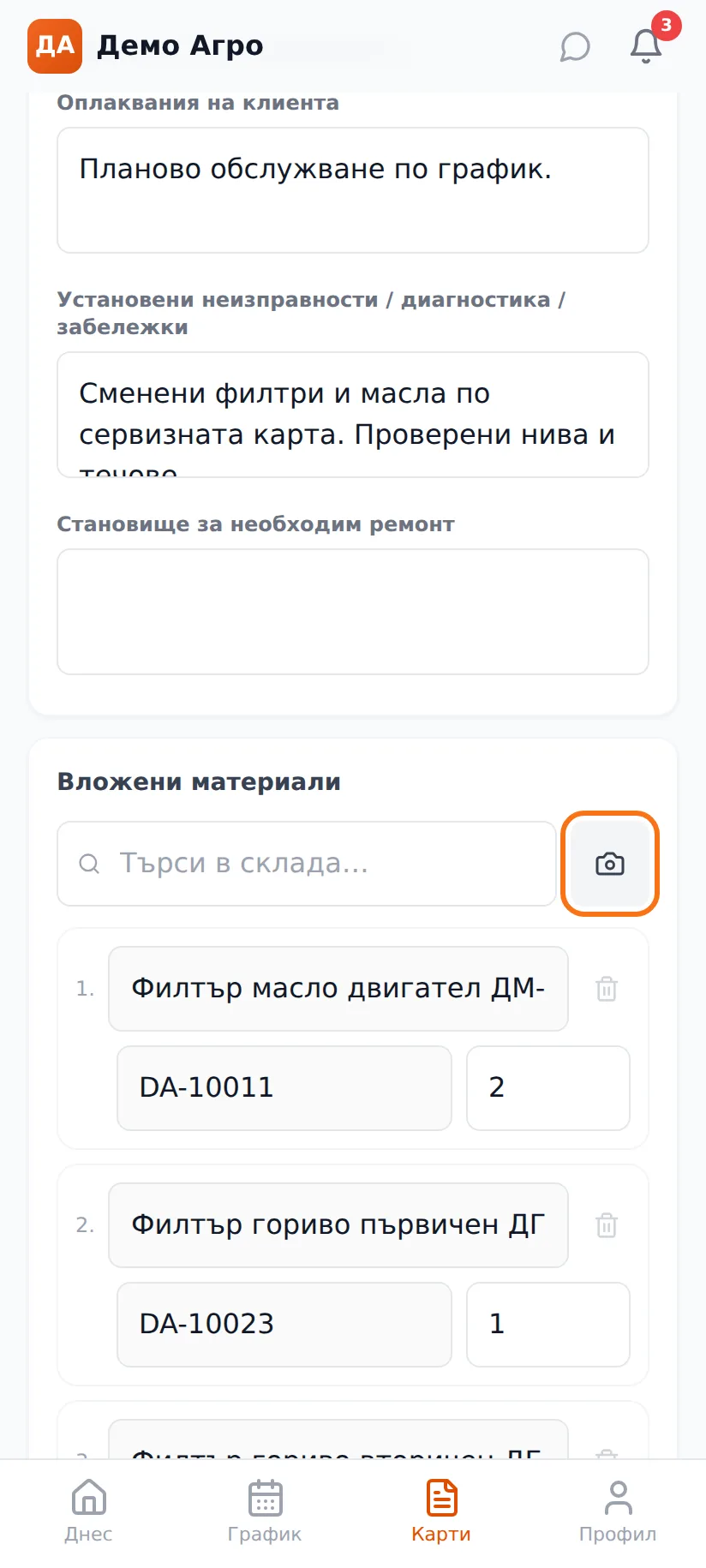
  3. The technician describes the work done, scans the fitted parts with the camera and takes the required photos if the repair needs them.
  4. The customer signs with a finger on the screen. The signature closes the work order, writes off the parts and sends the card to invoicing.
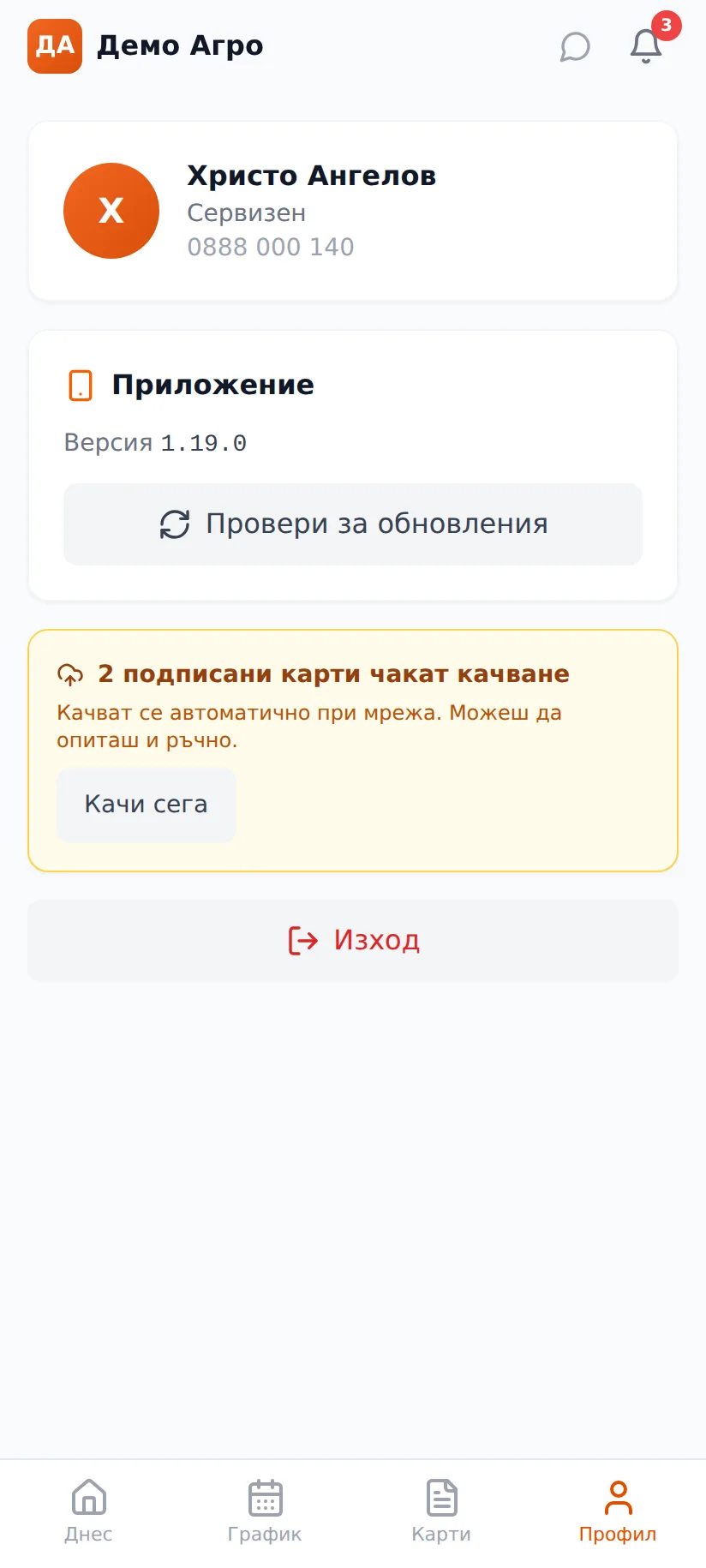
  5. Without a connection, the signed card waits in a queue on the phone. The app uploads it on its own as soon as there is internet. The profile shows how many cards are waiting, and the "Upload now" button sends them straight away.
  6. The card arrives in the office complete. Nobody retypes it and nobody chases the paper.

The signature closes the job

We make sure every action happens at one clear moment. The customer's signature is not a picture attached somewhere. It is the button that closes the card, writes off the materials and sends it for invoicing. If a dispute comes up later, you can say when the job was closed and who signed.

A safeguard stops the same card from being written off twice. This matters most when working offline: if the signature was sent but the connection dropped halfway, uploading it again does not create a second write-off.

One codebase and updates without the app store

We write the app once and release it for Android and iOS, and as a web app where needed. A fix is made in one place and reaches everyone.

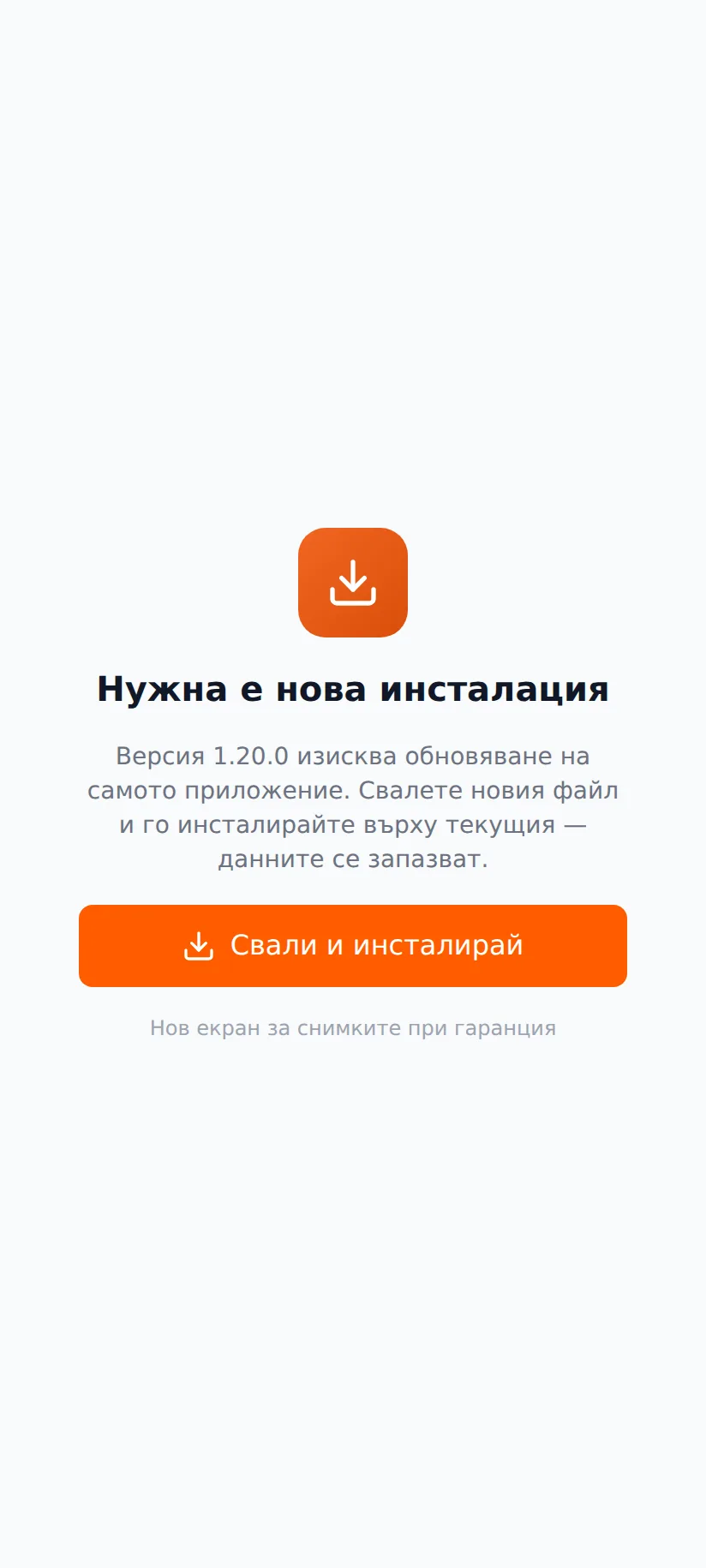
We upload screen changes to our server and phones pick them up the next time the app opens, with no new release in Google Play or the App Store. If a change needs new native code, the app tells the user a full update is required and does not run half-working. Fixes reach the people in the field the same day.

What you get

  • An app that works offline and catches up on its own once the connection returns.
  • Work orders closed at the customer with an on-screen signature rather than in the office days later.
  • Parts written off at the moment of signing, with no separate stock entry.
  • Notifications on the right person's phone: new job, approval, reassignment, overdue task.
  • A barcode scanner using the phone's camera, with no extra device.
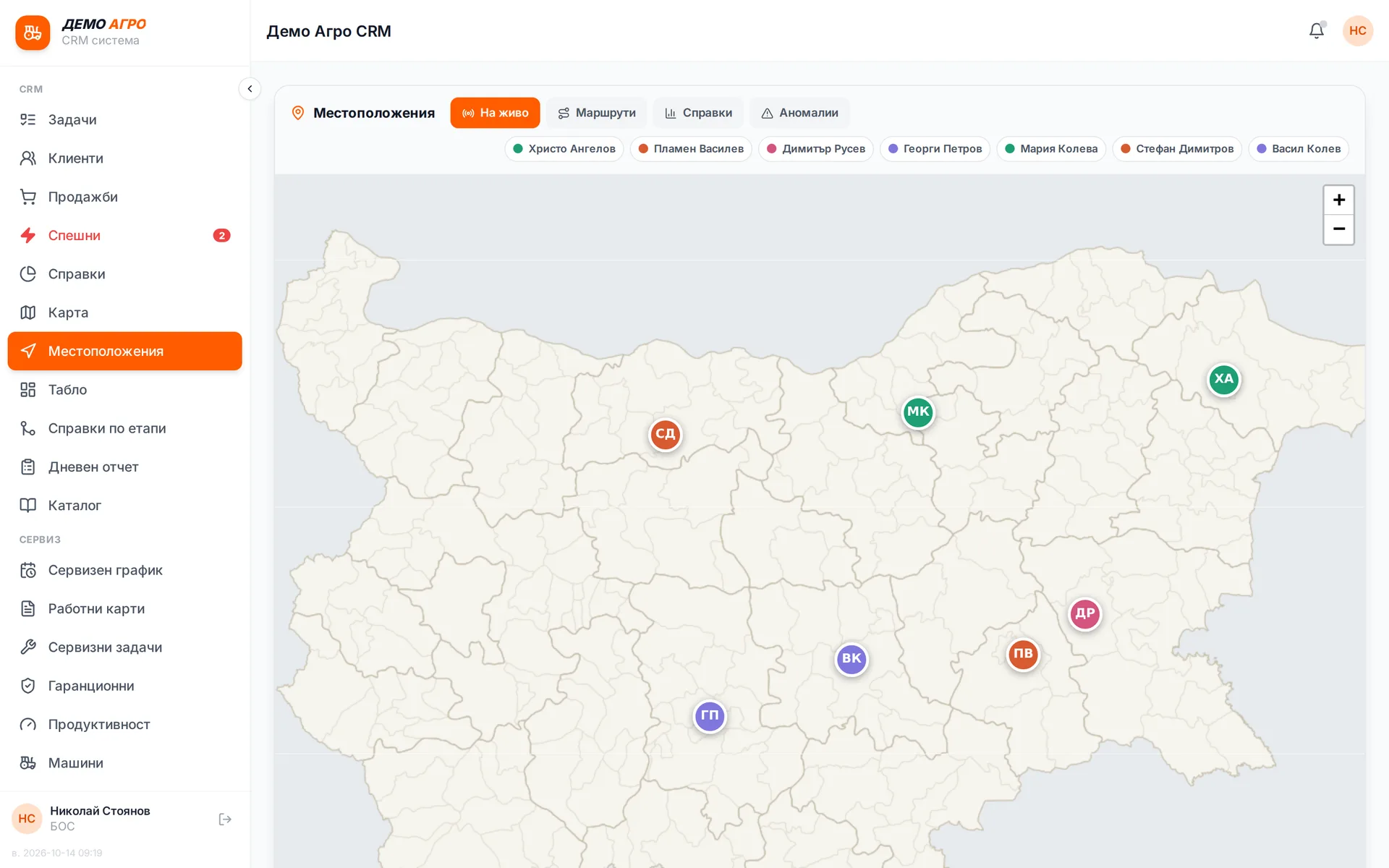
  • Team locations on the map, during working hours only and on company phones only.
  • One app for Android and iOS that updates without going through the app store.
  • The source code and the rights to the app, with no licence and no per-user fee.

What it connects to

The mobile app is one more screen onto the same system the office uses. So customers, machines, stock and invoices are the same everywhere.

  • CRM and service system: customers, tasks, schedules, work orders.
  • Warehouse: parts scanned in the field are written off from the same stock.
  • Invoicing: a closed work order appears in the list for invoicing.
  • Maps and navigation: a job opens directions to the customer.
  • Push notifications through Firebase Cloud Messaging.

Modules in this solution

Field service app

The technician sees the day's schedule, opens a job and taps "Arrived", then records labour, parts and the required photos. The customer signs with a finger on the screen, and that signature closes the work order, writes off the parts and sends the card to invoicing. Nobody in the office retypes anything from paper.

Runs in: Ivana Agro, KB Agro

Offline mode

In a field or a barn with no signal the app keeps working and keeps signed work orders on the phone until there is a connection. As soon as a signal appears, it uploads them. The profile shows how many are waiting, and an "Upload now" button sends them straight away. The same card cannot be written off twice.

Runs in: Ivana Agro, KB Agro

Android and iOS from one codebase

We write the app once and it ships to Android and iOS, and to the web where needed. We make a fix or a new screen in one place and it reaches every phone at the same time. Different roles see different screens inside the same app.

Runs in: Shishko, Blesno

Native iOS app

A native iPhone app for running the store from a phone: orders, products, warehouse stock and the daily dashboard. It uses the same API as the web system, so the data is the same and nothing has to be synced separately.

Runs in: KoreanCare

Updates without the app stores

We upload the new version of the screens to our server and phones download it the next time they open the app, with no new build in Google Play or the App Store. If a change needs new native code, the app says a full update is required. That way a fix reaches people in the field the same day.

Runs in: Ivana Agro, KB Agro, MyCRM, Shishko

Team GPS

Company phones report their position during working hours only. The manager sees the team live on the map, the day's routes and when each phone last checked in. When a technician completes a job at a new customer, the system saves the customer's coordinates automatically.

Runs in: Ivana Agro, KB Agro

Camera barcode scanner

The phone camera reads barcodes and QR codes with no separate scanner. The technician scans the part being fitted and it goes onto the work order as the correct stock item.

Runs in: Ivana Agro, KB Agro

Push notifications

A new job, an approval, a reassignment or an overdue task arrives as a notification on the right person's phone. Tapping it opens the relevant screen directly. One event sends one notification, even if the server restarts.

Runs in: Ivana Agro, KB Agro, Shishko

Warehouse terminal screen

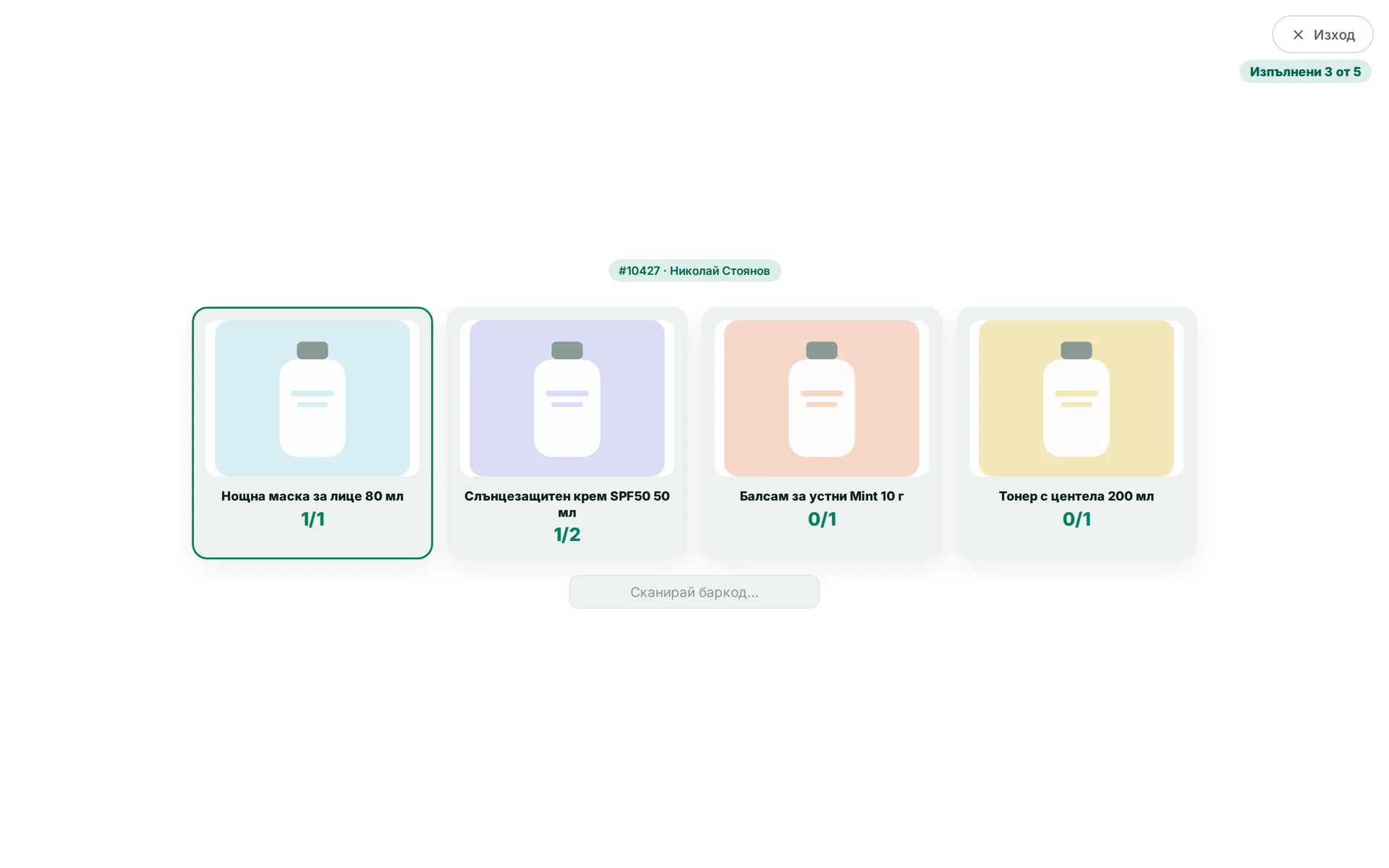
Scanning runs full screen with no menu and nothing extra, suited to a terminal or a phone on the picking cart. The warehouse worker sees only the current step and large buttons.

Runs in: KoreanCare

Warehouse mode

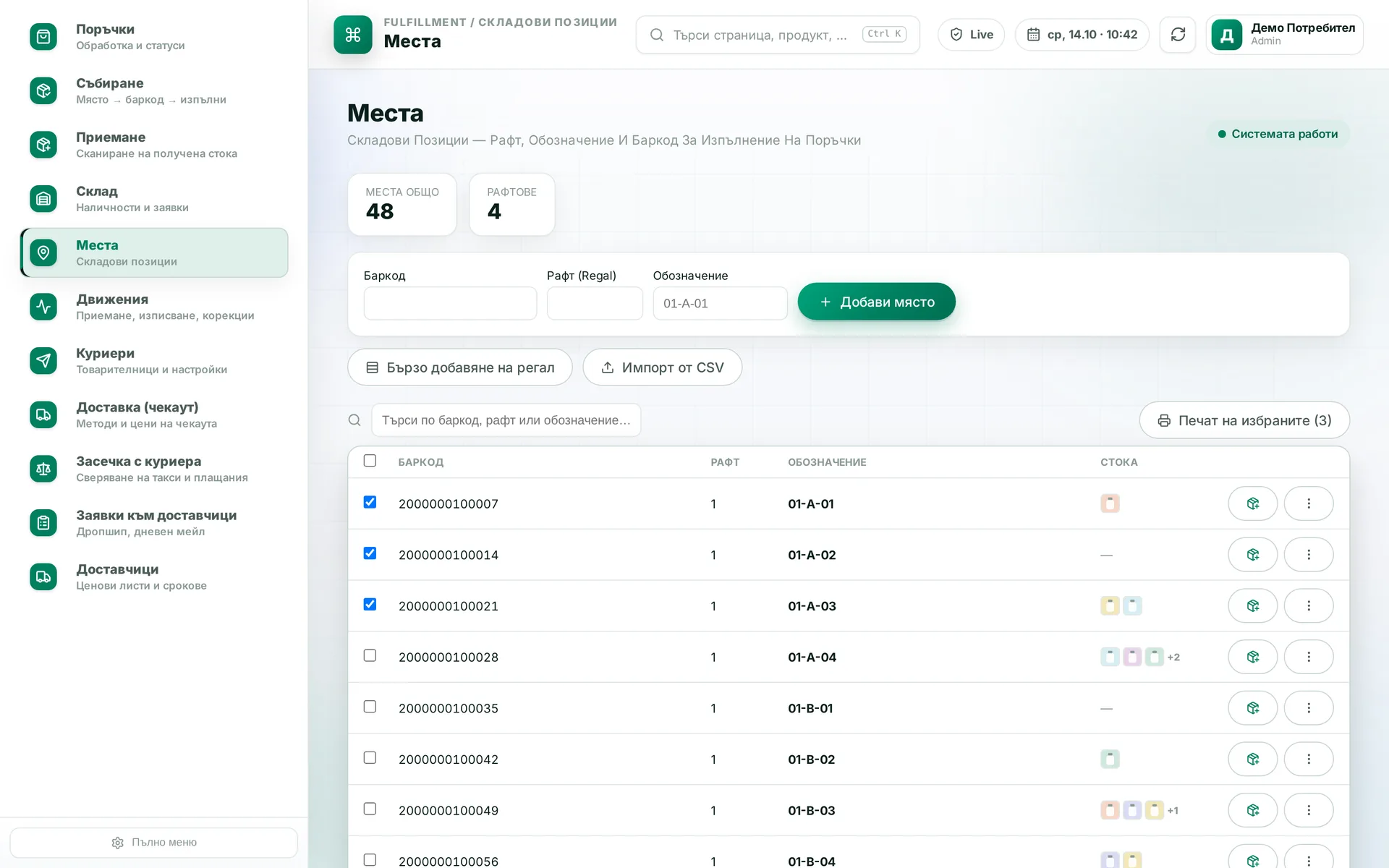
You switch a specific computer or phone in the warehouse to show only the warehouse modules. The setting applies to the device whoever is logged in, so the warehouse machine does not open reports or finance by mistake.

Runs in: KoreanCare

Mobile-ready system

Every screen of the system opens on a phone, with no separate app. Wide tables turn into cards and the main actions stay within thumb reach.

Runs in: KoreanCare
Screens

Where it runs

Frequently asked questions

Does it really work without internet?

Yes, for what a technician does in the field: viewing the job, filling it in and getting it signed. Signed cards wait on the phone and upload on their own when there is a connection. Some things need the server by nature, such as searching the whole warehouse. Those wait for a connection, and the app says so clearly.

What if the phone is lost before it uploads?

A card that has not been uploaded exists only on that phone. That is why the app shows a counter of waiting cards and an "Upload now" button, and sends them on its own at the first connection. The manager sees in the system that the job is not closed yet and knows what to check.

Do we have to publish on Google Play and the App Store?

For the first install and for changes to the native part, yes, or through internal distribution if the app is for staff only. Day-to-day screen fixes skip the store and reach phones the next time the app opens.

Can you build just a mobile app for the system we already have?

Yes, if the system has an API or a database we can reach. The app is built on top of it and does not duplicate the data. If there is no API, building one is the first step.

How is staff location tracked?

Only on company phones and only during working hours, which you can configure. The manager sees the team in real time and the day's routes. Outside working hours the app sends no location.

Who owns the app?

You do. You get the source code and the rights, with no licence and no per-user fee. If you decide to develop it with another team, the code is already with you.

Got a process that keeps getting stuck?

Describe it briefly. We will tell you how we would solve it.

Send an inquiry
Call us