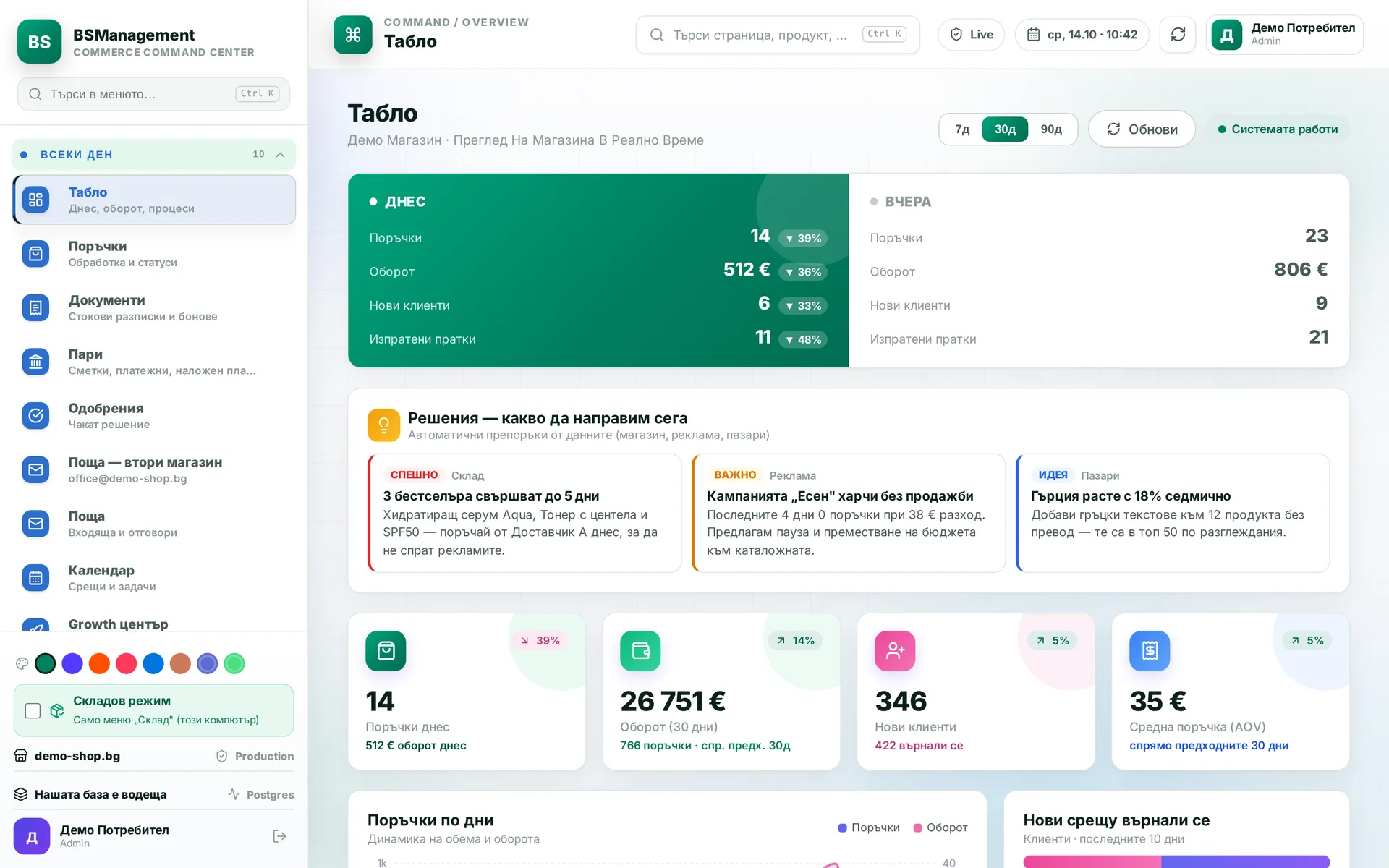
Daily dashboard
This is the first screen in the morning: today's orders, overdue tasks and the things waiting for a decision. The manager sees where to start without going through the menu. The dashboard is shown only to people allowed to see it.
Runs in: KoreanCare, Ivana Agro, KB Agro, Easy App, BS Omni ERP
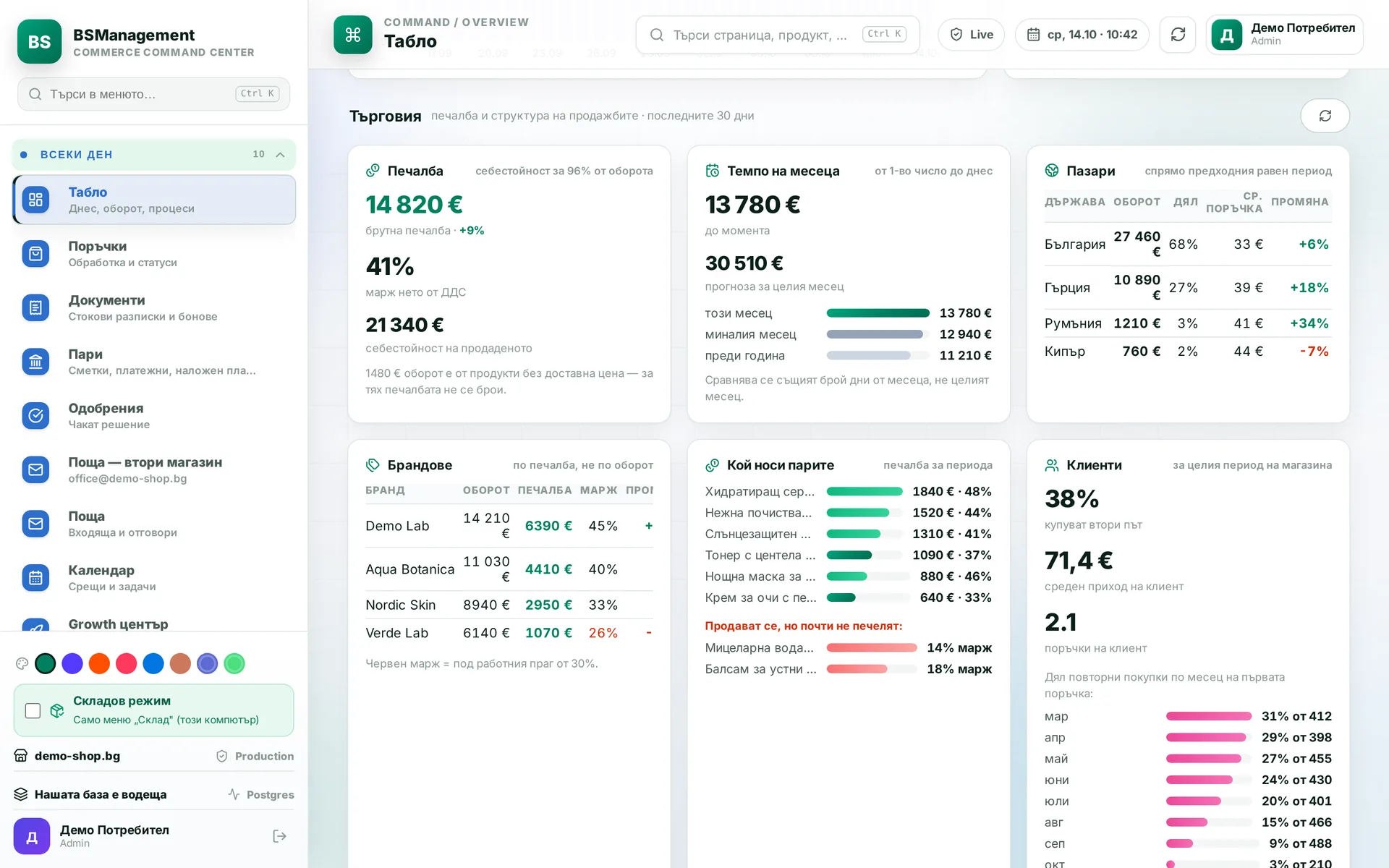
Business analytics
Turnover, margin, returns, stock turnover and markets, calculated from the orders in the system with no separate spreadsheet. You pick the period and market on screen. Reports and stock work from the same records, so the numbers do not drift apart.
Runs in: KoreanCare, Easy App, BS Omni ERP
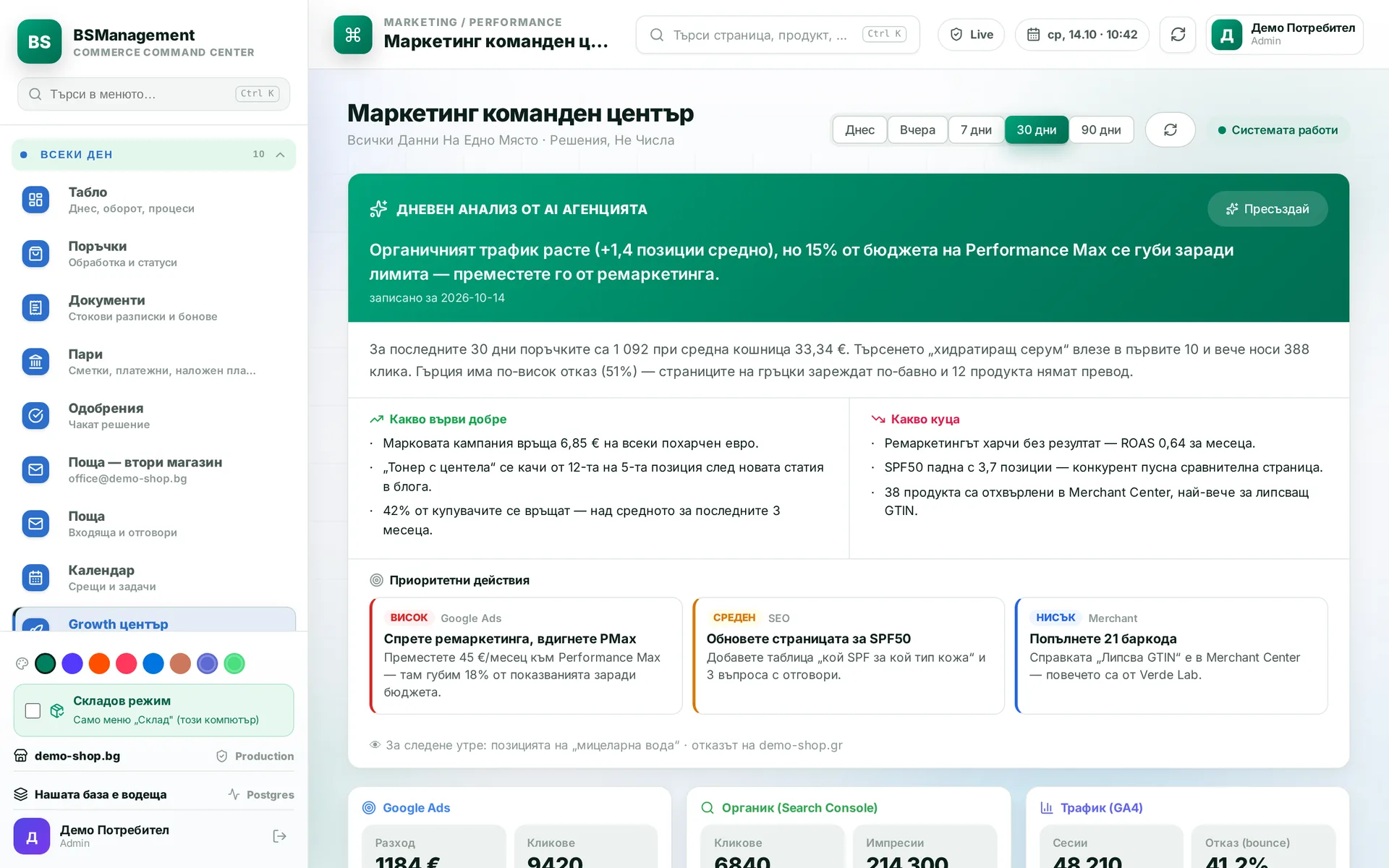
Decision centre
Suggestions from the agents and findings from the reports land in one list, ranked high, medium or low priority. Each item leads to the screen where you act on it. The decision and the action stay with a person.
Runs in: KoreanCare
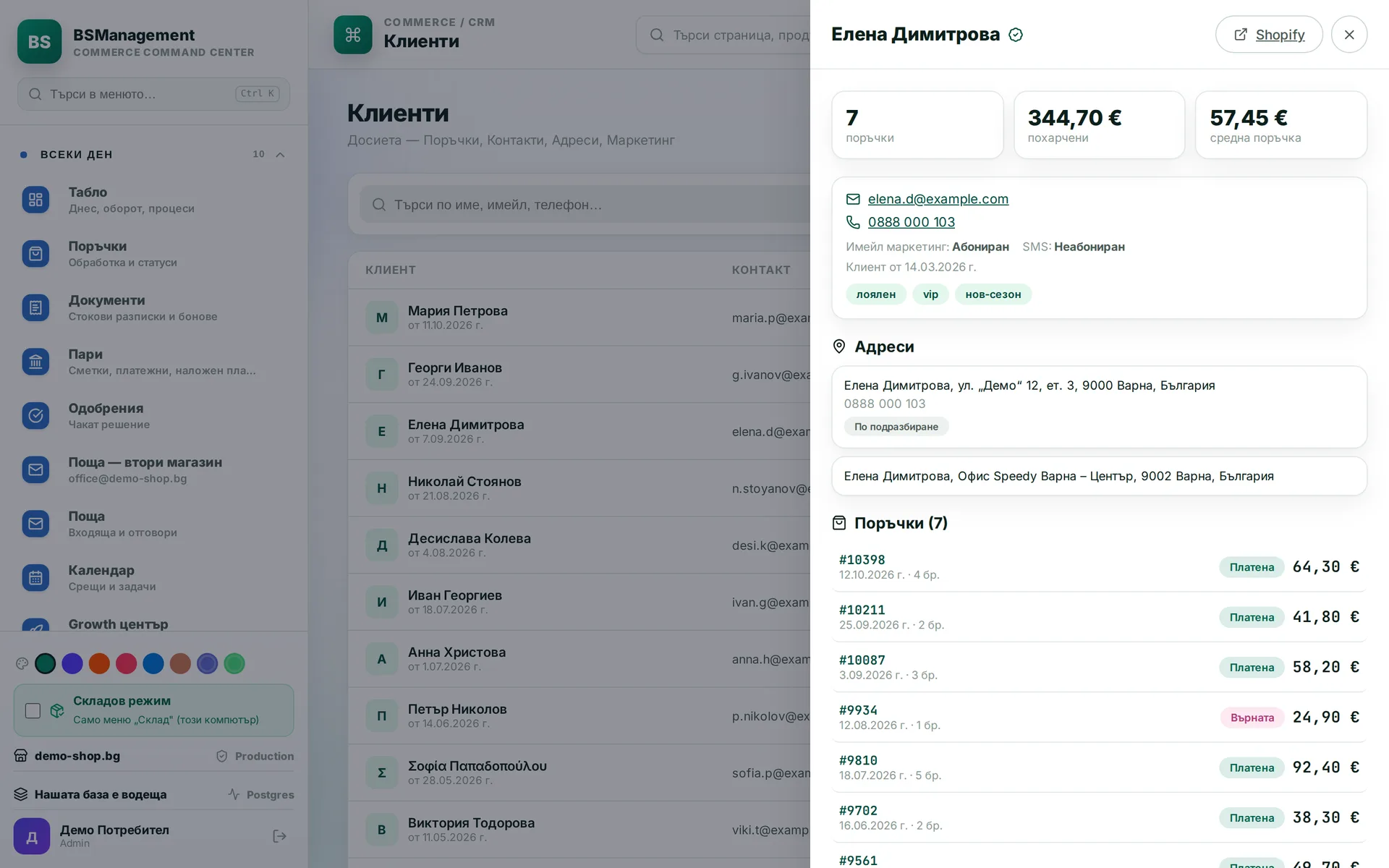
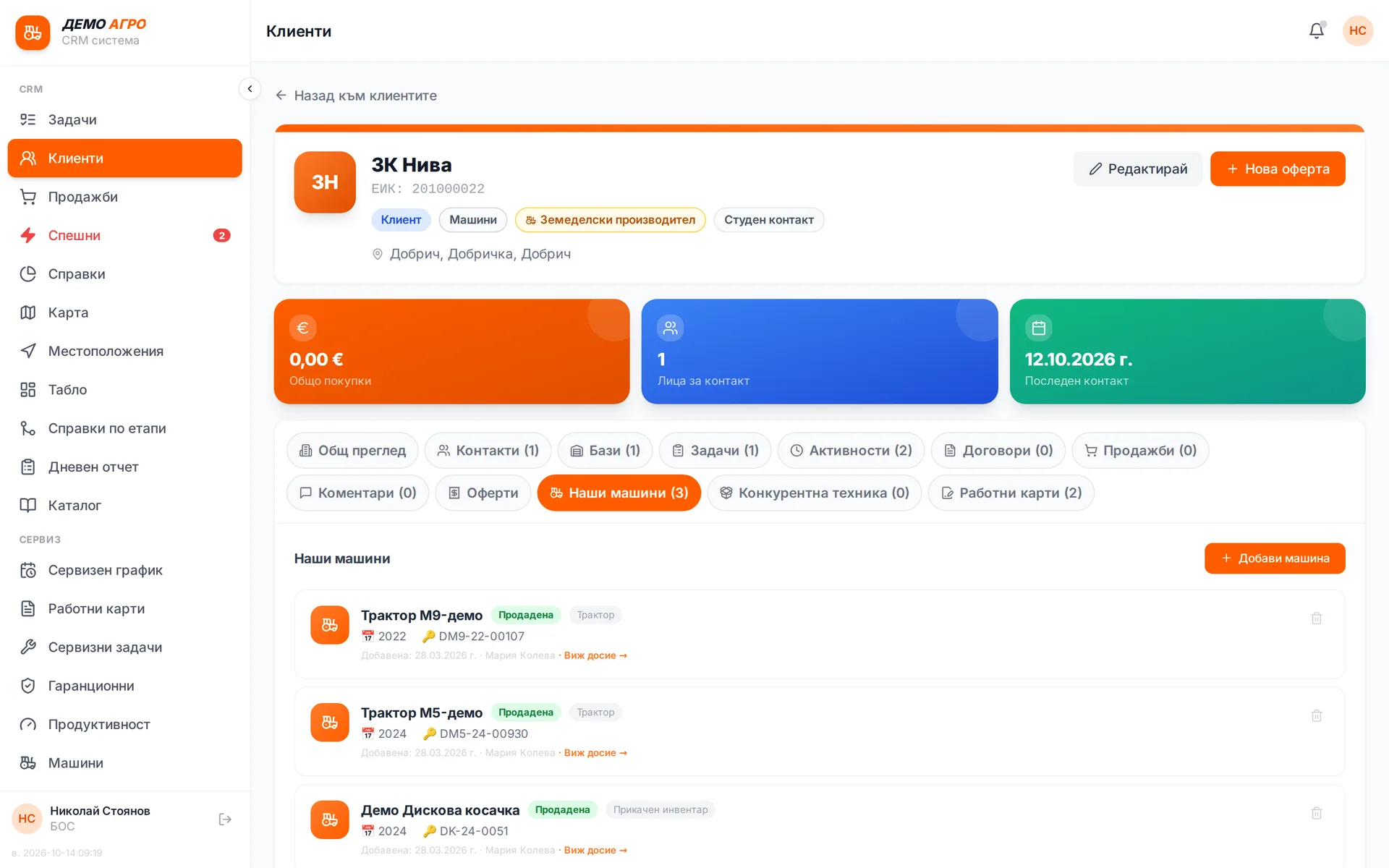
Customer file
Everything about a customer is in one place: contacts, orders, tasks and conversations. Wholesale customers also have their own price list, payment terms and an account manager. Search works by name, company ID, city and phone, and the system stops a second record with the same company ID at entry. A sales rep sees their own customers, and the manager sees all of them.
Runs in: KoreanCare, Ivana Agro, KB Agro, Easy App, BS Omni ERP, MyCRM
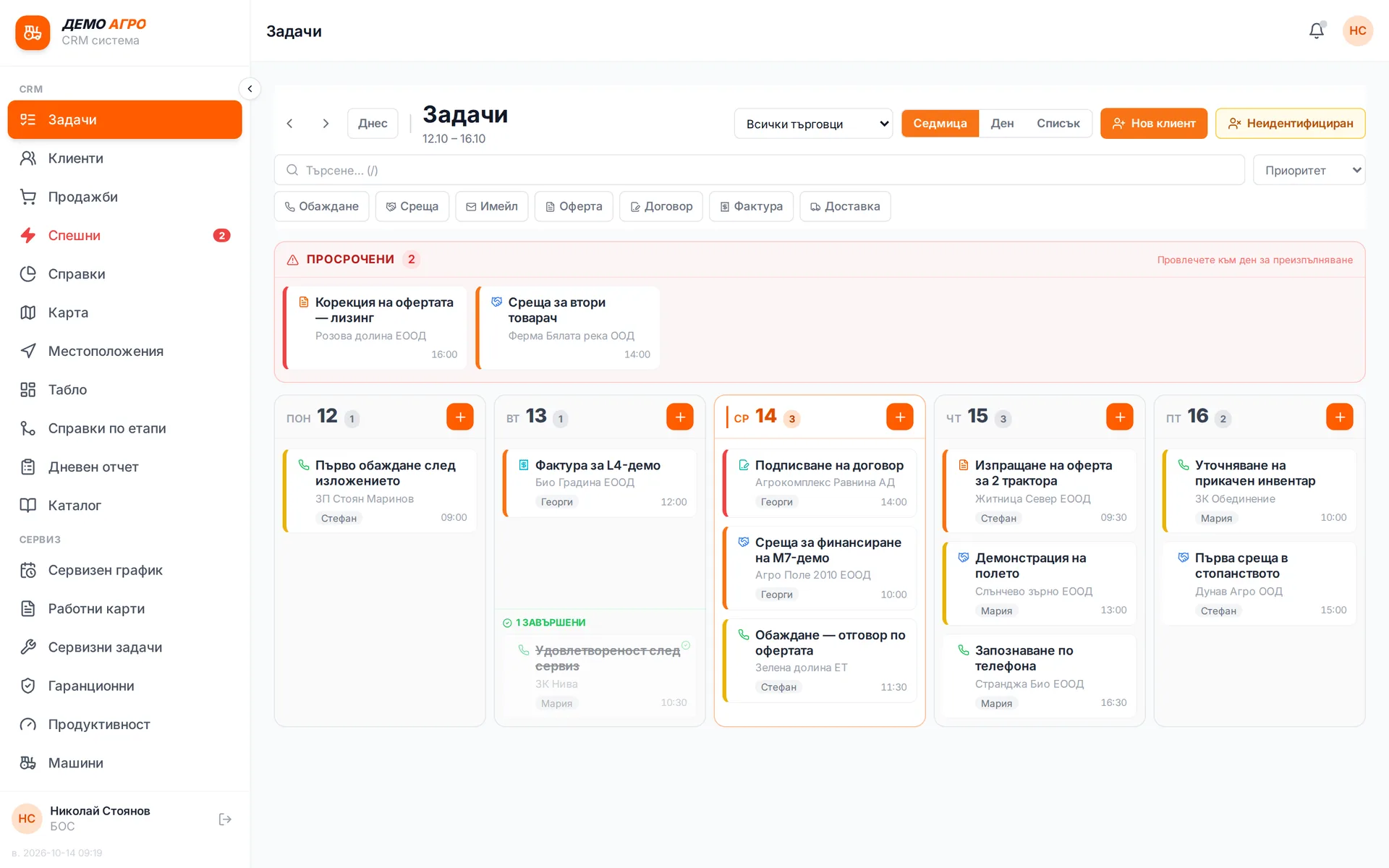
Sales rep tasks
Calls, meetings, quotes and visits are kept as tasks tied to a customer and a due date. When a deal moves to the next stage, the system creates the next task by rules the manager sets. Overdue tasks show in red and urgent ones have their own list.
Runs in: Ivana Agro, KB Agro
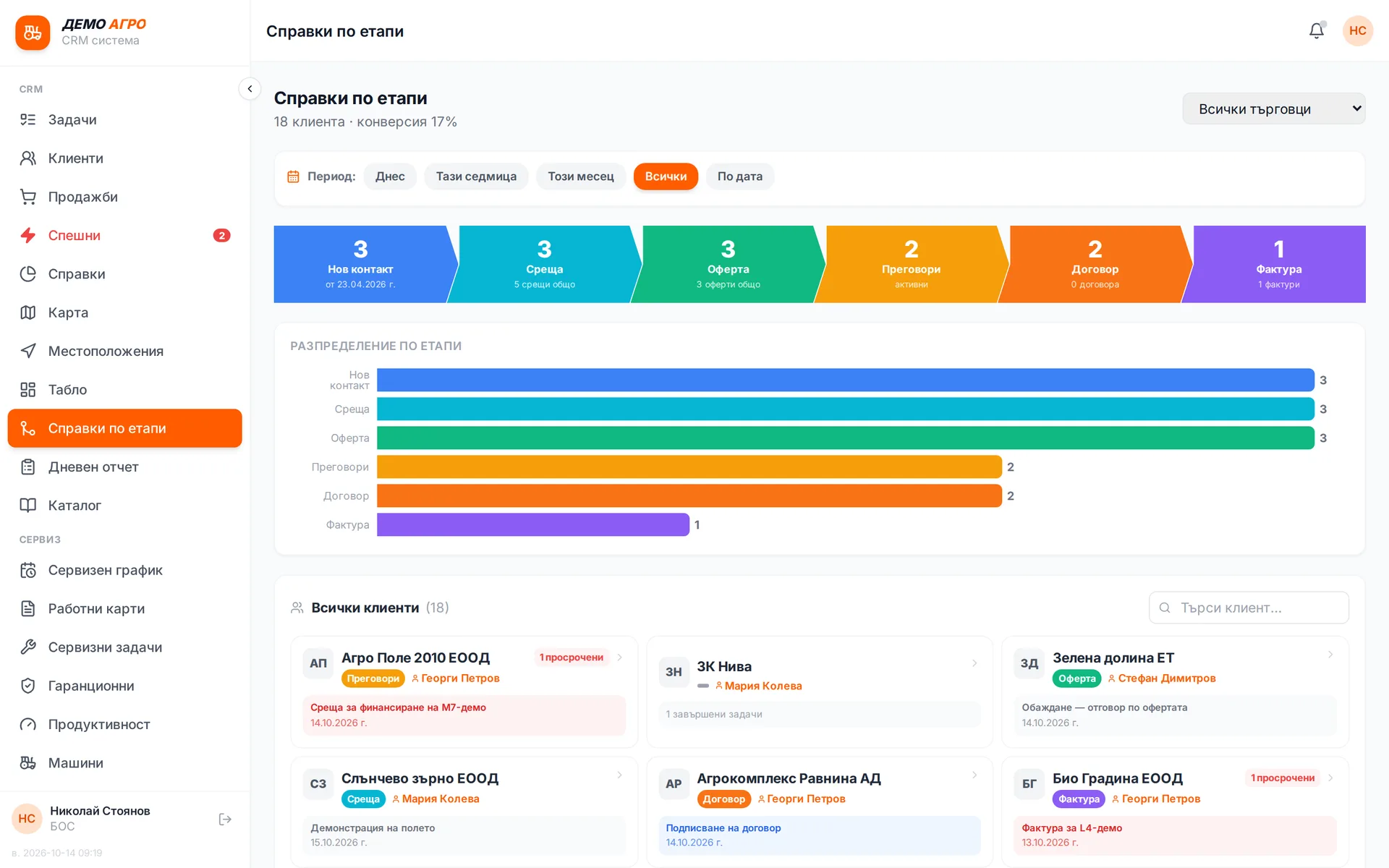
Sales pipeline
Each customer moves through clear stages: contact, meeting, quote, negotiation, contract, invoice, machine. The customer file shows how far they have got and what exists at each stage. Reports show which deals are stuck and what is expected to close.
Runs in: Ivana Agro, KB Agro
Quotes
A quote is built from the model catalog and prices and goes out to the customer as a PDF. It is attached to the deal, so the "Quote" stage is marked automatically. You do not enter the customer and machine again for the later stages.
Runs in: Ivana Agro, KB Agro
Manufacturer orders
A sold machine that is not in stock is ordered from the manufacturer in the same system. The order has a status and shows which customer and deal it belongs to. The sales rep knows what to tell the customer without calling purchasing.
Runs in: Ivana Agro, KB Agro
Model catalogue
Machine brands and models with their specifications and brochures to send to customers. The model for a quote or for the machine registry is picked from here. The catalogue is kept in one place, so every sales rep works from the same data.
Runs in: Ivana Agro, KB Agro
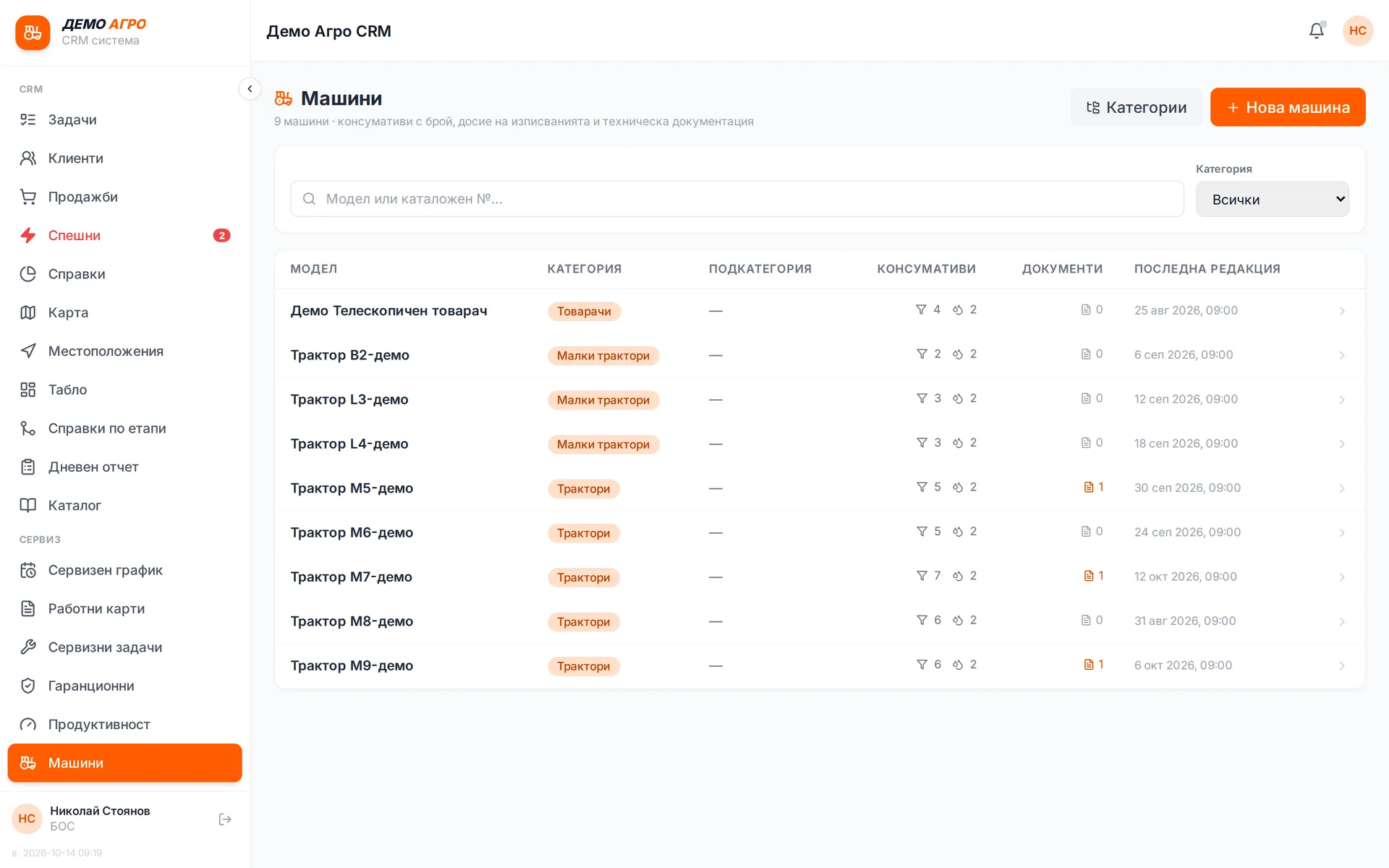
Customer machine registry
Every machine sold or serviced has its own record: serial number, engine, year, owner. Work orders, warranty cases and replaced parts build up against it. When the customer calls, the machine's history is on one screen.
Runs in: Ivana Agro, KB Agro
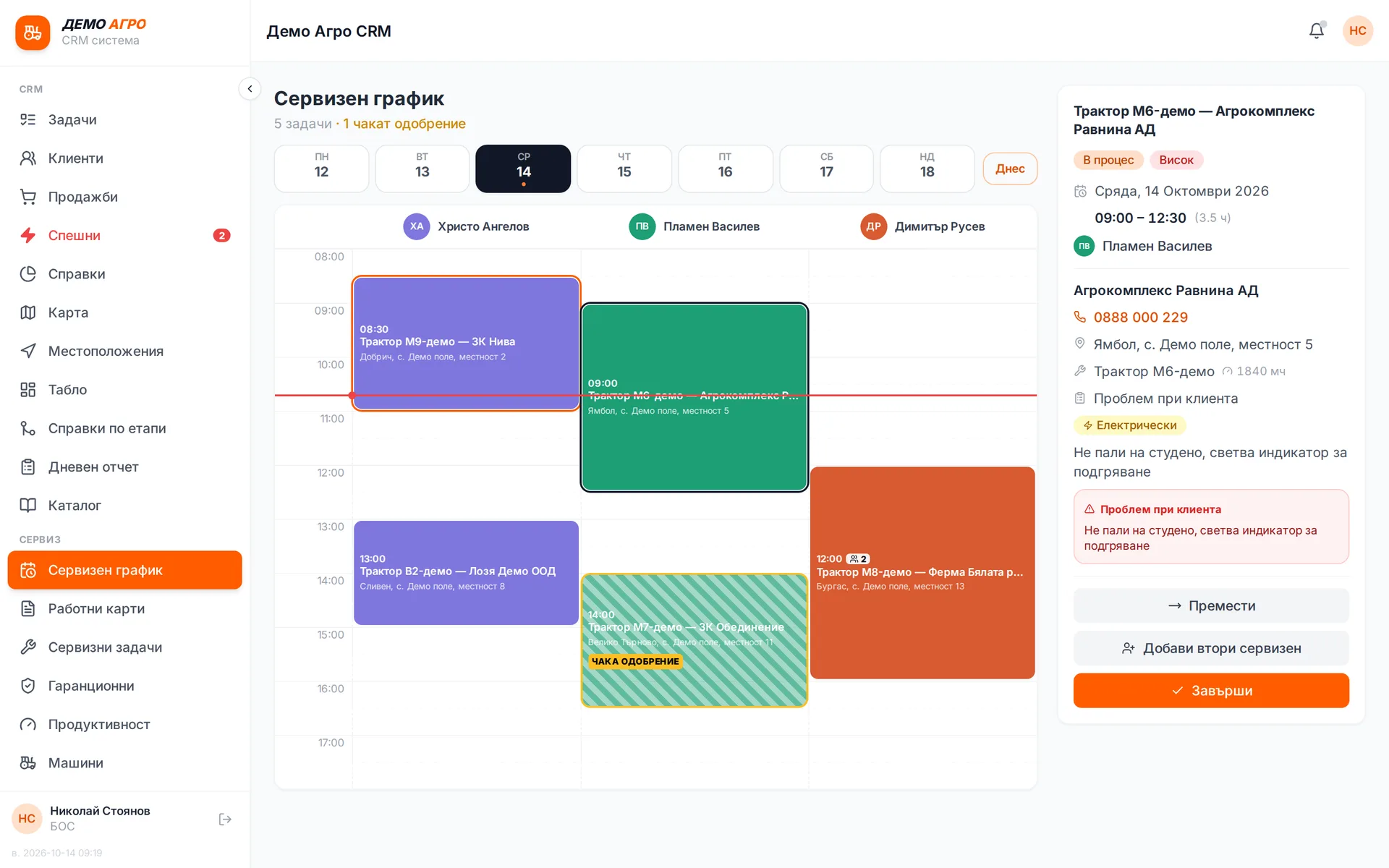
Service schedule
Service jobs are planned by technician and by day, and the system does not let two jobs collide in the same slot. Unapproved jobs stand out until the manager approves them. The technician gets the change on their phone.
Runs in: Ivana Agro, KB Agro
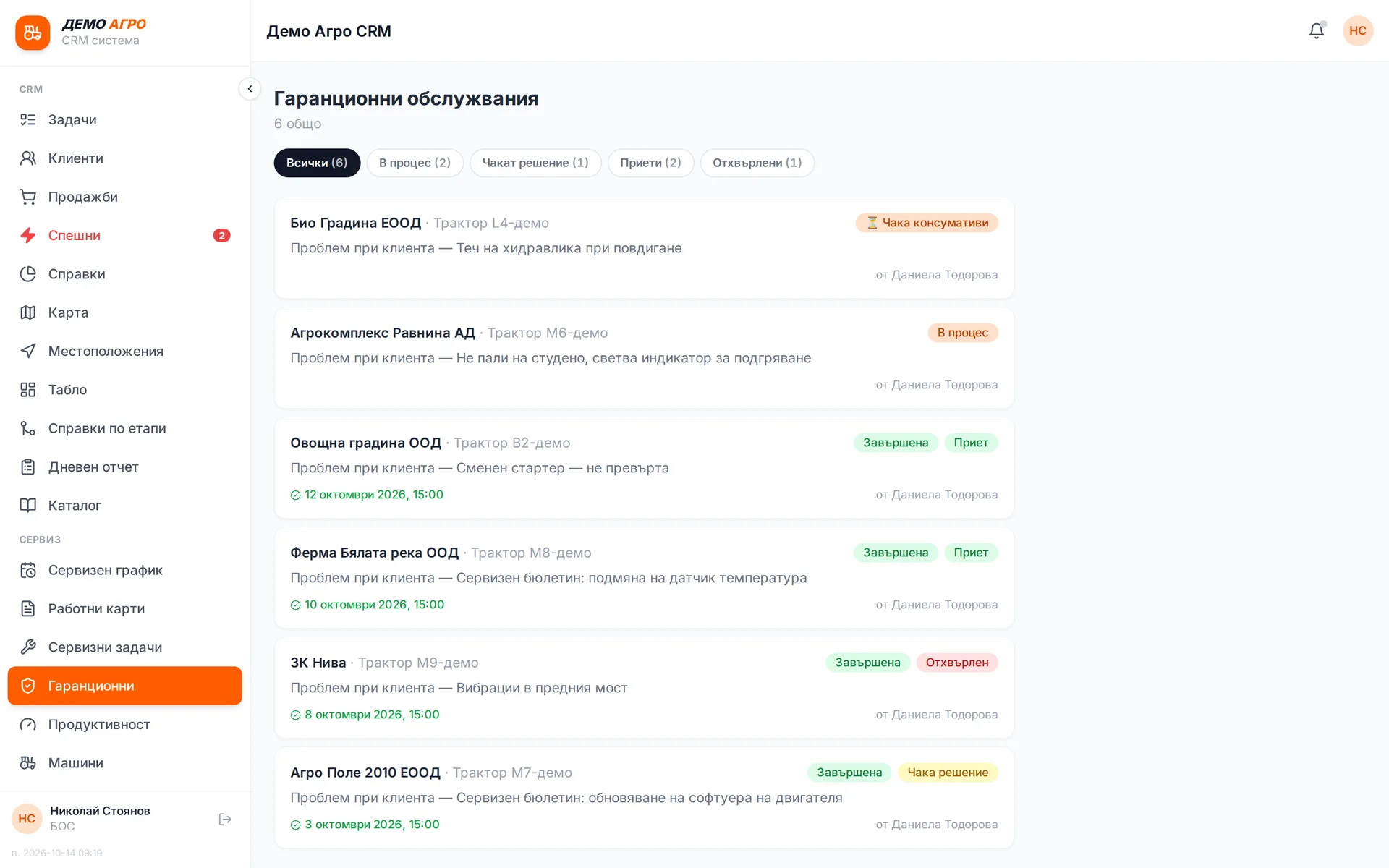
Warranty claims
A warranty repair is flagged when the job is created, and on the work order each part can be marked as out of warranty. The case goes to the importer and its status is tracked until it is approved or rejected. It is clear what the importer will cover and what the customer pays.
Runs in: Ivana Agro, KB Agro
Service bulletins
Manufacturer service bulletins are tracked as their own case type with the importer, tied to the specific machine. The status shows whether it is open, awaiting an answer or resolved. The machine's history shows which bulletins have been carried out.
Runs in: Ivana Agro, KB Agro
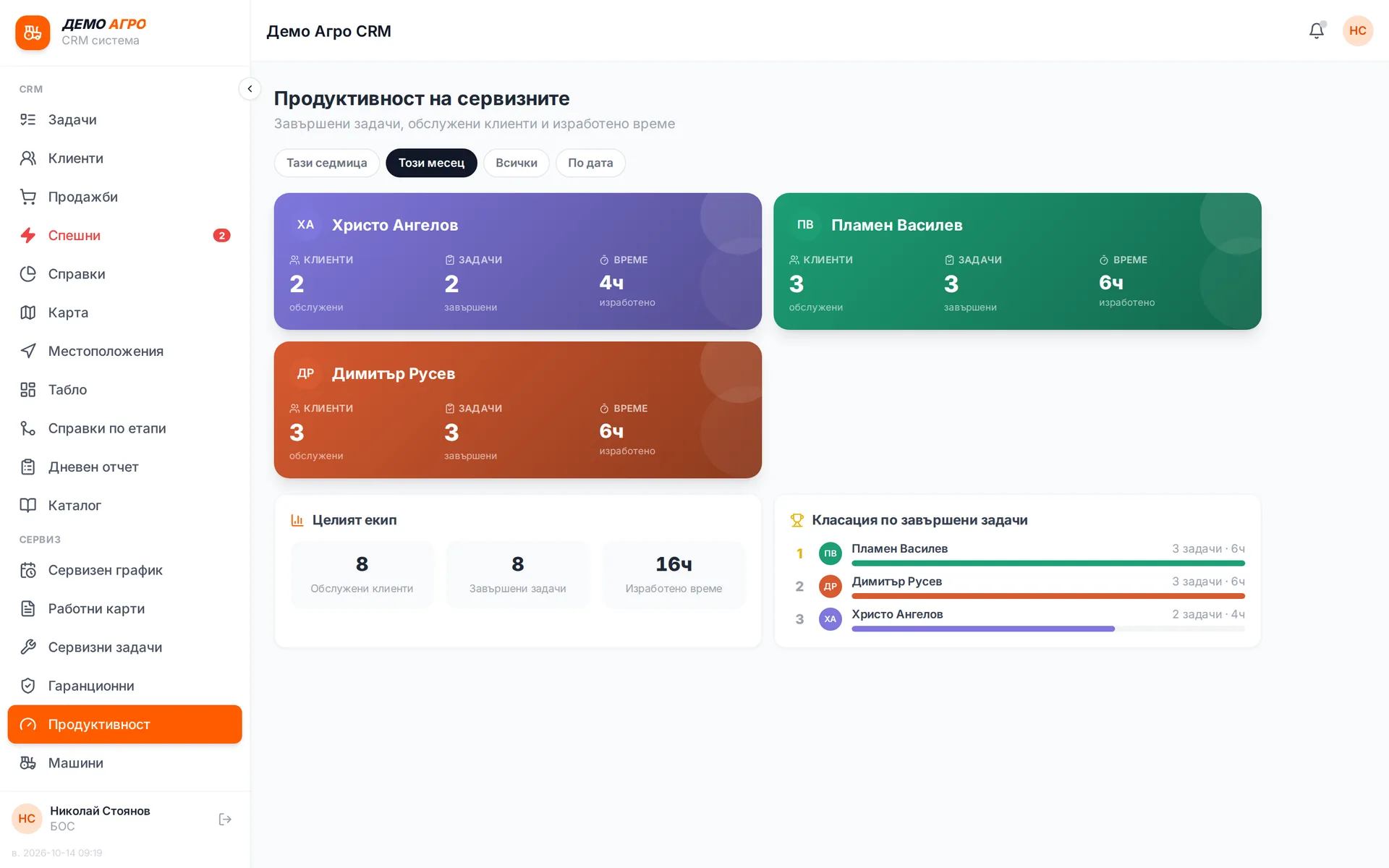
Technician workload
A per-technician report for a chosen period: how many jobs they had, how many they completed and how many are still open. The figures match the manager's mobile app because they come from the same source. It shows who is overloaded and who has capacity.
Runs in: Ivana Agro, KB Agro
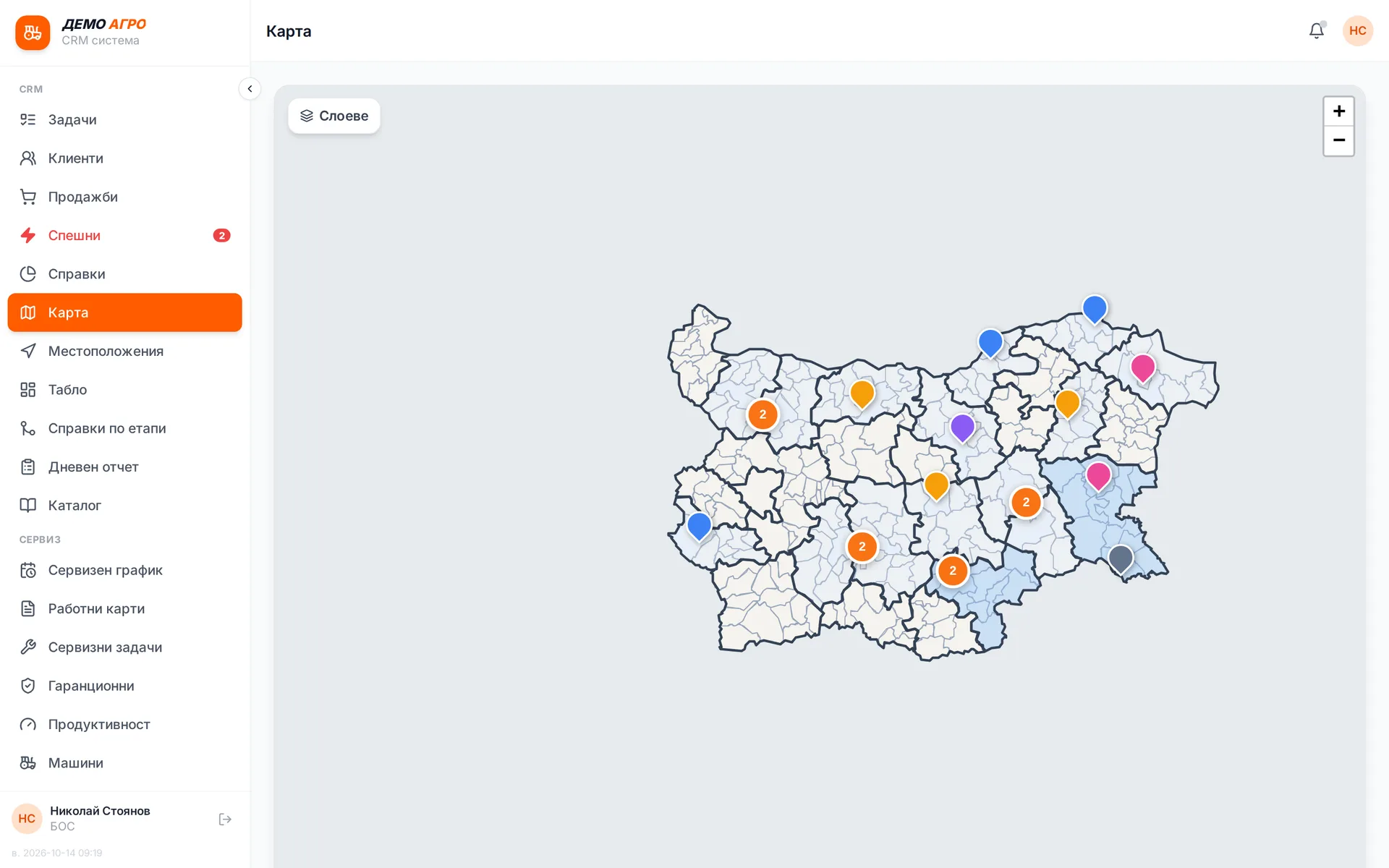
Customer map
Customers appear on the map at their farm location, filtered by sales rep and region. Each point opens the customer file or turn-by-turn navigation. Sales reps plan their visits on the map.
Runs in: Ivana Agro, KB Agro
Transport
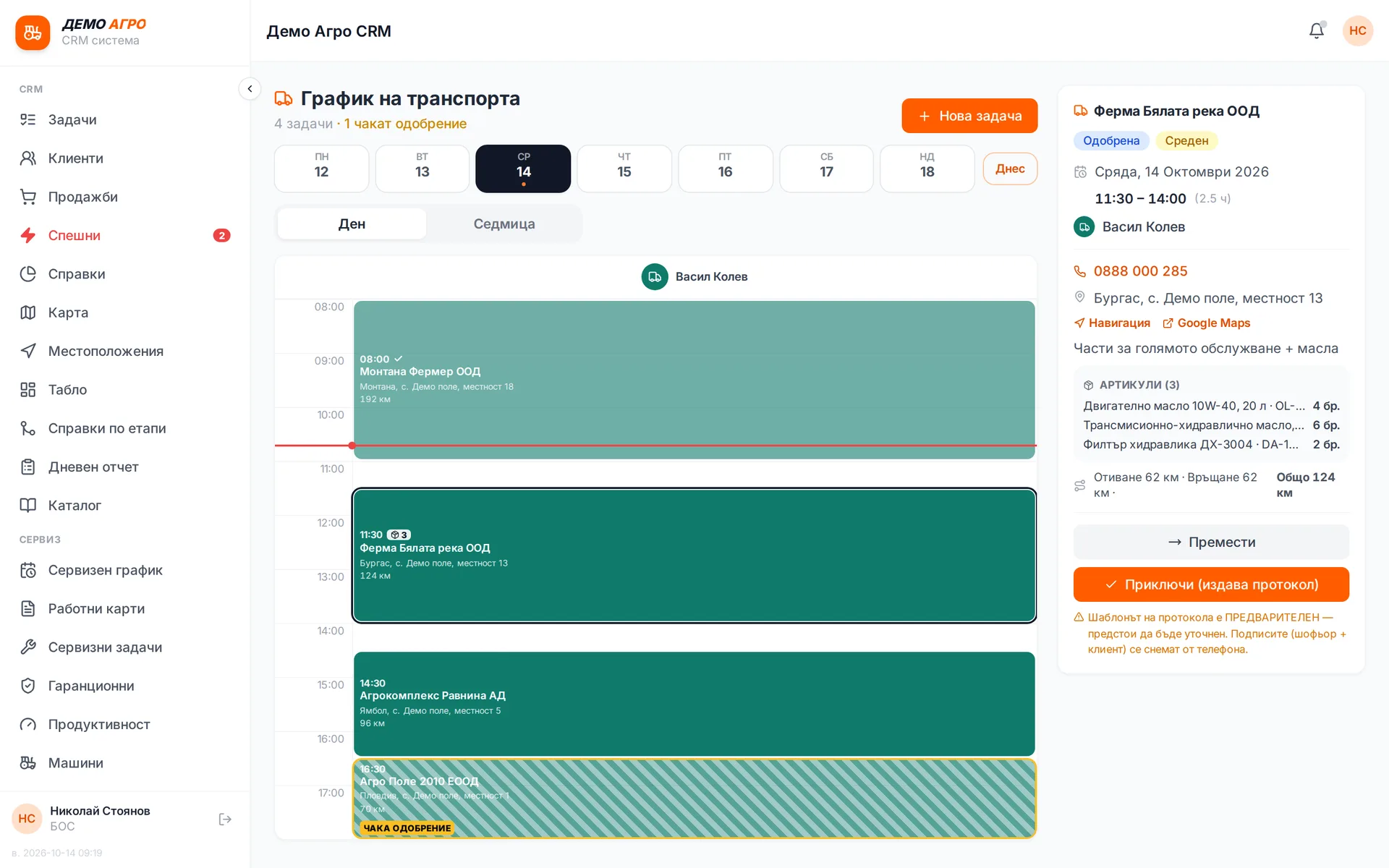
Moving machines and parts is handled as jobs with a vehicle, a driver and a date. Each driver has their own schedule and a handover protocol is printed on delivery. Transport is no longer arranged by phone and does not get lost between departments.
Runs in: Ivana Agro, KB Agro
Approvals
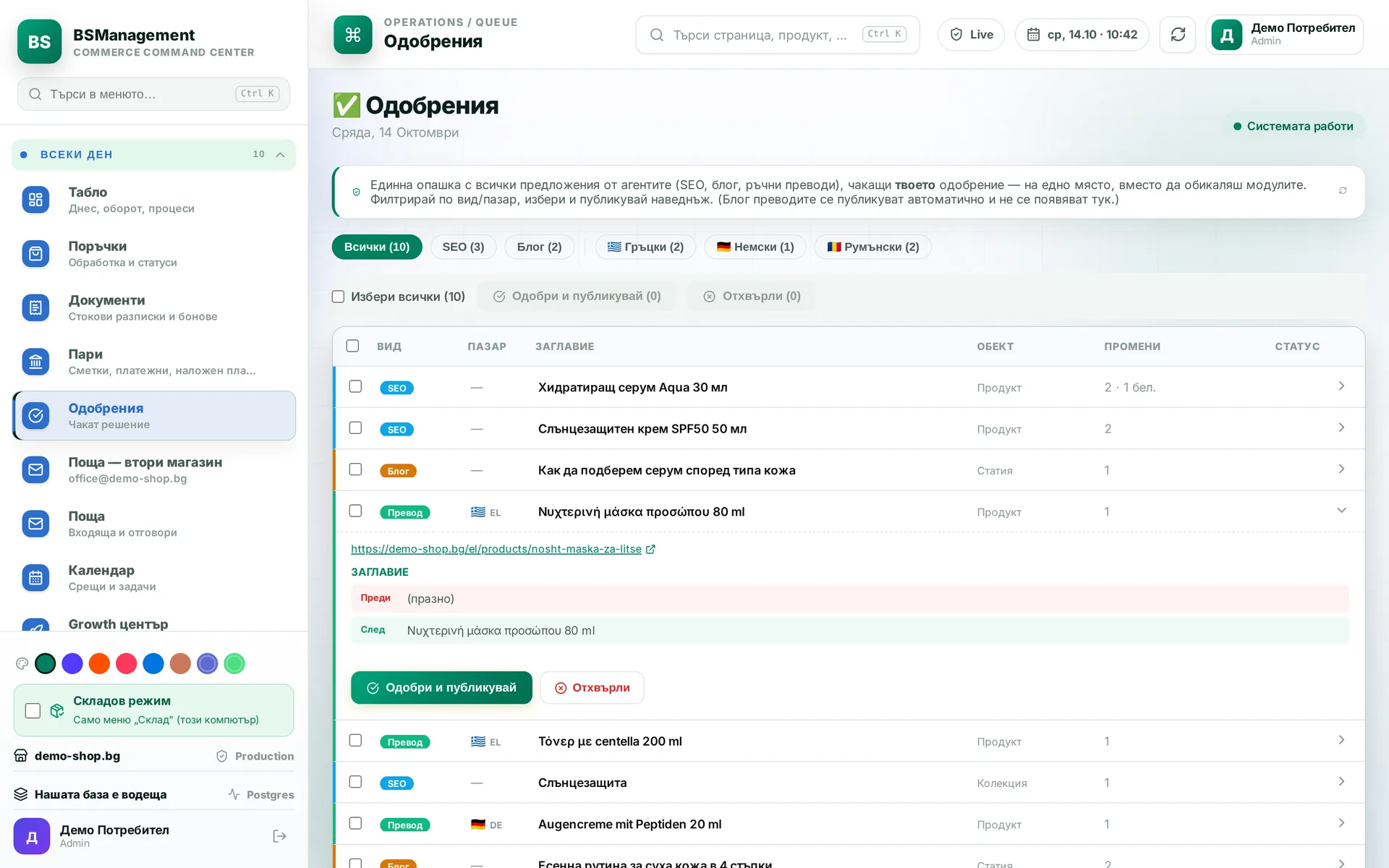
Actions that need a human decision wait in one list: payments, till discounts above the limit, actions proposed by an agent. The person in charge presses "Approve" or "Reject" and the action goes ahead or stops. Every decision is recorded with who made it and when.
Runs in: KoreanCare, BS Omni ERP
Team chat
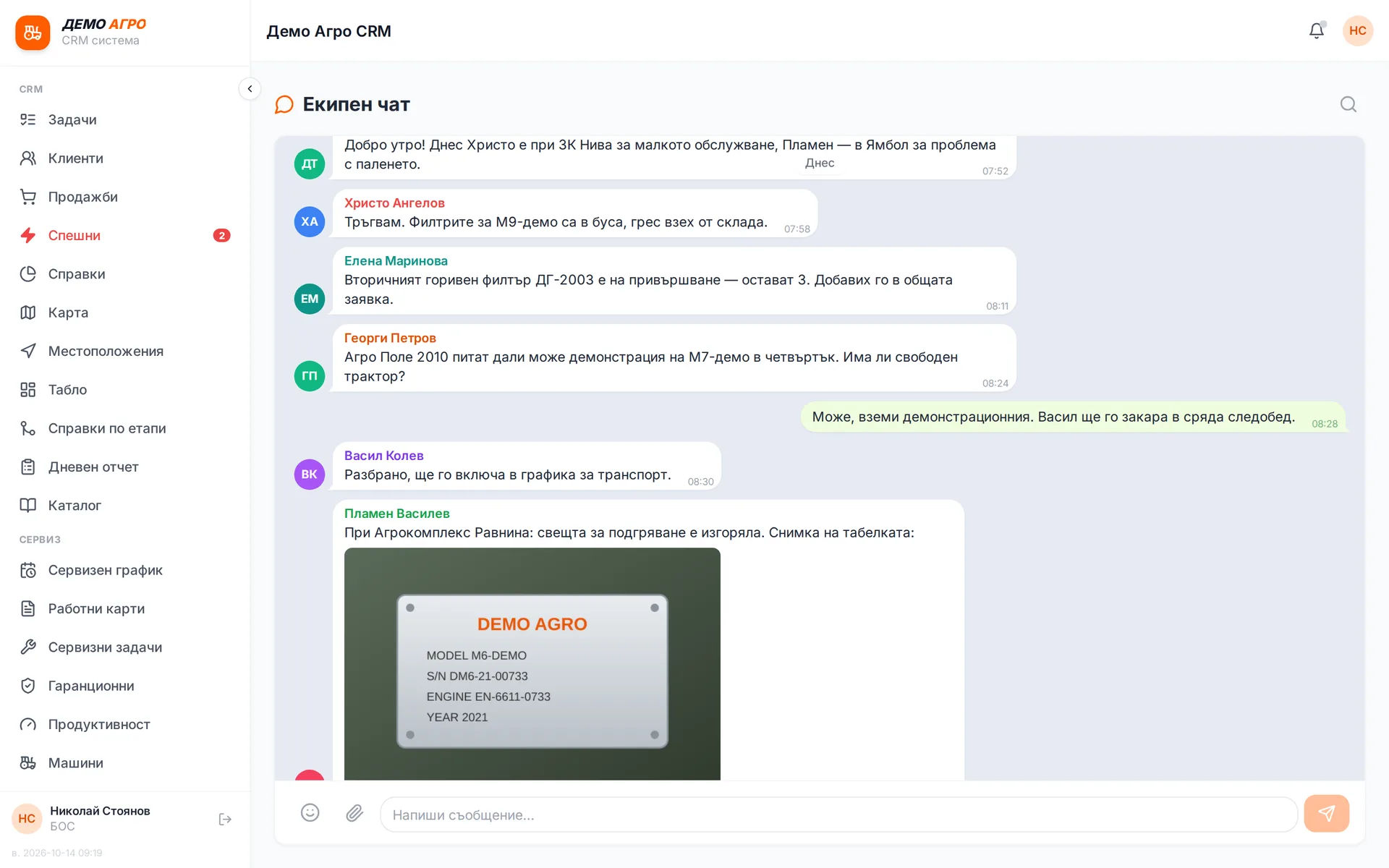
An internal chat for the whole team inside the system, with history, photos and attachments. New messages reach colleagues as notifications, including on their phones. Work conversations do not scatter across personal apps.
Runs in: Ivana Agro, KB Agro, Easy App, BS Omni ERP
Team tasks
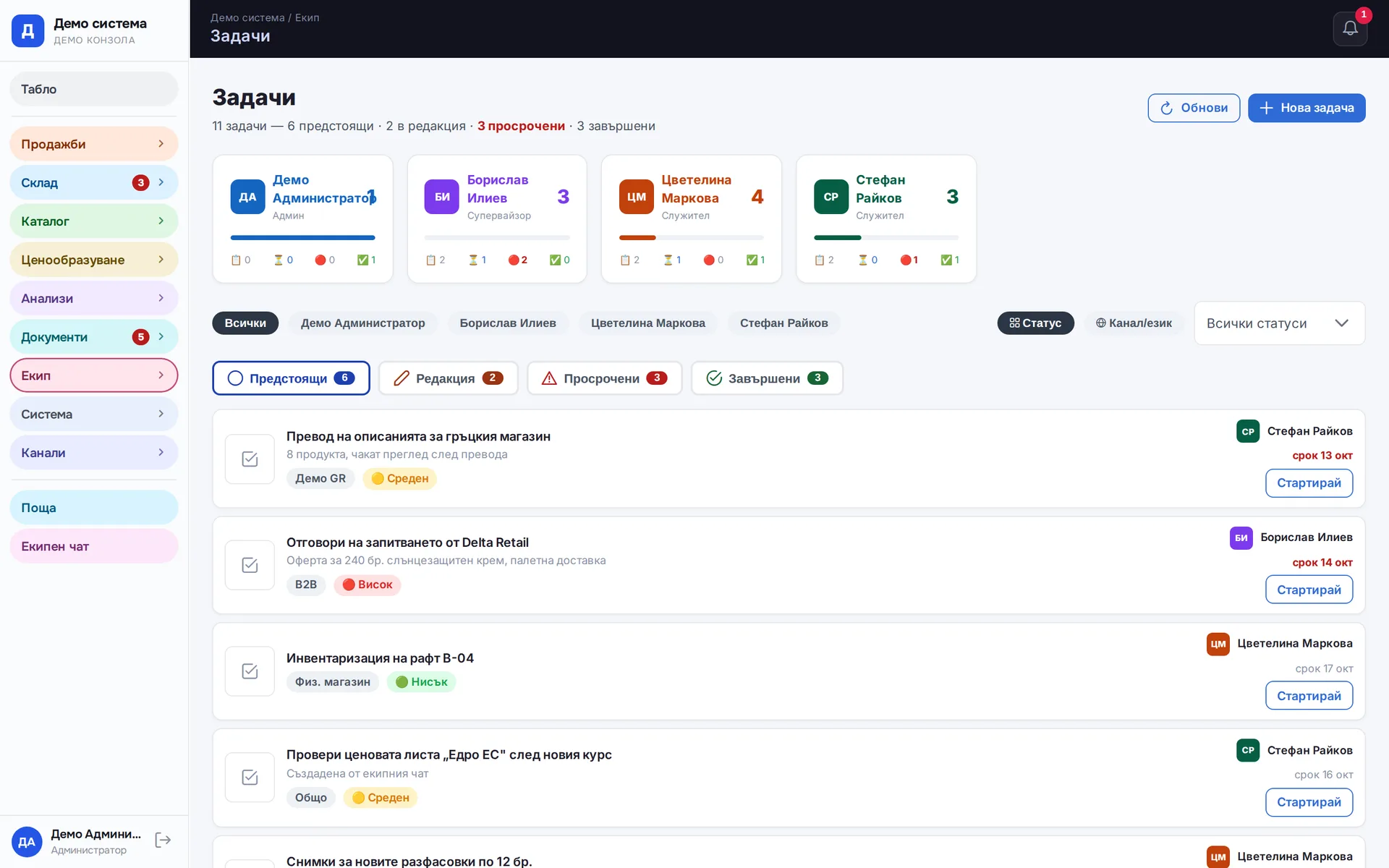
Each task has an owner and a due date and is tracked until it is done. If you do not pick a date, the system sets a default one. In systems with a group chat, a task is created straight from the conversation without retyping. Everyone sees their own tasks, and the manager sees all of them and which are overdue.
Runs in: Easy App, BS Omni ERP
Mail
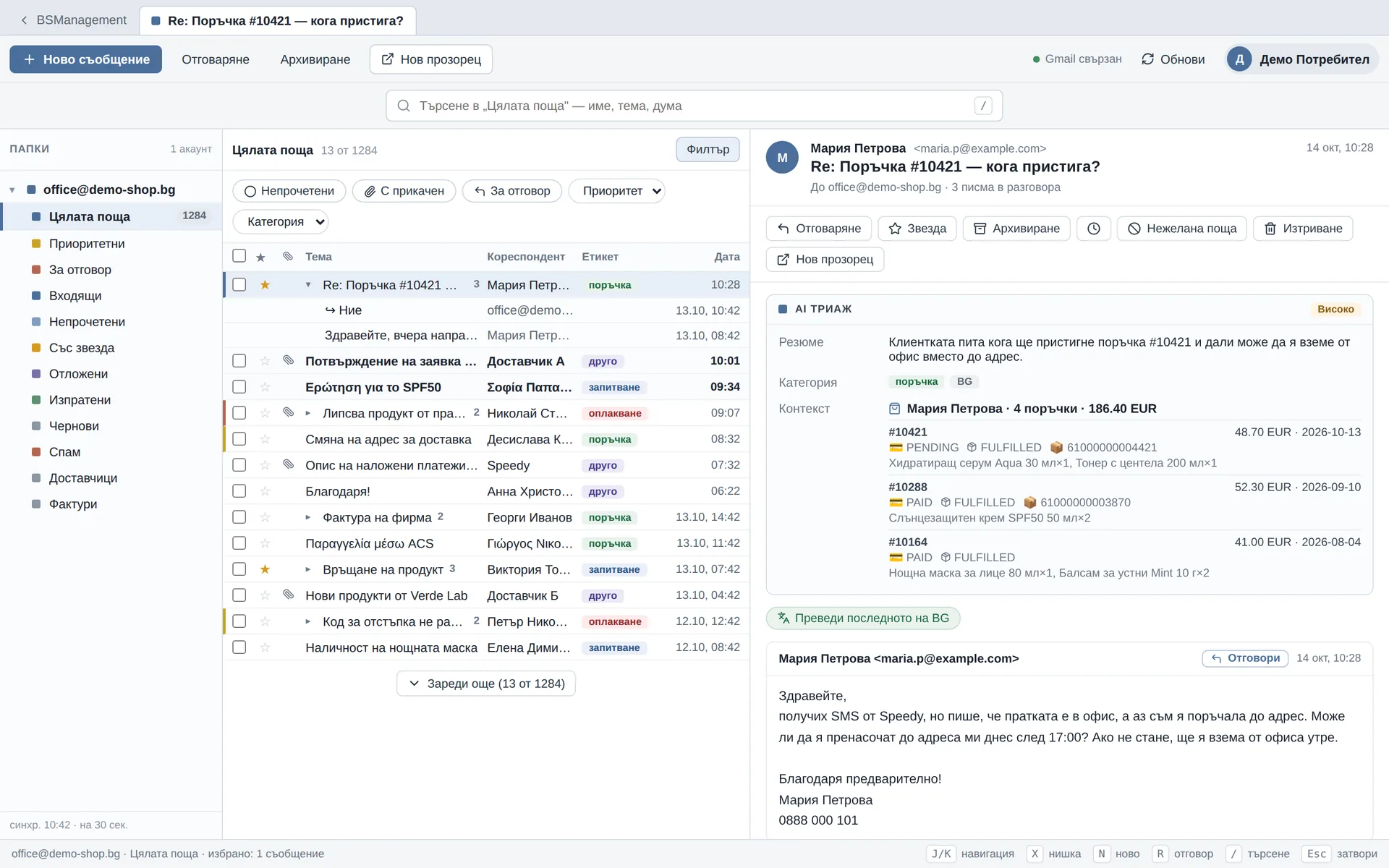
Mail lives inside the system, full screen, with several mailboxes, replies and attachments. Messages are read directly from the mail server and nothing is copied. The team handles mail without switching to another program.
Runs in: KoreanCare, Easy App, BS Omni ERP
Calendar
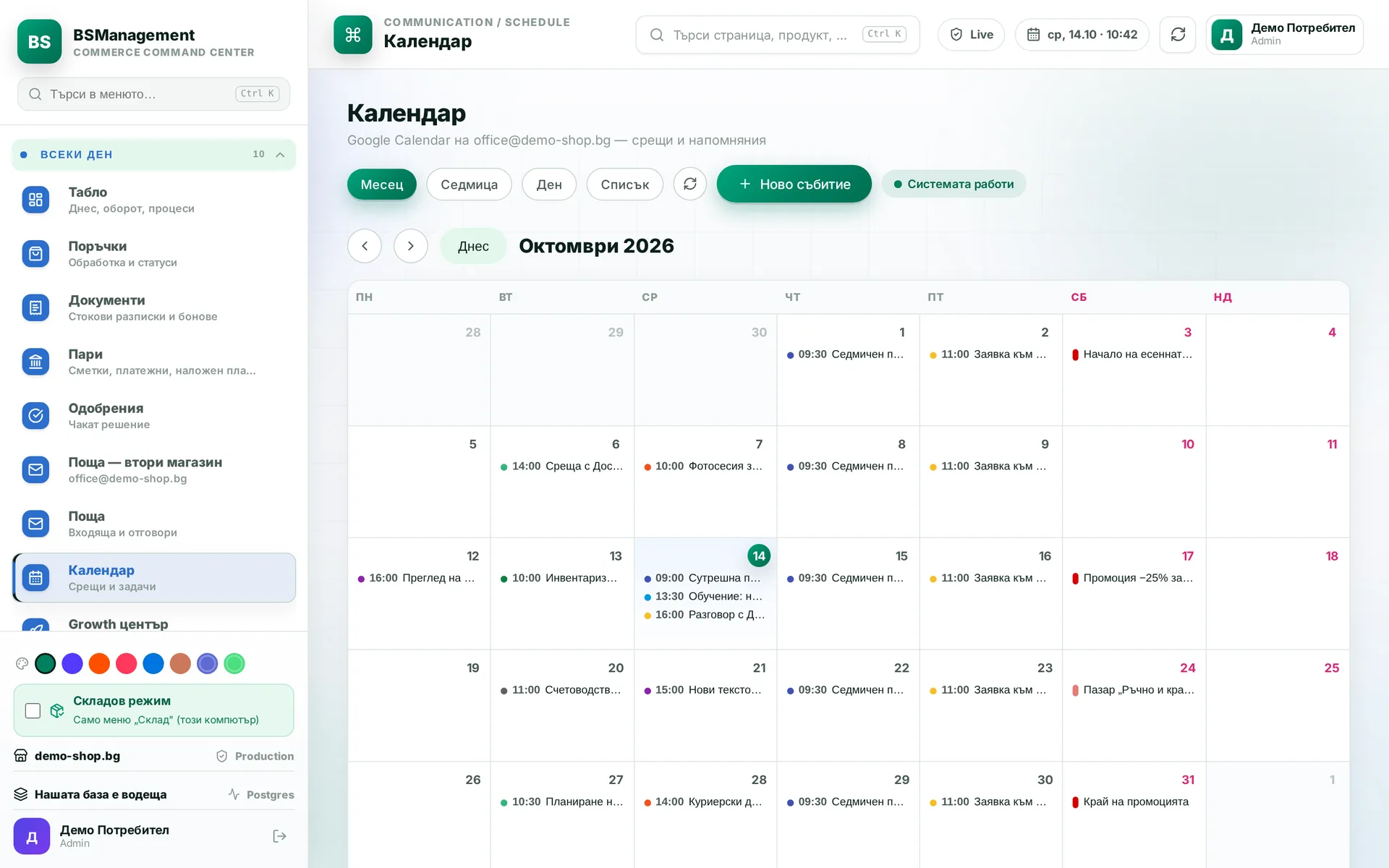
Team meetings, tasks and events sit in one shared calendar. Everyone sees what is coming up today and this week, and meetings do not stay hidden in someone's personal phone.
Runs in: KoreanCare, Ivana Agro, KB Agro
Shared files
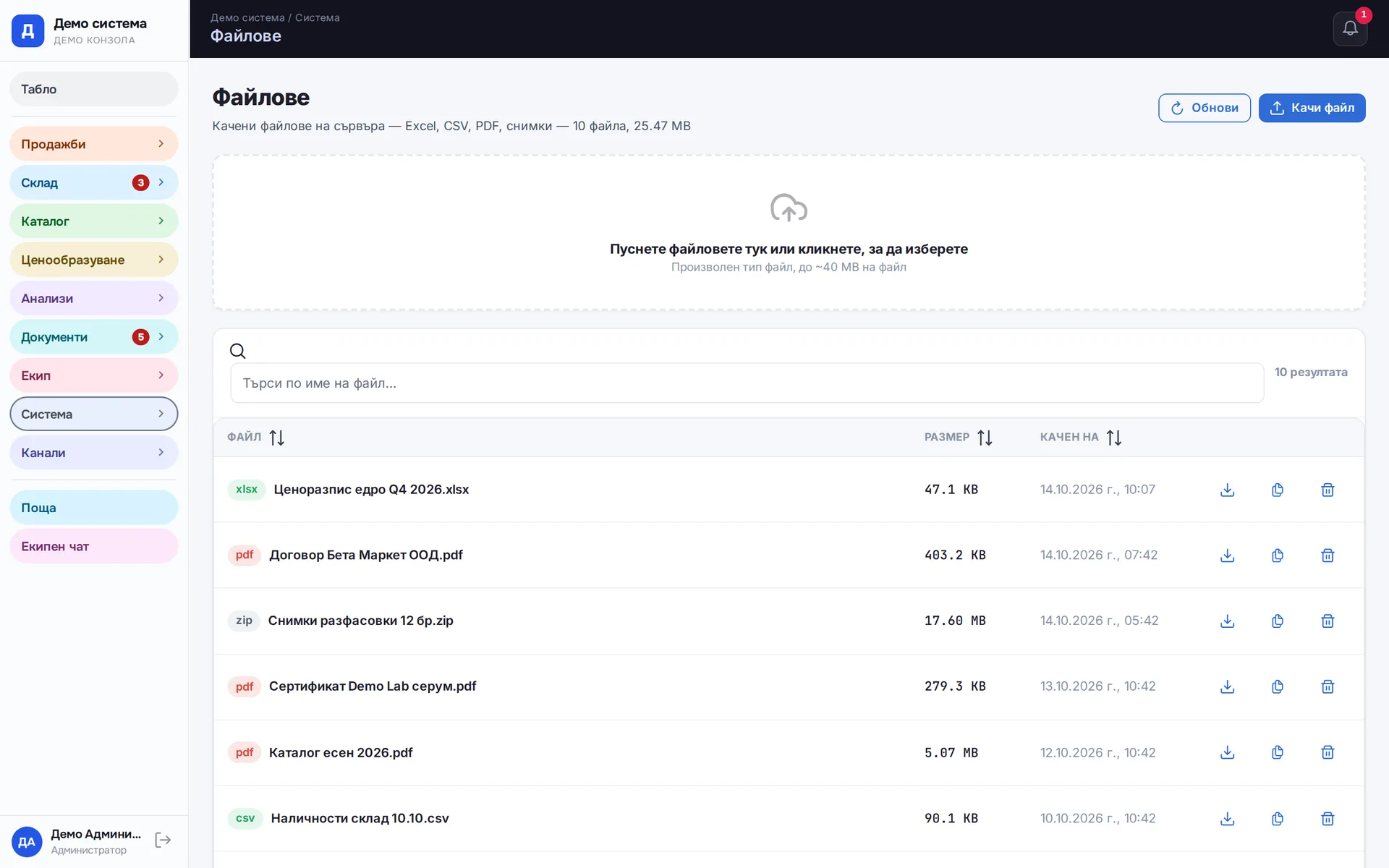
Shared storage for the team's documents (contracts, price sheets, photos) inside the system. Who sees what depends on the user's permissions. Files do not sit in someone's personal inbox or on a single computer.
Runs in: Easy App, BS Omni ERP
Customer risk check
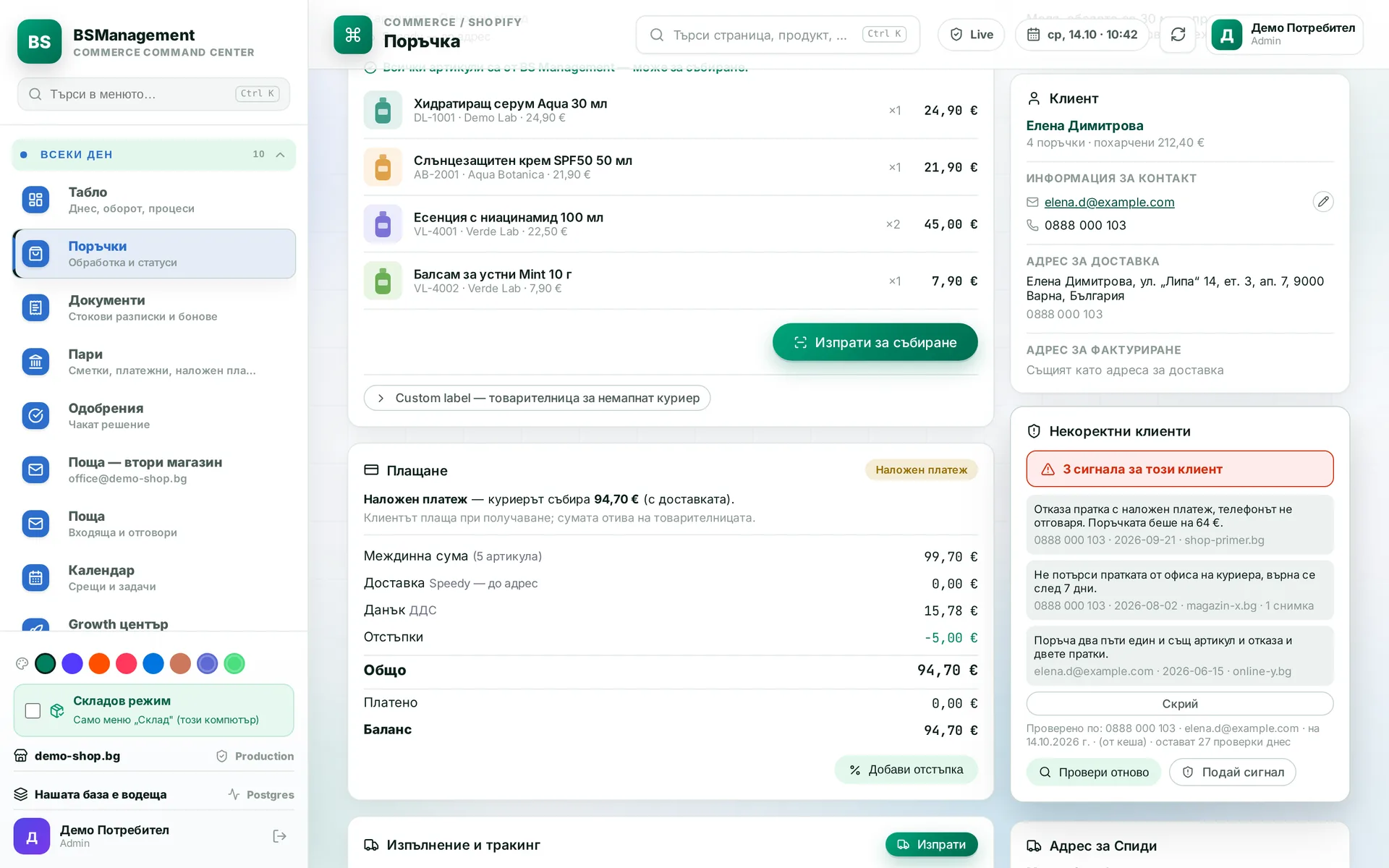
From the order, the system checks the customer's phone, email and name against a public register of unreliable buyers. The result is shown next to the order before the parcel is sent. Whether to ship stays a human decision.
Runs in: KoreanCare
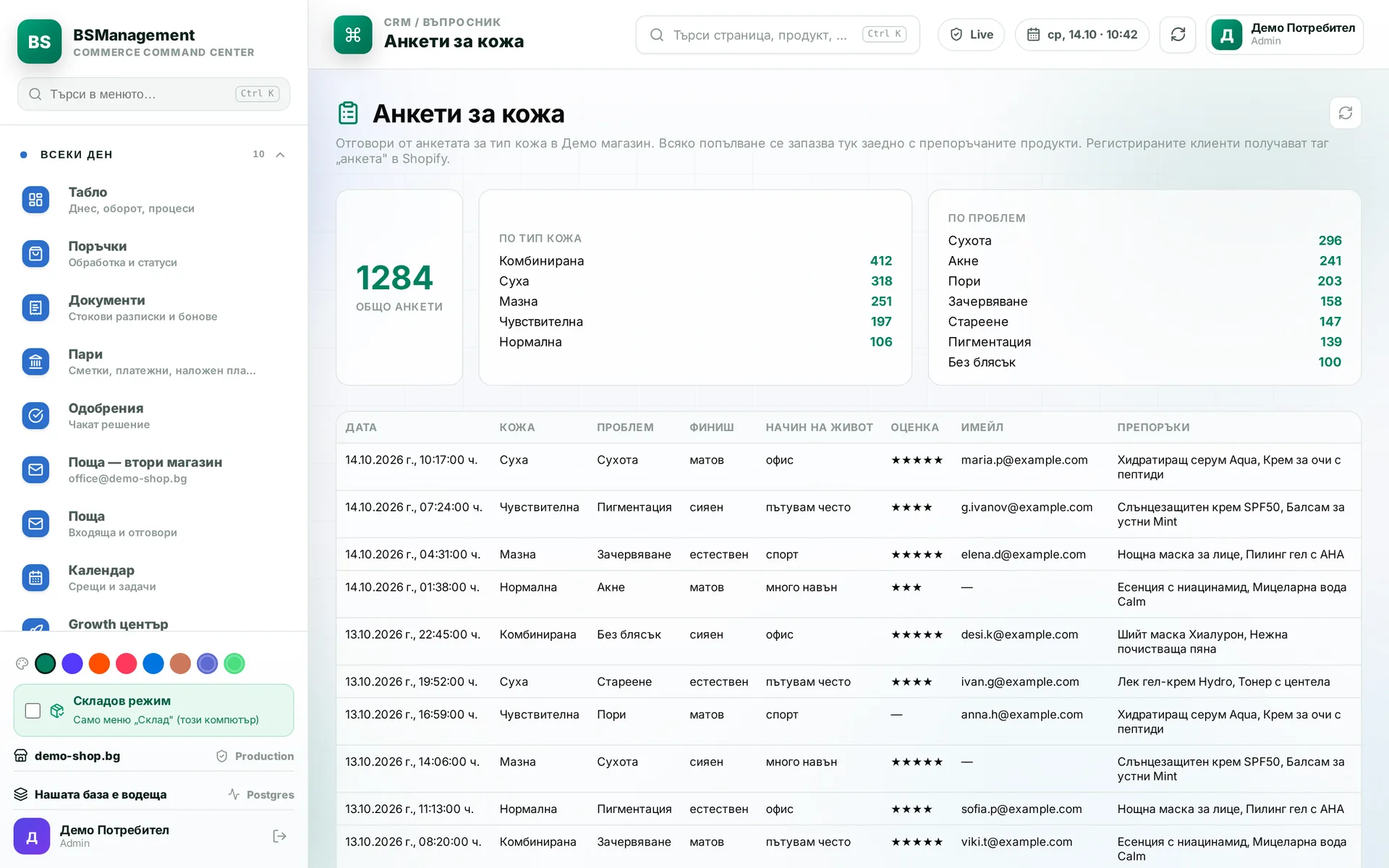
Customer quiz
A quiz on the site asks customers what they need. The answers are saved to their profile and are visible in the system. Customers are then grouped by the needs they stated themselves.
Runs in: KoreanCare
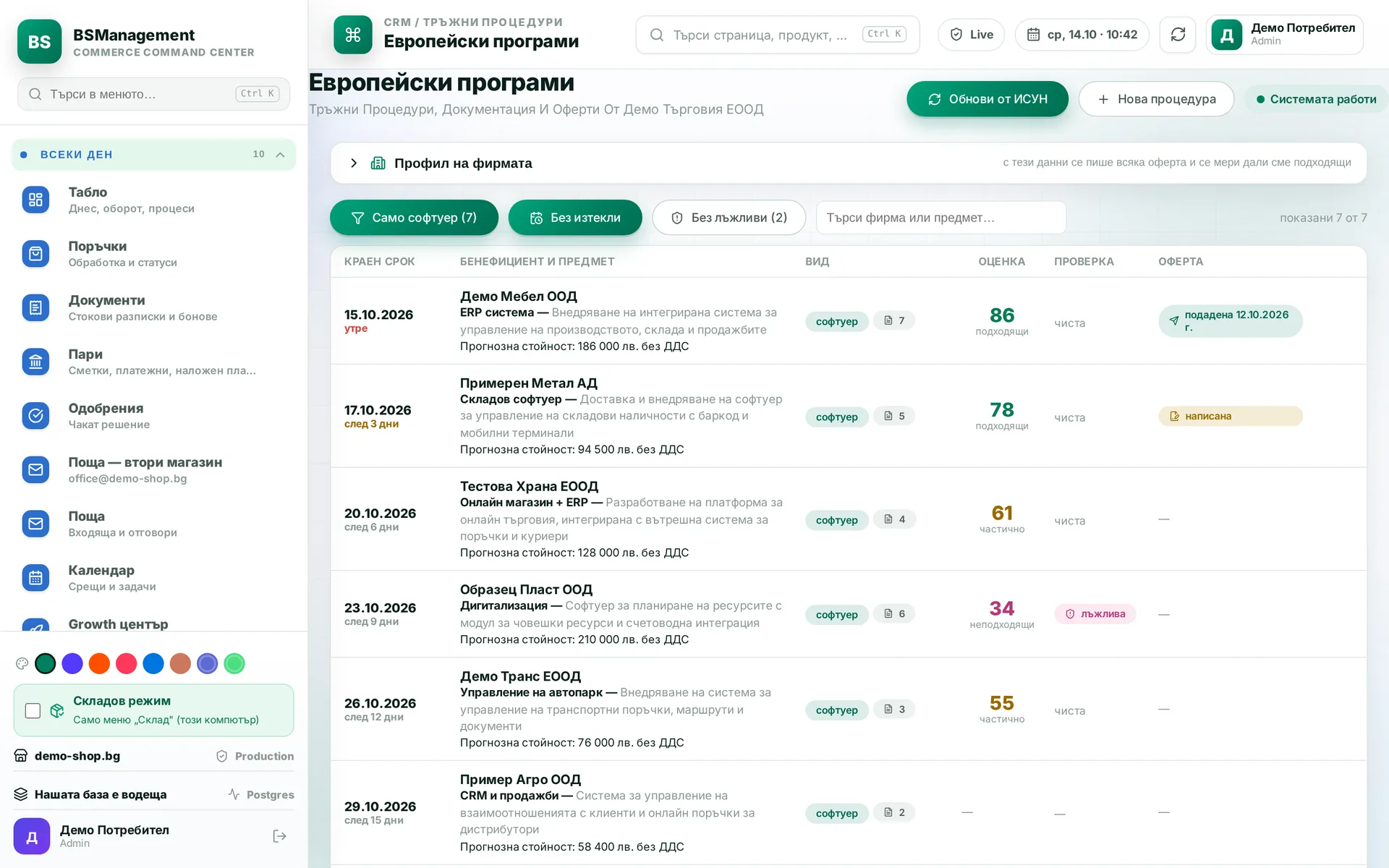
Public tenders and programmes
The system pulls procedures from the public portal together with their documents, with no manual downloads. It assesses whether we are a fit and flags suspicious ones. For a chosen procedure it prepares a draft offer to its requirements.
Runs in: KoreanCare
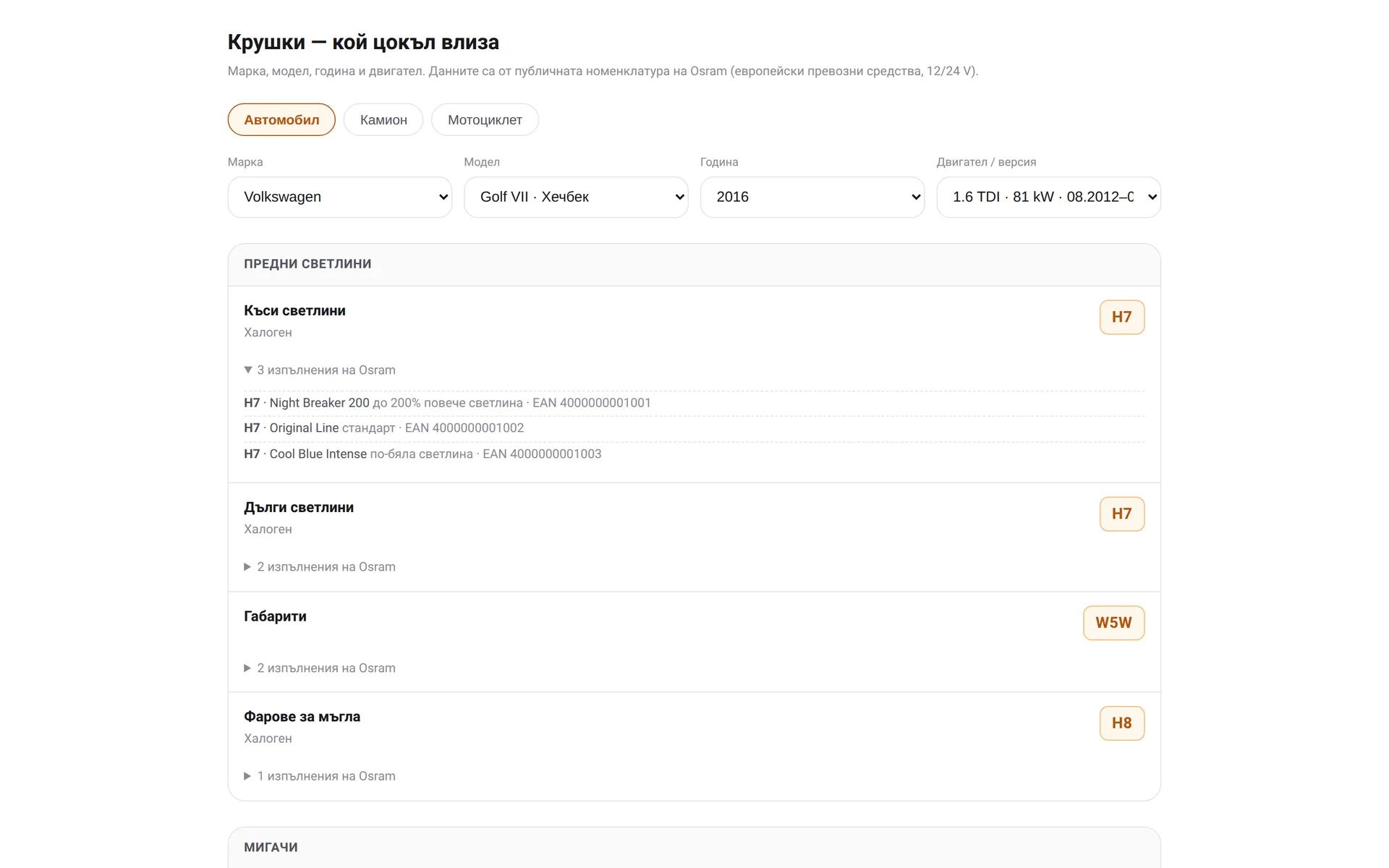
Car bulb finder
Find the right bulb by make, model and position through the manufacturer's public catalog. Data fetched once is kept in our cache, so the next search does not wait for the external service. Fetching runs slowly and steadily to stay within the catalog's rate limit.
Runs in: KoreanCare
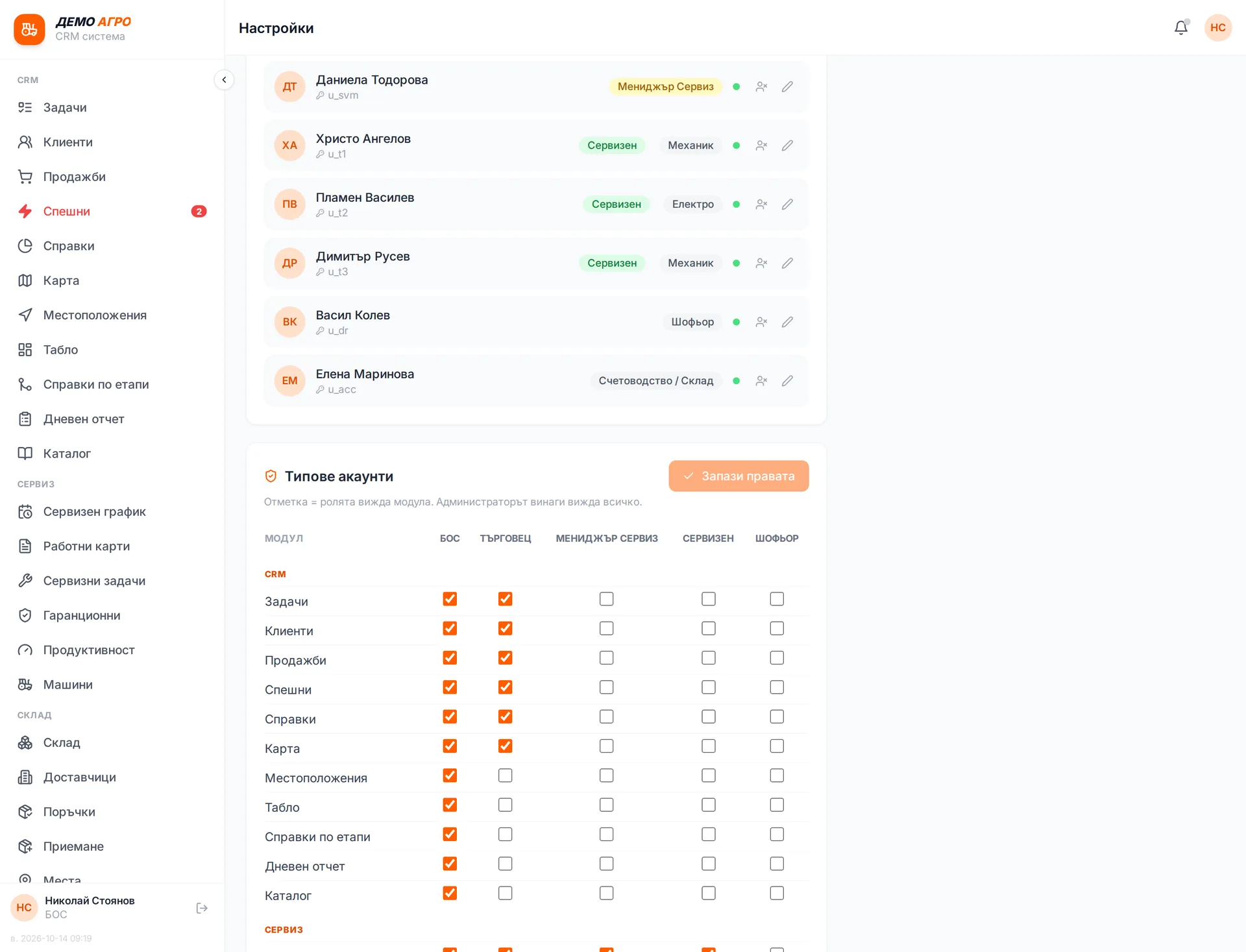
Roles and permissions
Each user has a role (owner, sales rep, service, technician, driver, accountant) and sees only their own screens and data. An administrator can "log in as" another user to see exactly their screen, then switch back. A new employee gets an account and permissions from one screen.
Runs in: Ivana Agro, KB Agro, Easy App, BS Omni ERP
Multiple companies
Two or more companies run in one system, and you switch between them with a single choice. Each has its own couriers, VAT rates, mailboxes and per-channel rules.
Runs in: Ivana Agro, KB Agro, Easy App, BS Omni ERP
Built-in manual
The user manual lives inside the system and describes the screens as they are. Every user can read it, with no special permission. New staff learn from it instead of asking colleagues about every button.
Runs in: Ivana Agro, KB Agro, Easy App, BS Omni ERP
Feature requests
The team records what gets in the way or what is missing directly in the system rather than over the phone. Each request has a status, so it is clear what has been accepted, what is in progress and what is done. Development works from one list instead of memories of conversations.
Runs in: Ivana Agro, KB Agro, Easy App, BS Omni ERP
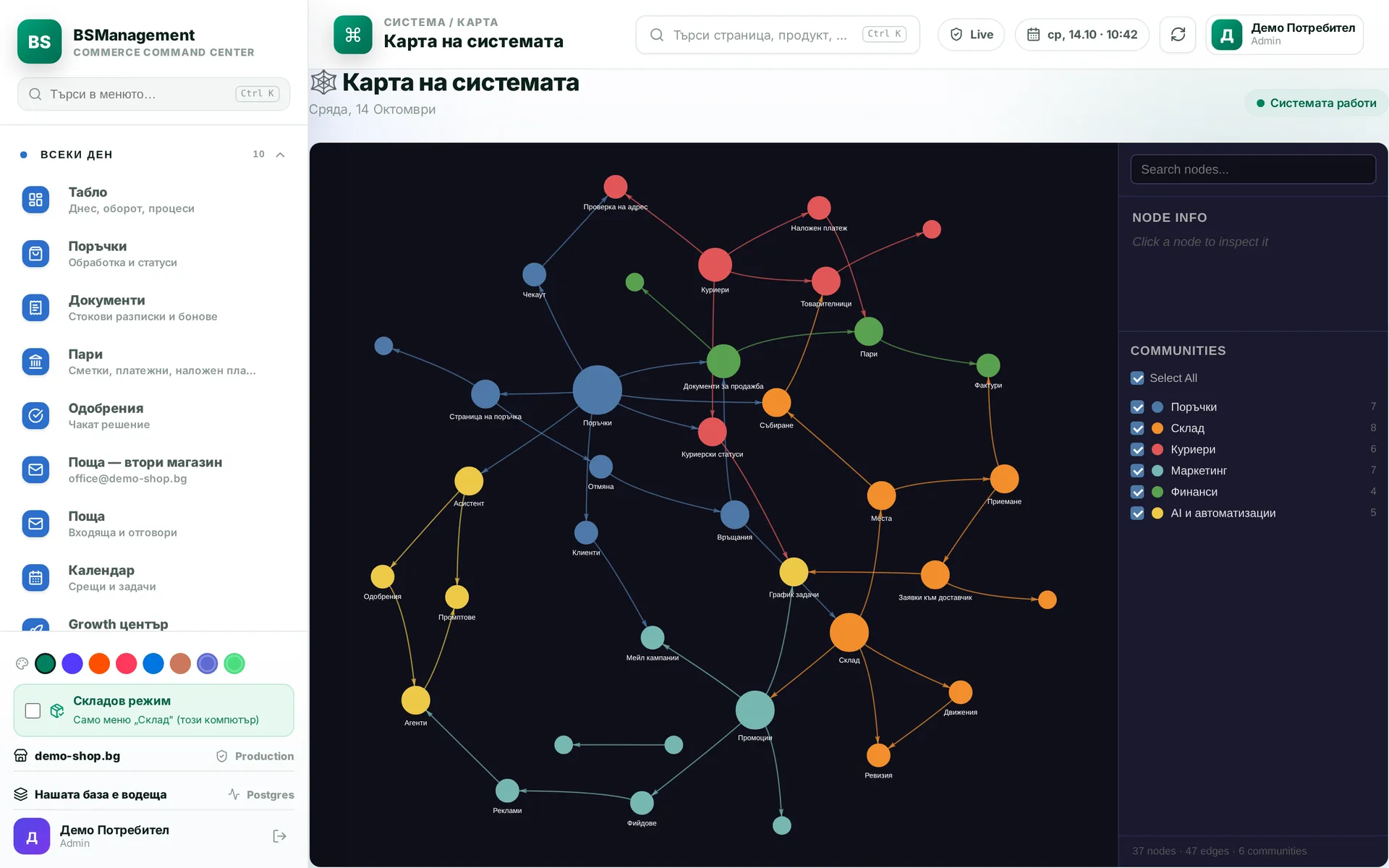
System map
An interactive diagram of the modules and the links between them. It shows which module connects to which. It helps when a new employee starts and before any change to the system.
Runs in: KoreanCare
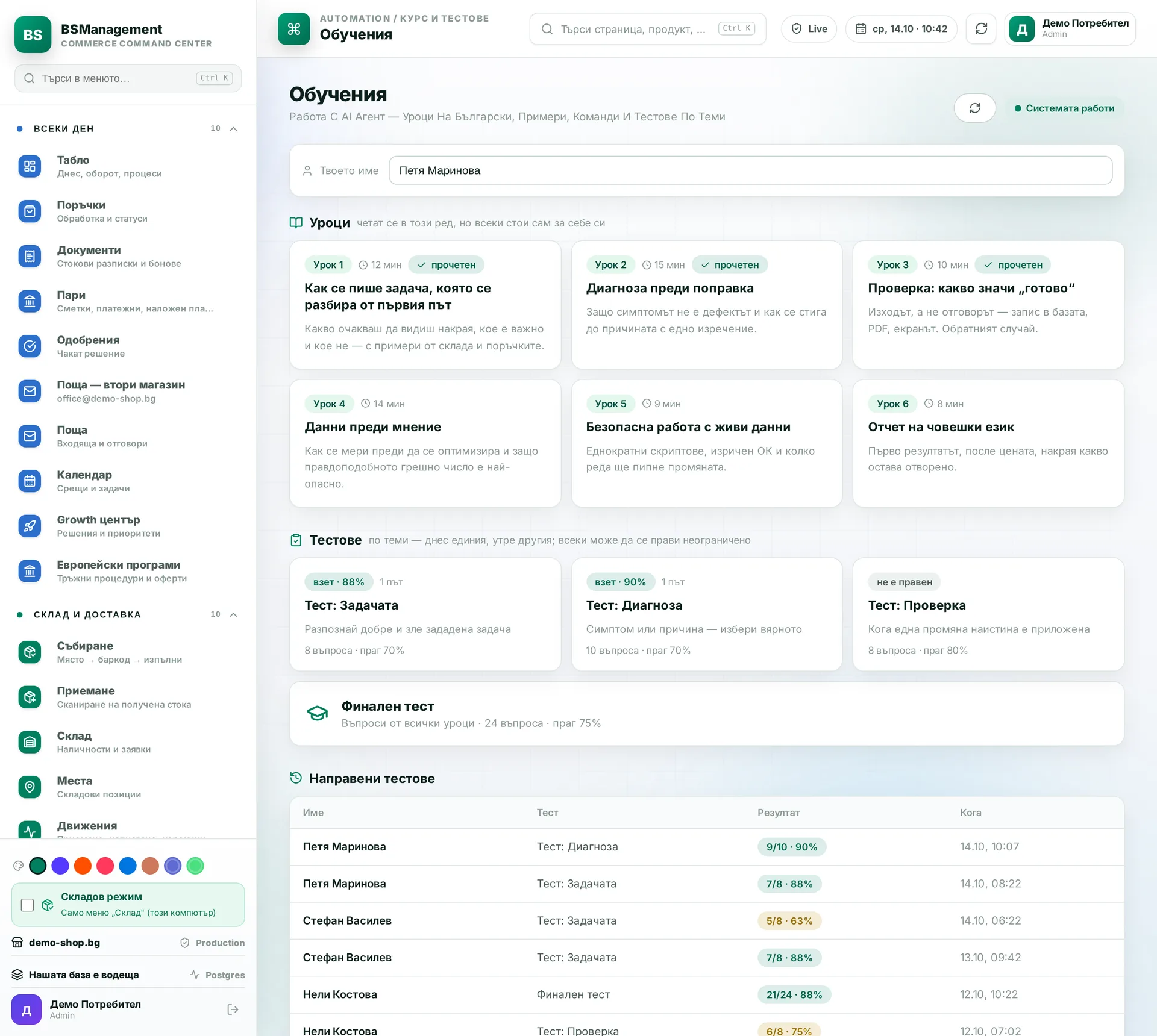
Training
Team courses inside the system, with a test at the end. The correct answers never reach the browser, so the score appears only after submitting. Every attempt is stored with its score and pass or fail.
Runs in: KoreanCare, Ivana Agro, KB Agro
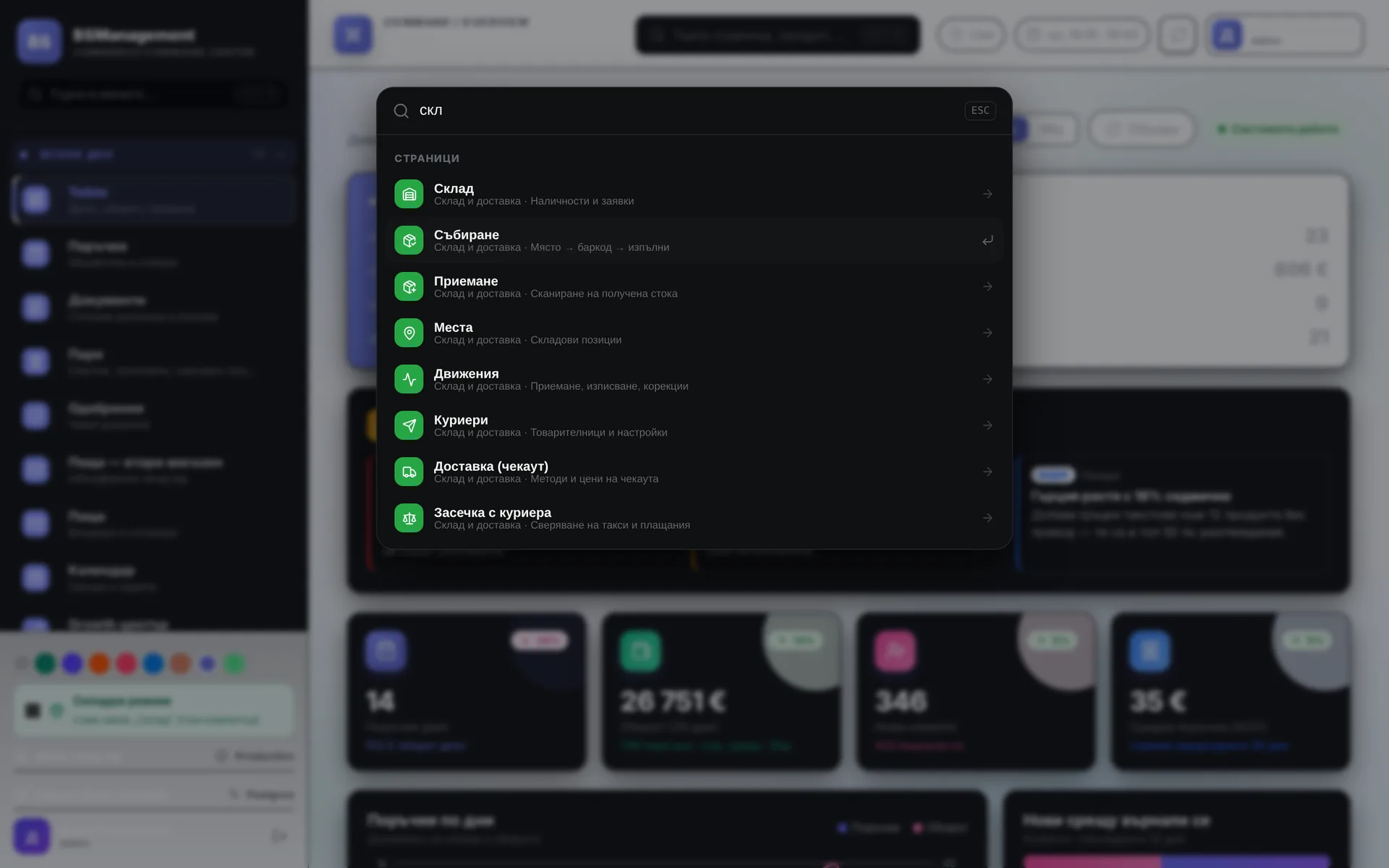
Themes and quick search
Each user picks a colour theme that suits them for the whole day. Ctrl+K opens a search across every module, and a few keystrokes take you to the screen you need without digging through the menu.
Runs in: KoreanCare
Daily sales rep digest
Every afternoon the system compiles a summary per sales rep: meetings, tasks by type, quotes sent and contracts signed. The digest is kept by date, and the manager can open it for any day or regenerate it with a button. It shows who did what without asking each person.
Runs in: Ivana Agro, KB Agro
Website inquiries into the CRM
The website's inquiry form writes straight into a small CRM, with no mailbox in between. Each inquiry has a status and new ones are counted separately, so nothing goes unanswered. From the inquiry you move on to a client, a quote, a contract and a protocol in PDF.
Runs in: Digitalna Kantora