Barcode picking
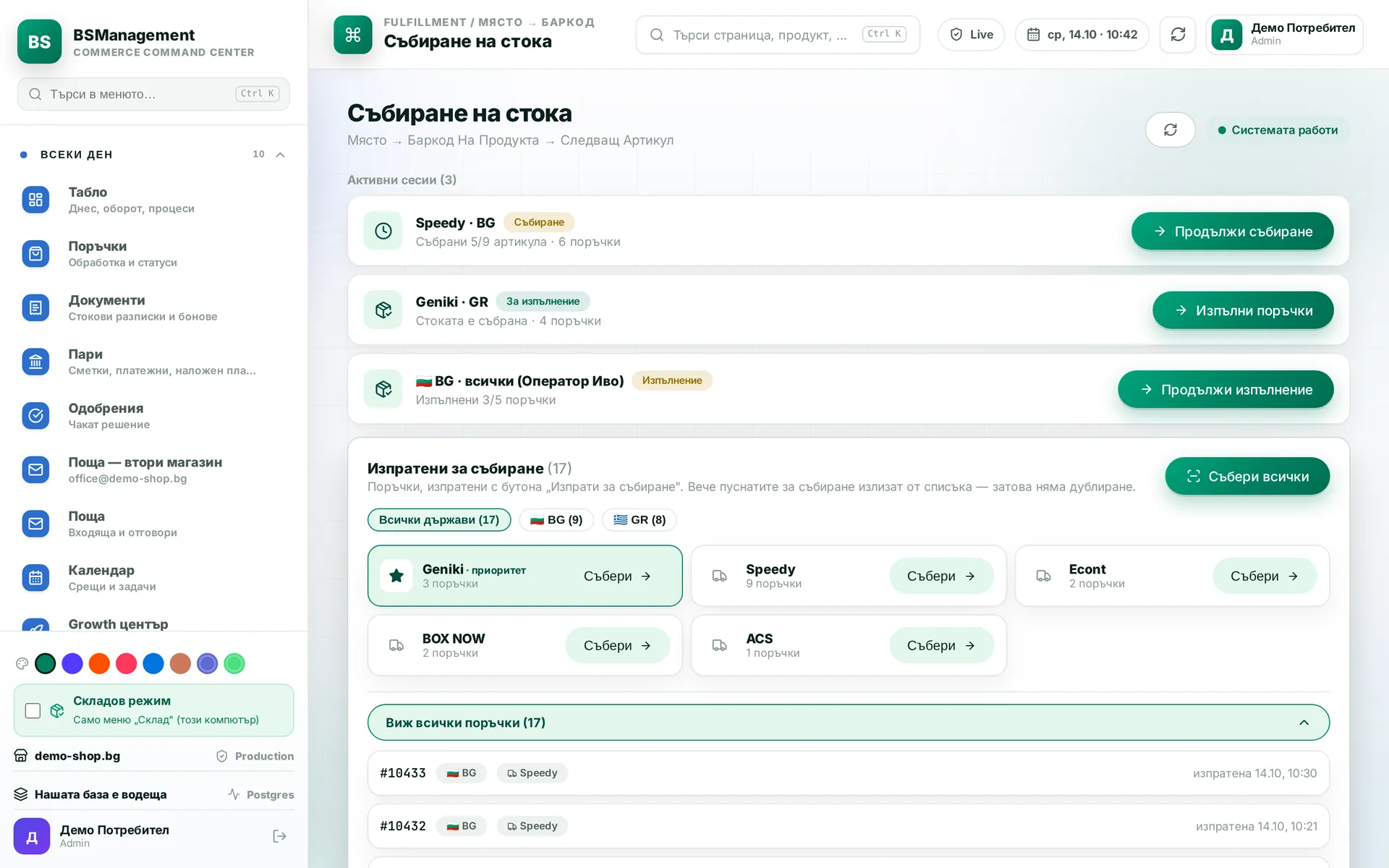
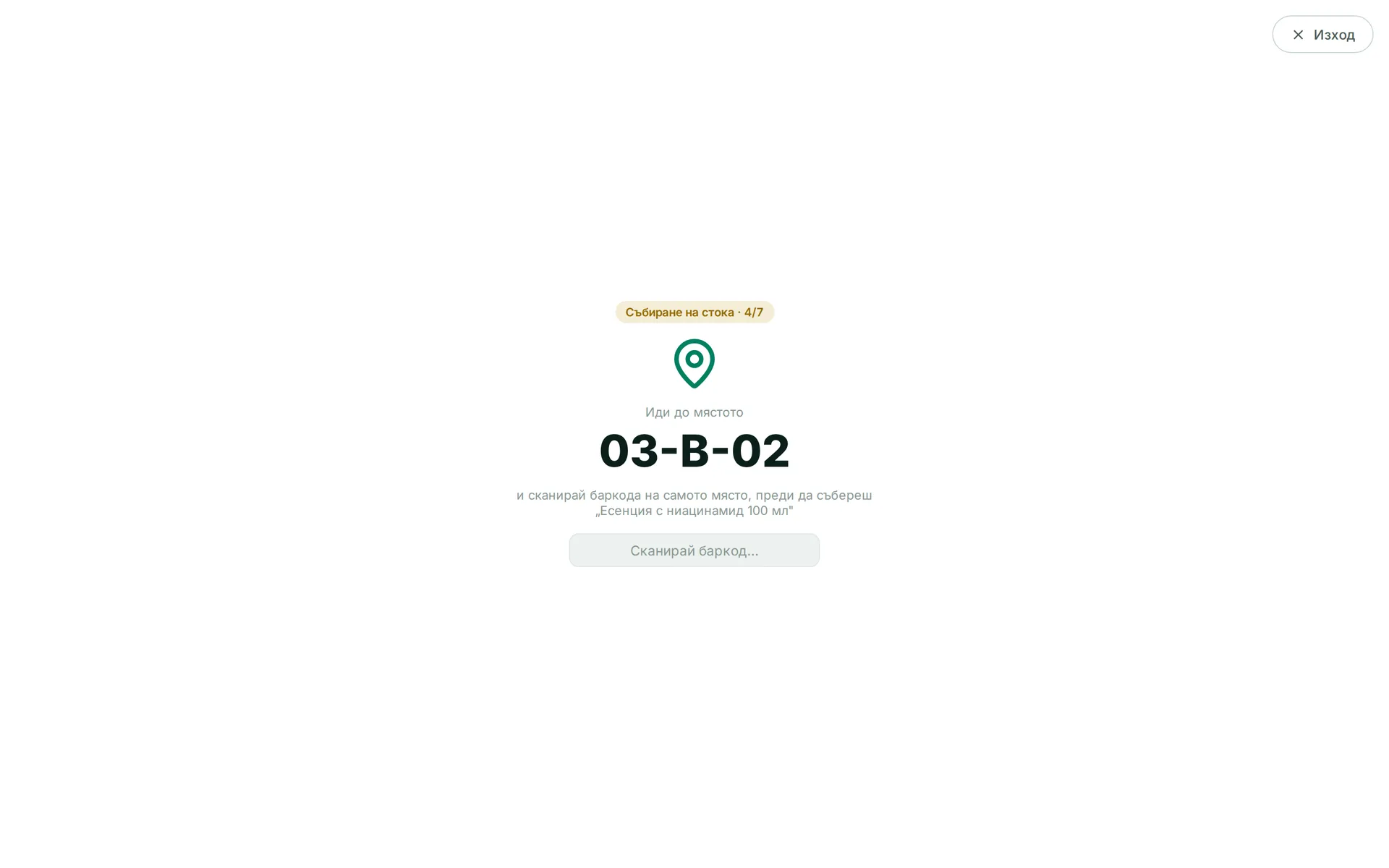
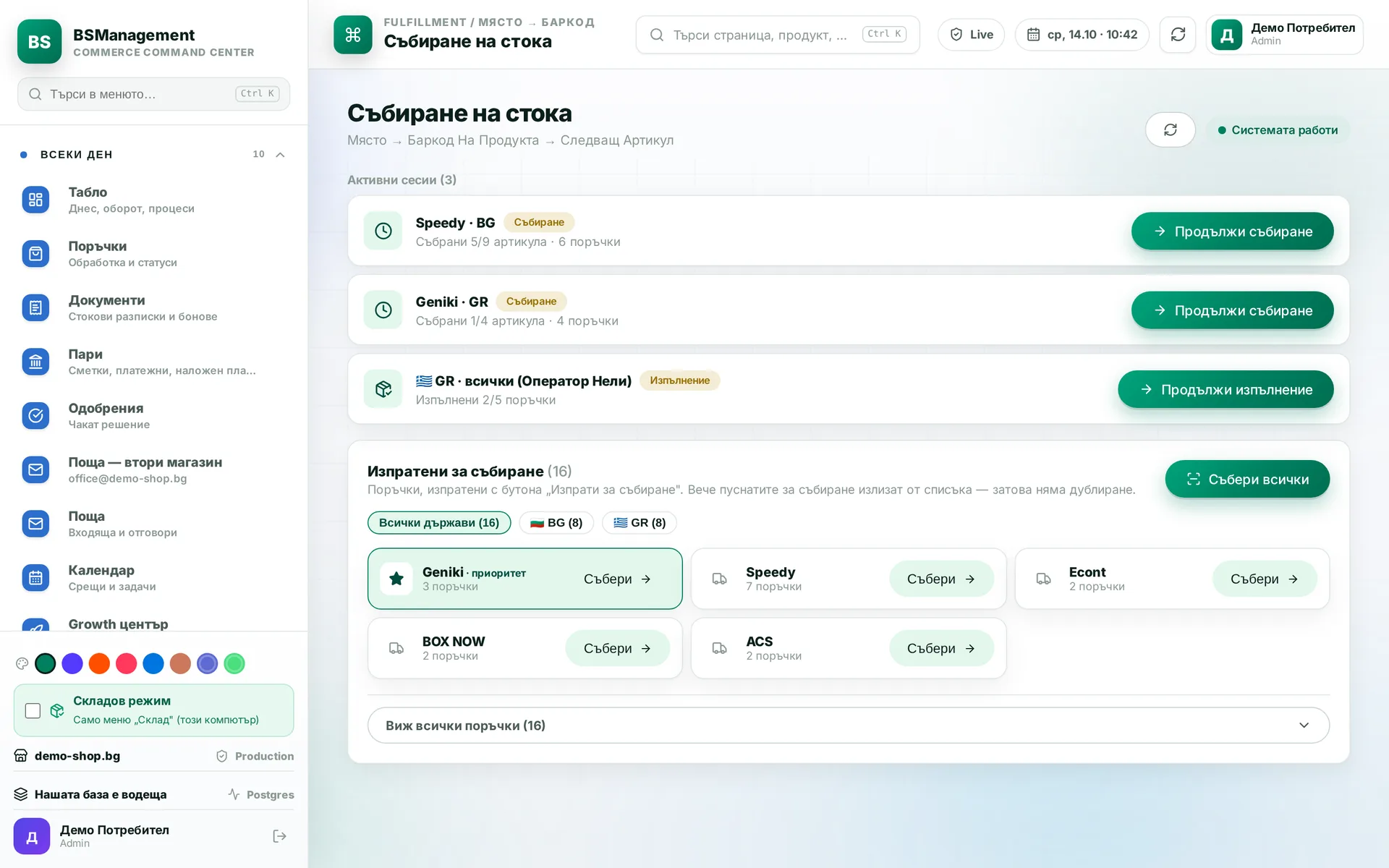
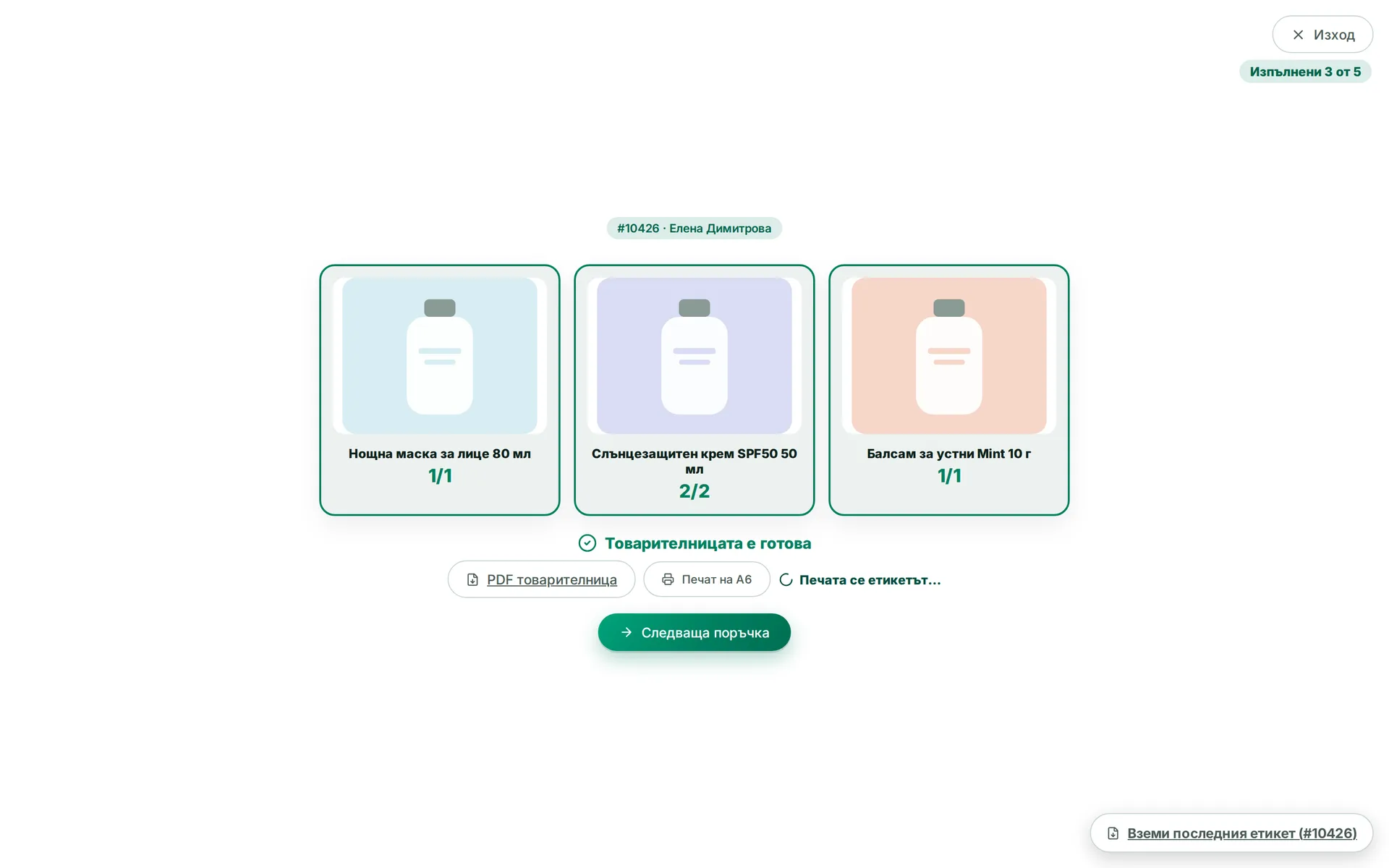
The picker scans the bin, then the item, and the system marks the line as picked. The list of waiting orders can be filtered by courier and country, and the screen stops a wrong item straight away. The scanning itself fulfils the order, with nothing typed in separately.
Runs in: KoreanCare, Ivana Agro, KB Agro, Cosmetics of Korea
Voice picking
On every scan a recorded voice calls out the bin and the quantity. The audio is pre-recorded, so it plays with no lag even on a modest computer. The picker can keep their eyes on the shelf instead of the screen.
Runs in: KoreanCare
Several pickers at once
Several people pick at the same time, each in their own session, split by courier, country or operator. One order cannot end up in two sessions. The list of waiting orders and its filters stay on screen, so everyone can see what is still left.
Runs in: KoreanCare
Items without a barcode
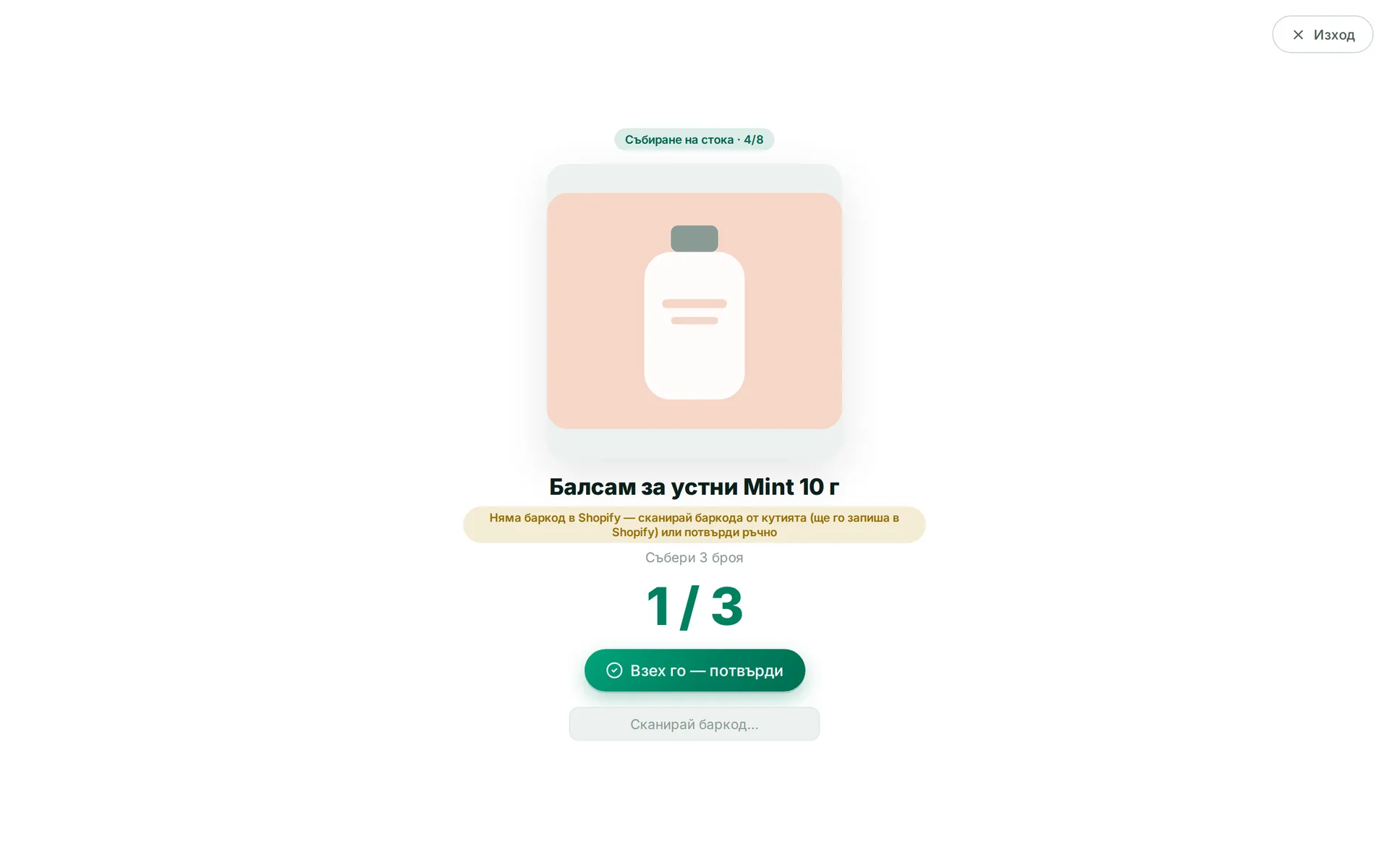
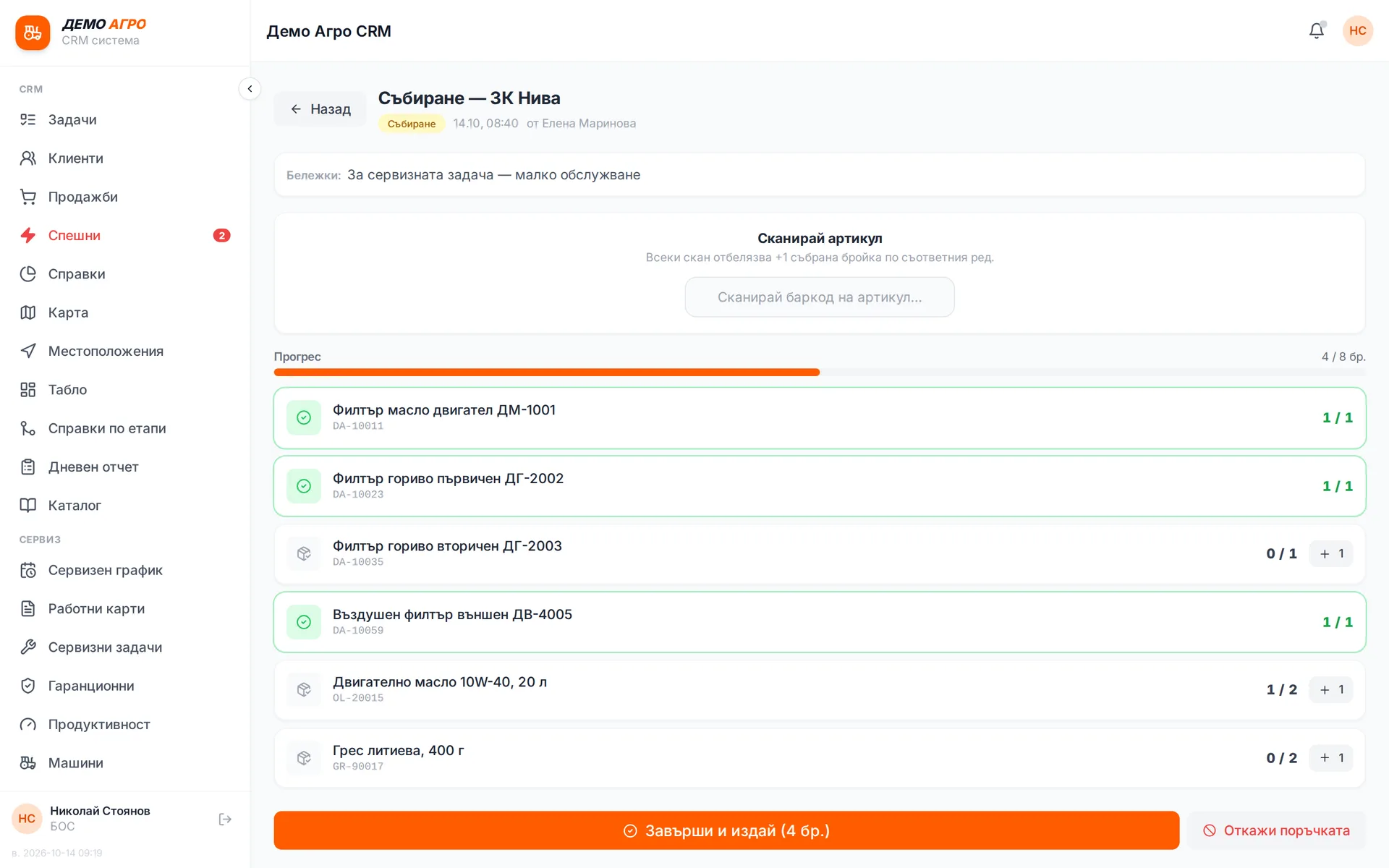
An item with no barcode is confirmed with a button, and an X of Y counter shows how many are left. The order cannot be closed while any line is unconfirmed. Nothing drops out of the parcel unnoticed.
Runs in: KoreanCare
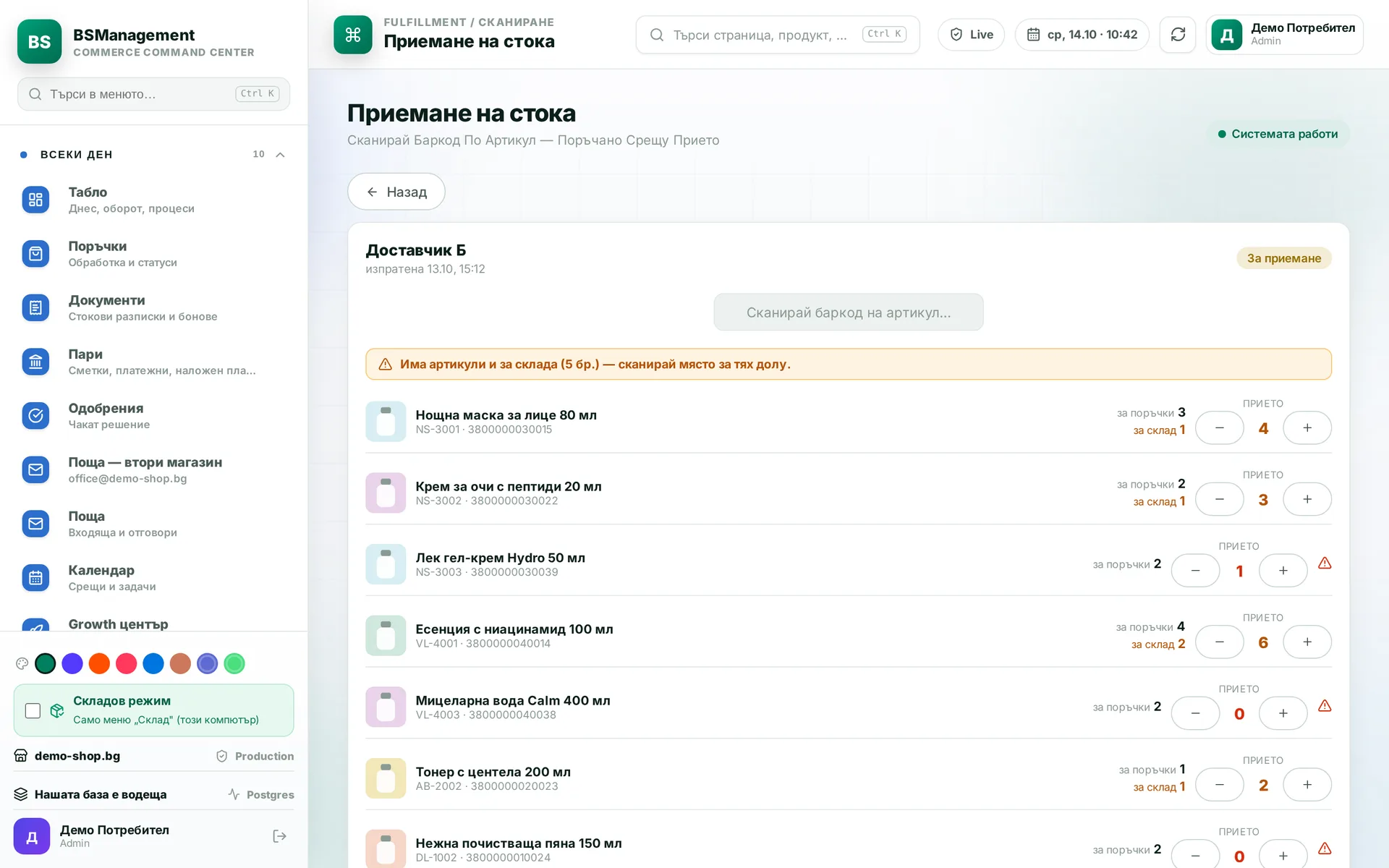
Receiving with a scanner
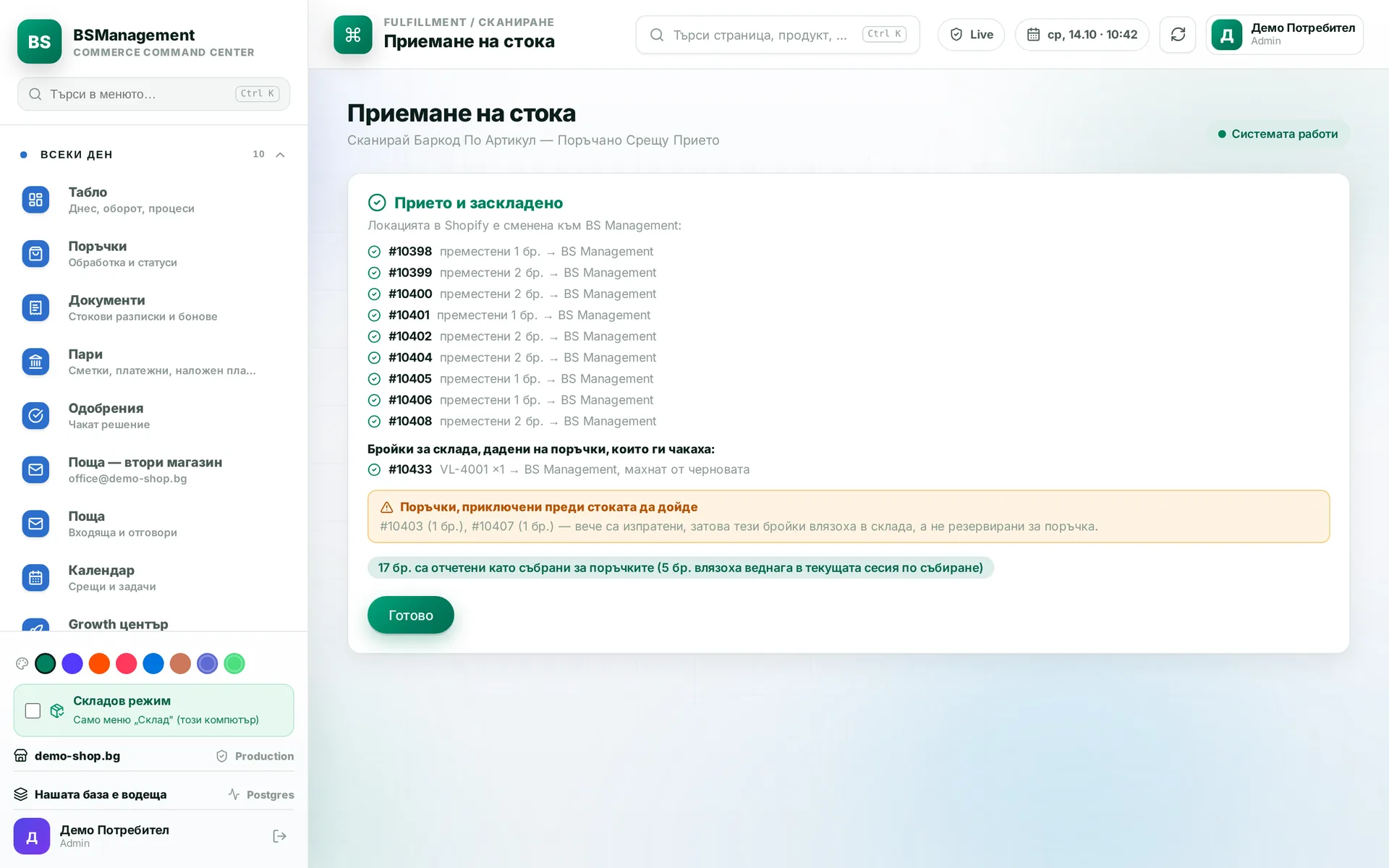
Incoming goods are scanned against the purchase order, and each line shows how much was ordered and how much arrived. If an item is not on the order, the scan adds it as a new line. What arrives goes to waiting orders first, and the rest goes to stock.
Runs in: KoreanCare, Ivana Agro, KB Agro
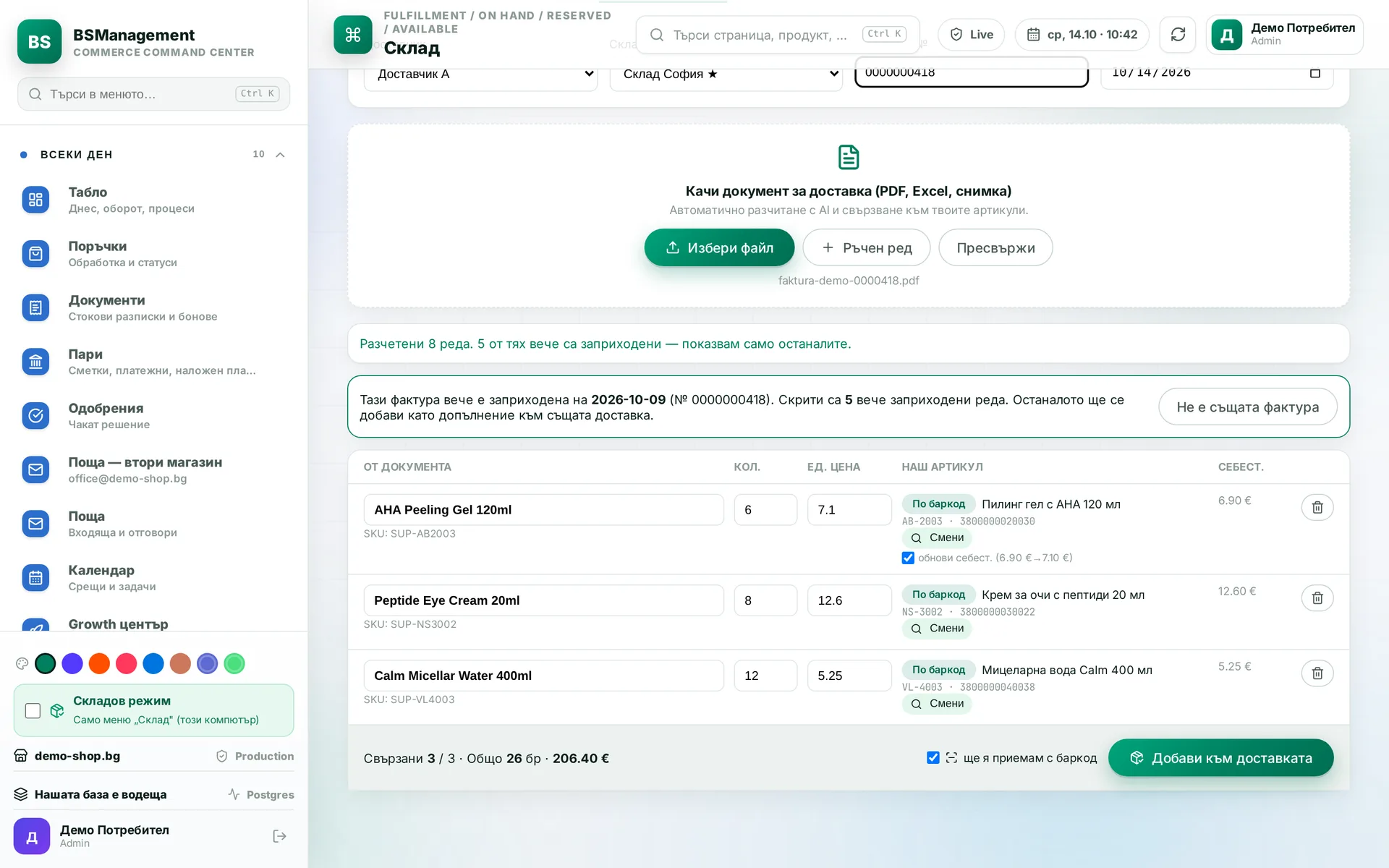
Receiving from the invoice
Goods are booked in from the supplier invoice and then checked physically with the scanner. If someone uploads the same invoice again, the system shows only the missing lines and adds them to the original delivery. A closed delivery is never reopened.
Runs in: KoreanCare
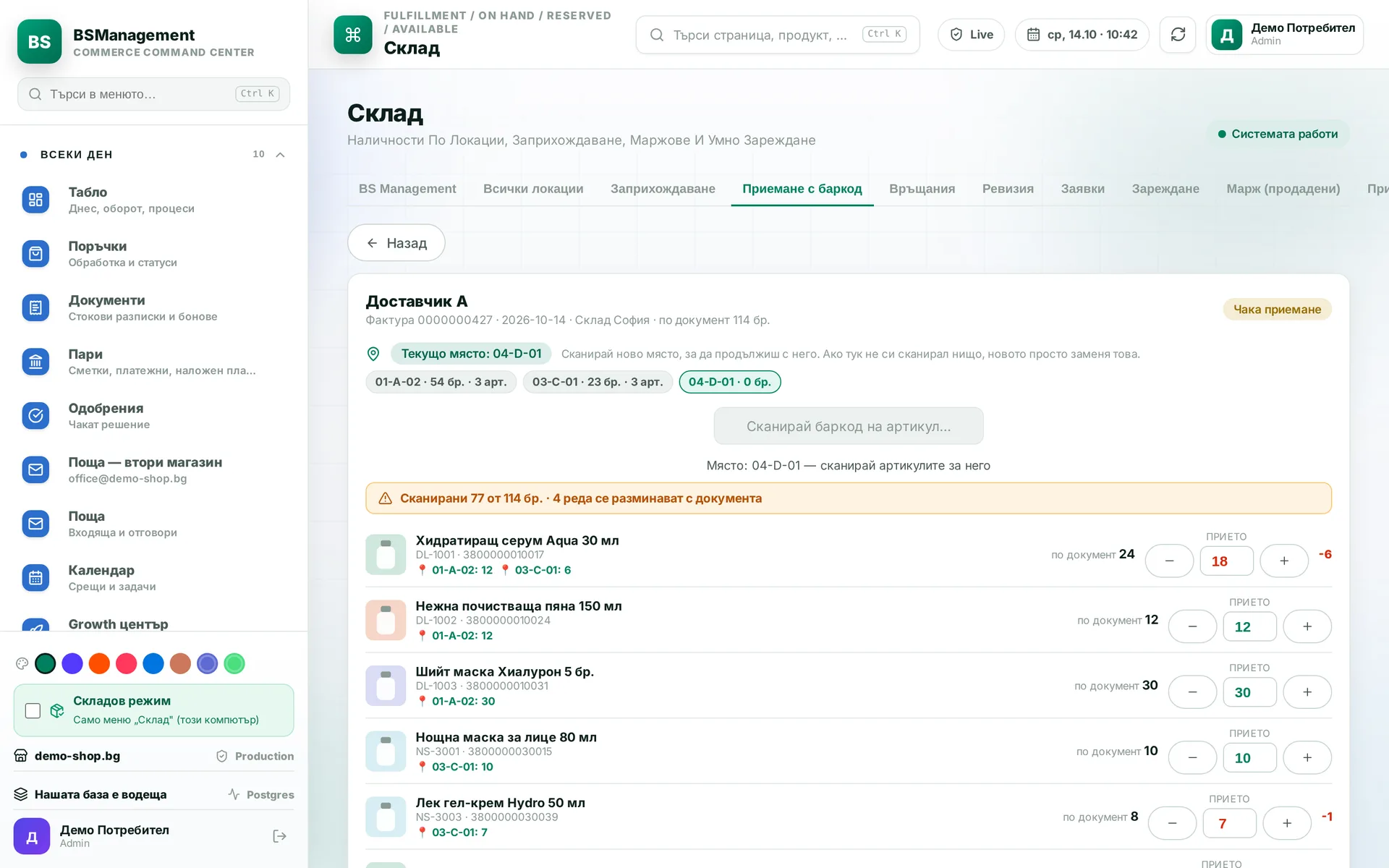
Multi-bin receiving
A scanned bin applies to every item after it until another bin is scanned. Changing the bin before any item is scanned counts as correcting the choice. That way one delivery goes onto the shelves in a single pass.
Runs in: KoreanCare
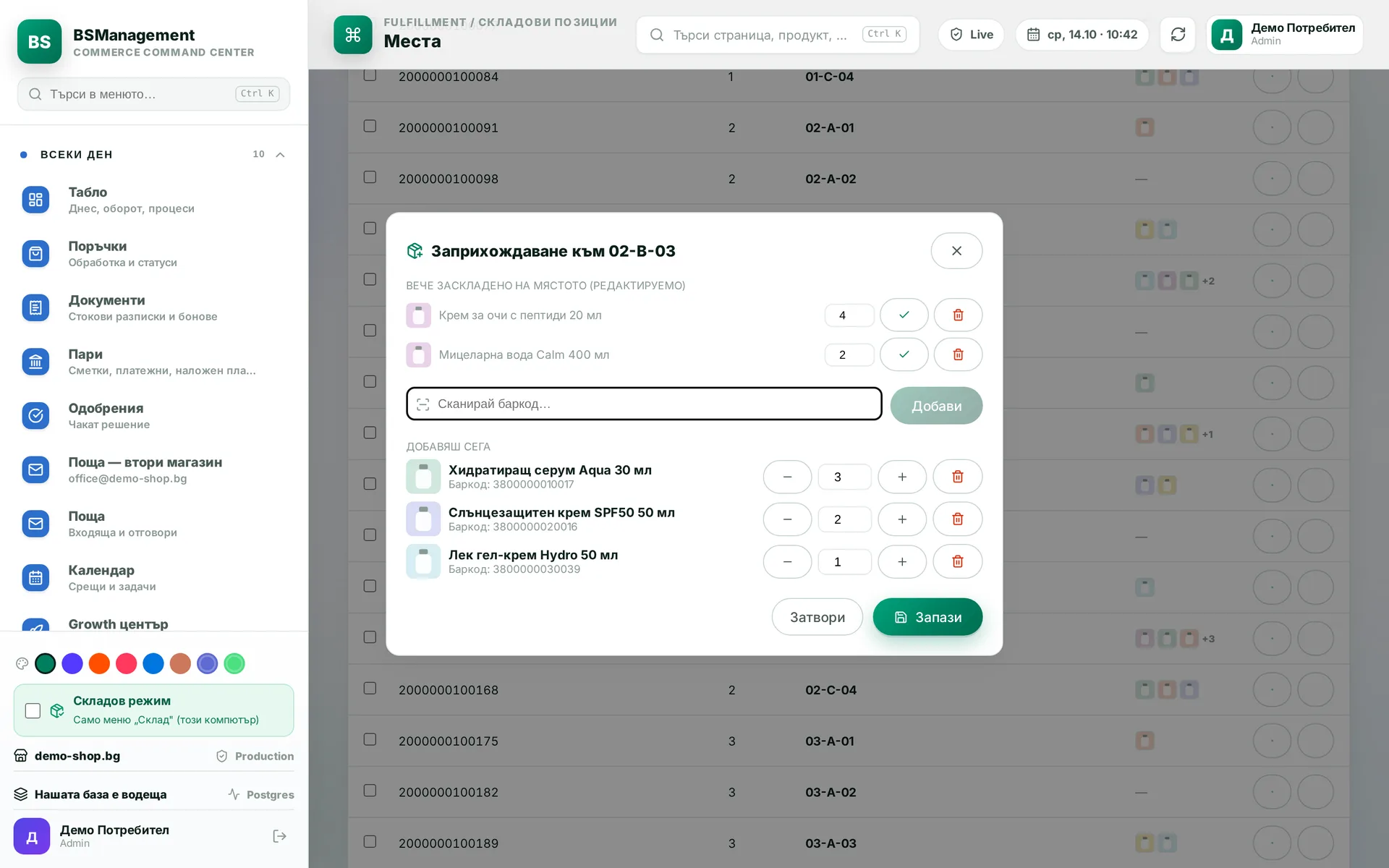
Put-away
Received goods are put on a shelf and the bin is confirmed by scanning it. Stock per bin updates at the moment of the scan. The next person looking for the item finds it where the system says it is.
Runs in: KoreanCare
Received counts as picked
Goods received for a specific order count as already picked and are not searched for again on the shelves. In picking, that line shows as done. An order that is already fulfilled does not reserve the incoming goods.
Runs in: KoreanCare
Bin locations
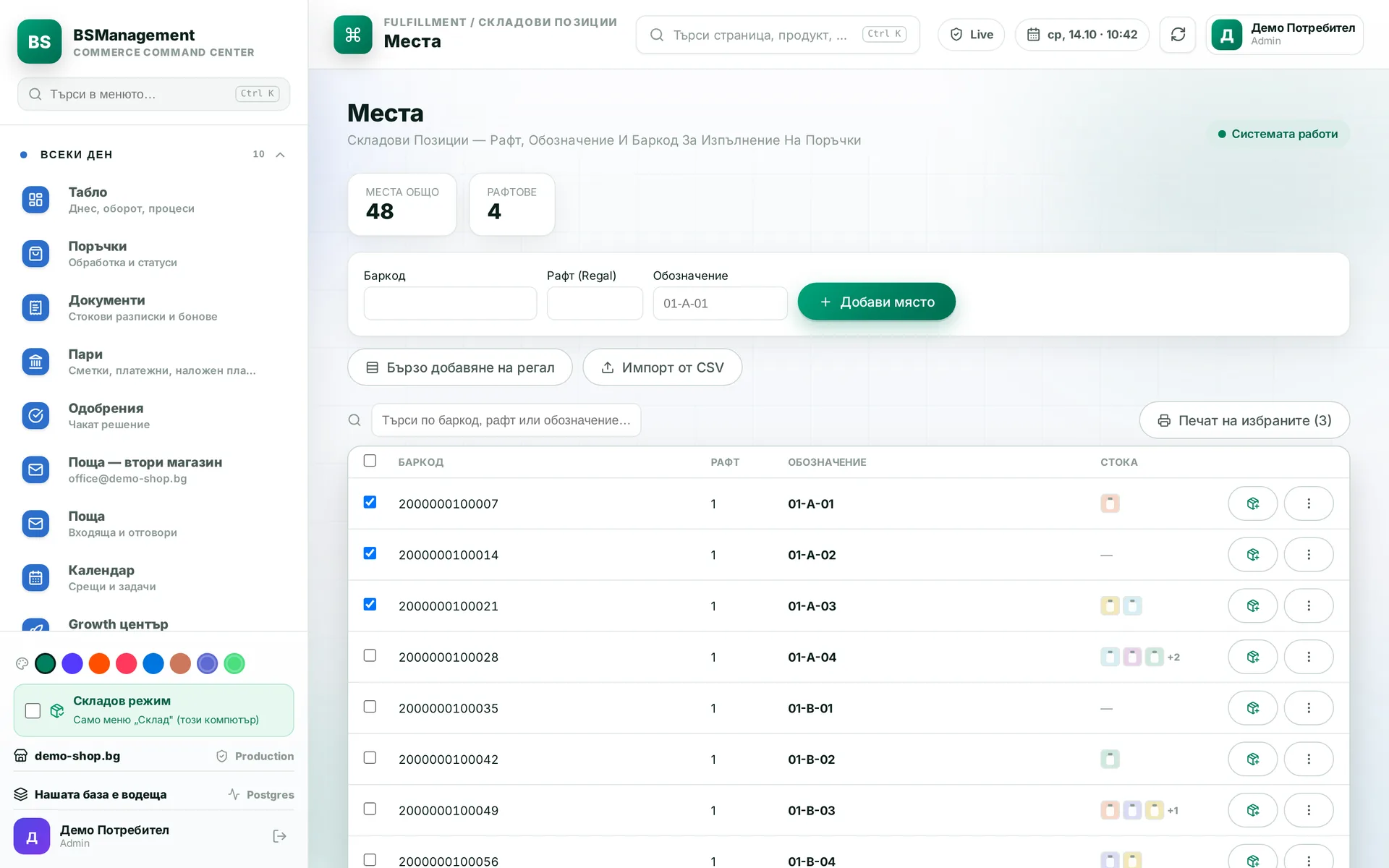
Every shelf and position is a record with a barcode, and goods and spare parts are kept per bin. You can see what is in each bin and where every item sits. A bin-versus-stock check shows the differences before they cause trouble at picking.
Runs in: KoreanCare, Ivana Agro, KB Agro
Bin labels
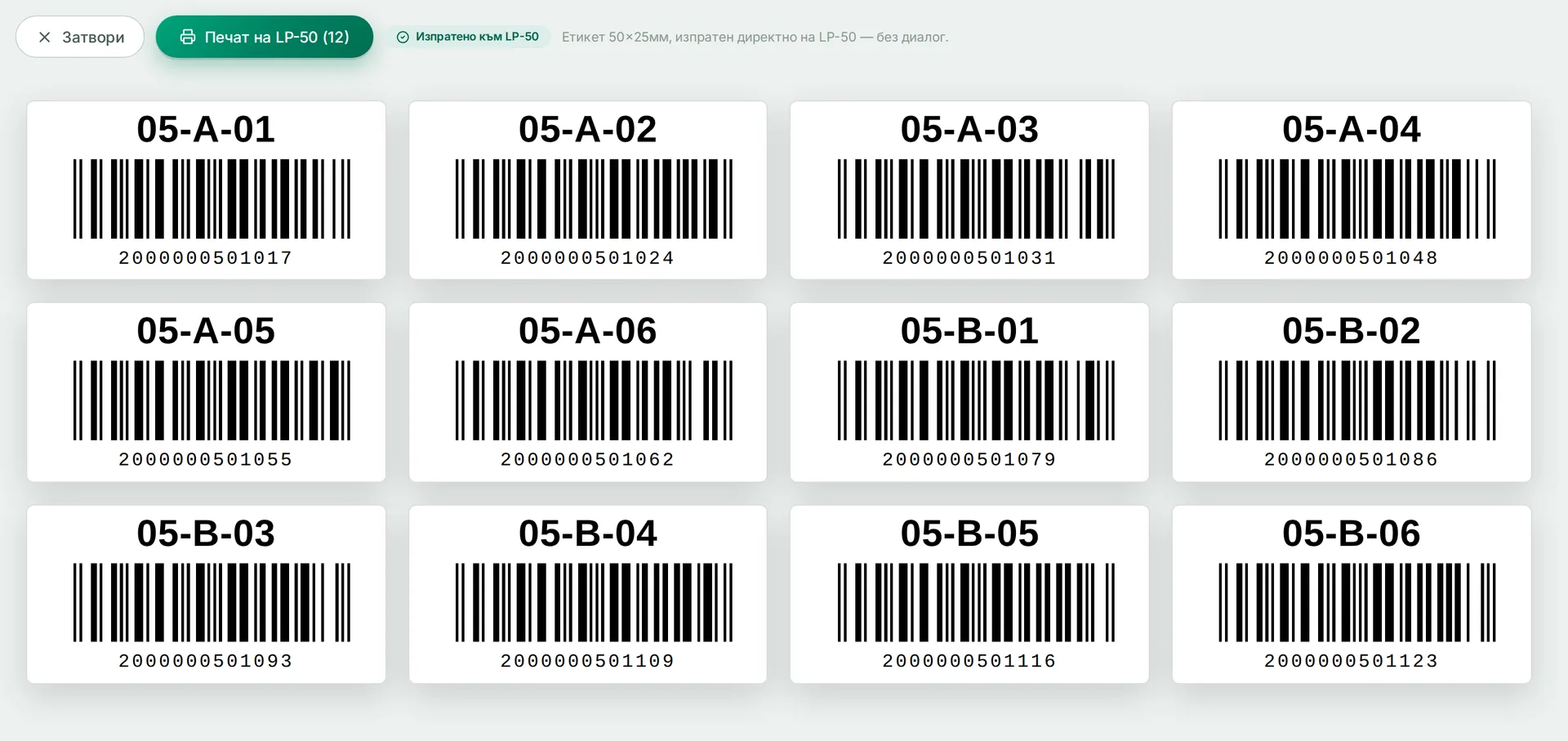
Barcode labels for bin locations are printed from the bin list. Each label carries the bin code the scanner reads during picking and receiving. A new bin is ready for work as soon as its label is printed.
Runs in: KoreanCare, Ivana Agro, KB Agro
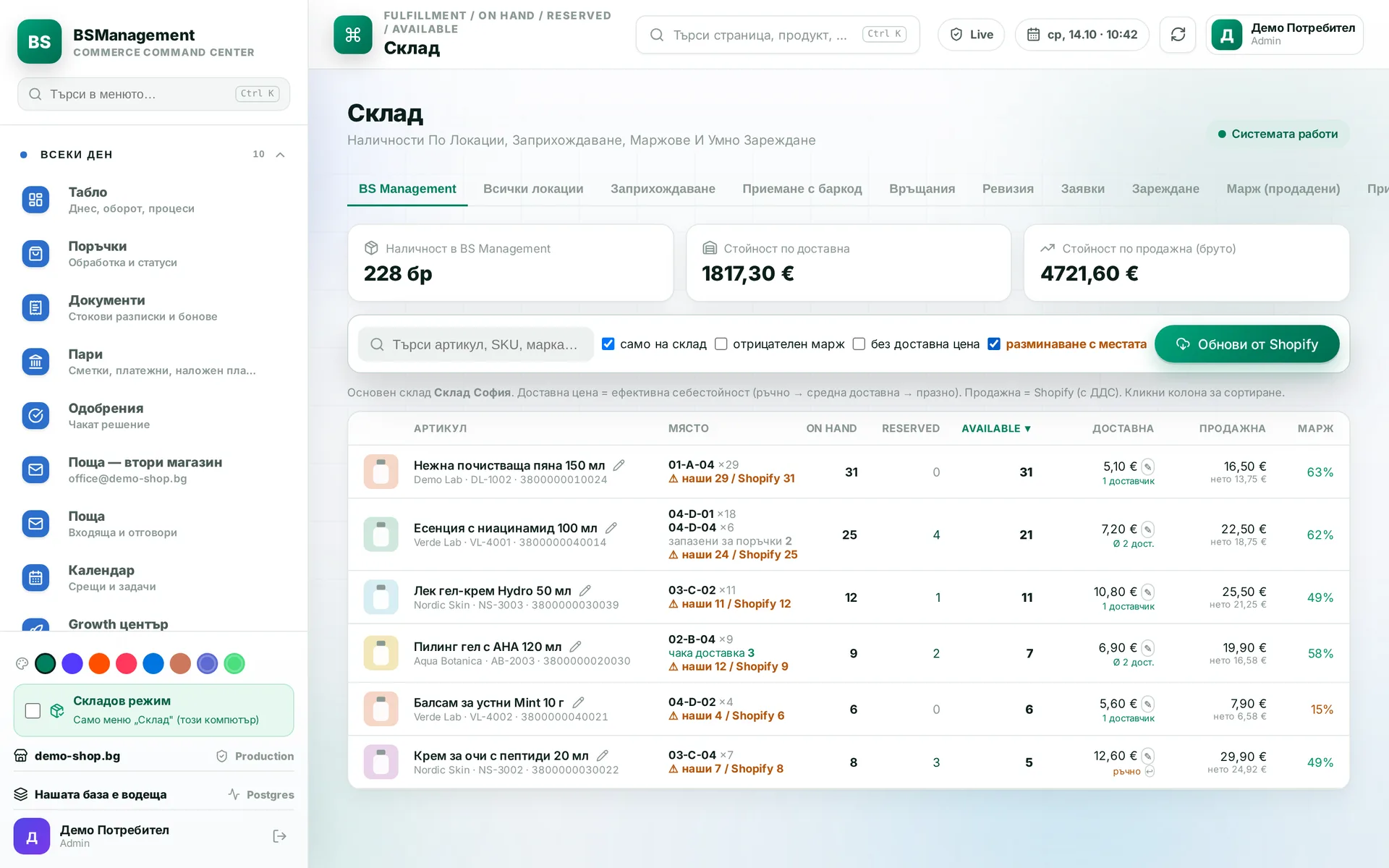
On hand and reserved stock
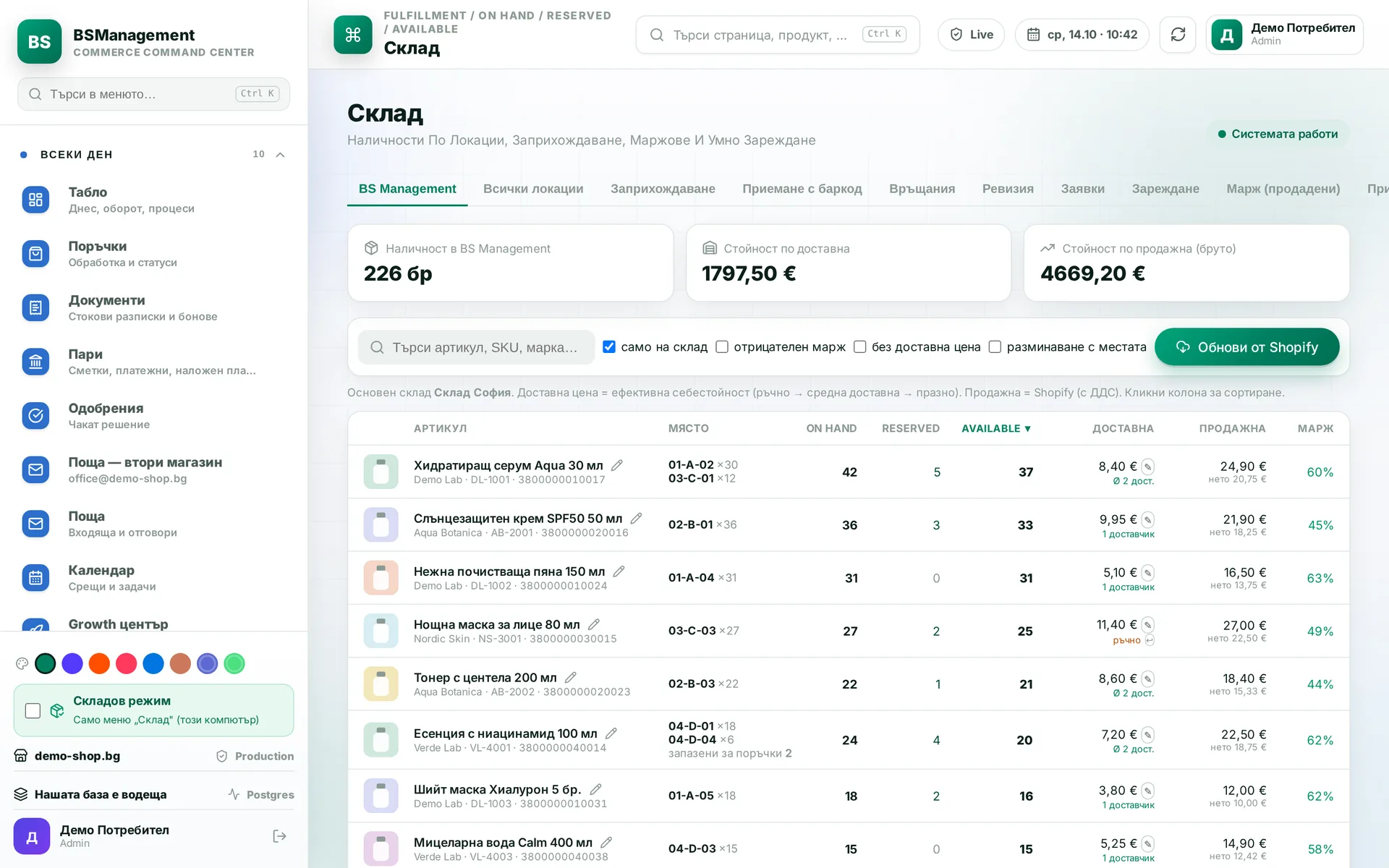
Every item has three figures: on hand, reserved and available to sell. Reservations follow open orders from every channel, and stock is written off on fulfilment. Available stock comes from one formula and reads the same everywhere.
Runs in: KoreanCare, Ivana Agro, KB Agro, Easy App, BS Omni ERP
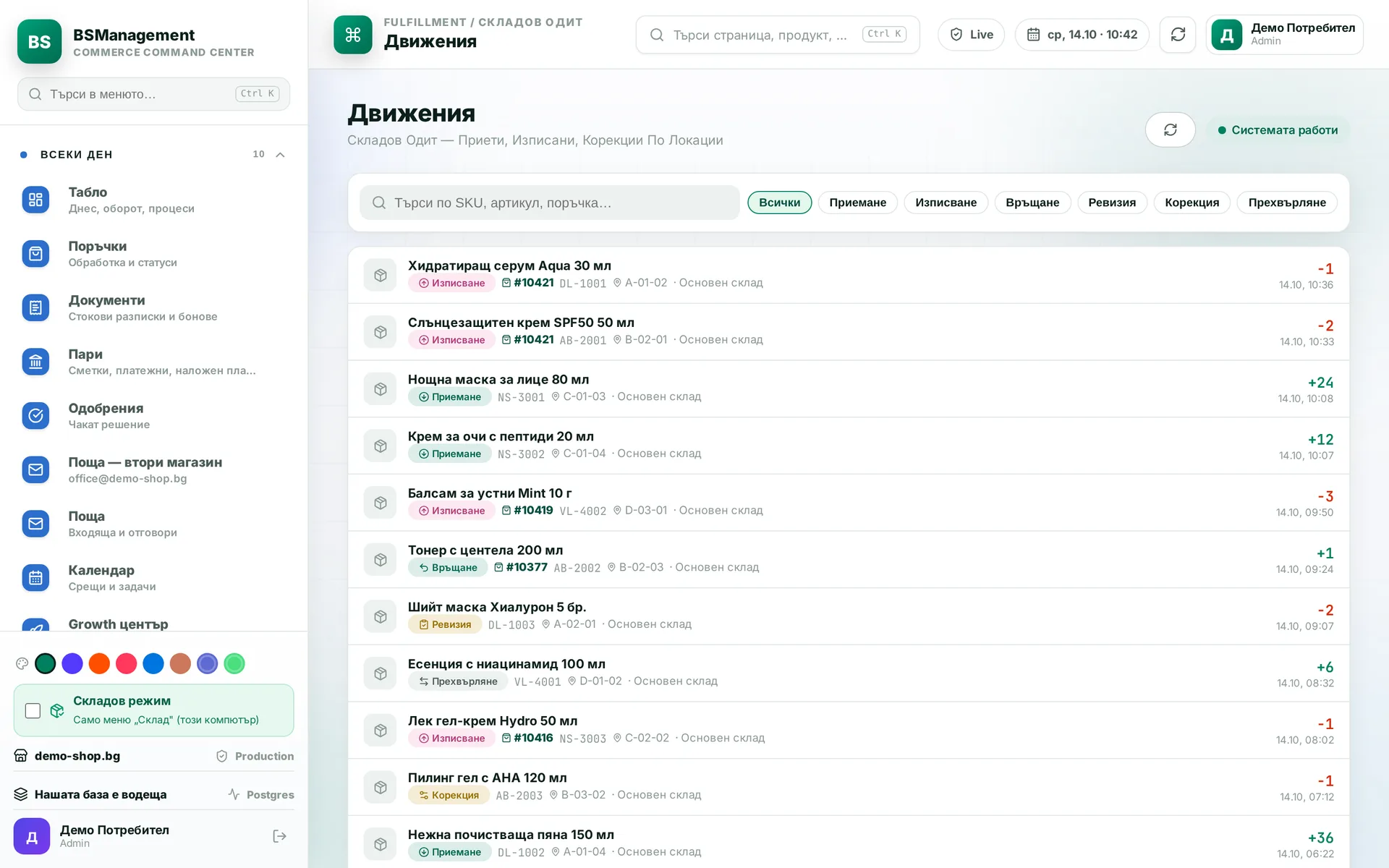
Stock movements
Every receipt, write-off and adjustment is a line with a time, a direction and a reason. Each line links to the document or order that caused it. When stock does not add up, this is where you find out why.
Runs in: KoreanCare, Ivana Agro, KB Agro, Easy App
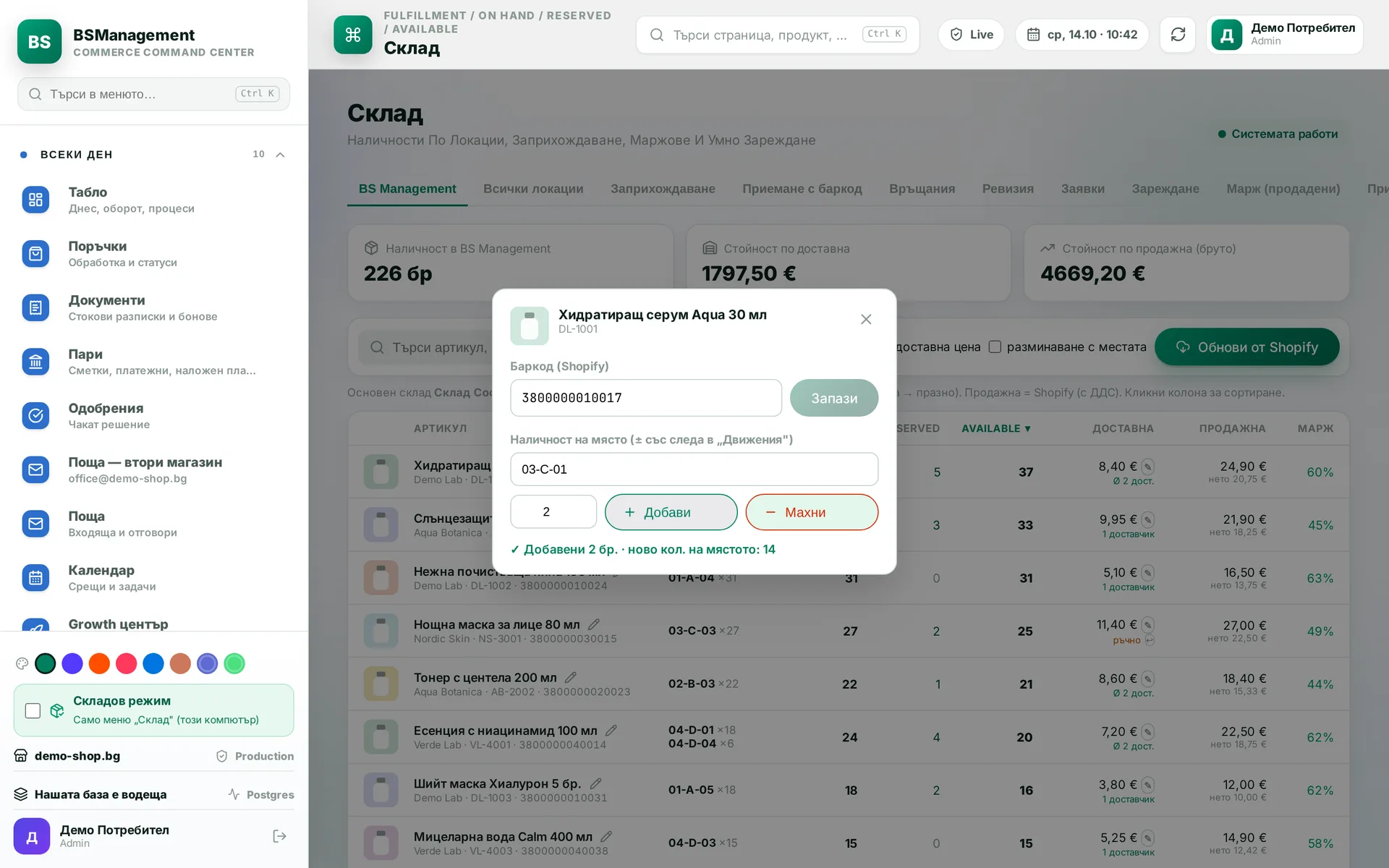
Stock correction
A barcode or a per-bin quantity is changed straight from the stock list. A new barcode is also written to the online store. Every correction leaves a trace in the stock ledger.
Runs in: KoreanCare
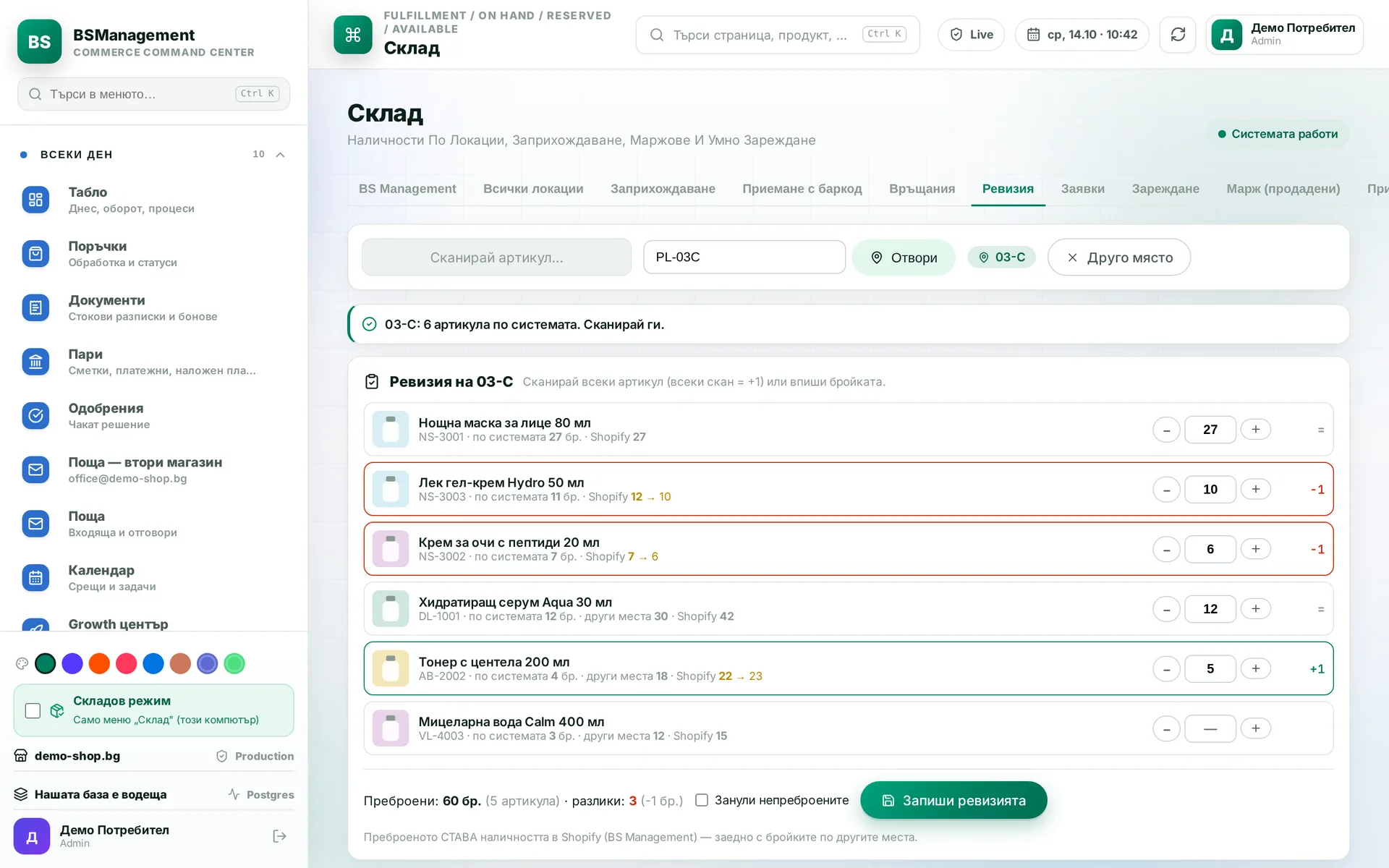
Stock count
Scan the bin, scan the items one by one, enter what was actually counted, and save. Differences are shown before saving and go into the ledger with a reason. For a shop with a till, the count is also reconciled with the till's file.
Runs in: KoreanCare, Ivana Agro, KB Agro, BS Omni ERP
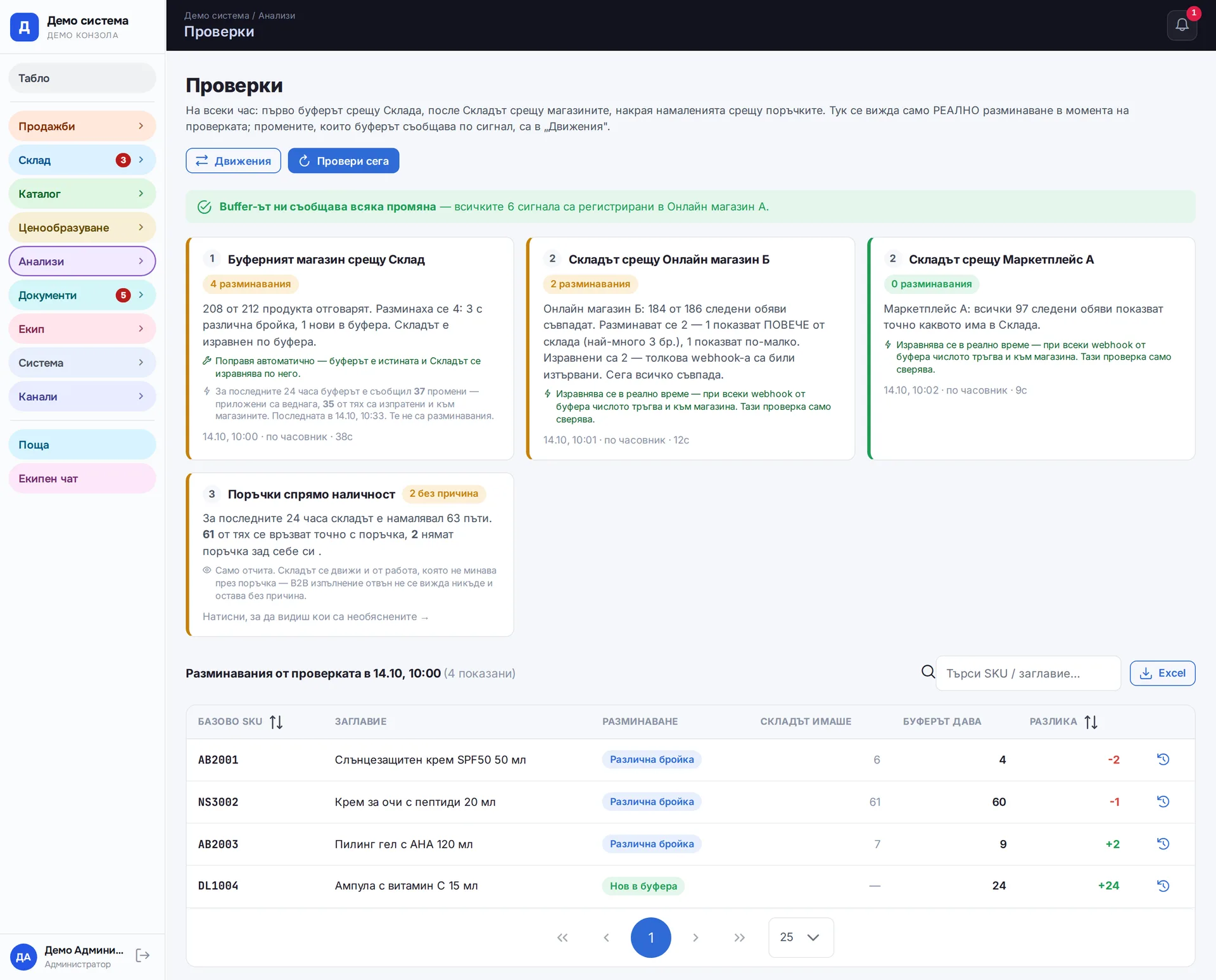
Hourly mismatch checks
Every hour the system compares orders, warehouse and online stores. The result is written as a sentence: which item, where it differs and by how much. Stock reductions with no order behind them show up here too.
Runs in: Easy App, BS Omni ERP
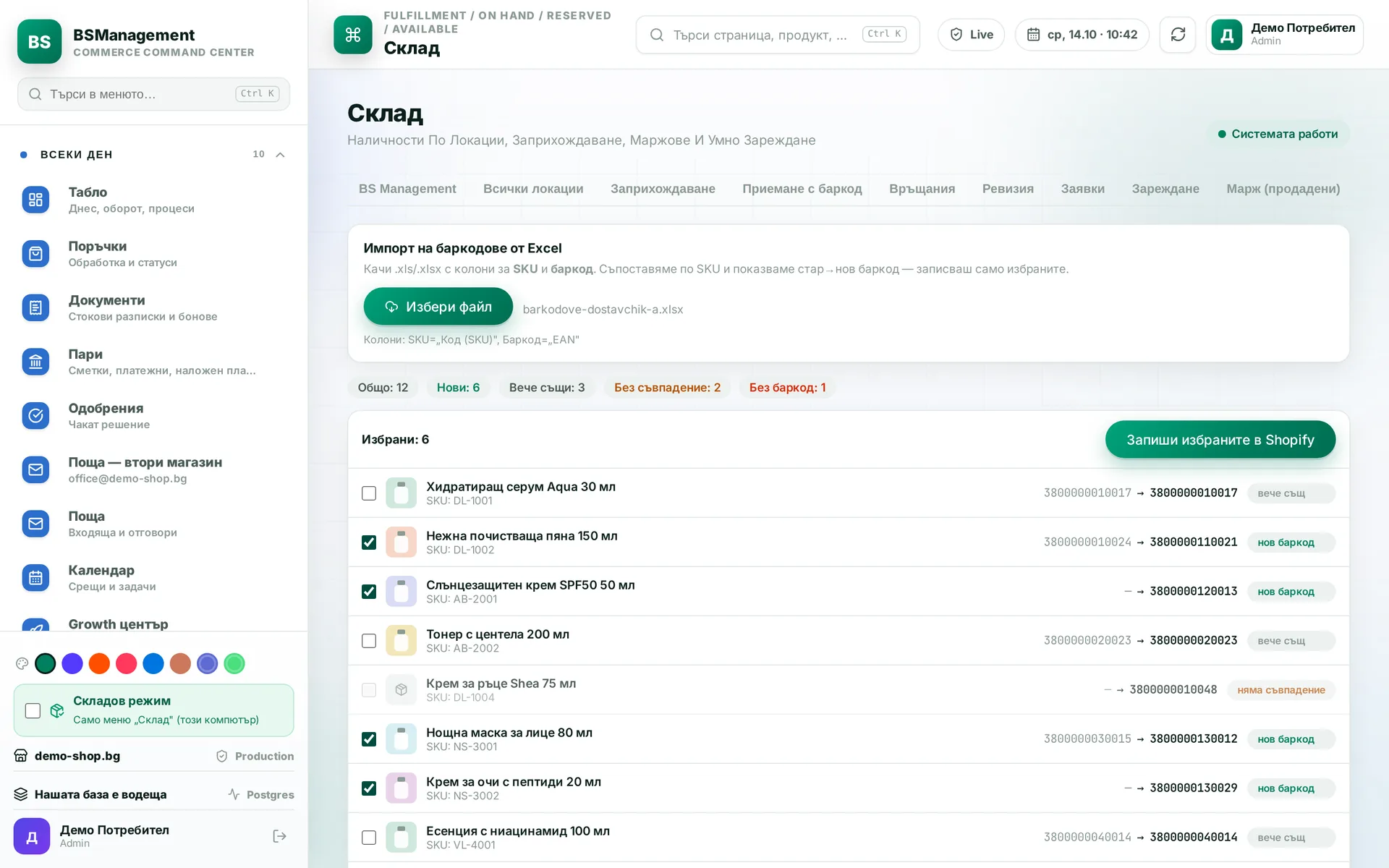
Barcode import from Excel
Barcodes are uploaded from Excel by SKU. Before saving you see which are new, which match and which do not find an item. Only what you approve is saved.
Runs in: KoreanCare
Warehouse as source of truth
Stock is calculated from the bins, pending documents and what has already been picked. The online store receives the exact quantity rather than a difference, so errors do not pile up. A nightly reconciliation catches anything that drifted during the day.
Runs in: KoreanCare
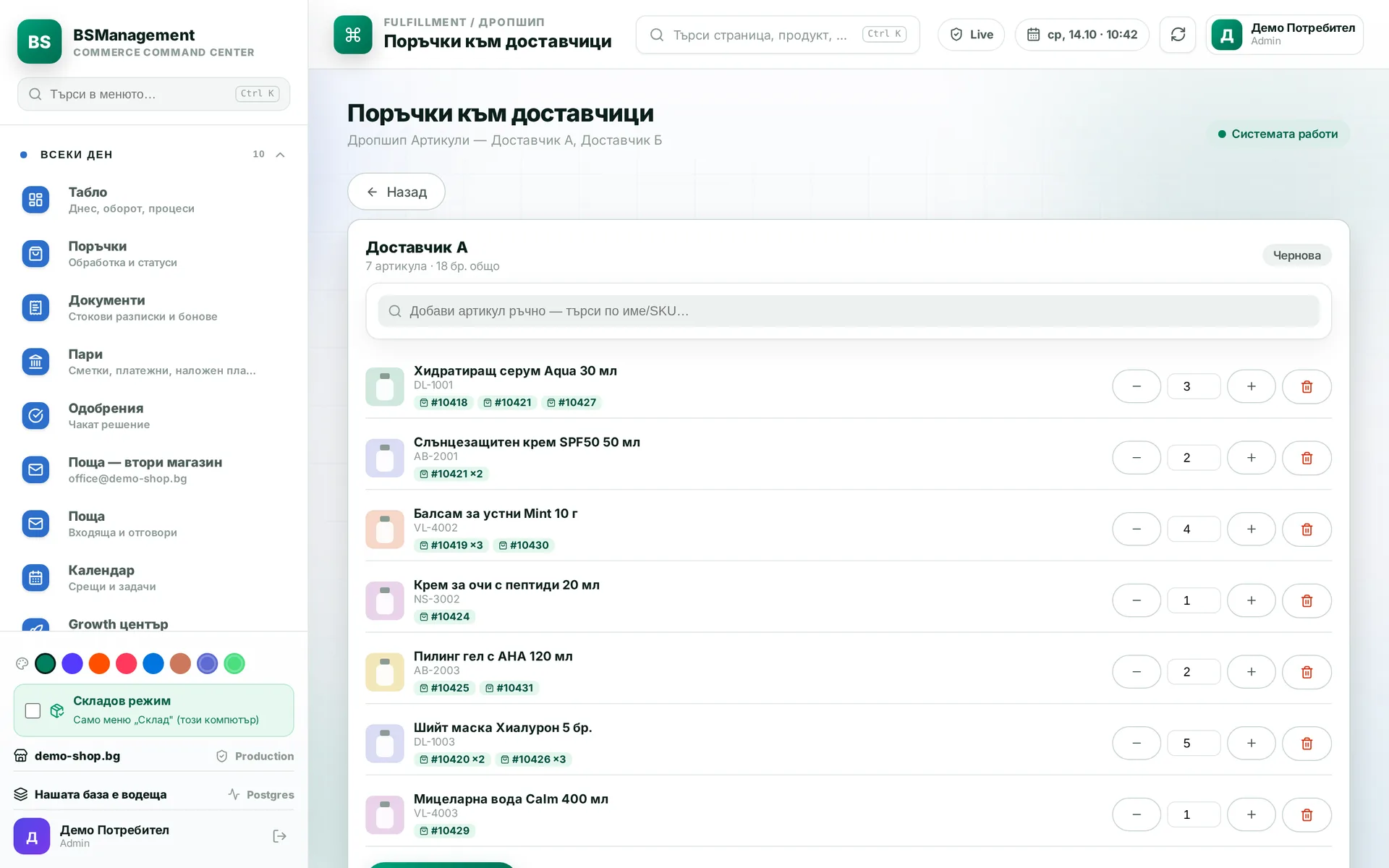
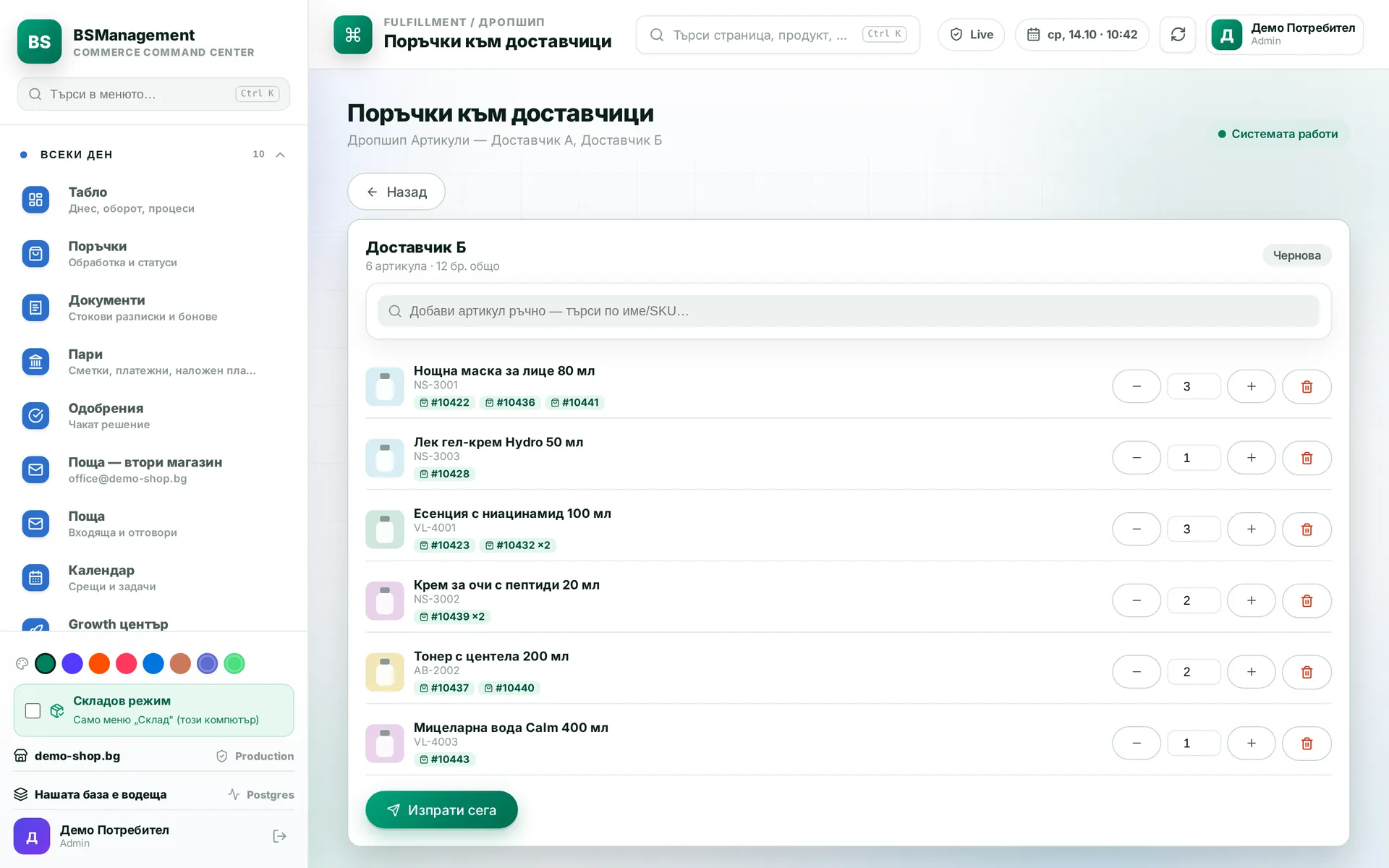
Supplier purchase orders
What the orders are short of is gathered into a purchase order per supplier, with quantities you can adjust by hand. The order goes out by email or as a file, and anything already ordered is not ordered twice. On receiving, deliveries are checked against the order line by line.
Runs in: KoreanCare, Ivana Agro, KB Agro, Easy App, BS Omni ERP
Checking purchase orders against orders
Before it is sent, the draft purchase order is checked against the customer orders. Cancelled and removed items come off, and items added to an order go on. Orders on hold are left alone.
Runs in: KoreanCare
Restock requests by brand
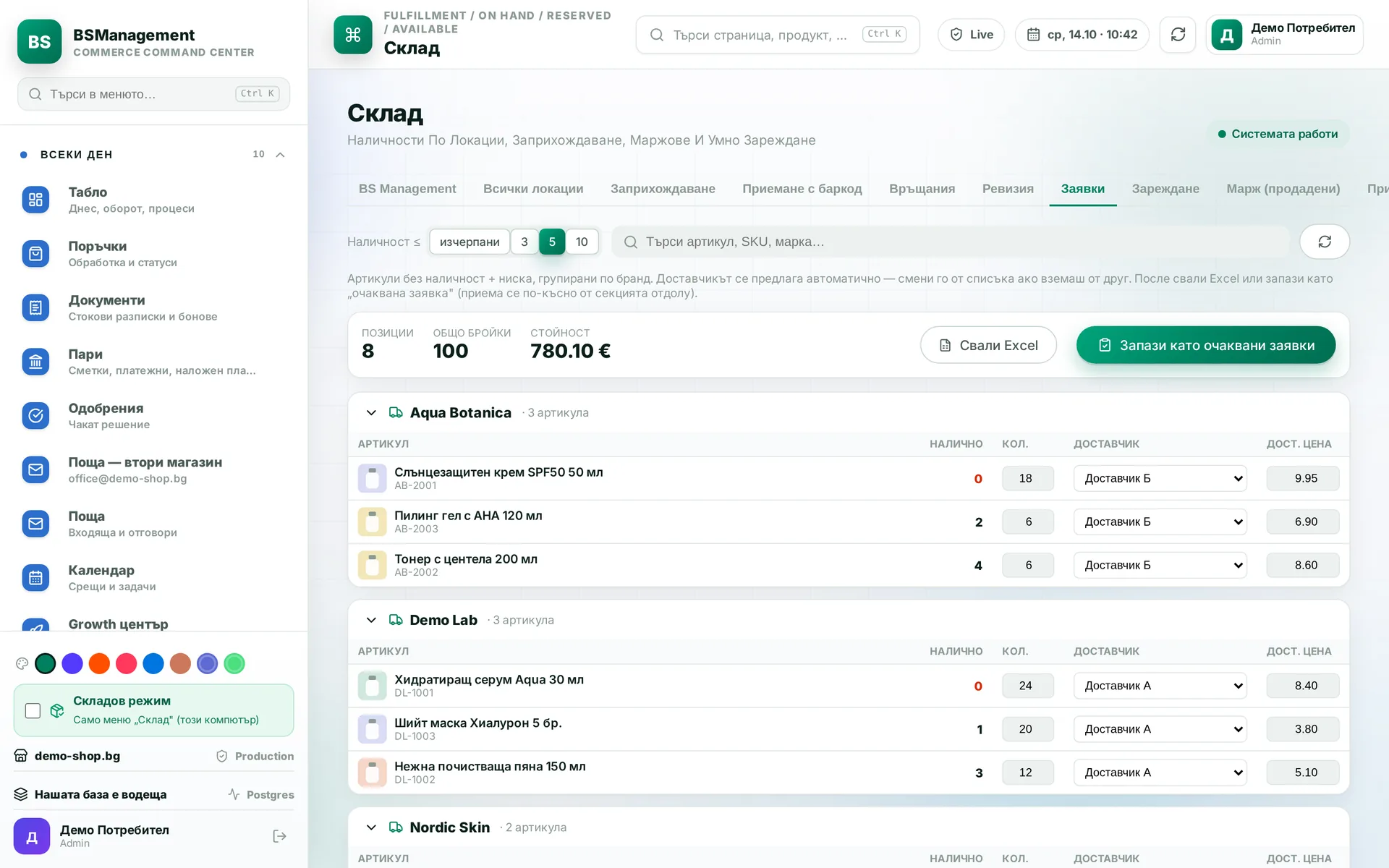
Out-of-stock and low-stock items are listed grouped by brand. Supplier and price are chosen by hand, the list is exported to Excel and saved as an expected delivery. When the goods arrive they are received against it.
Runs in: KoreanCare
Reorder forecast
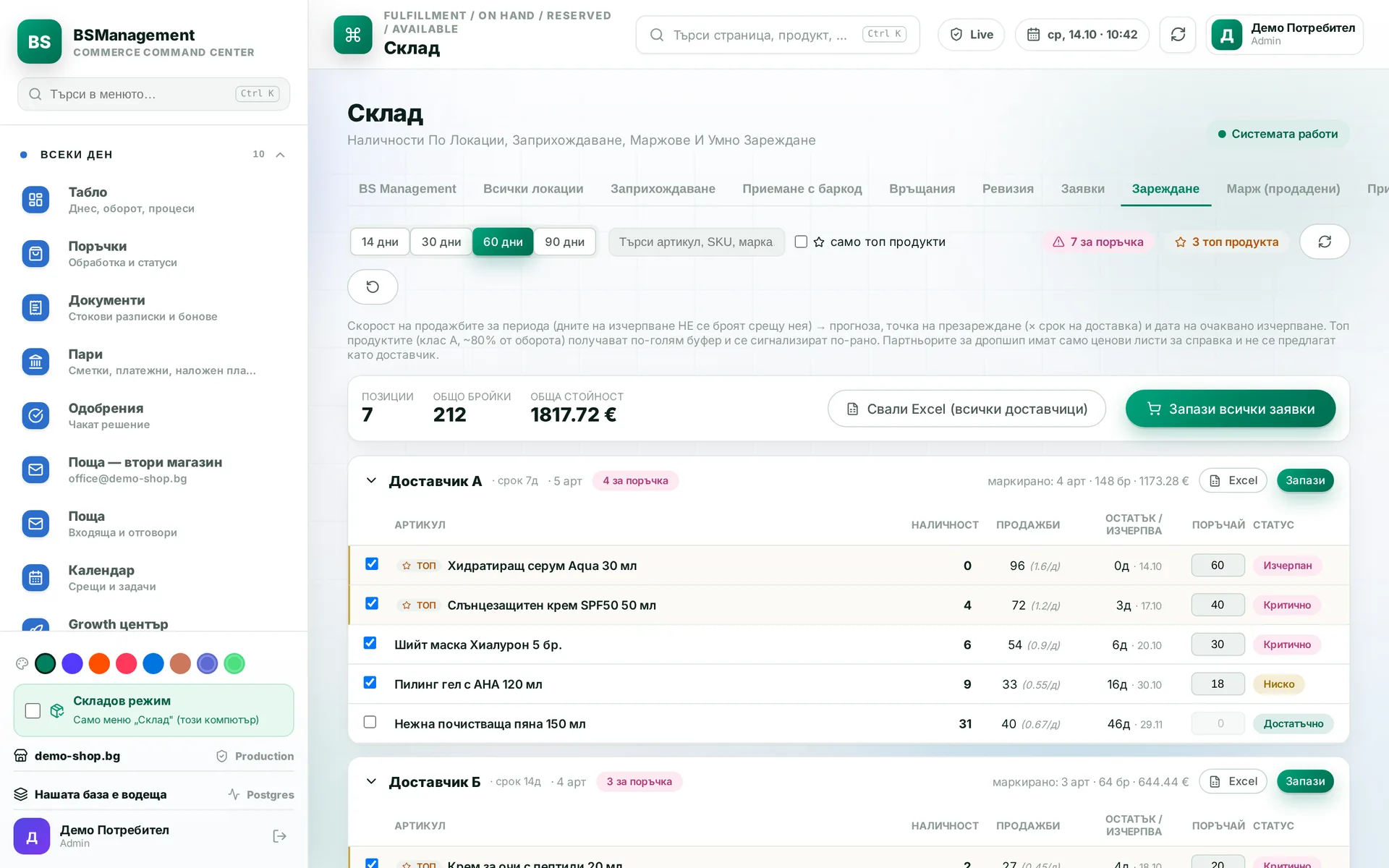
From sales velocity and supplier lead time the system tells you when an item will run out. Items are ranked by urgency: out, critical, low. Selected lines become a purchase order in one step.
Runs in: KoreanCare, Ivana Agro, KB Agro
Supplier card
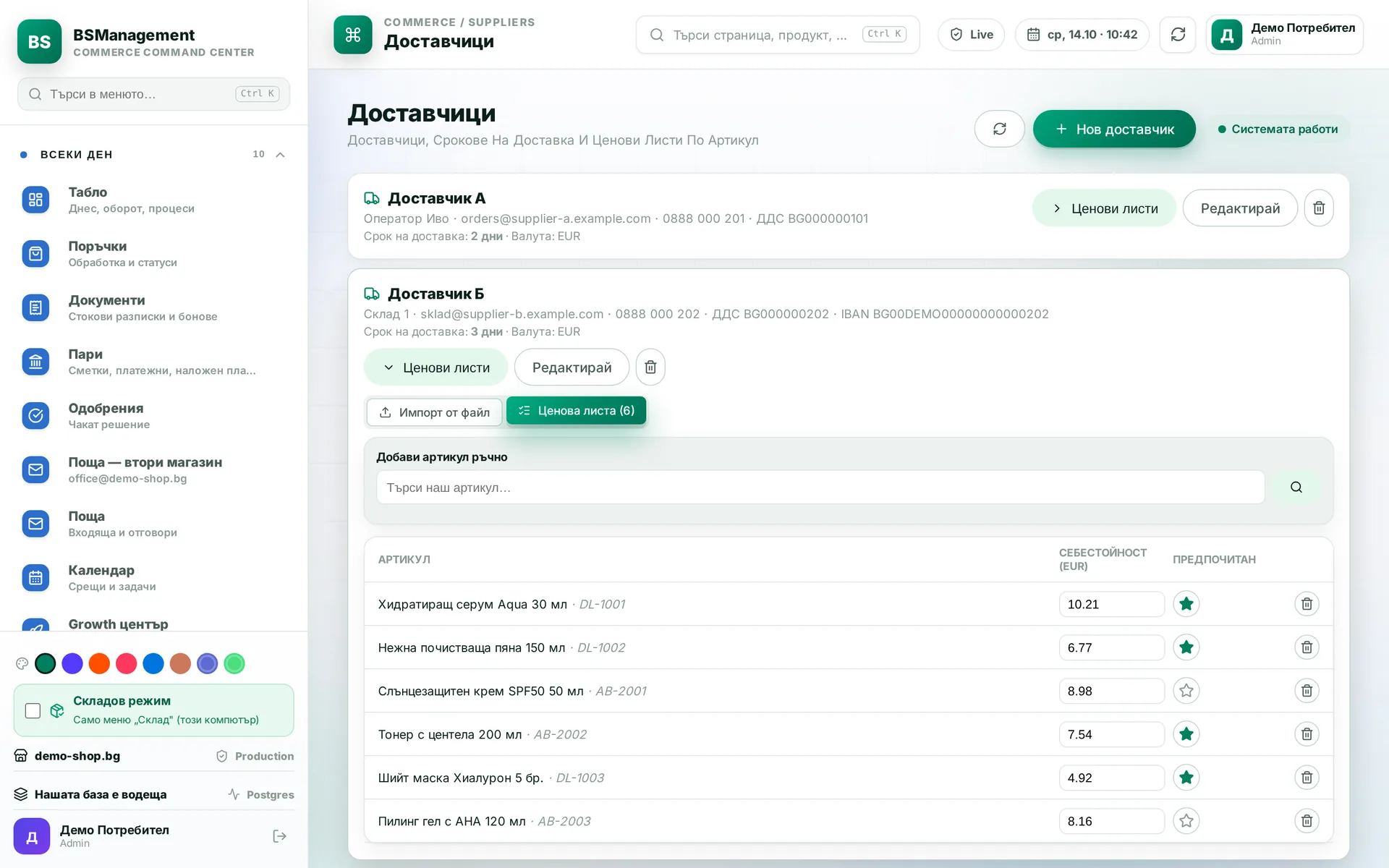
Each supplier has a card with contacts, price list and lead time. It is marked as a daily supplier or an external one with a longer lead time. Purchase orders and forecasts use this data without it being entered again.
Runs in: KoreanCare, Ivana Agro, KB Agro, Easy App, BS Omni ERP
Importer stock
Before ordering you can see what the importer has in stock. Sales staff know whether a part can arrive quickly without making a phone call. The customer gets an accurate answer the first time.
Runs in: Ivana Agro, KB Agro
Parts issuing
Parts for a service job or a customer are issued against a request: picked by scanner or by hand, then "Complete and issue". Quantities are written off from the bins at that moment. Every issue is visible in the ledger.
Runs in: Ivana Agro, KB Agro
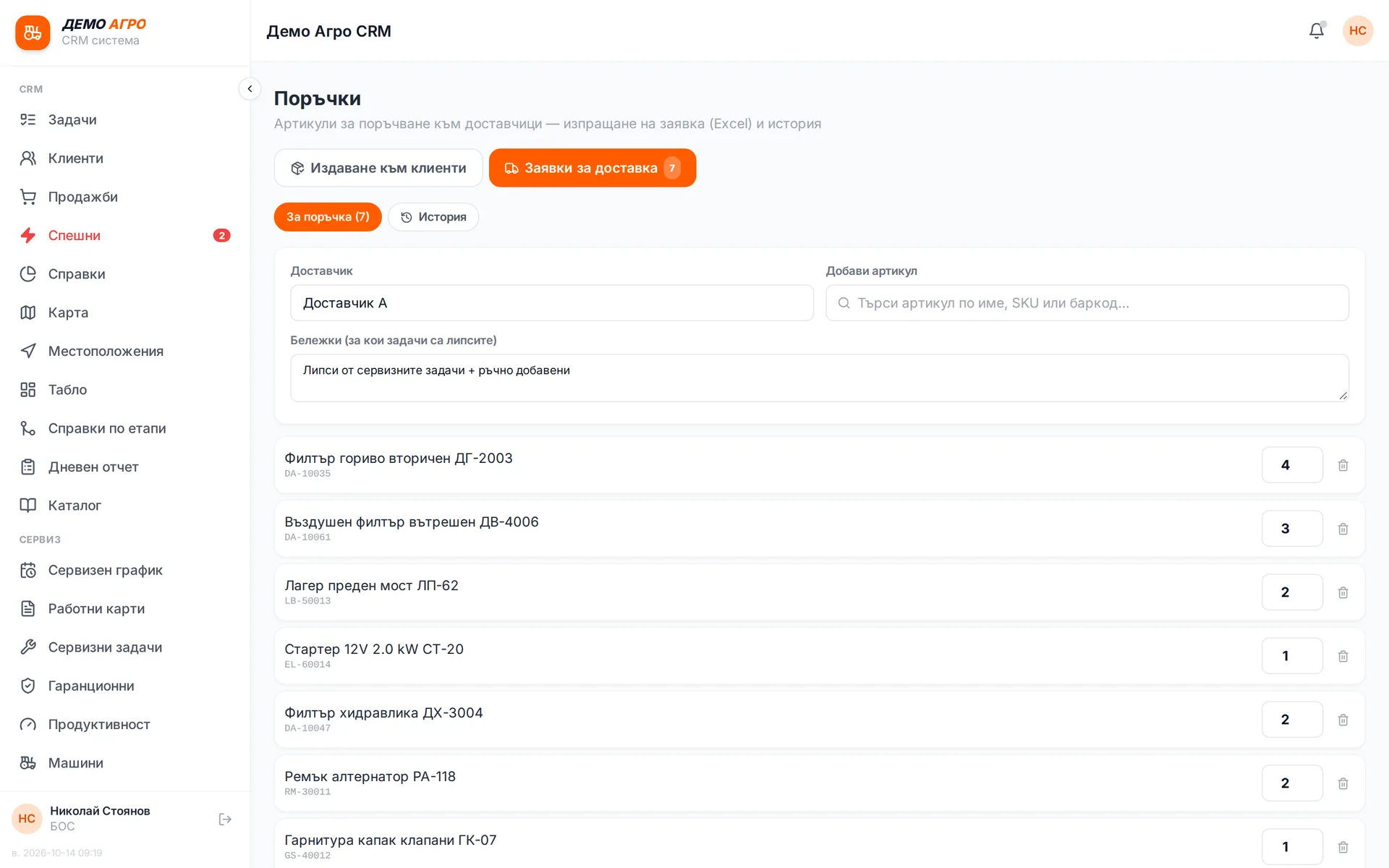
Shared restock list
Shortages from service jobs are collected into one shared draft, with quantities summed per item. Lines can also be added by hand. "Send request" sends everything at once and downloads an Excel file.
Runs in: Ivana Agro, KB Agro
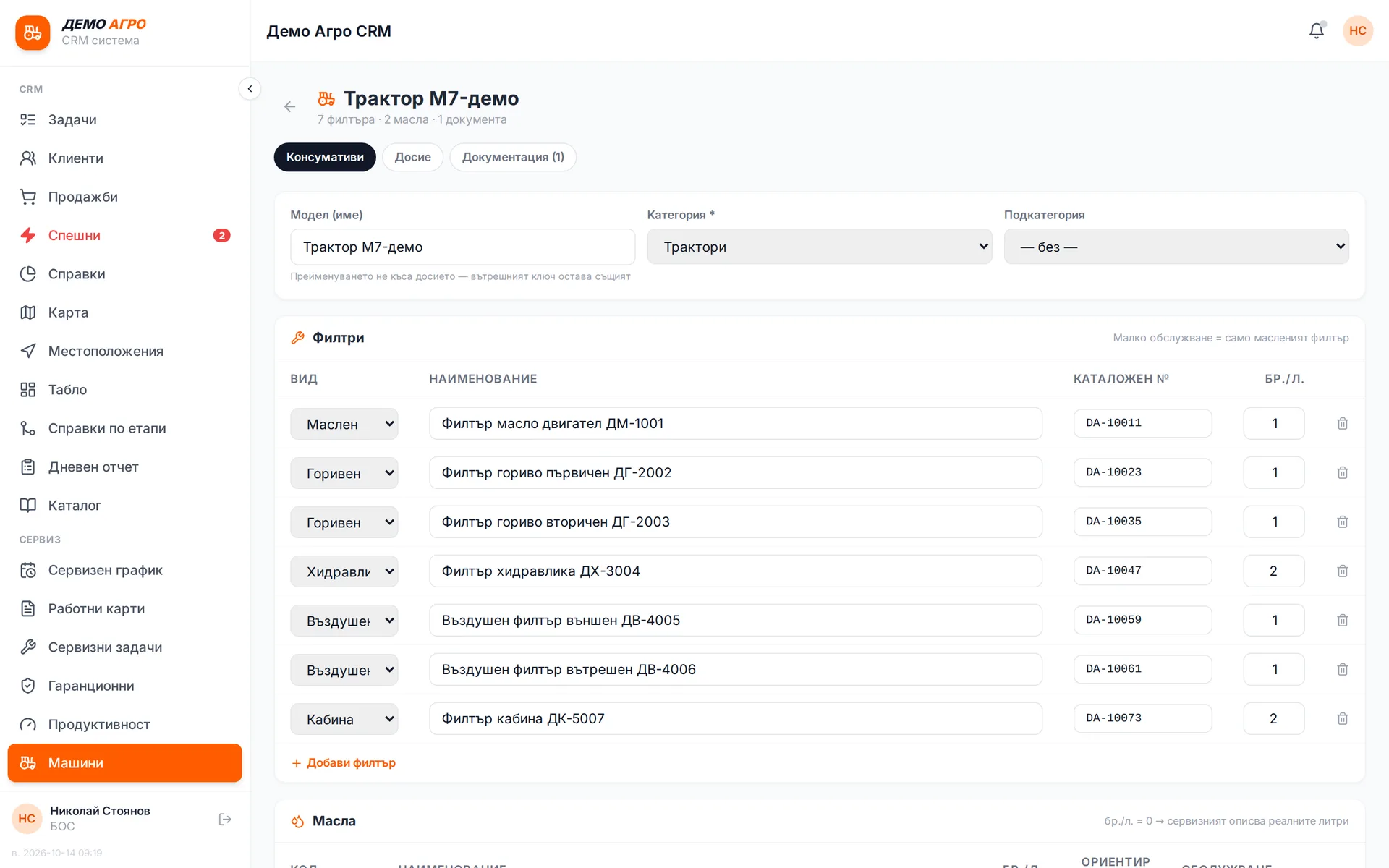
Parts kits per model
Each machine model has a ready kit of spare parts for servicing. For a service job the whole kit is taken instead of searching for parts one by one. The service team knows in advance what to take.
Runs in: Ivana Agro, KB Agro
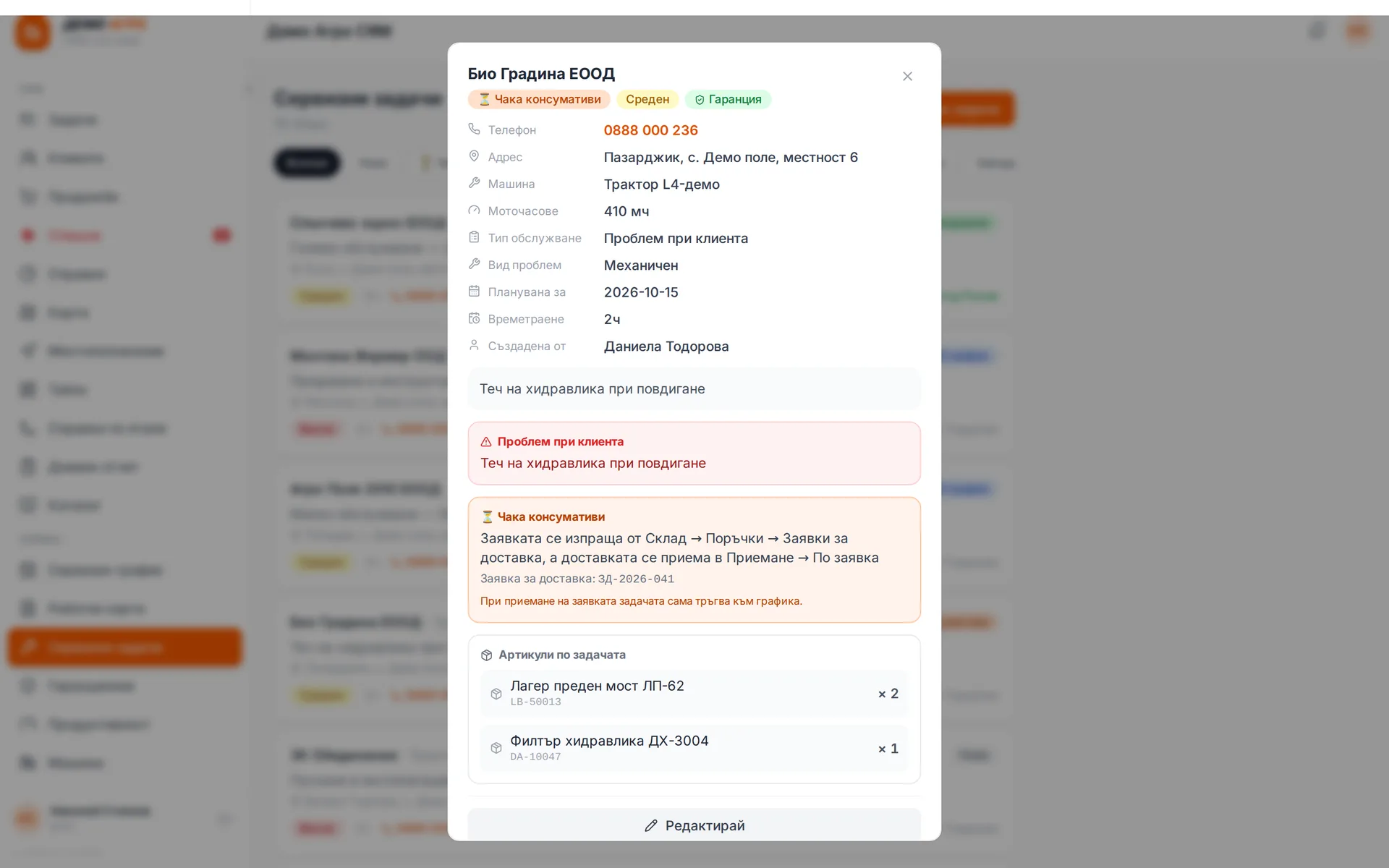
Parts deliveries for customers
Parts ordered for a specific customer are tracked from request to arrival and handover. You can see what is waiting on the supplier and what is ready for collection. Sales staff can answer the customer without checking by hand.
Runs in: Ivana Agro, KB Agro
Service vans as mobile warehouses
Each service van is its own warehouse, with stock and movements. The technician sees "my warehouse" and knows what is on board before setting off. Mileage is recorded against the van.
Runs in: Ivana Agro, KB Agro
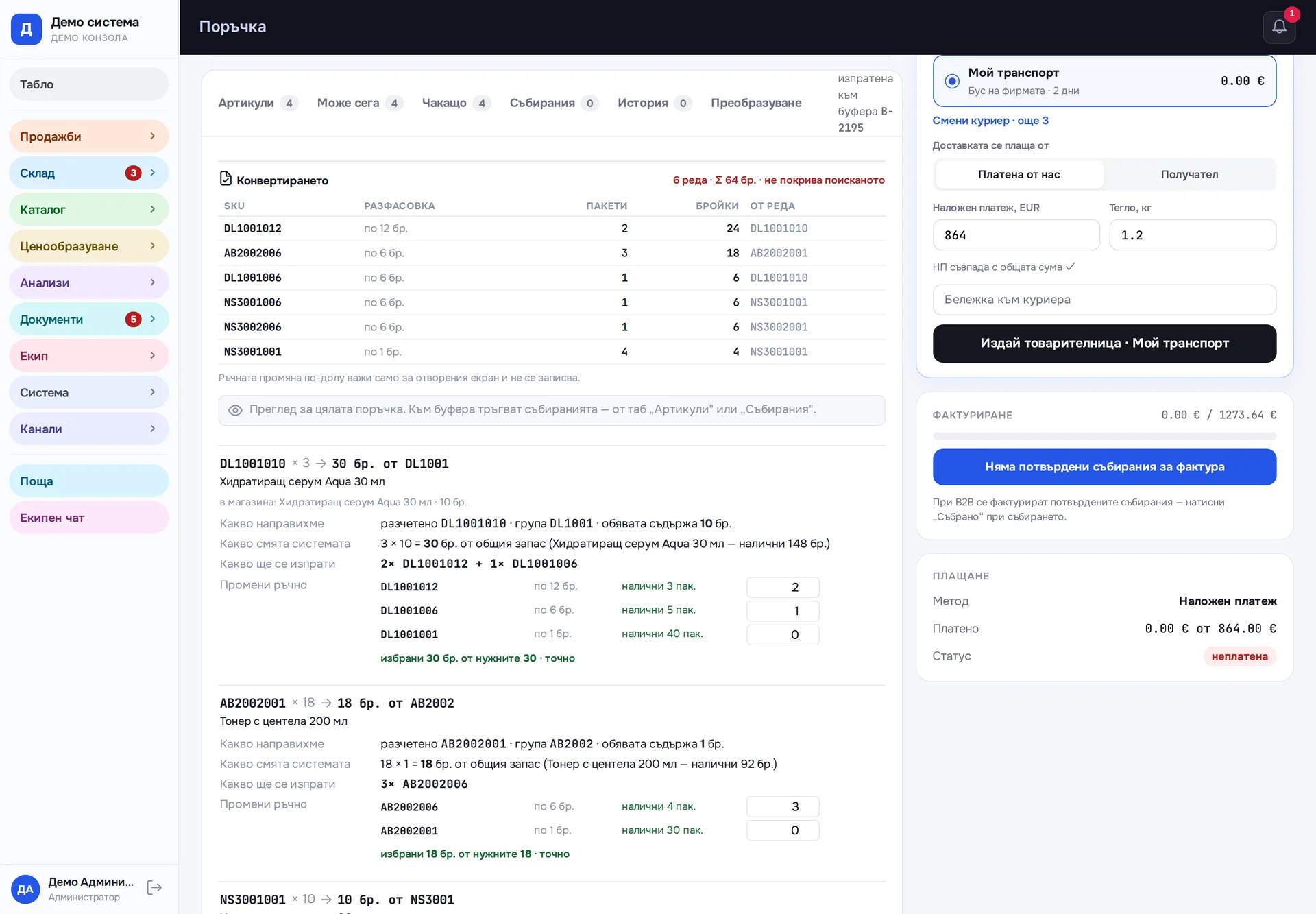
Pack-size allocation
When an item comes in several pack sizes, the system works out how many packs of each to use for the exact quantity. It picks the fewest packs and the fewest pack types, with no surplus. The picker gets a ready list.
Runs in: Easy App
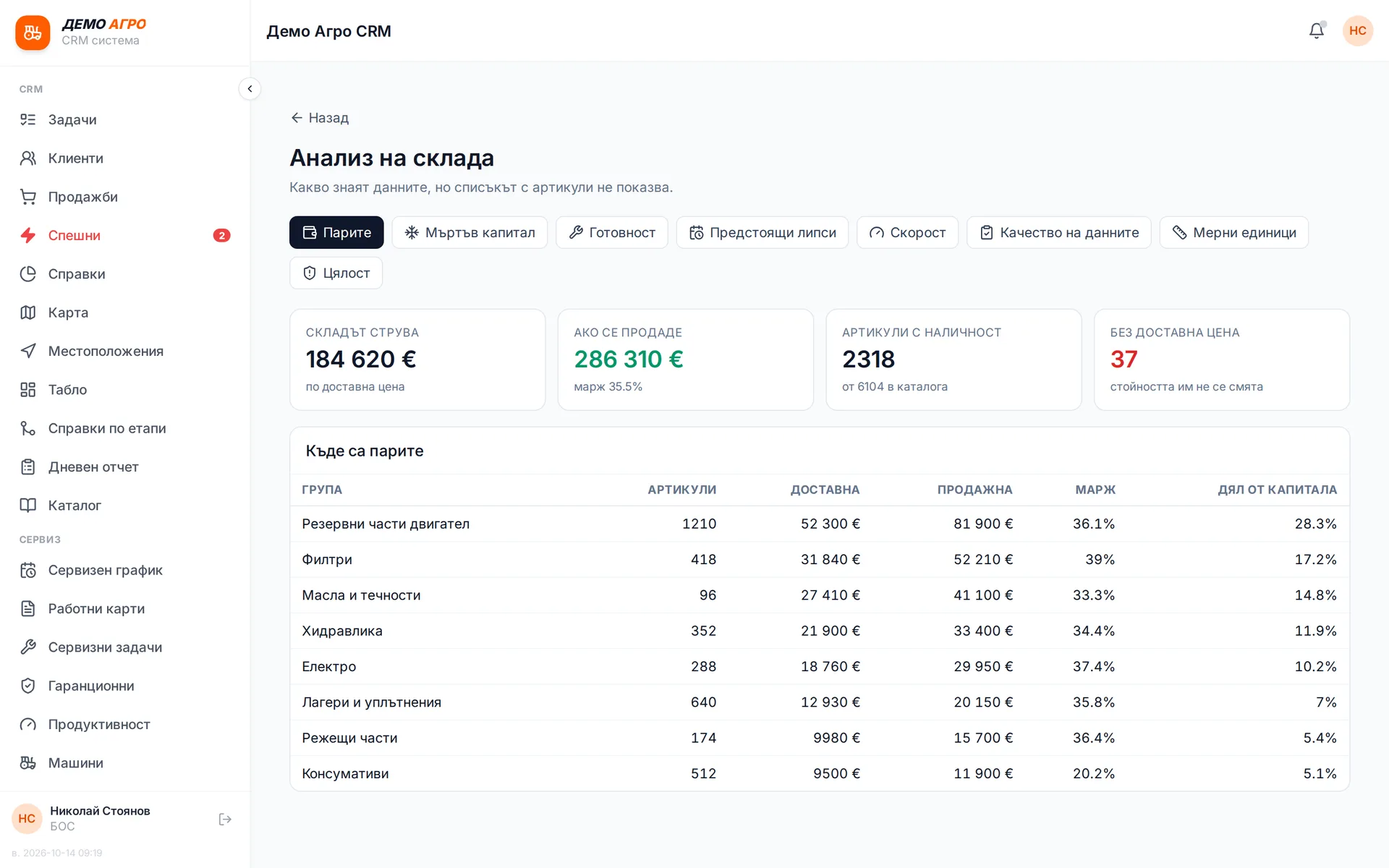
Warehouse analytics
Besides quantities, the warehouse shows stock value, stock that is not moving, sales velocity and upcoming shortages. A separate tab points out incomplete data: items with no price, no bin or a mixed-up unit of measure. Everything is calculated on the server and opens quickly.
Runs in: Ivana Agro, KB Agro
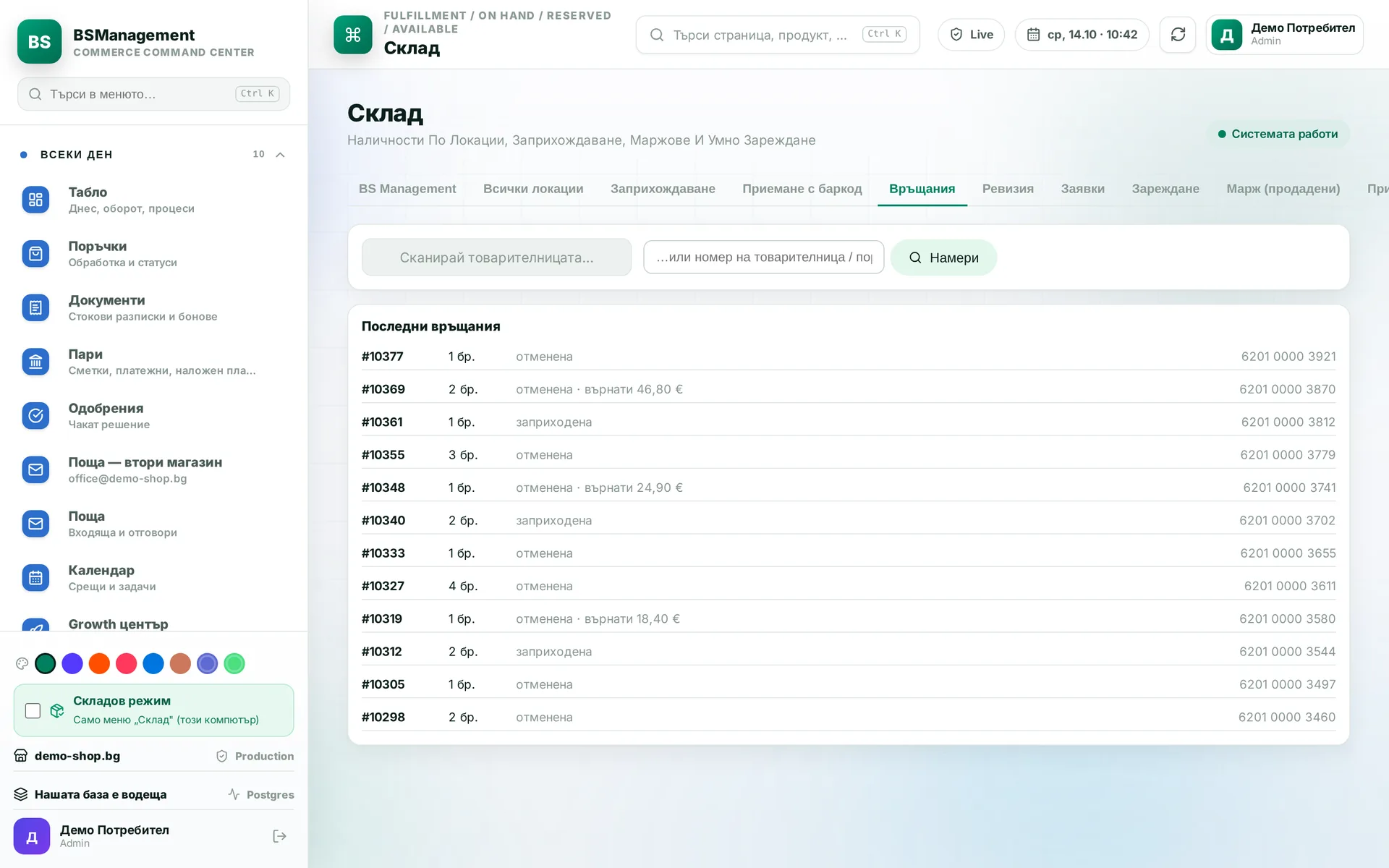
Returns
The warehouse scans the returned parcel, which puts the goods back in stock and cancels the order. The item also comes off the supplier order if it has not been ordered yet. The refund is a separate button, and for cash on delivery a credit note is issued.
Runs in: KoreanCare, Cosmetics of Korea
Direct label printing
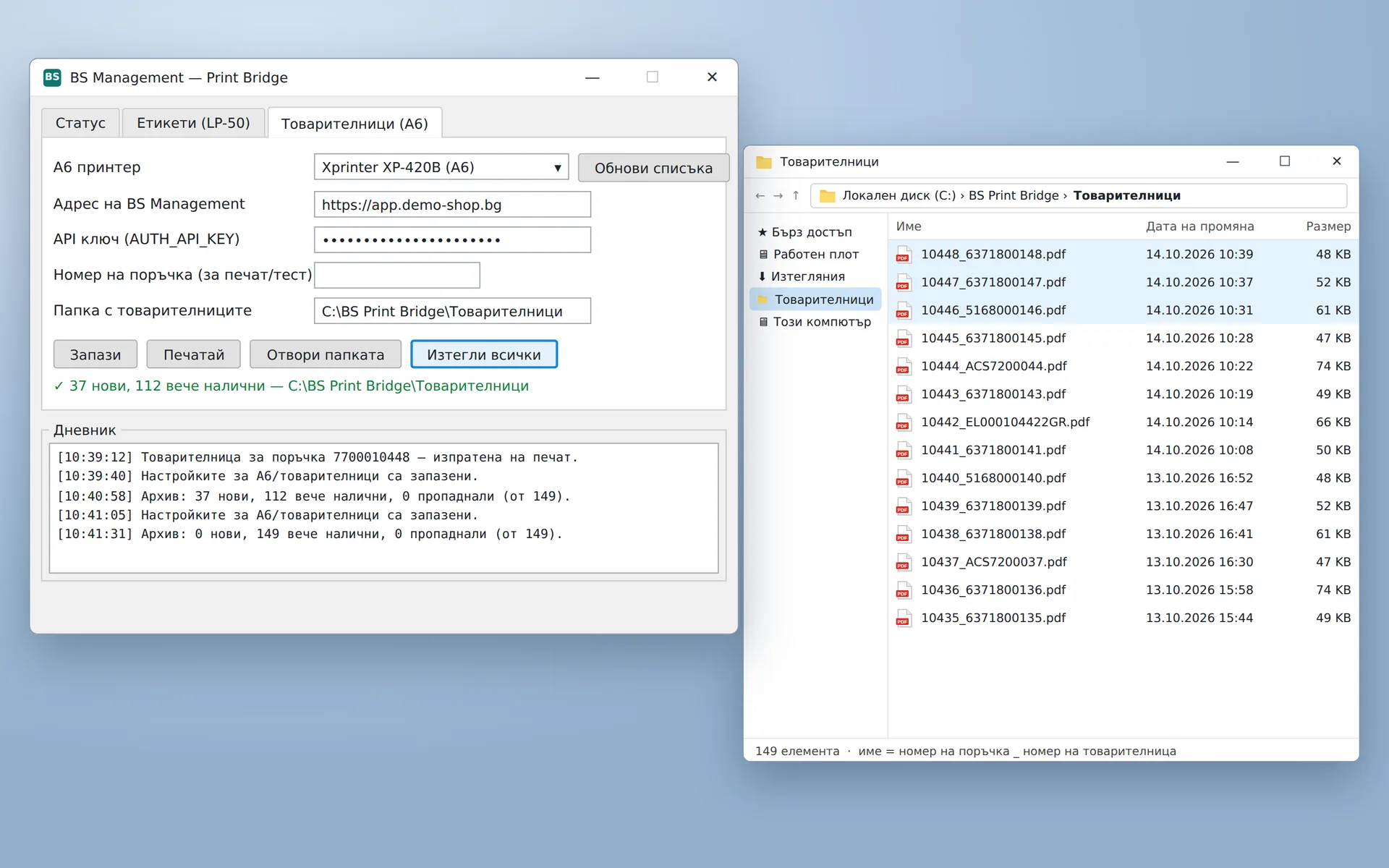
A small local app on the warehouse computer prints labels and A6 waybills straight to the thermal printer. There is no print dialog and no printer choice for each parcel. The label comes out the moment the order is confirmed.
Runs in: KoreanCare
Label archive
Every printed label is kept as a PDF in a folder on the warehouse computer. One button downloads them all at once, so every waybill stays at hand after printing.
Runs in: KoreanCare
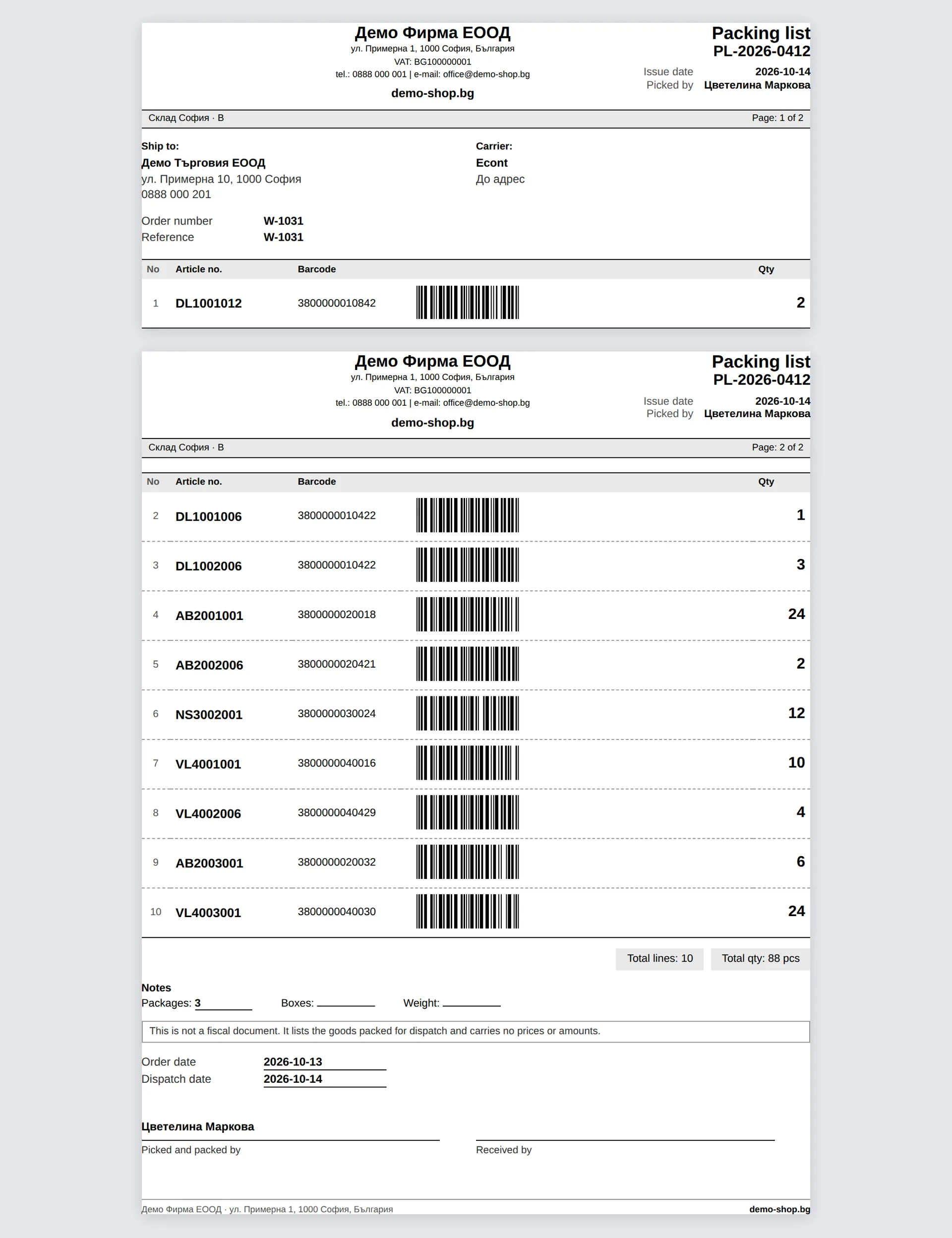
Packing list with barcodes
The packing list is generated from the order and printed straight from the browser or saved as a PDF. Each line carries a vector barcode that scanners read cleanly, and the header repeats on every page. If a field is missing, it is left blank to fill in by hand rather than made up.
Runs in: Easy App