In-store till (POS)
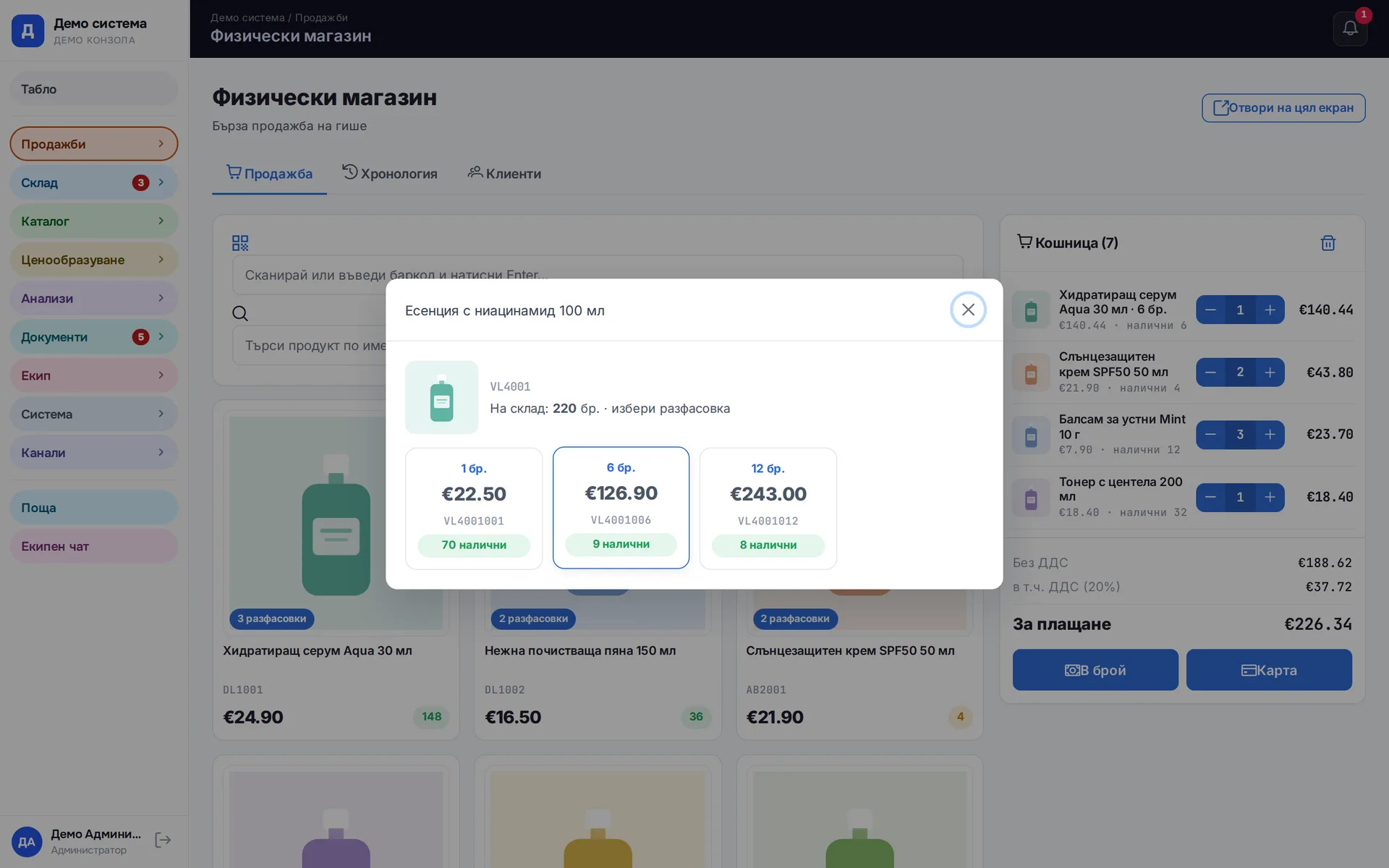
The till in the physical store works with a scanner or search, and an item sold in several pack sizes opens a pack picker. The sale is saved as an order on the store channel, and a company invoice can be issued on the spot. A discount above the limit waits for admin approval, and returns go through the same screen.
Runs in: Easy App, BS Omni ERP
Orders from every channel
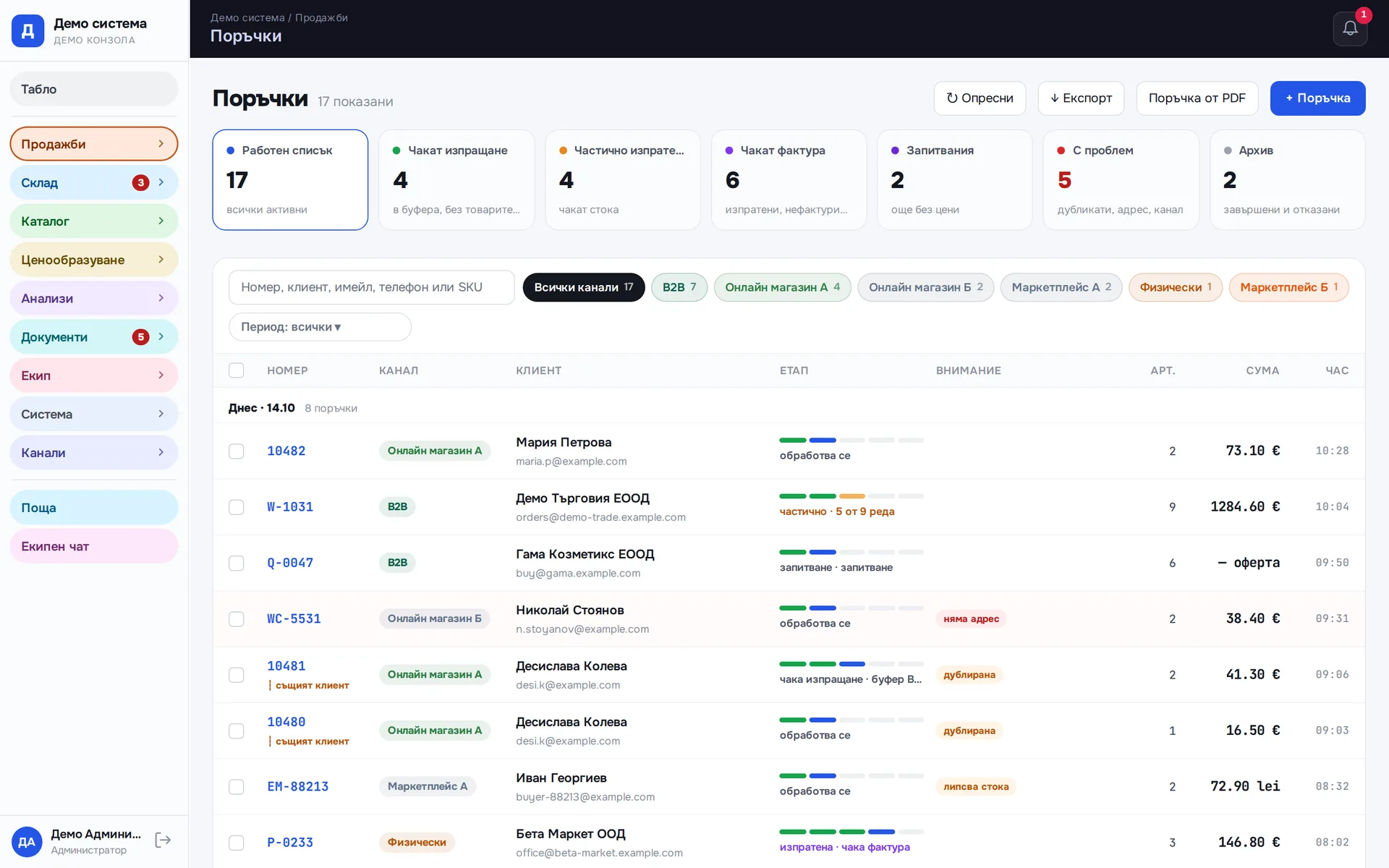
Orders from Shopify, WooCommerce, eMAG, eBay, B2B, the till and incoming mail land in one list in the same format. Each order leads to a waybill and an invoice, and editing and cancelling happen in one place. The channel is shown on every row, so filtering by store is one click.
Runs in: Easy App, BS Omni ERP
Order work lists by stage
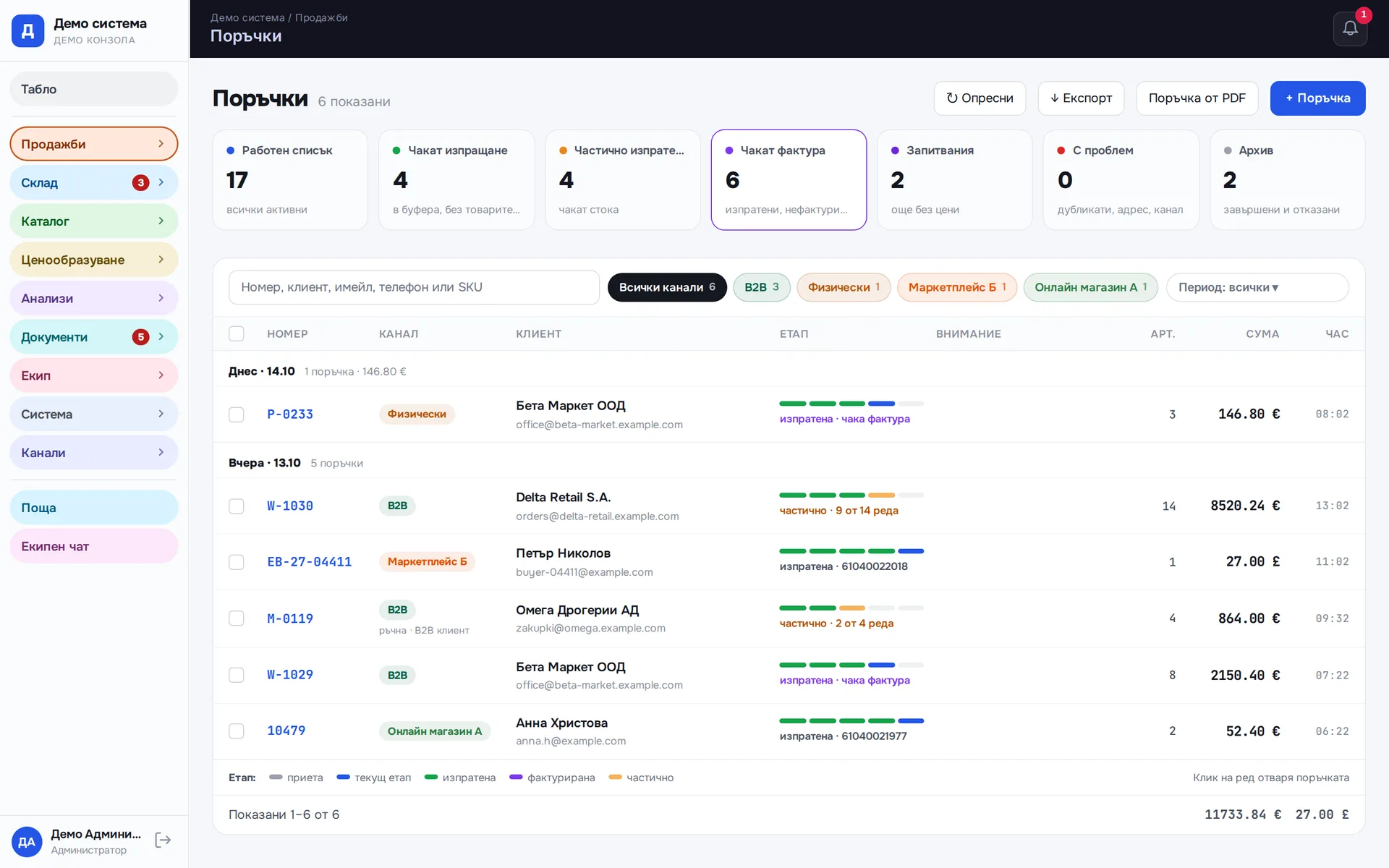
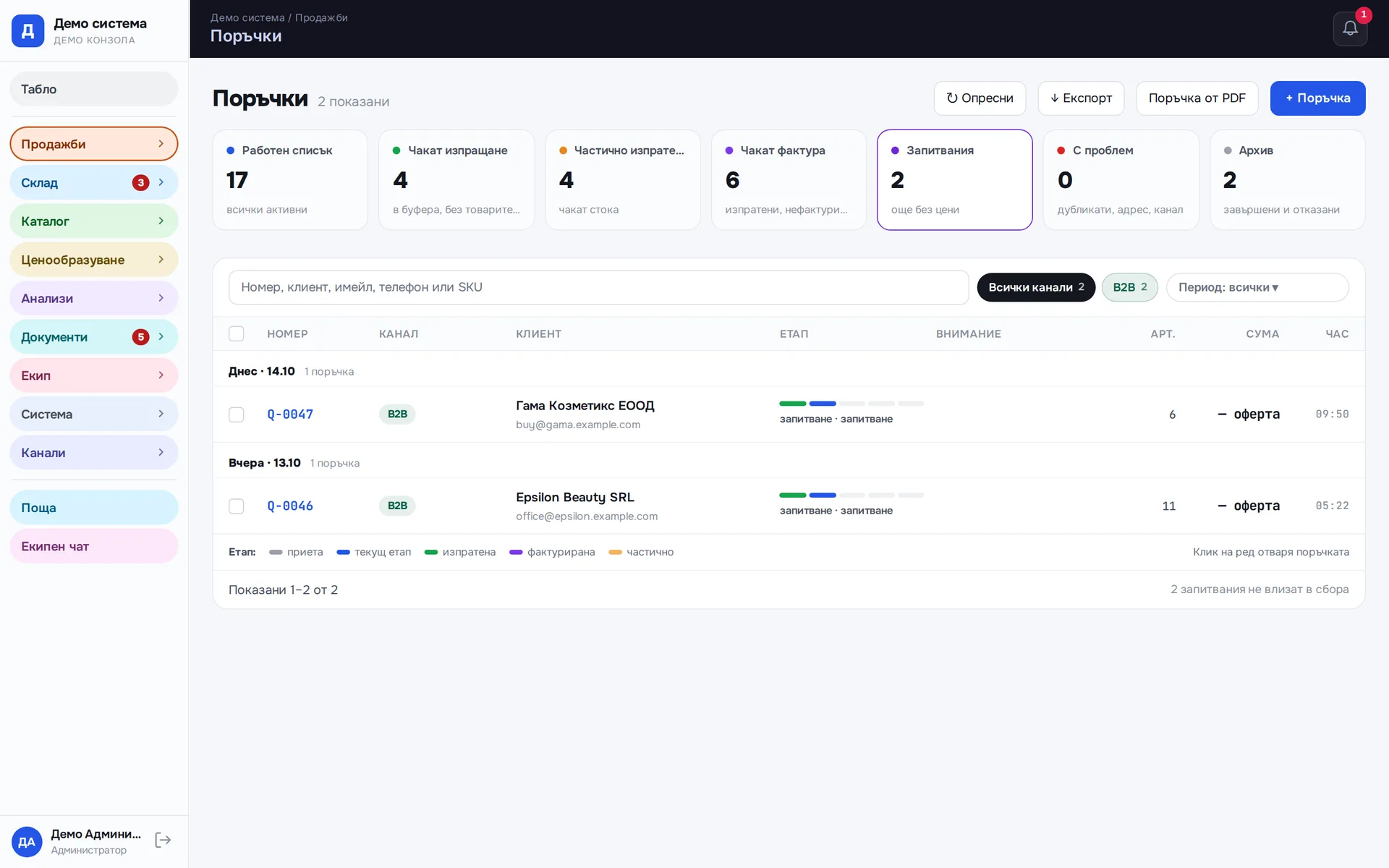
Every order shows its stage: received, in the buffer, shipped, invoiced, completed. The tabs are ready-made work lists: waiting to ship, partly shipped, waiting for an invoice, inquiries, archive. The count on each comes from the server. Filters are kept in the page address, so a shared link opens the same list for a colleague. Every list downloads as a CSV for Excel.
Runs in: Easy App
Orders with problems
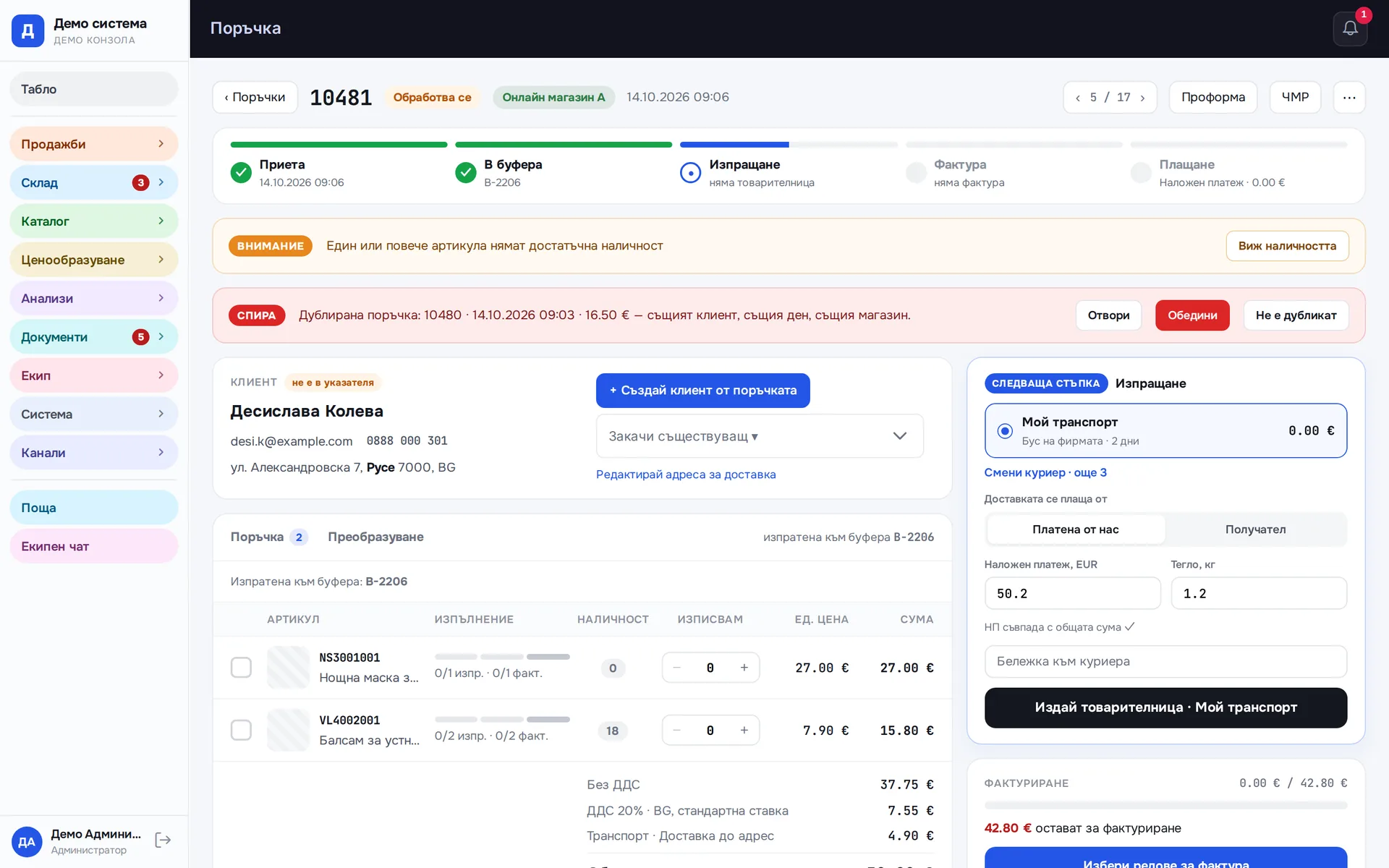
The problem is spelled out in words on the order row: "missing stock", "no address", "duplicate". Each word is a button that shows only the orders with that problem. The open order lists which items are short, and a duplicate gets "Merge" and "Not a duplicate" buttons.
Runs in: Easy App
Quick order entry
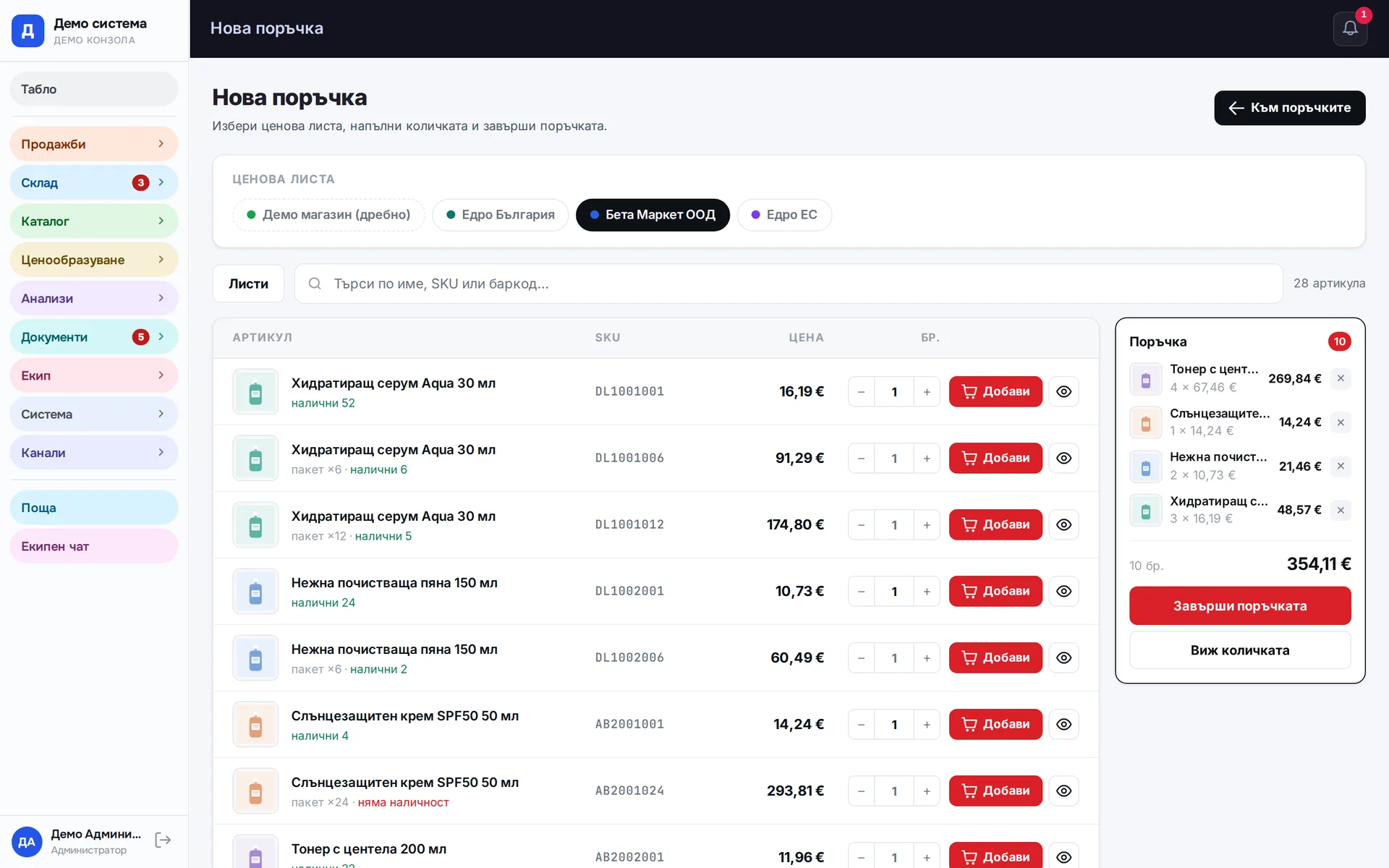
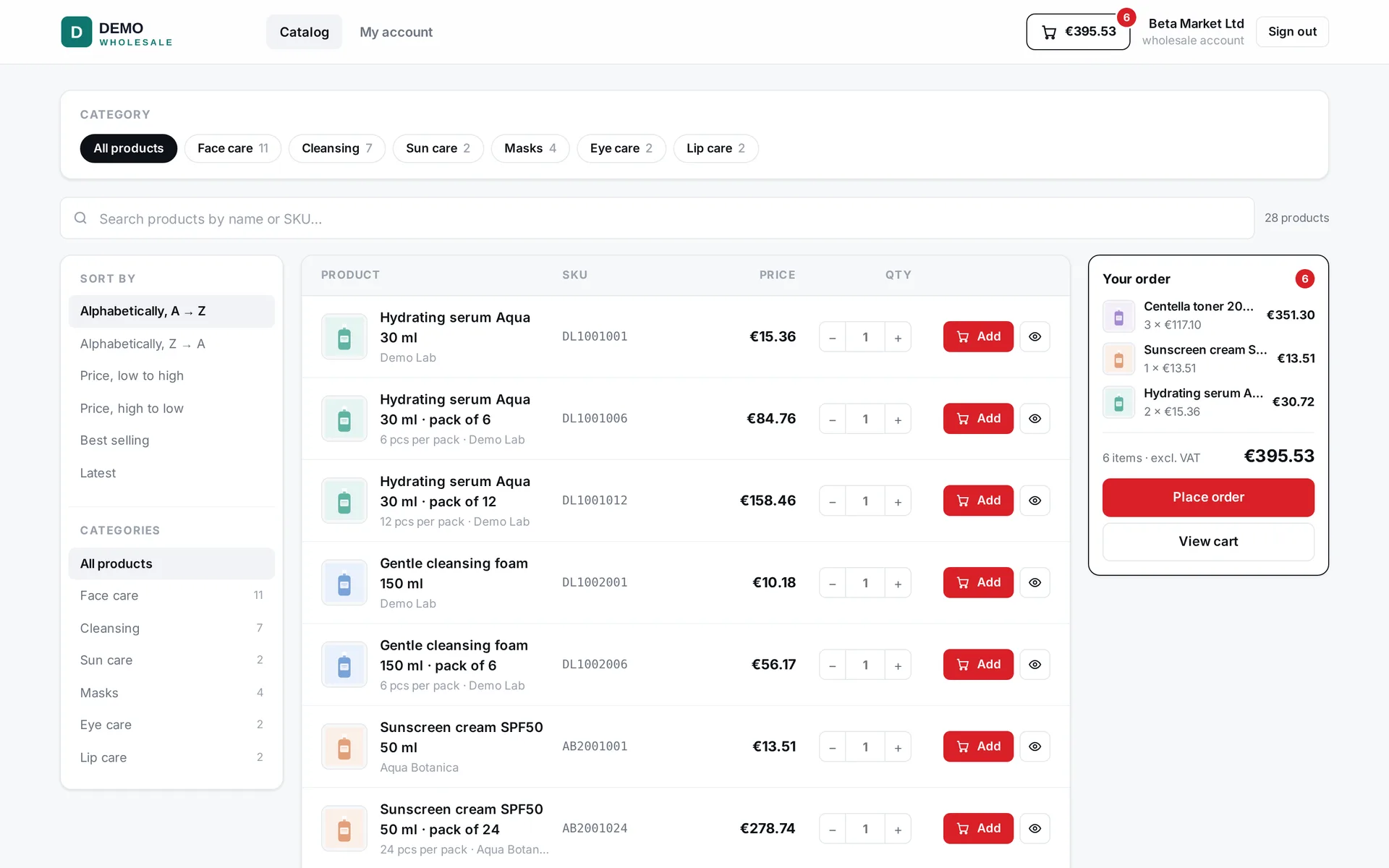
A phone or walk-in order is entered from a catalog with a cart, as on the wholesale site. You pick the customer and prices come from their price list. The order joins the common list and follows the same path as online orders.
Runs in: Easy App, BS Omni ERP
Wholesale order from a PDF
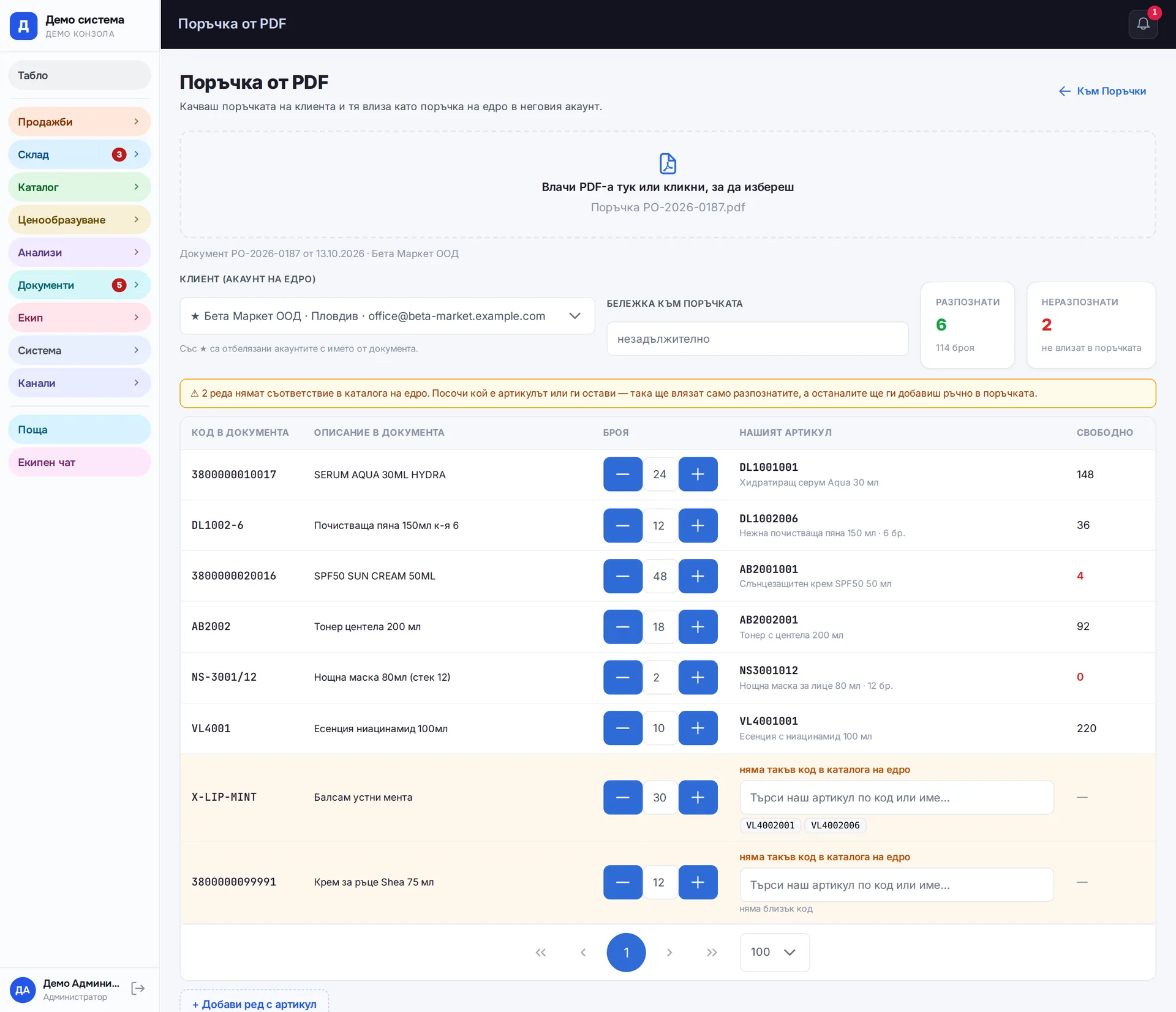
The customer sends their order as a PDF and you upload it on one screen. The system shows the lines it read and which item it matched to each. An unknown code stays unmatched until a person picks the right item. One click turns it into an order on the customer account, priced from their own price list.
Runs in: Easy App
Orders from email
A mailbox set up for orders creates an order from each incoming email by itself, for example for dropshipping. The order joins the common list under its own channel and follows the same path to waybill and invoice.
Runs in: BS Omni ERP
Requests for quotes
A business customer without a price list sends their cart from the wholesale site as an inquiry. It enters the orders with its own number and an "inquiry" badge, with no prices and without reserving stock. The sales rep sets the prices, the inquiry becomes an order and carries on along the usual path.
Runs in: Easy App
Order buffer
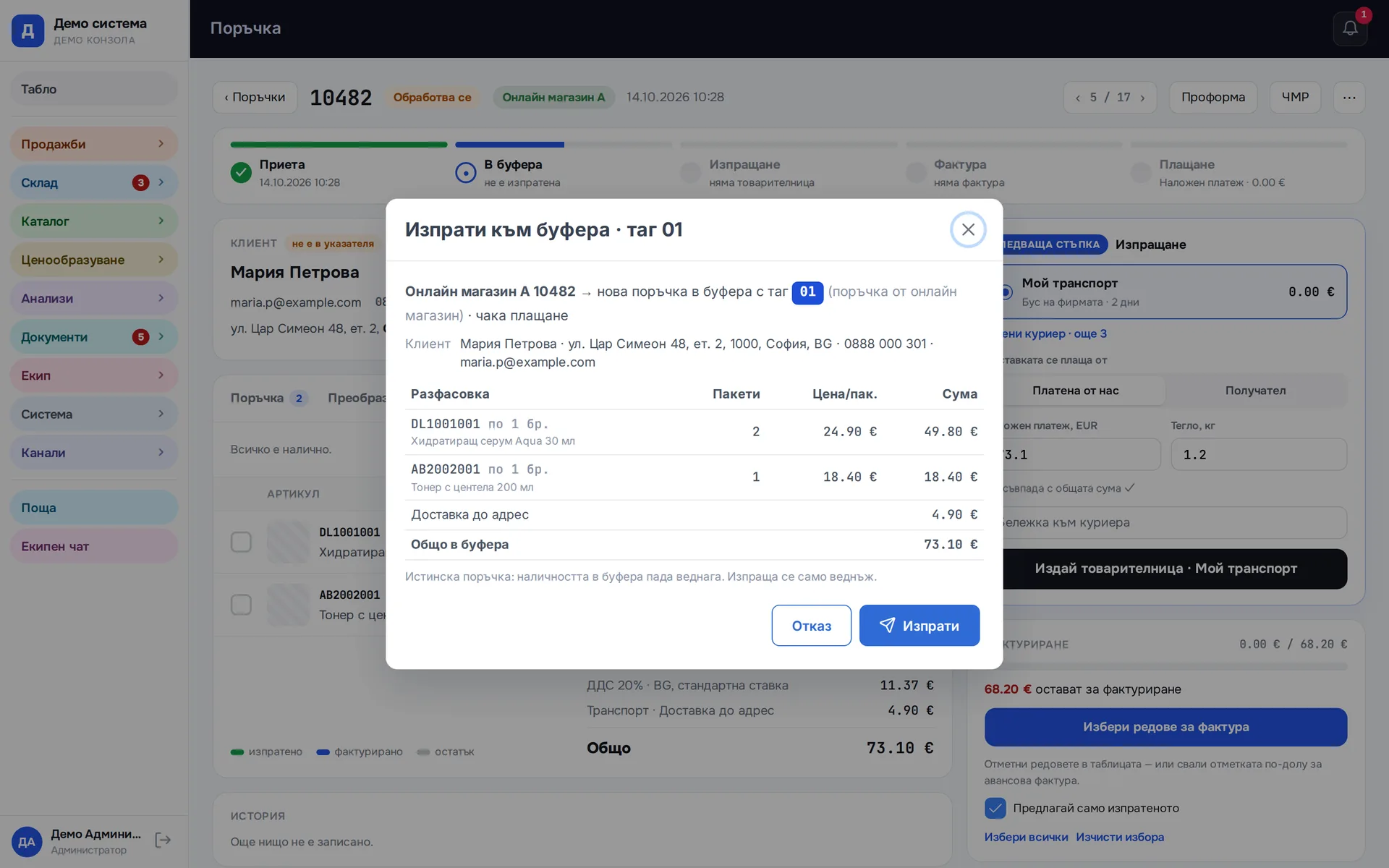
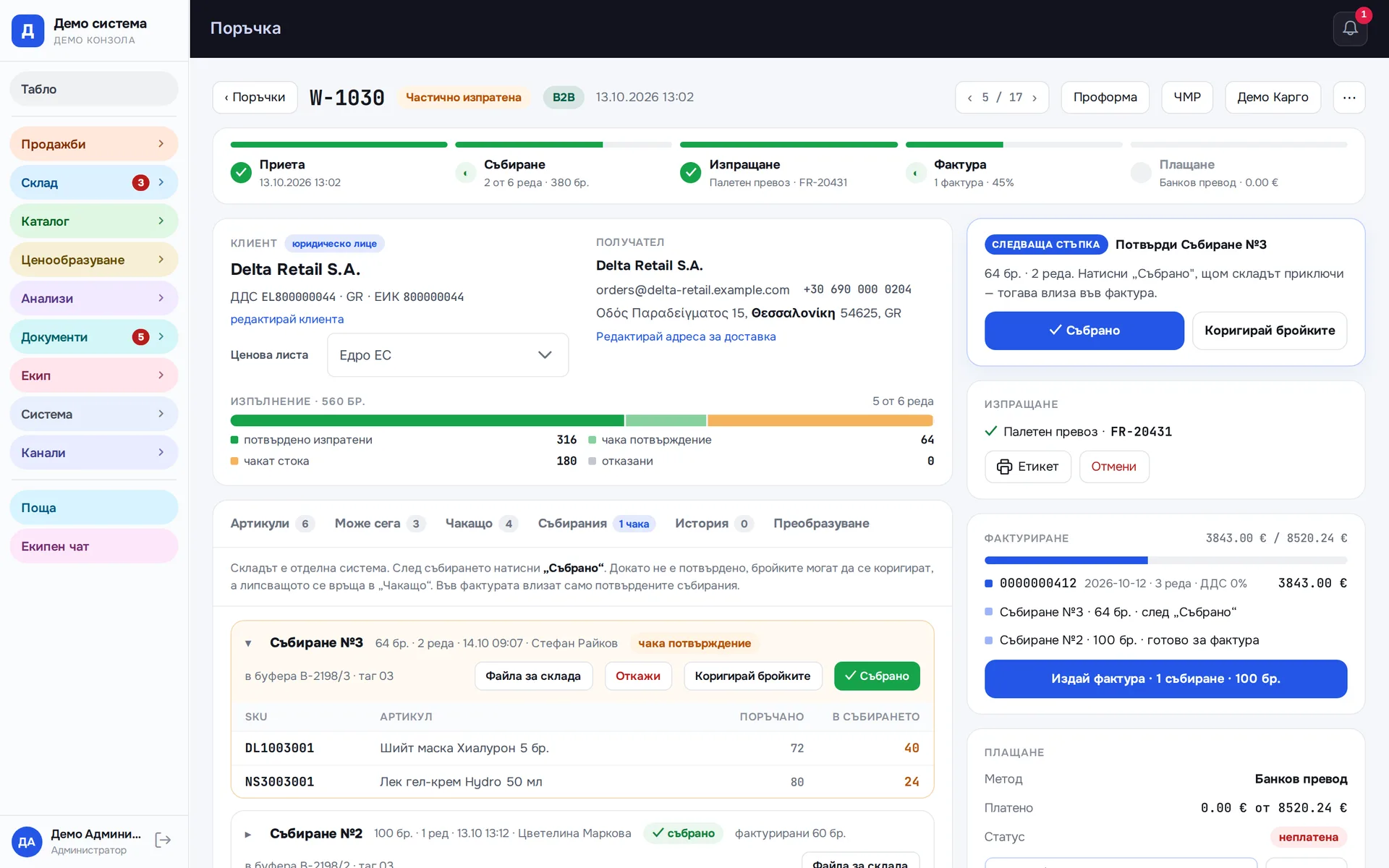
The buffer is where goods actually ship from. An order is sent to it with a button, once and in full, with the customer details and the exact pack sizes, and stock there drops straight away. If a line cannot be covered exactly, the button says which one and why, and does not send an incomplete order.
Runs in: Easy App, BS Omni ERP
Partial shipments
A large wholesale order ships in several pick runs, each with its own number and exactly its own quantities, and each is confirmed as "Picked". The order tracks separately how much has shipped and how much has been invoiced, because the two do not move together. The remainder sits under "Partly shipped" until it goes.
Runs in: Easy App
Waiting customers
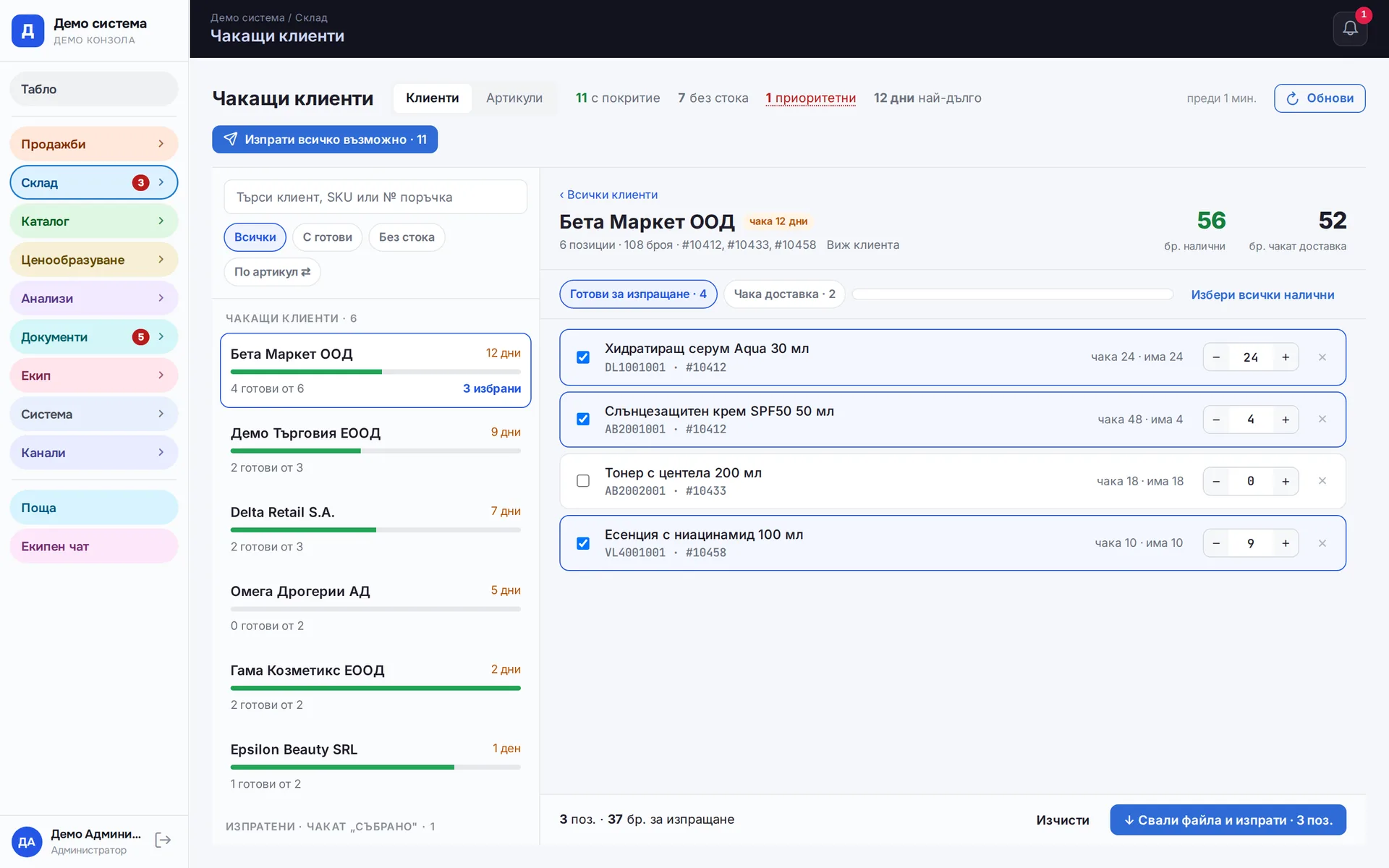
One screen shows what each customer is waiting for across all their orders and what of it is in stock today. Waiting items ship in full or in part by choosing a quantity per line. Nobody maintains the list by hand. Once the goods leave, the line disappears by itself.
Runs in: Easy App, BS Omni ERP
Price lists
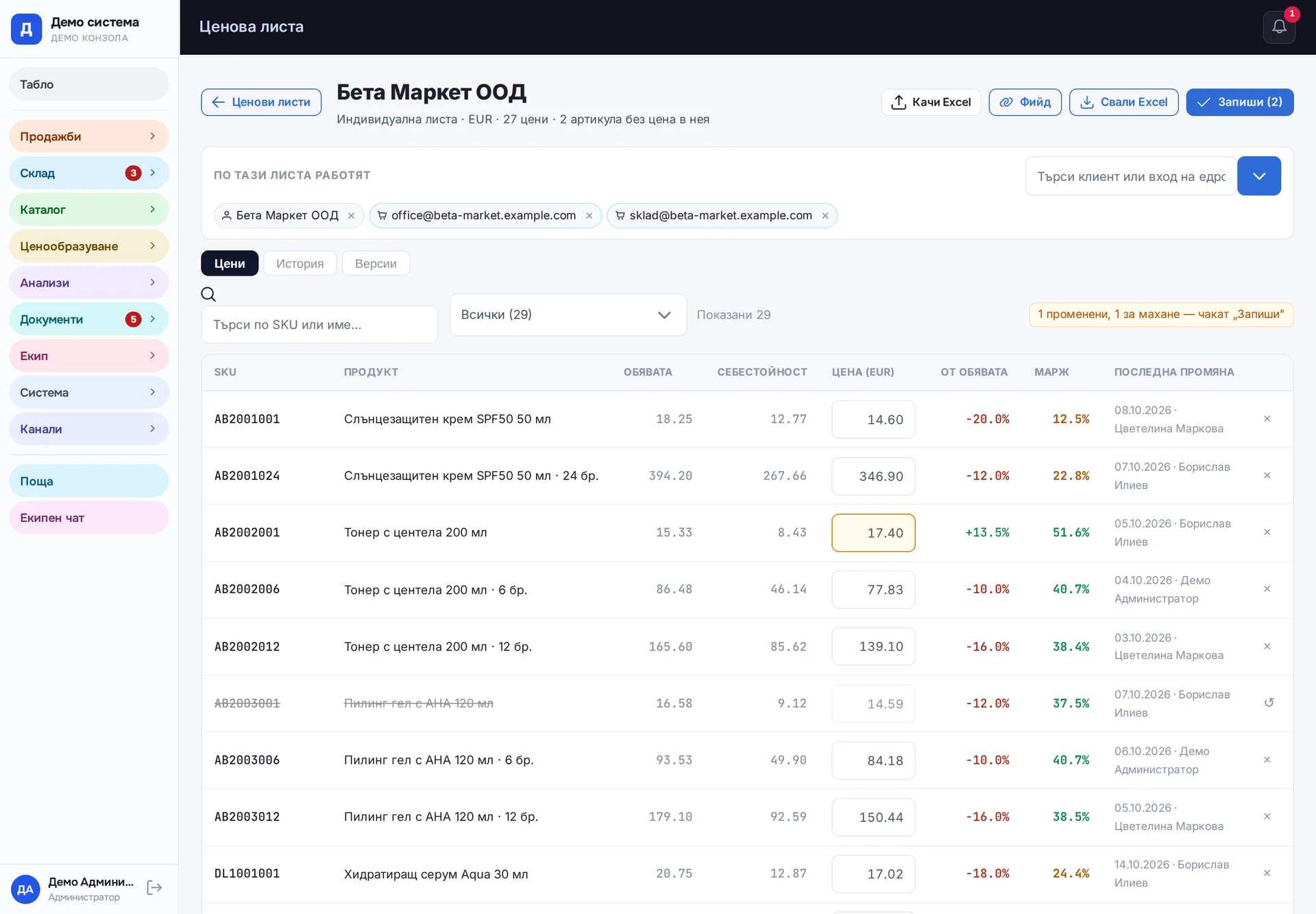
Retail and wholesale price lists, with and without VAT, by group and by customer, with the margin next to each price. You upload an Excel file, the system shows the difference against current prices and saves the new ones only after you confirm. The list also downloads back to Excel. Every change stays in the history, and before an old version is restored the system saves the current one.
Runs in: Easy App, BS Omni ERP
Wholesale site (B2B)
Business customers log in with an account created from the system and see the catalog at the prices of their own price list. An order from the site goes straight into the common list. The site does not accept it without complete company details, so that it can be invoiced later. A packing list with item barcodes is printed for the shipment.
Runs in: Easy App, BS Omni ERP
Quick order with a phone number
On the product page the customer leaves only a name and phone number, without going through checkout. The request lands in a separate list in the system, and a resubmitted form does not create a second row. A staff member calls the customer and then creates the order.
Runs in: LedWhite
Order sheet
A button on the order prints an A4 sheet with what needs to be picked and where the parcel is going. The data is the same as on screen; the sheet calculates nothing of its own. It prints through the office print program or opens as a PDF.
Runs in: LedWhite
Online restaurant orders
The customer orders from the restaurant's menu for pickup or delivery and pays by card or on receipt. The restaurant accepts the order and marks it ready and handed over, while the customer follows the status through a personal link. Afterwards they can rate it, and ratings show in the restaurant's panel.
Runs in: Shishko
Table reservations
A guest requests a table for a date and time from the restaurant's page. The restaurant confirms or declines, and the guest sees the status through their personal link and can cancel from there. Requests sit in the restaurant's panel next to the orders.
Runs in: Shishko
Lunch menus by city
Restaurants publish the day's lunch menu with dishes, prices, portion weights and the time it is valid until. Visitors pick their city and see all of today's menus in one place. The menus also go out in the morning email to subscribers in the same city.
Runs in: Shishko